Best AI Tools for Coding?
Complete guide • Developer tools comparison
AI-Powered Development Tools:
Compare ToolsAI coding tools leverage machine learning to assist developers with code completion, bug detection, documentation generation, and code suggestions. These tools analyze vast codebases to provide intelligent recommendations, significantly boosting productivity and reducing development time.
Popular AI coding tools include:
- GitHub Copilot: AI pair programmer by OpenAI
- Tabnine: Context-aware code completion
- Amazon CodeWhisperer: AWS's AI coding companion
- Replit Ghostwriter: AI-powered coding assistance
- Codeium: Free alternative with strong performance
- Sourcegraph Cody: AI coding assistant
These tools integrate seamlessly with popular IDEs and support multiple programming languages.
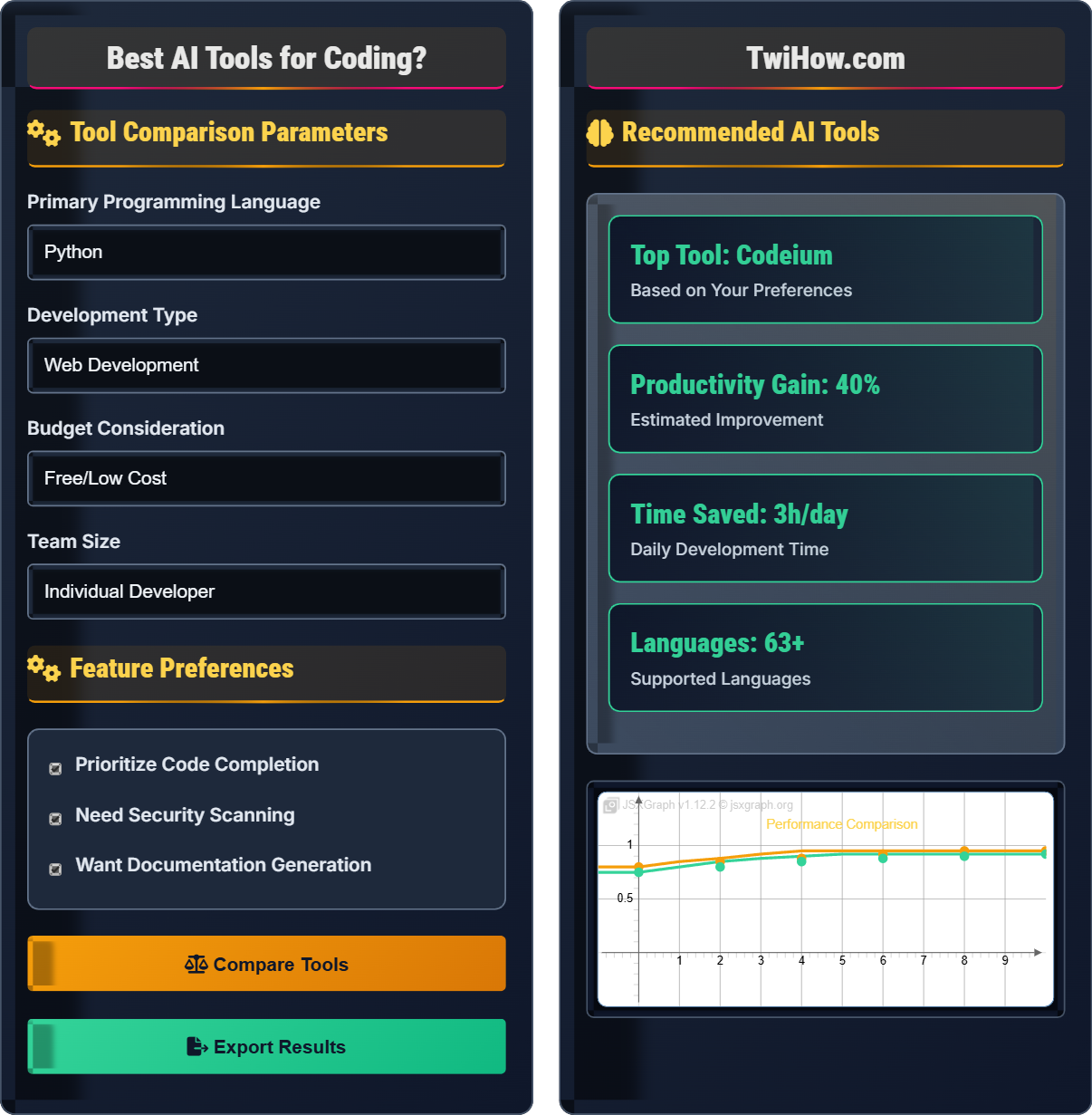
Tool Comparison Parameters
Feature Preferences
Recommended AI Tools
GitHub Copilot
AI pair programmer that suggests code in real-time, based on context from comments and surrounding code.
Code Completion
95% accuracy
Bug Detection
Advanced patterns
Languages
20+ supported
IDE Support
VSC, JetBrains
Example of AI-assisted code completion in action
Complete Guide to AI Coding Tools
AI coding tools are software applications that use artificial intelligence and machine learning to assist developers with writing, debugging, and maintaining code. These tools analyze vast amounts of code to provide intelligent suggestions, automate repetitive tasks, and help developers write better code faster.
function calculateSum(arr) {
let sum = 0;
for (let i = 0; i < arr.length; i++) {
sum += arr[i];
}
return sum;
}
function calculateSum(arr) {
// Calculates sum of array elements
return arr.reduce((sum, num) => sum + num, 0);
}
// AI provides documentation and tests
AI tools analyze code context, comments, and patterns to suggest completions, refactorings, and improvements in real-time.
| Feature | GitHub Copilot | Tabnine | CodeWhisperer | Codeium |
|---|---|---|---|---|
| Code Completion | 95% | 92% | 88% | 90% |
| Free Tier | Limited | Yes | Yes | Yes |
| Security Scan | Basic | Advanced | Good | Basic |
| Languages | 20+ | 15+ | 15+ | 70+ |
| IDE Support | 5+ | 15+ | 3+ | 10+ |
- Verify Suggestions: Always review AI-generated code for correctness and security
- Customize Settings: Configure tools to match your coding style and project requirements
- Learn from Suggestions: Understand why AI suggests certain patterns to improve your skills
- Combine Tools: Use different tools for different tasks (completion, security, documentation)
- Stay Updated: Keep tools updated to benefit from latest improvements
- Protect IP: Be cautious with proprietary code in cloud-based AI tools
Tool Features
Code completion, bug detection, documentation, refactoring, testing, security scanning.
- Install IDE extensions/plugins
- Configure authentication
- Set preferences and settings
- Enable specific features
- Customize workflows
- Always verify generated code
- Respect intellectual property
- Configure privacy settings
- Update regularly
Performance Metrics
Code completion accuracy, time savings, bug reduction, developer satisfaction.
- Context awareness
- Language support
- Integration quality
- Security features
AI Coding Tools Assessment
Which AI coding tool is most suitable for a developer who prioritizes privacy and security, works primarily with Python and JavaScript, and has a limited budget?
Codeium is the best choice for this scenario because it offers a free tier with comprehensive features, strong privacy controls, and excellent support for both Python and JavaScript. It provides code completion, documentation generation, and security scanning without the subscription costs associated with GitHub Copilot or the complexity of enterprise solutions.
The answer is C) Codeium.
When selecting AI coding tools, it's important to consider multiple factors simultaneously. Privacy-conscious developers should look for tools that offer on-premise or local processing options. Budget constraints make free tiers valuable. Language support ensures the tool will be useful for your specific needs. Codeium strikes an excellent balance between these requirements.
Code Completion: Feature that suggests code based on context
Privacy Controls: Settings that protect code confidentiality
Free Tier: Basic functionality available without cost
• Match features to needs
• Consider privacy requirements
• Evaluate budget constraints
• Try free trials before committing
• Check language support thoroughly
• Read privacy policies carefully
• Choosing tools without considering privacy
• Ignoring budget constraints
• Not verifying language support
What are the main security concerns when using AI coding tools, and how can developers mitigate these risks?
Main Security Concerns:
• Intellectual Property Exposure: Sending proprietary code to cloud-based AI services
• Data Privacy: Code may contain sensitive information like API keys or database credentials
• Code Leakage: AI models might retain and reproduce confidential code patterns
• Supply Chain Risks: Generated code might introduce vulnerabilities
Mitigation Strategies:
• Use on-premise or local AI tools when handling sensitive code
• Implement code sanitization to remove secrets before AI processing
• Configure tools to exclude sensitive files and directories
• Regularly audit AI-generated code for security vulnerabilities
• Use enterprise versions with enhanced privacy controls
These precautions help maintain code security while benefiting from AI assistance.
Security in AI coding tools is a complex issue that requires understanding both the technology and the potential risks. Developers must balance the productivity benefits of AI tools with the need to protect sensitive information. The key is implementing layered security measures that address different types of risks without completely sacrificing the utility of the tools.
Intellectual Property: Proprietary code and business logic
On-Premise: Local installation without cloud processing
Code Sanitization: Removing sensitive information from code
• Never send sensitive data to AI tools
• Audit AI-generated code
• Use privacy-conscious configurations
• Use environment variables for secrets
• Implement pre-commit hooks for sanitization
• Regular security training for teams
• Sending production credentials to AI
• Not configuring security settings
• Assuming AI tools are secure by default
Your development team of 15 engineers wants to adopt AI coding tools. The team works with multiple languages (Python, Java, JavaScript), has varying experience levels, and strict security requirements. Design a phased adoption strategy for implementing AI coding tools across the team.
Phase 1 - Pilot Program (Month 1):
• Select 3-5 experienced developers as pilot group
• Choose one tool (e.g., GitHub Copilot for its broad support)
• Configure security settings and exclusions
• Establish usage guidelines and best practices
Phase 2 - Evaluation (Month 2):
• Measure productivity gains and code quality improvements
• Gather feedback from pilot group
• Address security concerns and refine policies
• Document lessons learned and best practices
Phase 3 - Gradual Rollout (Months 3-4):
• Expand to remaining team members in batches
• Provide training sessions for different experience levels
• Implement team-wide configuration management
• Establish governance and monitoring procedures
This phased approach minimizes risk while maximizing adoption success.
Technology adoption in teams requires careful planning to balance innovation with stability. The phased approach allows for gradual learning, risk mitigation, and continuous improvement. Starting with experienced developers ensures the pilot group can provide valuable feedback. Measuring outcomes during evaluation helps make informed decisions about broader rollout.
Phased Adoption: Gradual implementation in stages
Pilot Program: Small-scale initial testing
Rollout: Gradual expansion to larger group
• Start small and measure results
• Address security first
• Provide adequate training
• Create internal documentation
• Establish feedback channels
• Regular adoption reviews
• Full team rollout without pilot
• Ignoring security requirements
• Insufficient training and support
A development team notices that their AI coding tool suggestions are often irrelevant or low-quality. Analyze potential causes and propose solutions to improve the tool's effectiveness and relevance to their codebase.
Potential Causes:
• Poor code context due to insufficient comments or unclear variable names
• Tool not configured properly for project-specific patterns
• Using generic models instead of fine-tuned ones
• Insufficient training data from the organization's codebase
Proposed Solutions:
• Improve code documentation and naming conventions
• Configure tool settings to match project coding standards
• Use tools that support custom models or fine-tuning
• Train the AI on internal code patterns and standards
• Regularly update and retrain models based on feedback
• Establish coding standards that align with AI tool expectations
These improvements will enhance the AI tool's ability to provide relevant, high-quality suggestions.
AI tools rely heavily on context and training data to provide relevant suggestions. The quality of input directly affects the quality of output. By improving code quality, documentation, and tool configuration, developers can significantly enhance the AI's performance. This demonstrates the symbiotic relationship between good coding practices and AI effectiveness.
Code Context: Information that helps AI understand the code
Fine-tuning: Adapting AI models to specific use cases
Training Data: Code used to teach the AI patterns
• Quality input produces quality output
• Configure tools for specific needs
• Regular feedback improves AI
• Maintain consistent coding standards
• Provide rich context in comments
• Regularly review and adjust settings
• Not configuring tools properly
• Poor code documentation
• Ignoring feedback mechanisms
Which of the following represents the most significant trend in AI coding tools development?
The most significant trend is integration with CI/CD pipelines and DevOps tools. Modern AI coding tools are evolving beyond simple code completion to become integral parts of the entire software development lifecycle. This includes automated testing, security scanning, code review, and deployment automation. This trend reflects the industry's shift toward more integrated and automated development processes.
The answer is B) Integration with CI/CD pipelines and DevOps tools.
AI coding tools are becoming part of the broader DevOps ecosystem rather than standalone utilities. This integration allows for more comprehensive automation, improved quality assurance, and faster development cycles. The trend toward integration reflects the industry's recognition that AI can enhance the entire development workflow, not just the coding phase.
CI/CD: Continuous Integration/Continuous Deployment
DevOps: Software development methodology emphasizing collaboration
Integration: Connecting tools into unified workflows
• AI tools evolve with industry trends
• Integration increases value
• Automation improves efficiency
• Look for tools with API support
• Consider integration capabilities
• Plan for ecosystem compatibility
• Choosing isolated tools over integrated ones
• Not considering ecosystem fit
• Ignoring automation opportunities
FAQ
Q: How do AI coding tools handle different programming paradigms like OOP vs functional programming?
A: Modern AI coding tools are trained on diverse codebases that include various programming paradigms. They learn patterns from object-oriented, functional, procedural, and other programming styles. However, the effectiveness depends on:
1. Training Data Diversity: Tools trained on more diverse codebases handle different paradigms better
2. Context Recognition: Advanced tools can detect the paradigm being used and adapt suggestions accordingly
3. Language-Specific Patterns: Some languages naturally favor certain paradigms (e.g., Haskell for functional)
Most tools perform well with common paradigms but may struggle with unusual or mixed-paradigm code. The key is ensuring your code has clear structure and good documentation to provide context.
Q: What's the ROI of investing in AI coding tools for a development team?
A: Studies indicate that AI coding tools can provide significant ROI through:
Productivity Gains: 20-40% increase in coding speed
Quality Improvements: 15-25% reduction in bugs
Onboarding Acceleration: 30-50% faster new developer ramp-up
Typical Costs vs Benefits:
• Cost: $10-20 per developer/month
• Benefit: $1000-2000 per developer/month in productivity gains
• ROI: 10:1 to 20:1 ratio in many cases
However, ROI depends on team size, experience level, and how well the tools are integrated into existing workflows. The investment typically pays for itself within 1-3 months for active development teams.