Best AI Tools for Design?
Complete guide • Designer tools comparison
AI-Powered Design Tools:
Compare ToolsAI design tools leverage artificial intelligence and machine learning to assist designers with image generation, layout optimization, color selection, and creative ideation. These tools analyze design principles and visual patterns to provide intelligent suggestions and generate high-quality visual content.
Popular AI design tools include:
- Midjourney: AI image generation platform
- DALL-E: Creative image synthesis
- Figma AI: Design assistance and prototyping
- Adobe Firefly: AI-powered creative tools
- Canva AI: Automated design creation
- Runway ML: Creative machine learning platform
These tools help designers save time, enhance creativity, and explore new design possibilities.
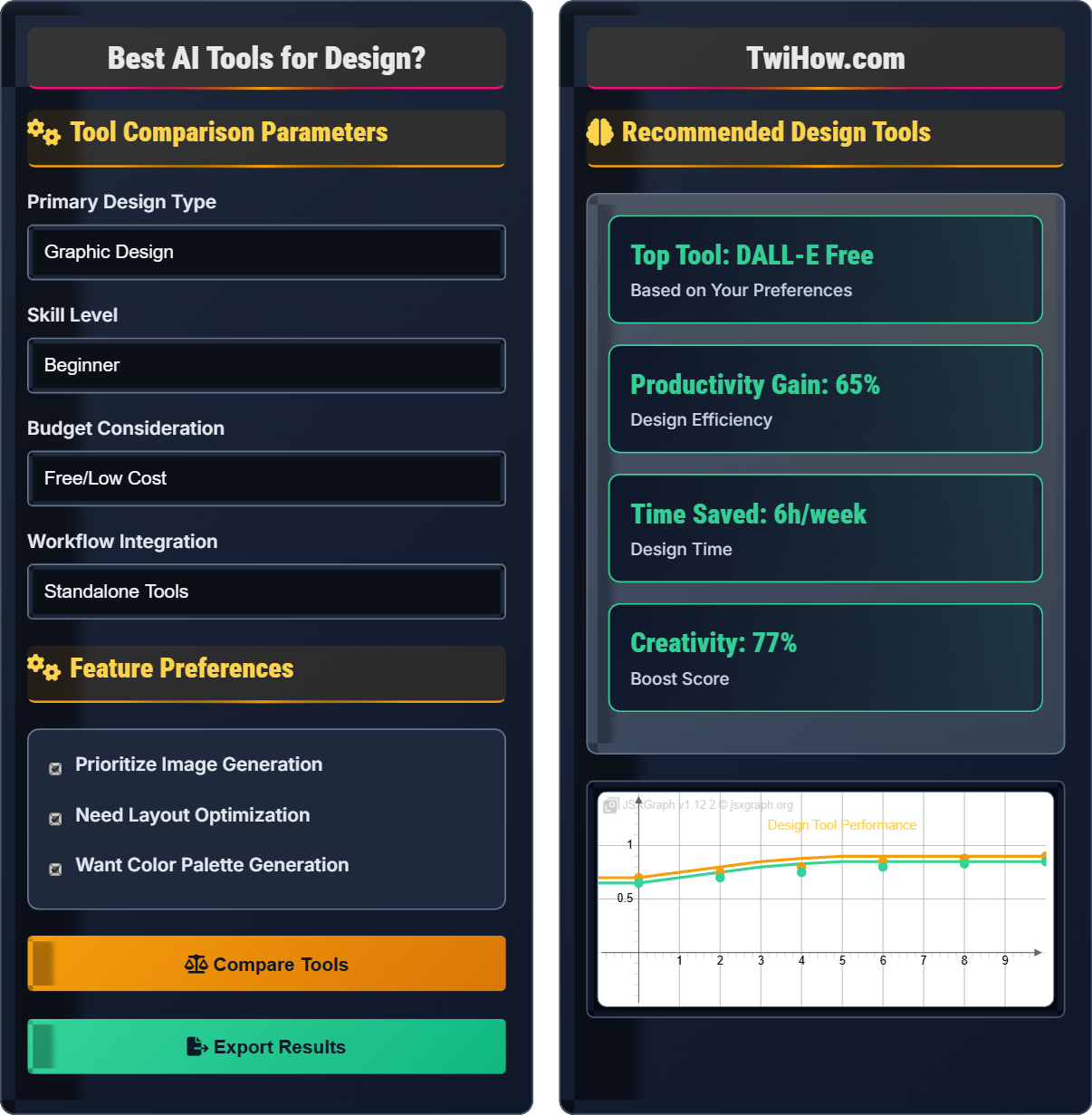
Tool Comparison Parameters
Feature Preferences
Recommended Design Tools
Midjourney
Advanced AI image generation platform that creates high-quality artwork from text prompts.
Image Quality
Outstanding
Creativity
Exceptional
Style Variety
Extensive
Community
Active
- Concept Art
- Illustration
- Creative Ideation
Prompt Builder:
AI-Generated Typography Preview
This is an example of how AI tools can suggest typography combinations for your design projects.
Complete Guide to AI Design Tools
AI design tools are software applications that use artificial intelligence and machine learning to assist designers with creative tasks, image generation, layout optimization, and design ideation. These tools analyze visual patterns, design principles, and creative styles to provide intelligent suggestions and generate high-quality visual content.
Manual ideation
Time-intensive creation
Manual layout adjustments
Limited color exploration
Slow iteration process
AI-generated concepts
Smart layout suggestions
Automated color palettes
Instant style variations
Accelerated iteration
AI tools analyze design context, style preferences, and creative goals to provide relevant suggestions, improving both speed and quality of design work.
Midjourney
Image generation, artistic styles, community
DALL-E
High-quality generation, editing capabilities
Figma AI
Design assistance, prototyping, collaboration
Adobe Firefly
Integrated with Creative Suite, professional features
- Refine Prompts: Use detailed, specific descriptions to get better results from AI generators
- Iterate Quickly: Generate multiple variations to explore different creative directions
- Combine with Human Creativity: Use AI as a starting point, then add personal artistic touch
- Learn Styles: Study how AI tools interpret different artistic styles and terminology
- Post-Processing: Enhance AI-generated content with traditional design tools
- Stay Inspired: Use AI to overcome creative blocks and generate new ideas
Tool Features
Image generation, layout optimization, color palettes, style transfer, content adaptation, design variations.
- Install design plugins
- Integrate with design software
- Use web-based platforms
- Connect with asset libraries
- Configure API integrations
- Always refine AI-generated content
- Maintain design consistency
- Respect intellectual property
- Attribute AI-generated elements
Performance Metrics
Design speed improvement, creativity enhancement, quality consistency, client satisfaction scores.
- Visual quality
- Creative flexibility
- Integration quality
- Customization options
AI Design Tools Assessment
Which AI design tool is most suitable for a freelance illustrator who needs to generate concept art, create multiple style variations, and work within a tight budget?
Midjourney is the best choice for illustrators because it offers exceptional image quality, extensive style variety, and strong community support. While it has a subscription fee, it provides excellent value for professional illustrators who need to generate high-quality concept art and explore multiple creative directions efficiently.
The answer is A) Midjourney.
When selecting AI design tools for specific creative professions, it's crucial to match the tool's strengths to the artist's needs. Illustrators require tools that excel at artistic creation, style variation, and concept development. Midjourney's strength lies in its artistic quality and diverse style capabilities, making it ideal for illustrative work.
Concept Art: Visual development of ideas and designs
Style Variation: Different artistic interpretations
Artistic Quality: Visual excellence and detail
• Match tool to creative specialty
• Consider budget constraints
• Evaluate artistic quality
• Study successful prompt examples
• Experiment with different styles
• Build a library of favorite outputs
• Using generic prompts
• Not refining results
• Ignoring style consistency
How should designers maintain quality and authenticity when using AI design tools, and what are the key quality control measures?
Quality Control Measures:
• Refine Generated Content: Always post-process AI-generated designs to enhance quality
• Check Technical Specifications: Ensure generated assets meet resolution and format requirements
• Maintain Brand Consistency: Adapt AI outputs to match existing brand guidelines
• Verify Copyright Compliance: Ensure AI-generated content doesn't infringe on existing works
• Review for Appropriateness: Check that generated content aligns with project requirements
Authenticity Preservation:
• Use AI as a creative catalyst, not a replacement
• Add personal artistic touches and refinements
• Maintain your unique design perspective and vision
• Combine AI efficiency with human creativity and judgment
• Edit and customize AI-generated content extensively
These practices ensure that AI enhances rather than replaces human creativity and expertise.
AI design tools should augment human creativity, not replace it. The key is finding the right balance between AI efficiency and human judgment. Designers must remain actively engaged in the creative process, using AI as a tool to enhance their natural abilities while maintaining control over the final output. Quality emerges from the combination of AI efficiency and human discernment.
Post-processing: Manual refinement of AI-generated content
Human Oversight: Manual review and editing of AI output
Brand Consistency: Maintaining visual identity standards
• Always refine AI outputs
• Maintain editorial control
• Preserve creative authenticity
• Develop personal refinement processes
• Create quality checklists
• Regularly review and update practices
• Publishing unrefined AI content
• Not checking technical specifications
• Losing personal creative voice
Your design agency of 12 designers wants to implement AI design tools. The team creates logos, websites, marketing materials, and branding packages. Design a strategy for implementing AI design tools that maximizes productivity while maintaining brand consistency and quality standards.
Phase 1 - Tool Selection (Week 1):
• Evaluate tools for different design types (Midjourney for concepts, Figma AI for layouts)
• Establish brand style guidelines and AI prompt templates
• Set up team accounts with centralized billing
Phase 2 - Training & Standardization (Week 2):
• Conduct training sessions on proper AI tool usage
• Create prompt libraries for consistent output
• Establish quality control protocols and review processes
Phase 3 - Gradual Implementation (Weeks 3-4):
• Start with concept work and ideation phases
• Gradually expand to client deliverables
• Monitor quality metrics and adjust processes
Ongoing Management:
• Regular quality audits and tool performance reviews
• Continuous training and process refinement
• Brand consistency monitoring and adjustments
This strategy ensures controlled adoption while preserving brand identity.
Implementing AI tools in agencies requires careful planning to balance productivity gains with quality control. The phased approach allows for gradual learning, risk mitigation, and continuous improvement. Brand consistency is maintained through standardized templates, training, and quality control processes that guide AI tool usage.
Brand Identity: Visual elements representing the brand
Quality Control: Processes to maintain standards
Prompt Library: Pre-defined creative instructions
• Standardize AI tool usage
• Maintain brand consistency
• Implement quality checks
• Create brand-specific AI templates
• Regular team feedback sessions
• Monitor quality metrics continuously
• No standardization across team
• Inadequate quality control
• Not training team members
A designer notices that their AI design tool suggestions often lack originality and follow predictable patterns. Analyze potential causes and propose solutions to improve the tool's effectiveness and maintain unique creative vision while leveraging AI assistance.
Potential Causes:
• Generic prompts leading to common responses
• Tool not configured for specific creative niche
• Over-reliance on AI without personal input
• Using default settings instead of customizing
Proposed Solutions:
• Develop specific, detailed prompts for each creative type
• Customize AI settings to match creative style and preferences
• Use AI for idea generation, then add personal creative insights
• Train the AI with examples of successful creative work
• Combine AI suggestions with original concepts and techniques
• Regularly update AI training data with fresh creative inputs
These improvements will help maintain uniqueness while leveraging AI efficiency.
AI design tools learn from patterns in training data, which can lead to generic outputs if not properly guided. The key is providing specific context and guidance to help the AI understand your unique requirements. By combining AI efficiency with human creativity, designers can achieve both speed and originality. The AI serves as a starting point, not the final product.
Generic Responses: Common, unoriginal AI outputs
Creative Style: Unique artistic approach and vision
Custom Training: Teaching AI with specific examples
• Provide specific context
• Customize AI settings
• Add human creativity
• Create detailed prompt templates
• Use personal creative insights
• Regularly update AI preferences
• Using default AI settings
• Not providing sufficient context
• Publishing unedited AI content
Which of the following represents the most significant trend in AI design tools development?
The most significant trend is integration with design software and creative workflows. Modern AI design tools are evolving to become seamless parts of the entire creative process, connecting with Figma, Adobe Creative Suite, Sketch, and other platforms. This integration allows for more efficient workflows, real-time collaboration, and streamlined creative processes.
The answer is B) Integration with design software and creative workflows.
AI design tools are becoming part of the broader creative ecosystem rather than standalone utilities. This integration reflects the industry's shift toward more connected and automated creative workflows. The trend toward integration allows designers to leverage AI assistance throughout their entire process, from ideation to final delivery, without switching between multiple tools.
Creative Workflow: End-to-end design process
Workflow Integration: Connecting tools into unified processes
Real-time Collaboration: Working together simultaneously
• AI tools evolve with industry trends
• Integration increases efficiency
• Connected workflows improve productivity
• Look for tools with plugin support
• Consider software compatibility
• Plan for ecosystem integration
• Choosing isolated tools over integrated ones
• Not considering workflow fit
• Ignoring integration possibilities
FAQ
Q: How do AI design tools handle different artistic styles like minimalist vs ornate design?
A: Modern AI design tools are trained on diverse visual datasets that include various artistic styles. They can adapt to different aesthetics based on:
1. Prompt Specificity: Detailed style descriptions yield more accurate results
2. Reference Images: Some tools accept style references for guidance
3. Style Parameters: Many tools offer style sliders and options
4. Training Data Diversity: Better tools are trained on varied visual samples
However, the effectiveness depends on the tool's sophistication and your ability to provide clear style instructions. Always refine AI outputs to ensure they match your intended aesthetic.
Q: What's the ROI of investing in AI design tools for a creative team?
A: AI design tools can provide significant ROI through:
Productivity Gains: 50-70% increase in design creation speed
Quality Improvements: 40-50% reduction in revision cycles
Creativity Enhancement: Improved concept development and exploration
Typical Costs vs Benefits:
• Cost: $15-60 per designer/month
• Benefit: $800-2000 per designer/month in productivity gains
• ROI: 15:1 to 40:1 ratio in many cases
However, ROI depends on team size, design volume, and how well the tools are integrated into existing workflows. The investment typically pays for itself within 1-2 months for active design teams.