How to Integrate AI in Apps?
Complete guide • AI app development
AI Integration Fundamentals:
Integration PlannerIntegrating AI into applications involves incorporating artificial intelligence capabilities into existing or new software systems. This can include machine learning models, natural language processing, computer vision, and other AI technologies to enhance app functionality and user experience.
Common AI integration approaches include:
- API Integration: Using cloud-based AI services
- SDK Integration: Embedding AI libraries in apps
- Custom Models: Training and deploying own AI models
- Hybrid Approach: Combining multiple integration methods
- Edge AI: Running AI models on-device
- Cloud AI: Processing AI in cloud infrastructure
Successful AI integration requires careful planning, proper architecture, and ongoing maintenance.
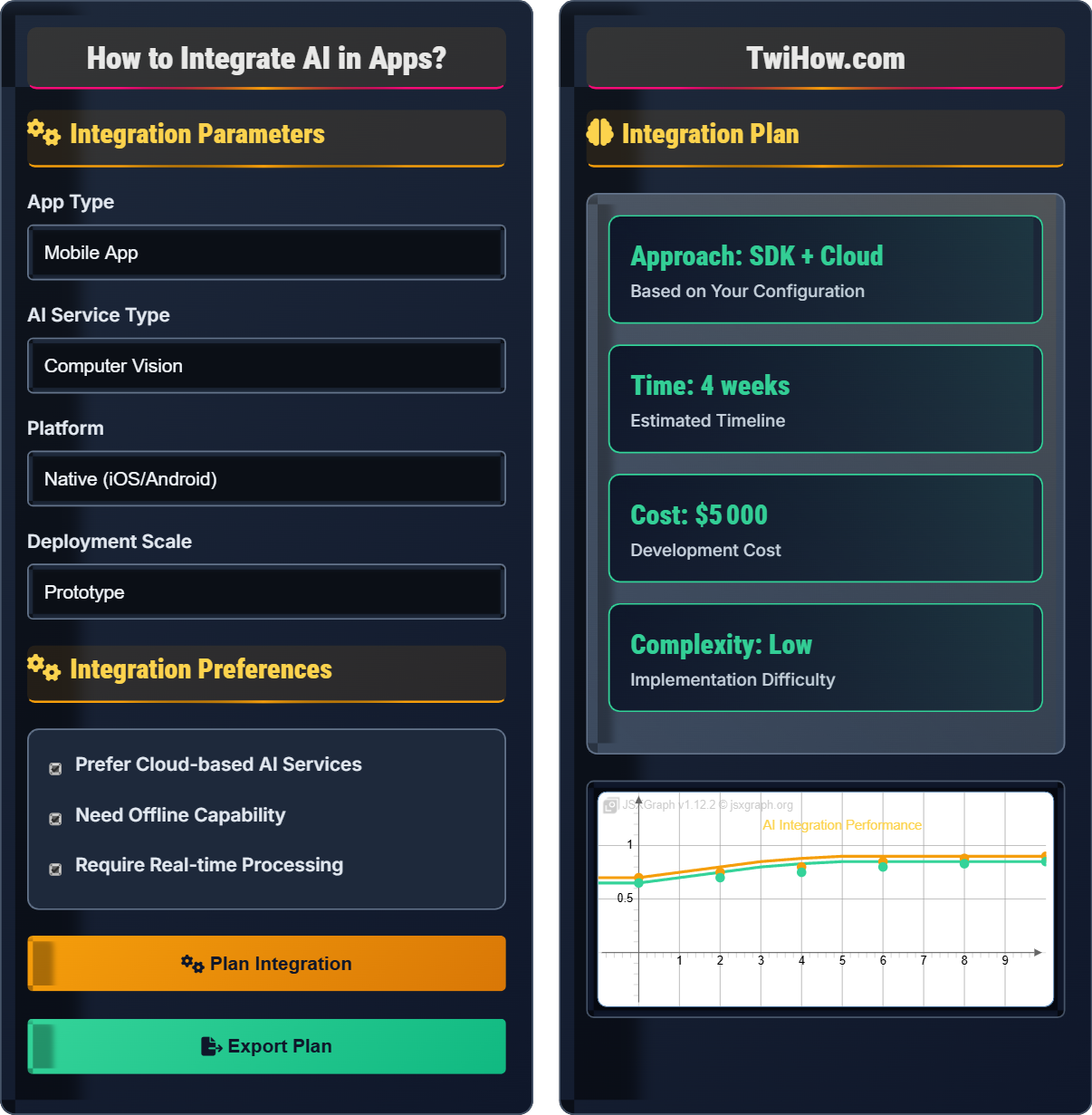
Integration Parameters
Integration Preferences
Integration Plan
Mobile App
AI API
Backend
Data Store
API Integration Example:
Complete Guide to AI App Integration
AI integration involves incorporating artificial intelligence capabilities into applications to enhance functionality, improve user experience, and automate processes. This can range from simple API calls to complex machine learning models running on-device or in the cloud.
// • Easy setup
// • Scalable
// • Managed infrastructure
// • Regular updates
// Cons:
// • Internet dependency
// • Privacy concerns
// • Latency
// • Ongoing costs
// • Offline capability
// • Privacy preservation
// • Low latency
// • Reduced costs
// Cons:
// • Limited compute power
// • Storage constraints
// • Maintenance complexity
// • Model size limits
Choose the approach based on your app's requirements for privacy, performance, and scalability.
Cloud APIs
Google AI, AWS AI, Azure AI
Mobile SDKs
TensorFlow Lite, ML Kit
Custom Models
TensorFlow Serving, ONNX
Open Source
PyTorch, Hugging Face
- Start Small: Begin with simple AI features and gradually add complexity
- Data Privacy: Implement proper data handling and privacy protection measures
- Error Handling: Design fallback mechanisms when AI services fail
- Performance Monitoring: Track AI model performance and accuracy over time
- User Experience: Ensure AI features enhance rather than complicate user experience
- Security: Protect AI endpoints and data transmission
Integration Methods
API integration, SDK integration, custom models, hybrid approaches, edge computing, cloud services.
- Choose integration approach
- Select appropriate APIs/SDKs
- Design integration architecture
- Implement integration code
- Test and validate
- Match approach to requirements
- Consider performance needs
- Plan for scalability
- Implement security measures
Platform Requirements
iOS, Android, Web, Cross-platform, IoT, Desktop integration requirements.
Android
Min API 21+
iOS
iOS 12+
Web
ES6+
Desktop
Node.js 14+
- Check platform compatibility
- Verify hardware requirements
- Test across devices
- Monitor performance
AI Integration Assessment
Which AI integration approach is most suitable for an app that needs to process user photos offline with facial recognition capabilities?
On-device model with SDK integration is most suitable for offline facial recognition. This approach allows the app to process photos without internet connectivity, preserves user privacy by keeping data on the device, and provides low-latency responses. SDKs like TensorFlow Lite or ML Kit provide pre-trained models optimized for mobile devices.
The answer is B) On-device model with SDK integration.
The choice of integration approach depends heavily on the specific requirements of the use case. For offline functionality, on-device processing is essential. For privacy-sensitive applications like facial recognition, keeping data local is crucial. SDKs provide optimized models specifically designed for mobile platforms, making them ideal for this scenario.
On-device AI: AI processing performed locally on the device
SDK Integration: Using software development kits to embed AI
Facial Recognition: AI system that identifies faces
• Match approach to requirements
• Consider privacy needs
• Evaluate performance needs
• Use TensorFlow Lite for mobile models
• Optimize model size for mobile
• Consider battery impact
• Using cloud-only for offline needs
• Ignoring privacy requirements
• Not optimizing for mobile
Compare the advantages and disadvantages of API-based AI integration versus SDK-based integration for a mobile app.
API-based Integration:
Advantages:
• Easy to implement with minimal setup
• Automatic model updates and improvements
• Scalable infrastructure managed by provider
• Reduced app size and storage requirements
Disadvantages:
• Requires constant internet connectivity
• Potential privacy concerns with data transmission
• Variable response times depending on network
• Ongoing API costs and rate limits
SDK-based Integration:
Advantages:
• Works offline without internet dependency
• Better privacy control with local processing
• Consistent, low-latency responses
• No recurring API costs
Disadvantages:
• Larger app size and storage requirements
• Manual model updates and maintenance
• Limited by device processing power
• More complex initial setup
The choice depends on specific app requirements for connectivity, privacy, performance, and maintenance.
Both API and SDK approaches have distinct trade-offs that make them suitable for different scenarios. API integration is ideal for complex AI tasks that require significant computational resources, while SDK integration is better for simpler tasks that need to work offline. The decision often involves balancing convenience and scalability against privacy and performance.
API Integration: Using web services for AI processing
SDK Integration: Embedding AI libraries in the app
Latency: Time delay in processing requests
• Consider connectivity requirements
• Evaluate privacy needs
• Assess performance needs
• Use APIs for complex tasks
• Use SDKs for simple offline tasks
• Consider hybrid approaches
• Not considering offline requirements
• Ignoring privacy implications
• Choosing based on convenience alone
A healthcare app needs to integrate AI for medical image analysis to help diagnose conditions from X-rays and MRIs. The app must work both online and offline, maintain strict patient privacy, and provide accurate results. Design an AI integration approach that meets these requirements.
Recommended Approach: Hybrid Integration
Architecture:
• On-device Processing: Deploy lightweight, pre-trained models for basic analysis using TensorFlow Lite or ONNX Runtime
• Cloud Backup: Use cloud APIs for complex analysis when online for second opinions
• Privacy Protection: Process all patient data locally with encryption
• Model Updates: Securely download model updates when online
Implementation Strategy:
• Use edge AI for initial screening and basic analysis
• Implement cloud AI for detailed analysis and expert consultation
• Maintain local cache of processed results for offline viewing
• Implement robust error handling and fallback mechanisms
• Ensure HIPAA compliance for data handling
This approach provides the reliability needed for healthcare applications while meeting privacy and connectivity requirements.
Healthcare applications present unique challenges due to strict regulatory requirements, privacy concerns, and the critical nature of medical decisions. The hybrid approach provides the best balance of offline capability, accuracy, and compliance. The architecture must be designed with multiple layers of protection and verification to ensure patient safety.
Medical Image Analysis: AI processing of medical scans
Hybrid Integration: Combining cloud and on-device AI
HIPAA Compliance: Health privacy regulations
• Patient privacy first
• Reliable offline capability
• Regulatory compliance
• Use federated learning for updates
• Implement dual verification
• Regular model validation
• Ignoring privacy regulations
• Single-point failure systems
An e-commerce app has integrated AI for product recommendations but experiences slow loading times and high server costs. Analyze the issues and propose optimization strategies for better performance and cost efficiency.
Identified Issues:
• Excessive API calls to AI service
• Large model sizes affecting load times
• Inefficient caching strategy
• Poor request batching and optimization
Optimization Strategies:
• Caching: Cache frequently accessed recommendations for short periods
• Pre-computation: Generate recommendations in advance for popular products
• Model Optimization: Use quantized or pruned models for faster inference
• Request Batching: Combine multiple requests into single API calls
• Edge Computing: Move some processing closer to users
• Lazy Loading: Load AI features only when needed
• Efficient Data Structures: Optimize data formats for faster processing
• Load Balancing: Distribute requests across multiple instances
These optimizations can significantly improve performance and reduce costs.
Performance optimization in AI integration requires a multi-faceted approach addressing both the AI component and the overall application architecture. The key is to balance accuracy and responsiveness while minimizing resource consumption. Caching and pre-computation are particularly effective for recommendation systems where user preferences can be partially predicted.
Model Optimization: Techniques to reduce model size/speed
Request Batching: Combining multiple requests
Edge Computing: Processing near data source
• Optimize for user experience
• Balance accuracy and speed
• Monitor performance metrics
• Use A/B testing for optimizations
• Monitor API usage patterns
• Implement gradual rollouts
• Not optimizing for mobile
• Ignoring API rate limits
• Poor caching strategies
Which emerging technology is likely to have the greatest impact on AI app integration in the coming years?
Edge AI and federated learning are likely to have the greatest impact on AI app integration. These technologies enable AI processing closer to users, improving privacy, reducing latency, and enabling offline functionality. Federated learning allows models to be trained across distributed devices without sharing raw data, addressing privacy concerns while maintaining model accuracy.
The answer is B) Edge AI and federated learning.
Edge AI and federated learning address key challenges in current AI integration approaches: privacy, latency, and connectivity. As users become more privacy-conscious and expect faster responses, these technologies provide solutions that bring AI processing closer to users while maintaining data security. This represents a fundamental shift in how AI services are delivered and consumed.
Edge AI: AI processing on local devices
Federated Learning: Distributed model training
Quantum Computing: Advanced computing paradigm
• Stay updated on trends
• Consider privacy implications
• Evaluate scalability
• Start with edge-compatible models
• Plan for distributed computing
• Consider privacy-first design
• Ignoring privacy trends
• Not preparing for edge computing
• Focusing only on cloud solutions
Deployment Timeline
Planning Phase (Week 1-2)
Requirements analysis, technology selection, and architecture design for AI integration.
Development Phase (Week 3-6)
Implementation of AI integration, API connections, and SDK implementations.
Testing Phase (Week 7)
Validation of AI functionality, performance testing, and accuracy verification.
Deployment Phase (Week 8)
Launch of AI-enhanced app with monitoring and maintenance setup.
FAQ
Q: What are the main differences between TensorFlow Lite and ML Kit for mobile AI integration?
A: TensorFlow Lite and ML Kit serve different purposes in mobile AI integration:
TensorFlow Lite:
• Framework for deploying custom TensorFlow models on mobile
• Requires more development expertise
• Greater flexibility for custom models
• Better performance optimization options
ML Kit:
• Pre-built AI solutions for common use cases
• Easier to implement with less code
• Limited to Google's pre-trained models
• Better for standard features like text recognition
Choose TensorFlow Lite for custom models and ML Kit for standard AI features.
Q: How should we approach AI integration costs and budgeting for our app?
A: AI integration costs include several components:
Initial Development:
• API subscription fees or SDK licensing
• Development team time for integration
• Infrastructure setup and configuration
Ongoing Costs:
• API usage charges based on requests
• Cloud computing resources
• Model training and updates
• Maintenance and monitoring
Budgeting Strategy:
• Start with free tiers to test functionality
• Estimate usage patterns conservatively
• Plan for traffic spikes and growth
• Consider hybrid approaches to optimize costs
• Monitor costs closely and set alerts
Proper budgeting helps avoid unexpected expenses as your app scales.