Best AI Tools Right Now
2025 guide • Reviews • Comparisons • Recommendations
Top AI Tools Overview:
Find Your ToolThe AI landscape is rapidly evolving with new tools emerging constantly. The best tools vary by use case: ChatGPT excels at conversational AI, GitHub Copilot is ideal for developers, and Midjourney leads in image generation.
Key factors to consider when choosing AI tools:
- Use Case: Match tool to specific needs
- Cost: Evaluate pricing vs. value
- Capabilities: Assess feature set
- Integration: Check compatibility with existing tools
- Privacy: Review data handling policies
Emerging trends include multimodal AI, specialized tools for specific industries, and improved integration with existing workflows.
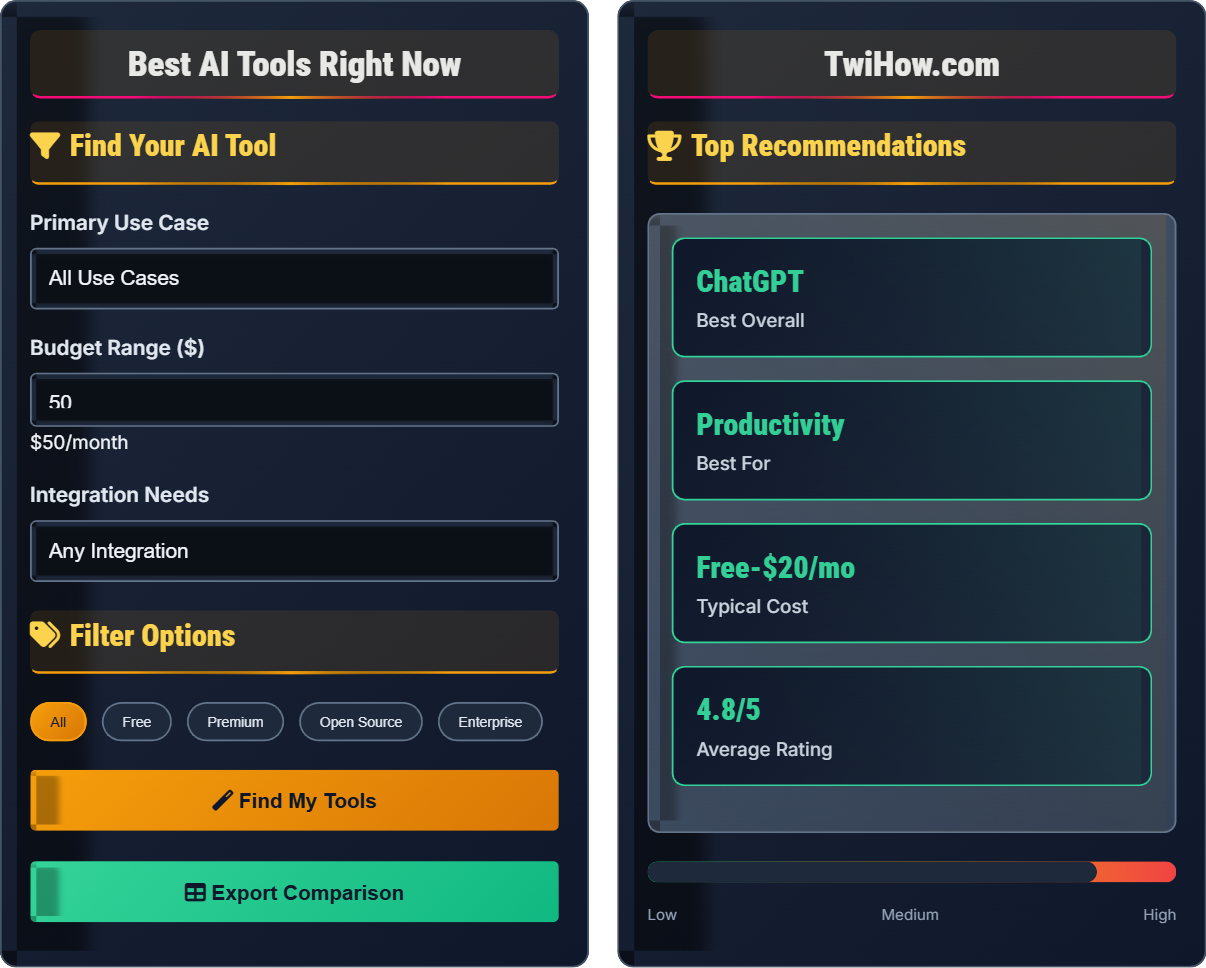
Find Your AI Tool
Filter Options
Top Recommendations
Based on your preferences, ChatGPT stands out as the best option for general productivity tasks. It offers excellent conversational AI capabilities, integrates well with various platforms, and provides both free and premium options.
For specialized tasks, consider pairing with other tools like GitHub Copilot for coding or Midjourney for design.
| Tool | Rating | Best For | Price | Key Feature |
|---|---|---|---|---|
| ChatGPT | 4.8/5 | Conversations | $20/mo | Natural language |
| Claude | 4.7/5 | Long documents | Free-$20/mo | Document analysis |
| Gemini | 4.6/5 | Search | Free | Web search |
AI Tools Directory
AI Tool Use Cases
Best Tools: ChatGPT, Claude, Gemini, Jasper, Copy.ai
Applications: Blog posts, social media content, marketing copy, video scripts, email campaigns
Benefits: Speed up content creation, generate multiple variations, improve SEO, maintain consistent brand voice
Best Tools: GitHub Copilot, Amazon CodeWhisperer, Tabnine
Applications: Code completion, bug detection, documentation, unit tests, refactoring
Benefits: Increase coding speed, reduce errors, learn new languages, focus on complex logic
Best Tools: Microsoft Copilot, Salesforce Einstein, Tableau Ask Data
Applications: Data analysis, trend identification, forecasting, report generation
Benefits: Make data-driven decisions, save time on analysis, uncover hidden insights
Tool Comparison
| Tool | Strengths | Weaknesses | Best For | Price |
|---|---|---|---|---|
| ChatGPT | Versatile, natural conversation, frequent updates | Knowledge cutoff, sometimes generates incorrect info | General productivity, learning, creative tasks | Free - $20/mo |
| Claude | Long document processing, safety focus, analytical | Newer, less integrated ecosystem | Research, analysis, document work | Free - $20/mo |
| Gemini | Web integration, multimodal, Google knowledge | Still developing, limited availability | Research, search, multimodal tasks | Free - $20/mo |
| Copilot | Code assistance, IDE integration, speed | Cost, privacy concerns for proprietary code | Programming, development | $10/mo |
AI Tool Selection Quiz
Which AI tool is best suited for a marketing professional looking to generate social media content and blog posts?
ChatGPT and Claude are ideal for content creation tasks like social media posts and blog writing. They excel at natural language generation, creative writing, and adapting to different tones and styles. GitHub Copilot is specialized for coding, while Gemini is better for search and analysis tasks.
The answer is B) ChatGPT or Claude.
Selecting the right AI tool requires matching capabilities to specific use cases. Marketing professionals benefit from tools that excel at natural language generation, creative writing, and content ideation. ChatGPT and Claude offer superior text generation capabilities and can adapt to brand voices and target audiences.
Content Generation: Creating text-based content automatically
Brand Voice: Consistent tone and style representing a company
Use Case Matching: Aligning tool capabilities with specific needs
• Match tool to primary use case
• Consider workflow integration
• Evaluate cost-effectiveness
• Try free tiers first
• Combine multiple tools
• Customize for brand consistency
• Using wrong tool for the task
• Not customizing outputs
• Ignoring quality control
How should a software development team evaluate AI coding assistants like GitHub Copilot, and what factors should they consider?
Technical Evaluation: Assess code quality, accuracy of suggestions, language support, and integration with existing development environments.
Security & Privacy: Review data handling policies, ensure proprietary code isn't exposed, and verify compliance with industry standards.
Cost-Benefit Analysis: Calculate productivity gains against subscription costs, considering team size and expected usage.
Team Adoption: Evaluate learning curve, training requirements, and potential resistance to AI-assisted development.
Quality Control: Establish guidelines for reviewing AI-generated code and maintaining coding standards.
Evaluating AI tools for development teams requires balancing technical capabilities with organizational factors. Security and privacy are paramount for proprietary code, while productivity gains must justify subscription costs. Successful adoption depends on team readiness and proper integration with existing workflows.
IDE Integration: Compatibility with development environments
Proprietary Code: Confidential software intellectual property
Code Quality: Standards for correctness and maintainability
• Prioritize security and privacy
• Assess technical fit
• Calculate ROI carefully
• Pilot with small team first
• Establish usage guidelines
• Monitor code quality metrics
• Ignoring security implications
• Not establishing guidelines
• Expecting perfect code
A small business owner has a $50 monthly budget for AI tools and needs assistance with customer service, content creation, and basic data analysis. Recommend the best tool combination within budget and justify your choice.
Recommended Solution: Start with ChatGPT's free tier for initial exploration, then upgrade to Plus ($20/mo) which covers all three needs adequately. For remaining budget, consider Claude's free tier for document analysis tasks.
Justification: ChatGPT offers the most versatility across customer service (responses and templates), content creation (marketing materials, social media), and basic analysis (data interpretation, trend identification). Its free tier allows experimentation before commitment.
Alternative: Use Gemini for search-enhanced responses and Claude for document-heavy tasks, both offering generous free tiers.
Strategy: Begin with free tiers, measure ROI, then allocate budget to highest-impact tools.
Budget-conscious AI tool selection requires prioritizing versatility and impact. Free tiers allow experimentation before investment. The most effective approach often combines one versatile tool with specialized free alternatives rather than multiple paid subscriptions. This strategy maximizes utility while minimizing cost.
Versatility: Ability to handle multiple use cases effectively
ROI: Return on investment from AI tool usage
Free Tier: Limited functionality offered at no cost
• Start with free options
• Measure actual impact
• Prioritize high-ROI tools
• Combine free and paid tools
• Trial before committing
• Monitor usage patterns
• Paying for unnecessary features
• Not testing free alternatives
• Overestimating immediate needs
A mid-sized consulting firm wants to implement AI tools across departments (strategy, operations, client service). What implementation strategy would you recommend to maximize adoption and ROI while ensuring security?
Phased Rollout: Begin with pilot programs in each department to identify specific needs and measure impact.
Department-Specific Tools: Strategy team: Claude for analysis; Operations: Copilot for efficiency; Client service: ChatGPT for responses.
Security Framework: Implement data classification, usage policies, and secure integration protocols. Ensure tools comply with client confidentiality requirements.
Training Program: Develop department-specific training modules focusing on tool integration into existing workflows.
Metric Tracking: Establish KPIs for time savings, quality improvements, and client satisfaction to measure ROI.
Vendor Management: Negotiate enterprise licenses and establish SLAs for business-critical tools.
Enterprise AI implementation requires strategic planning that balances individual department needs with organizational security and governance. Success depends on gradual adoption, proper training, and measurable outcomes. The key is treating AI tools as productivity enhancers rather than replacements for human expertise.
Phased Rollout: Gradual implementation in stages
KPIs: Key Performance Indicators for measuring success
SLAs: Service Level Agreements with vendors
• Start with pilot programs
• Establish security protocols
• Measure and track ROI
• Get leadership buy-in
• Create internal champions
• Regular policy reviews
• Rushed enterprise-wide rollout
• Inadequate security planning
• Poor change management
Which emerging trend is likely to have the greatest impact on AI tool selection in 2025?
All listed trends are significant for AI tool selection in 2025. Industry specialization means tools will become more tailored to specific needs. Integration improvements will make AI tools seamless parts of existing workflows. Larger models will offer enhanced capabilities but may require more resources. The convergence of these trends will drive tool selection toward specialized, well-integrated solutions.
The answer is D) All of the above.
The AI tool landscape is evolving rapidly along multiple dimensions. Organizations must consider how these trends interact: specialized tools that integrate well with existing systems, while also evaluating resource requirements. Future-proofing tool selection means choosing flexible, integrable solutions that can adapt to changing capabilities and requirements.
Specialization: Tools tailored for specific industries or tasks
Integration: Seamless connection with existing software
Future-Proofing: Selecting adaptable, scalable solutions
• Consider multiple trends together
• Evaluate integration capability
• Plan for evolution
• Monitor industry developments
• Choose flexible platforms
• Plan for scalability
• Focusing on single trend only
• Ignoring integration needs
• Not planning for change
FAQ
Q: Should I pay for premium AI tools or stick with free versions?
A: Start with free versions to understand your needs and usage patterns. Premium features are worth paying for if they significantly increase productivity or provide essential capabilities like longer context windows, faster response times, or advanced features. For individuals, free versions often suffice for occasional use. For businesses, calculate the time savings and productivity gains to determine if premium versions offer positive ROI. Many tools offer substantial free usage that covers basic needs.
Q: Are AI tools safe for handling sensitive business data?
A: Exercise caution with sensitive data. Review each tool's privacy policy and data handling practices. Many consumer AI tools retain input for training purposes. For sensitive data, consider enterprise versions with data residency guarantees, on-premise solutions, or tools that explicitly state they don't store or use your data for training. Always assume public AI models may learn from your inputs. For truly sensitive information, use local models or enterprise solutions with strict data governance.