Best AI for Coding & Writing
Complete guide • Reviews • Comparisons • Recommendations
AI Tool Selection:
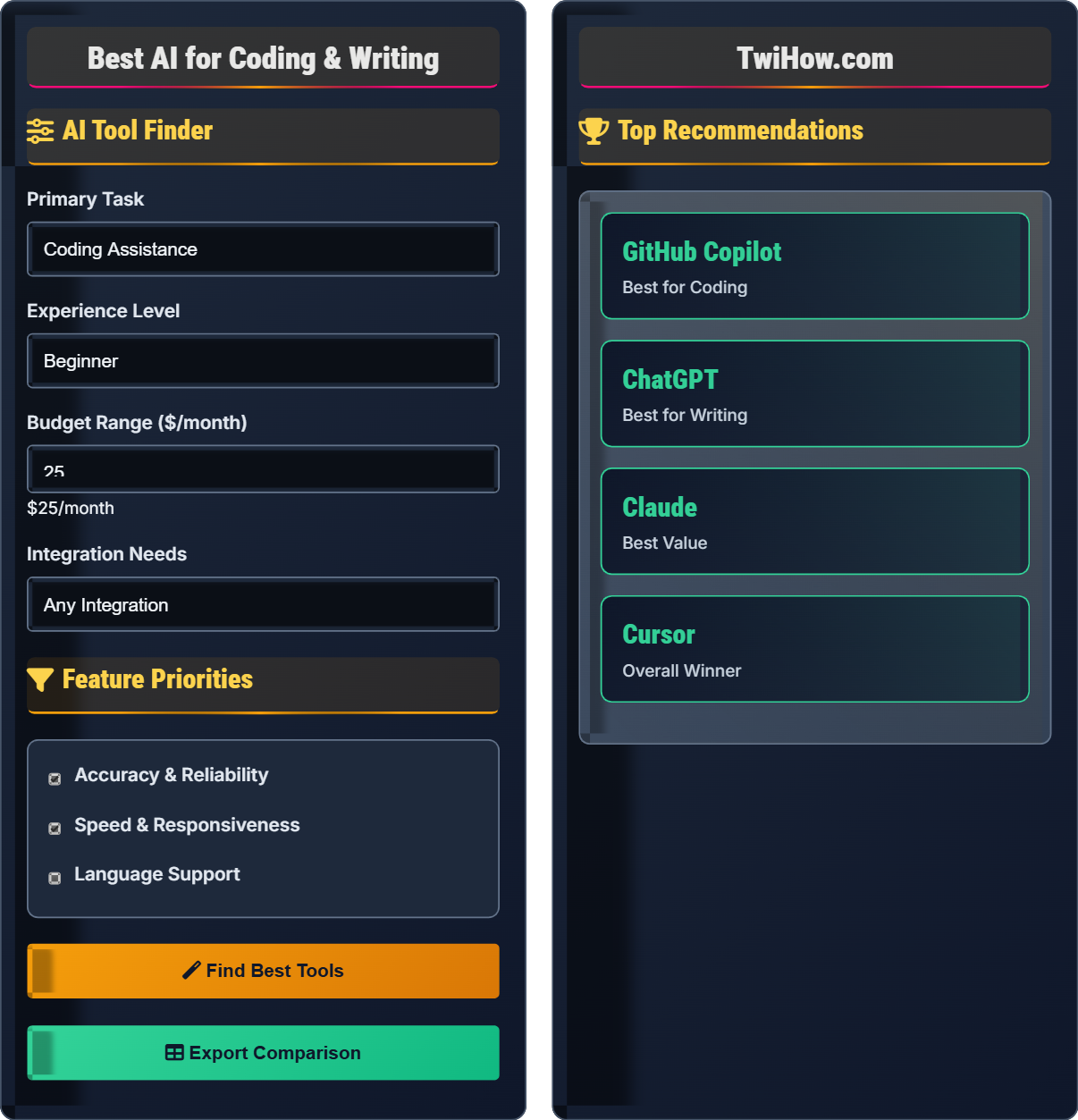
Find Your ToolThe best AI tools vary by use case: GitHub Copilot excels at coding assistance, ChatGPT is versatile for writing and coding, Claude excels at long-form content, and specialized tools serve specific needs.
Key factors for selection:
- Task Type: Coding vs writing vs combined
- Language Support: Programming languages or writing styles
- Integration: IDE compatibility or standalone use
- Cost: Budget considerations and pricing models
- Quality: Accuracy, reliability, and performance
For coding, consider GitHub Copilot, Cursor, or Continue.dev. For writing, try ChatGPT, Claude, or Jasper. Many professionals use multiple tools for different tasks.
AI Tool Finder
Feature Priorities
Top Recommendations
AI Tool Comparison
Best For: Coding assistance, code completion, pair programming
Strengths: Excellent code completion, supports 100+ languages, integrates with popular IDEs
Weaknesses: Can be expensive, occasional incorrect suggestions
Rating: 4.9/5 ⭐⭐⭐⭐⭐
Best For: Writing, brainstorming, content creation, coding help
Strengths: Versatile, excellent for creative writing, good coding assistance
Weaknesses: Can be verbose, sometimes inaccurate
Rating: 4.8/5 ⭐⭐⭐⭐⭐
Best For: AI-native code editor, coding with AI
Strengths: Built for AI-first development, excellent for coding
Weaknesses: Newer, fewer integrations than VS Code
Rating: 4.7/5 ⭐⭐⭐⭐⭐
Best For: Long-form writing, analysis, research
Strengths: Excellent for long documents, thoughtful responses
Weaknesses: Limited coding capabilities
Rating: 4.7/5 ⭐⭐⭐⭐⭐
Task-Specific Recommendations
Best: GitHub Copilot
Why: Real-time suggestions, understands context, supports multiple languages
Alternatives: Tabnine, Amazon CodeWhisperer
Best: ChatGPT / Claude
Why: Good at explaining errors, suggesting fixes
Alternatives: GitHub Copilot, Cursor
Best: Claude
Why: Excellent for long-form content, thoughtful responses
Alternatives: ChatGPT, Jasper
Best: ChatGPT
Why: Great at explaining complex code in simple terms
Alternatives: Claude, GitHub Copilot
AI Samples
Usage Scenarios
AI Tool Selection Quiz
Which AI tool is best for real-time code completion while typing in your IDE?
GitHub Copilot is specifically designed for real-time code completion within IDEs. It provides contextual suggestions as you type, understands your codebase, and integrates seamlessly with popular editors like VS Code, IntelliJ, and others. While Cursor is also excellent for coding, Copilot has been optimized specifically for real-time completion.
The answer is B) GitHub Copilot.
Each AI tool has been optimized for specific use cases. GitHub Copilot's strength lies in its ability to provide immediate, context-aware code suggestions that integrate directly into your development workflow. This specialization makes it superior for real-time completion compared to general-purpose AI assistants.
IDE Integration: Direct integration with development environments
Real-time Completion: Suggestions provided as you type
Contextual Awareness: Understanding of surrounding code
• Match tool to specific task
• Consider integration requirements
• Evaluate real-time performance
• Try free trials before subscribing
• Test with your actual codebase
• Consider team integration needs
• Using general tools for specialized tasks
• Not testing real-time performance
• Ignoring integration requirements
Compare the strengths and weaknesses of ChatGPT vs GitHub Copilot for coding assistance, and explain when to use each.
ChatGPT Strengths: Excellent for explaining code, debugging complex issues, generating code from scratch, and handling natural language requests. Good for understanding programming concepts and providing detailed explanations.
ChatGPT Weaknesses: Not real-time, requires copy-pasting, can hallucinate code, less contextual awareness of your specific project.
GitHub Copilot Strengths: Real-time suggestions, understands your codebase, excellent for completing code, works within IDEs, learns from your coding patterns.
GitHub Copilot Weaknesses: Less good at explaining complex concepts, limited to code completion, requires internet connection.
When to Use: Use Copilot for real-time coding assistance and completion, ChatGPT for debugging explanations and complex problem-solving.
Understanding the complementary nature of these tools is key to maximizing productivity. Copilot excels at the mechanical aspects of coding (completion, syntax), while ChatGPT excels at the conceptual aspects (explanation, problem-solving). Using both together provides comprehensive coding assistance.
Real-time Assistance: Immediate feedback while coding
Contextual Awareness: Understanding of project context
Code Explanation: Understanding and describing code functionality
• Use tools for their strengths
• Combine complementary tools
• Consider workflow integration
• Use Copilot for coding, ChatGPT for explanations
• Switch between tools as needed
• Learn both tools' capabilities
• Using only one tool for all needs
• Not understanding tool limitations
• Not leveraging complementary features
You're a junior developer working on a large Python project with complex business logic. You need help with: 1) Code completion while typing, 2) Understanding complex functions, 3) Debugging intricate issues, 4) Writing technical documentation. Recommend the best AI tools for each task and justify your choices.
Code Completion: GitHub Copilot - Best for real-time suggestions in Python with contextual awareness of your project.
Understanding Complex Functions: ChatGPT - Excellent for explaining complex logic and business rules in plain English.
Debugging Intricate Issues: ChatGPT + GitHub Copilot - Use ChatGPT to analyze error messages and suggest fixes, Copilot for implementing solutions.
Technical Documentation: Claude - Superior for long-form, detailed documentation with proper structure and tone.
Justification: Each tool excels in specific areas: Copilot for real-time coding, ChatGPT for explanations and complex problem-solving, Claude for long-form writing. This combination provides comprehensive AI assistance for all development needs.
This example demonstrates how different AI tools can be strategically combined to address various aspects of software development. The key is recognizing that no single tool excels at everything, and the best approach often involves using multiple specialized tools for different tasks.
Specialized Tools: AI systems optimized for specific tasks
Comprehensive Solution: Using multiple tools for complete coverage
Task-Specific Optimization: Tools designed for particular use cases
• Match tool to specific task
• Consider integration requirements
• Evaluate for your specific needs
• Use multiple tools strategically
• Test with actual project code
• Consider team collaboration needs
• Using wrong tool for the task
• Not testing with real code
• Ignoring team workflows
You're a content writer who also does basic web development. You write technical articles about programming, create sample code, and maintain a personal blog. Design an AI tool workflow that maximizes your productivity across both coding and writing tasks.
Writing Workflow:
• Drafting: Claude for long-form articles (better for structure and tone)
• Social Media: ChatGPT for quick, engaging content
• Blog Posts: ChatGPT for casual tone, Claude for technical depth
Coding Workflow:
• Code Completion: GitHub Copilot in VS Code
• Code Explanation: ChatGPT for understanding libraries and APIs
• Debugging: ChatGPT for error analysis and solutions
Combined Tasks:
• Technical Articles: Claude for writing, GitHub Copilot for sample code
• Code Documentation: Claude for explanations, ChatGPT for formatting
Optimization: Use Claude for deep, structured content and GitHub Copilot for real-time coding assistance.
This scenario illustrates how professionals who work across multiple domains can benefit from specialized AI tools. The key is creating a workflow where each tool handles the tasks it performs best, creating synergy between coding and writing activities.
Workflow Optimization: Arranging tools for maximum efficiency
Cross-Domain Productivity: Working effectively across different fields
Tool Synergy: Combined effect greater than individual tools
• Use specialized tools for specific tasks
• Create integrated workflows
• Optimize for your specific use cases
• Create tool-specific shortcuts
• Establish consistent workflows
• Regularly evaluate tool effectiveness
• Using generic tools for all tasks
• Not creating structured workflows
• Not adapting to specific needs
For a student or freelancer on a tight budget, which approach offers the best value for AI coding and writing assistance?
Combining ChatGPT Free + Cursor (Free) offers the best value. ChatGPT provides excellent writing assistance and coding help, while Cursor offers real-time coding assistance without subscription fees. This combination covers both coding and writing needs at no cost, though with some limitations compared to paid versions.
The answer is C) Combine ChatGPT Free + Cursor (Free).
Cost-effective AI usage often involves combining free tools strategically. While paid tools offer more features and reliability, free alternatives can provide substantial value when used together. The key is understanding the capabilities and limitations of each free tool and how they complement each other.
Cost-Effectiveness: Value received per dollar spent
Free Alternatives: No-cost tools with acceptable performance
Strategic Combination: Using multiple tools for comprehensive coverage
• Start with free options
• Evaluate actual needs
• Upgrade when justified
• Try free trials extensively
• Measure actual usage
• Consider team licensing
• Paying for features not needed
• Not trying free alternatives
• Underestimating free tool capabilities
FAQ
Q: Is GitHub Copilot worth the subscription for individual developers?
A: For active developers, GitHub Copilot typically pays for itself by saving 20-40% of coding time. The value depends on your coding frequency and the languages you use. If you code daily and work with well-supported languages, the $10/month cost is usually justified by the time savings. Students get it free, which is ideal for learning.
Q: How do I avoid plagiarism when using AI writing tools?
A: Use AI as a brainstorming and drafting assistant, not a replacement for your own writing. Always edit, fact-check, and add your own insights. Paraphrase AI-generated content in your own words, cite sources when using AI for research, and ensure the final work reflects your unique voice and perspective. The AI should enhance your creativity, not replace it.