How to Recover Hacked Account? Cybersecurity Essentials
Complete account recovery guide • Step-by-step explanations
Account Recovery Fundamentals:
Show Recovery SimulatorAccount recovery is the process of regaining access to an online account that has been compromised by an unauthorized person. This involves identifying the compromise, securing the account, changing credentials, and implementing additional security measures to prevent future attacks.
Successful account recovery requires immediate action and systematic steps to restore security. The process varies depending on the type of account (email, social media, banking, etc.) and the specific circumstances of the compromise. Recovery may involve contacting service providers, using backup authentication methods, and monitoring for further unauthorized activity.
Key recovery concepts:
- Immediate Response: Taking action within minutes of detection
- Multifactor Authentication: Using multiple verification methods
- Verification Methods: Email, phone, backup codes, security questions
- Security Hardening: Strengthening account after recovery
Effective recovery strategies include having backup authentication methods, keeping contact information updated, and understanding each service's specific recovery procedures before an incident occurs.
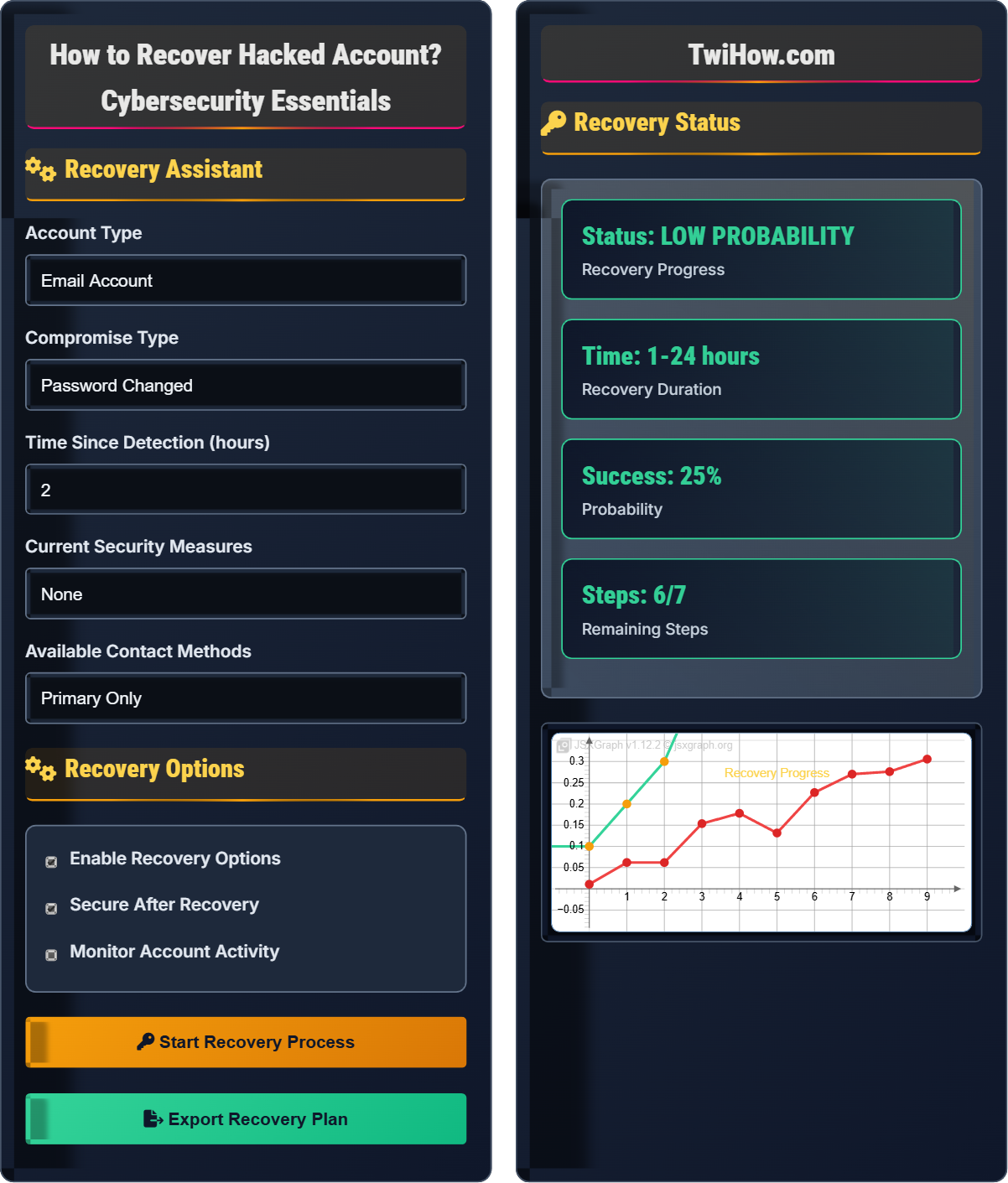
Recovery Assistant
Recovery Options
Recovery Status
| Step | Action | Status | Priority |
|---|---|---|---|
| 1 | Secure Other Accounts | Complete | HIGH |
| 2 | Report to Service Provider | Complete | HIGH |
| 3 | Attempt Standard Recovery | Complete | HIGH |
| 4 | Use Alternative Methods | In Progress | HIGH |
| 5 | Reset All Credentials | Pending | HIGH |
| 6 | Enable Security Features | Pending | HIGH |
| 7 | Monitor for Recurrence | Pending | MEDIUM |
How to Recover Hacked Account Explained
Account recovery is a systematic process of regaining control over an online account that has been compromised by an unauthorized person. This process involves identifying signs of compromise, taking immediate security actions, using available recovery methods provided by the service, and implementing enhanced security measures to prevent future incidents. Successful recovery requires quick action, knowledge of the service's recovery procedures, and availability of backup authentication methods.
The account recovery process consists of several distinct phases:
Where:
- Detection Speed: Time between compromise and identification
- Available Recovery Methods: Verification options provided by service
- Preparedness: Prior security setup and knowledge
Key elements that influence successful account recovery:
- Response Time: Immediate action significantly improves success rates
- Backup Methods: Alternative authentication channels increase options
- Documentation: Knowledge of recovery procedures helps
- Service Support: Quality of provider's recovery assistance
- Account History: Established accounts have more recovery options
- Security Setup: Previous security features affect recovery
- Strong Passwords: Complex, unique passwords for each account
- Multi-Factor Authentication: Additional verification layers
- Backup Methods: Alternative contact and recovery options
- Security Monitoring: Notifications for account changes
- Regular Updates: Keep security software current
- Phishing Awareness: Recognize and avoid social engineering
Recovery Fundamentals
Account compromise, identity theft, credential stuffing, phishing, social engineering, multifactor authentication, account verification.
Priority = Criticality × Exposure × Recovery Complexity
Where Priority = order of account recovery, Criticality = importance of account.
- Act immediately upon detection
- Never share recovery information via email
- Verify authenticity of recovery requests
Recovery & Prevention
Recovery codes, backup authentication, security questions, account monitoring, password managers, security awareness.
- Secure other accounts immediately
- Contact service provider
- Use official recovery methods
- Enable enhanced security
- Monitor for recurrence
- Recovery times vary by service provider
- Some accounts may be unrecoverable
- Legal assistance may be required
- Document all recovery attempts
Account Recovery Learning Quiz
When recovering from a compromised email account, which action should be taken FIRST?
When an email account is compromised, the first priority is to secure other accounts that may use the same password. Since many services use email for password resets, a compromised email account puts all linked accounts at risk. Changing passwords on other accounts prevents the attacker from using the email to reset passwords on other services.
The answer is B) Secure other accounts that use the same password.
Understanding the cascading effect of email compromise is crucial. Email accounts often serve as master accounts for password resets across multiple services. If an attacker gains access to your email, they can potentially access every other account linked to that email address. This is why securing other accounts takes precedence over changing the email password itself.
Email as Master Key: Email used for password resets
Cascading Effect: One compromise leading to others
Password Reset: Mechanism to regain account access
• Email is often the gateway to other accounts
• Secure secondary accounts first
• Don't wait to act on other accounts
• Think of email as the master key to your digital life
• Have a list of critical accounts ready
• Use password manager to quickly update passwords
• Focusing only on the compromised account
• Waiting too long to secure other accounts
• Not having a list of connected services
Explain the different types of account recovery verification methods available and their respective strengths and weaknesses. Include recommendations for which methods to prioritize for maximum security.
Recovery Method Types:
1. Email Verification: Strengths - Convenient and accessible; Weaknesses - Vulnerable if email is compromised
2. SMS/Phone: Strengths - Direct access to mobile device; Weaknesses - SIM swapping attacks, coverage issues
3. Backup Codes: Strengths - Offline access method; Weaknesses - Physical storage required
4. Security Questions: Strengths - Knowledge-based; Weaknesses - Socially engineered answers
5. Authenticator Apps: Strengths - Time-based codes; Weaknesses - Device dependency
Recommendations: Prioritize authenticator apps and backup codes. Avoid relying solely on email or SMS for high-security accounts.
Diversifying recovery methods provides resilience against different attack vectors. Authenticator apps are generally the most secure because they generate time-sensitive codes independent of network infrastructure. Backup codes provide offline recovery options when other methods fail. The key is having multiple, independent verification methods.
2FA: Two-Factor Authentication
Authenticator App: TOTP-based verification
Backup Codes: Pre-generated recovery tokens
• Don't use same channel for recovery
• Store backup codes securely
• Regularly update recovery methods
• Print backup codes on paper
• Test recovery methods periodically
• Not saving backup codes
• Using weak security questions
You discover your primary email account has been compromised. The hacker changed the password, recovery email, and phone number. You don't have backup codes or authenticator app. The account has important documents and is linked to several other services. Outline a recovery strategy and estimate the probability of success.
Recovery Strategy:
1. Immediate Actions: Secure other accounts using alternative passwords
2. Contact Provider: Call customer service directly, explain situation
3. Provide Proof: Offer account creation date, last login time, previous contacts
4. Alternative Verification: Request special recovery process
5. Document Everything: Keep records of all recovery attempts
Success Probability: 40-60% depending on provider policies and available proof of ownership.
This scenario represents a worst-case recovery situation where all standard recovery methods have been compromised. Success depends heavily on the service provider's willingness to assist and the user's ability to prove account ownership through other means. This emphasizes the importance of maintaining multiple recovery methods.
Account Ownership: Proof of legitimate account control
Special Recovery: Manual verification processProof of Identity: Documentation to verify account owner
• Act quickly before attacker locks out recovery
• Provide detailed account history
• Be persistent but respectful
• Know customer service contact methods
• Prepare detailed timeline of account activity
• Giving up after initial rejection
• Not trying multiple contact methods
Create a comprehensive account security plan for a user with 20+ online accounts. The plan should include recovery preparation, security hardening, and monitoring strategies. Consider different account types (social media, banking, email, shopping, etc.) with varying security requirements.
Account Tiering Strategy:
Tier 1 (Critical): Email, banking, primary social media - Enable 2FA, backup codes, alternate recovery
Tier 2 (Important): Work accounts, cloud storage - Enable 2FA, unique passwords
Tier 3 (Standard): Shopping, entertainment - Strong passwords, monitor for breaches
Recovery Preparation: Document recovery methods, store backup codes securely, enable security notifications
Monitoring: Use breach notification services, enable login alerts, review account activity regularly
Managing security for multiple accounts requires a tiered approach based on the sensitivity and importance of each account. Critical accounts need the highest level of security and recovery preparation, while less important accounts can have moderate security measures. A password manager simplifies managing unique, complex passwords across all accounts.
Account Tiering: Classifying accounts by importance
Password Manager: Secure storage for credentials
Security Monitoring: Continuous account surveillance
• Critical accounts need maximum security
• Unique passwords for each account
• Regular security reviews
• Enable breach notifications
• Review account security annually
• Not tiering account security appropriately
• Forgetting to update security settings
Which of the following is the MOST effective tool for preventing account recovery complications?
A password manager with breach monitoring is most effective for preventing recovery complications. It ensures unique, strong passwords for each account, monitors for breaches, and often provides security ratings. This prevents the common scenario where one compromised password leads to multiple account takeovers, which complicates recovery efforts significantly.
The answer is B) Password manager with breach monitoring.
Prevention is more effective than recovery. Password managers solve the root cause of many recovery issues - reused passwords. When passwords are unique and strong across all accounts, a breach of one account doesn't compromise others. Many modern password managers also include breach monitoring that alerts users when their credentials appear in known data breaches.
Password Reuse: Using same password across accounts
Breach Monitoring: Tracking credential exposure
Security Rating: Assessment of password strength
• Unique passwords prevent cascading breaches
• Monitor for credential exposure
• Regular security updates
• Enable dark web monitoring if available
• Update passwords proactively
• Not monitoring for credential breaches
• Choosing weak passwords for "less important" sites
FAQ
Q: How long does it typically take to recover a hacked account?
A: Recovery time varies significantly based on several factors:
1. Simple Recovery (15 minutes - 2 hours): When backup methods are available and uncompromised
2. Moderate Recovery (2 hours - 2 days): When standard methods are partially compromised but verification is possible
3. Complex Recovery (2 days - 2 weeks): When all standard methods are compromised and manual verification is required
4. Impossible Recovery (Never): When the account was recently created with stolen information or security questions were also compromised
The key is acting quickly and having backup recovery methods prepared in advance.
Q: What should I do if I can't recover my account after trying all methods?
A: If all standard recovery methods fail, consider these steps:
1. Contact Support Directly: Try different departments or escalation channels
2. Legal Assistance: For business accounts or accounts with significant value, consult with legal counsel
3. File Reports: Report the incident to IC3.gov or local authorities if applicable
4. Document Everything: Keep records of all recovery attempts for potential legal proceedings
5. Create New Accounts: Establish new accounts and redirect important connections
6. Security Audit: Review and strengthen security on all remaining accounts
Unfortunately, some accounts cannot be recovered once all verification methods are compromised.
Q: How can I prevent my account from being hacked in the future?
A: To prevent future account compromises:
1. Enable Multi-Factor Authentication: Add additional security layers beyond passwords
2. Use Unique, Strong Passwords: Different passwords for each account, at least 12 characters
3. Keep Recovery Methods Updated: Ensure backup email and phone numbers are current
4. Monitor Account Activity: Review login locations and times regularly
5. Be Wary of Phishing: Verify emails and websites before entering credentials
6. Use Security Software: Keep antivirus and anti-malware updated
7. Enable Security Notifications: Get alerts for login attempts and changes
The most important step is enabling multi-factor authentication on all accounts that support it.