What is Firewall? Cybersecurity Essentials
Complete firewall guide • Step-by-step explanations
Firewall Fundamentals:
Show Firewall SimulatorA firewall is a network security device that monitors and controls incoming and outgoing network traffic based on predetermined security rules. It acts as a barrier between trusted internal networks and untrusted external networks, such as the internet.
Firewalls establish a protective barrier by examining data packets and determining whether to allow or block specific traffic based on security rules. They can be implemented as hardware appliances, software programs, or cloud-based services.
Key firewall concepts:
- Packet Filtering: Examines headers of data packets
- Stateful Inspection: Tracks connection states
- Application Layer Filtering: Analyzes content of applications
- Access Control: Enforcing security policies
Modern firewalls use multiple techniques including deep packet inspection, intrusion prevention, and application awareness to provide comprehensive network protection against cyber threats.
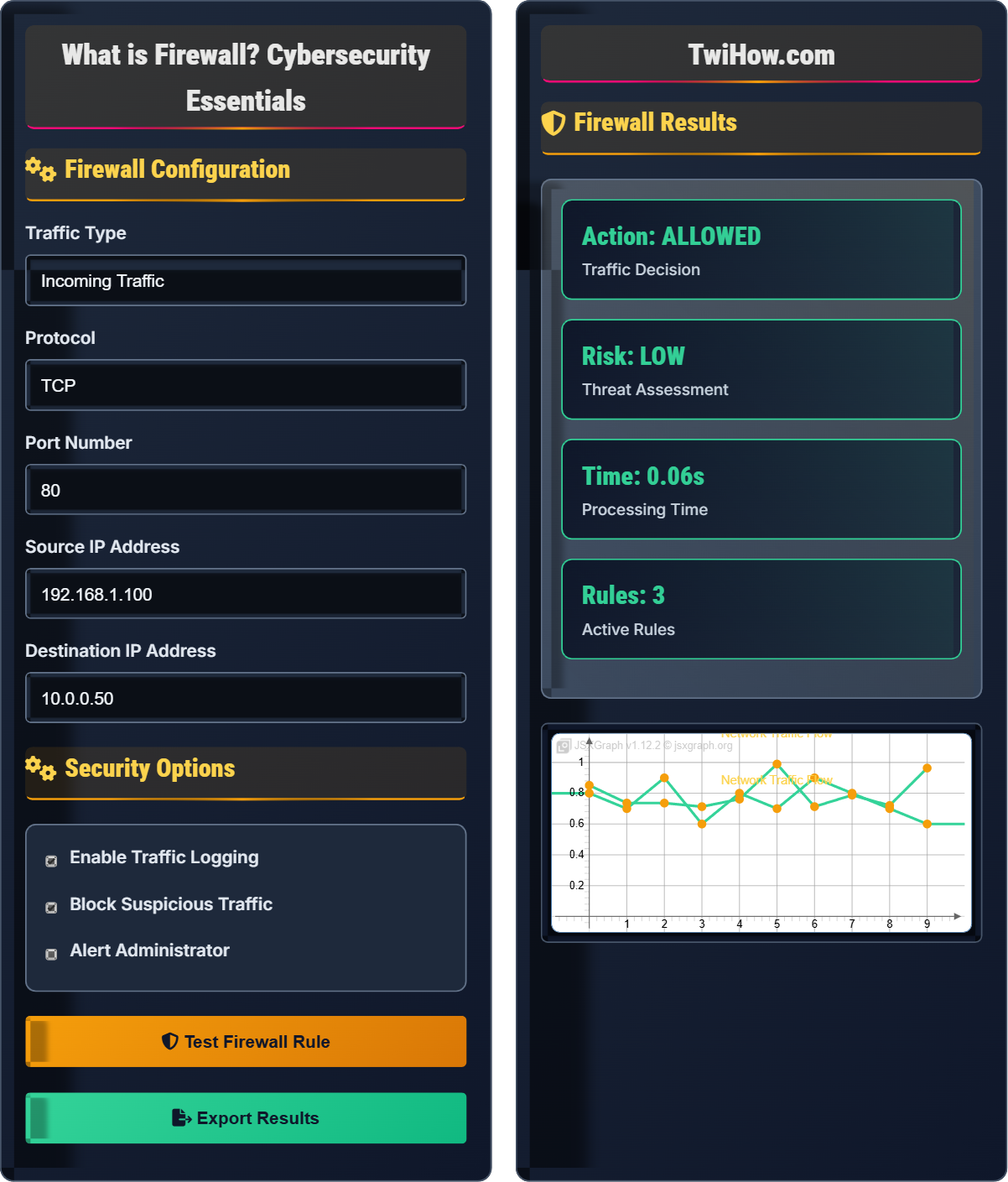
Firewall Configuration
Security Options
Firewall Results
| Rule ID | Source | Destination | Action |
|---|---|---|---|
| FW-001 | 192.168.1.100 | 10.0.0.50 | ALLOW |
| FW-002 | 192.168.1.101 | 10.0.0.50 | BLOCK |
| FW-003 | 192.168.1.102 | 10.0.0.51 | ALLOW |
| FW-004 | 192.168.1.103 | 10.0.0.52 | ALLOW |
| FW-005 | 192.168.1.104 | 10.0.0.53 | BLOCK |
How Firewalls Work Explained
A firewall is a network security device that monitors and filters incoming and outgoing network traffic based on predetermined security rules. It acts as a barrier between a trusted internal network and untrusted external networks, such as the Internet. Firewalls can be implemented in hardware, software, or both, and they examine data packets to determine whether to allow or block specific traffic based on security rules.
Different types of firewalls serve various security needs:
Where:
- Packet Filtering: Examines packet headers only
- Stateful Inspection: Tracks connection states
- Proxy Firewall: Acts as intermediary
- Next-Generation: Deep packet inspection with application awareness
Key areas where firewalls provide security protection:
- Home Networks: Protecting personal devices from internet threats
- Corporate Networks: Securing business data and resources
- Cloud Environments: Securing virtual infrastructure
- Industrial Systems: Protecting critical infrastructure
- Government: Securing classified information
- Healthcare: Protecting patient data and medical devices
- Packet Filtering: Simple header-based filtering
- Stateful Inspection: Connection state tracking
- Deep Packet Inspection: Content analysis
- Application Layer Filtering: Application-specific rules
- Intrusion Prevention: Real-time threat blocking
Firewall Fundamentals
Packet filtering, stateful inspection, proxy servers, network address translation, access control lists.
Decision = Rules(Packet_Header) + Policy(Packet_Content)
Where Decision = ALLOW/BLOCK, Packet_Header = source/dest IP/port, Policy = security rules.
- Default deny policy is safest approach
- Specific rules override general rules
- Order of rules matters significantly
Applications
Network perimeter defense, VPN gateways, application filtering, threat prevention, compliance enforcement.
- Home router protection
- Corporate network segmentation
- Cloud security perimeters
- Industrial control systems
- Performance vs security trade-offs
- Management complexity
- Regular rule maintenance
- Integration with other security tools
Firewall Learning Quiz
Which type of firewall examines the state, port, and protocol of each packet?
Stateful inspection firewalls maintain context about active connections and examine packets in relation to the state of those connections. They track the state of network connections (such as TCP streams) and can determine whether a packet is legitimate based on the connection's state, port, and protocol.
The answer is B) Stateful Inspection Firewall.
Understanding firewall types is crucial for effective network security. While packet filtering firewalls only look at individual packet headers, stateful inspection firewalls maintain a state table that tracks the state of active connections. This allows them to make more informed decisions about whether to allow or block traffic, providing better security than simple packet filtering.
Packet Filtering: Examines individual packet headers without context
Stateful Inspection: Maintains connection state information
Connection State: Information about ongoing network sessions
• Stateful firewalls track connection context
• Packet filters don't maintain state
• State tables consume memory resources
• Think of stateful as remembering conversation context
• Packet filtering is like reading postcards without knowing the sender
• Stateful firewalls are more secure but slower
• Confusing packet filtering with stateful inspection
• Thinking all firewalls track connection states
• Assuming simple packet filters provide adequate security
Explain the difference between "allow" and "deny" rules in a firewall configuration, and why the order of rules is critically important. Include an example of how misordered rules could compromise security.
Allow Rules: Permit traffic that matches specific criteria (source IP, destination IP, port, protocol).
Deny Rules: Block traffic that matches specific criteria.
Rule Order Importance: Firewalls process rules sequentially from top to bottom, applying the first matching rule. Once a rule matches, subsequent rules are ignored for that traffic.
Example of Misordered Rules: If a "deny all" rule appears before specific "allow" rules for necessary services, all traffic will be blocked regardless of the more specific allow rules below it.
Firewall rule processing follows a "first match" principle. This means the order of rules is crucial - more specific rules must come before general rules. A common best practice is to place specific allow rules for necessary services at the top, followed by broader security rules, and ending with a default deny rule at the bottom.
First Match: Firewalls apply the first rule that matches traffic
Default Deny: Final rule that blocks all unmatched traffic
ACL: Access Control List containing firewall rules
• Specific rules before general rules
• Allow rules before deny rules (when needed)
• Always end with a default deny rule
• Use the acronym "SAD": Specific, Allow, Deny
• Test rule order with simulation tools
• Document the purpose of each rule
• Placing general rules before specific ones
• Forgetting the default deny rule
• Not testing rule order in staging
A small business wants to set up a firewall to protect their network. They need to allow employees to browse the web, send/receive email, and access a hosted accounting application on port 8080. They want to block all other external access. Design a firewall rule set that meets their requirements while maintaining security.
Required Rules (in order):
1. Allow outbound HTTPS (port 443) for secure web browsing
2. Allow outbound HTTP (port 80) for web browsing
3. Allow outbound SMTP (port 587) for sending email
4. Allow outbound IMAP (port 993) for receiving email
5. Allow outbound traffic to accounting application (port 8080)
6. Default deny rule for all other outbound traffic
Additional Considerations: Implement logging for blocked attempts and regularly review logs for potential threats.
Effective firewall design requires balancing usability with security. Start by identifying necessary services, then create specific allow rules for those services. Always end with a default deny rule to block everything else. Regular monitoring and rule review ensure continued effectiveness.
Outbound Rules: Control traffic leaving the network
Inbound Rules: Control traffic entering the network
Default Deny: Principle of blocking everything not explicitly allowed
• Identify business requirements first
• Create specific rules for necessary services
• End with default deny for security
• Document business justification for each rule
• Use DNS names instead of IP addresses when possible
• Implement regular rule audits
• Opening unnecessary ports for convenience
• Not implementing default deny rule
• Forgetting to log security events
A company's firewall logs show multiple failed login attempts from a specific IP address targeting SSH (port 22). The attempts are occurring at a rate of 100 attempts per minute. Explain how the firewall can be configured to automatically respond to this type of attack and prevent future occurrences.
Automated Response Strategies:
1. Rate Limiting: Configure the firewall to limit connection attempts from a single IP to a threshold (e.g., 5 attempts per minute)
2. Automatic Blocking: Implement dynamic blocking that temporarily bans IPs exceeding the threshold
3. Logging and Alerting: Set up real-time alerts for administrators when thresholds are exceeded
4. Geographic Blocking: Block traffic from known malicious geographic regions
This approach is often called "brute force protection" or "intrusion prevention."
Modern firewalls include intrusion prevention capabilities that can automatically detect and respond to attack patterns. Rate limiting and automatic blocking are effective against brute force attacks, which rely on many rapid attempts to guess credentials. These automated defenses reduce the burden on administrators and respond faster than manual intervention.
Brute Force Attack: Repeated attempts to guess credentials
Rate Limiting: Restricting connection attempts per time periodIntrusion Prevention: Automatic threat response capabilities
• Set reasonable thresholds to avoid false positives
• Implement temporary rather than permanent blocks
• Monitor blocked IP patterns for new threats
• Implement progressive blocking (increasing duration)
• Correlate with threat intelligence feeds
• Using permanent blocks instead of temporary ones
• Not monitoring effectiveness of automated responses
Which of the following is a significant limitation of traditional firewalls?
Traditional firewalls have difficulty inspecting encrypted traffic (like HTTPS) because the data payload is encrypted. Without decryption capabilities, the firewall cannot analyze the content of encrypted communications for malicious activity. This creates a security blind spot where threats can hide within encrypted connections.
The answer is B) Difficulty inspecting encrypted traffic.
While encryption is essential for privacy and security, it also creates challenges for network security devices. Traditional firewalls can only examine packet headers of encrypted traffic, missing potentially malicious content in the encrypted payload. Next-generation firewalls address this through SSL/TLS inspection capabilities, though this raises privacy concerns.
Encrypted Traffic: Data protected with cryptographic protocols
SSL/TLS Inspection: Decrypting encrypted traffic for inspection
Security Blind Spot: Area where threats can hide from detection
• Encryption protects privacy but hides threats
• Balance security with privacy requirements
• Consider SSL inspection for critical areas
• Implement certificate pinning for verification
• Use behavioral analysis for encrypted traffic
• Consider DLP solutions for sensitive data
• Assuming encrypted traffic is always safe
• Not implementing SSL inspection where needed
• Ignoring encrypted threat vectors
FAQ
Q: How does a firewall actually know which traffic to block?
A: Firewalls use pre-configured security rules to determine which traffic to allow or block. Each rule specifies criteria such as:
1. Source IP Address: Where the traffic is coming from
2. Destination IP Address: Where the traffic is going
3. Port Numbers: Which service/application the traffic targets
4. Protocol: Type of communication (TCP, UDP, ICMP)
5. Connection State: Whether it's part of an established session
When traffic arrives, the firewall checks it against each rule in sequence until it finds a match, then applies the action (allow or block) specified in that rule.
Q: What's the difference between a hardware firewall and a software firewall?
A: Hardware and software firewalls serve the same security purpose but differ in implementation:
Hardware Firewall: Physical device that sits between your network and the internet. It's dedicated to security functions, offers high performance, and protects all devices on the network. Examples include enterprise firewalls and home routers with firewall capabilities.
Software Firewall: Program installed on individual computers. It provides host-based protection and can offer more granular control over specific applications. Examples include Windows Defender Firewall or third-party solutions like ZoneAlarm.
Best practice is often to use both for layered security - a hardware firewall at the network perimeter and software firewalls on individual hosts.
Q: Can firewalls prevent all cyber attacks?
A: No, firewalls alone cannot prevent all cyber attacks. While firewalls are crucial security components, they have limitations:
1. Internal Threats: Cannot stop attacks originating from inside the network
2. Encrypted Traffic: Traditional firewalls cannot inspect encrypted communications
3. Application-Level Attacks: May not detect sophisticated attacks that use allowed ports/protocols
4. Zero-Day Exploits: New vulnerabilities that aren't yet recognized by security rules
Effective cybersecurity requires a multi-layered approach including firewalls, intrusion detection systems, antivirus software, endpoint protection, and security awareness training.