What is Cloud Computing?
Complete cloud computing guide • Step-by-step explanations
Cloud Computing Fundamentals:
Show Cloud SimulatorCloud computing is the delivery of computing services—including servers, storage, databases, networking, software, and analytics—over the internet ("the cloud") to offer faster innovation, flexible resources, and economies of scale. It enables organizations to access technology services on-demand without managing physical infrastructure.
Key cloud computing characteristics:
- On-demand Self-service: Users can provision resources automatically
- Broad Network Access: Services accessible over the internet
- Resource Pooling: Shared resources serve multiple customers
- Rapid Elasticity: Resources scale up/down automatically
- Measured Service: Usage is monitored and billed
Cloud computing transforms how organizations manage technology, offering cost savings, flexibility, and global reach.
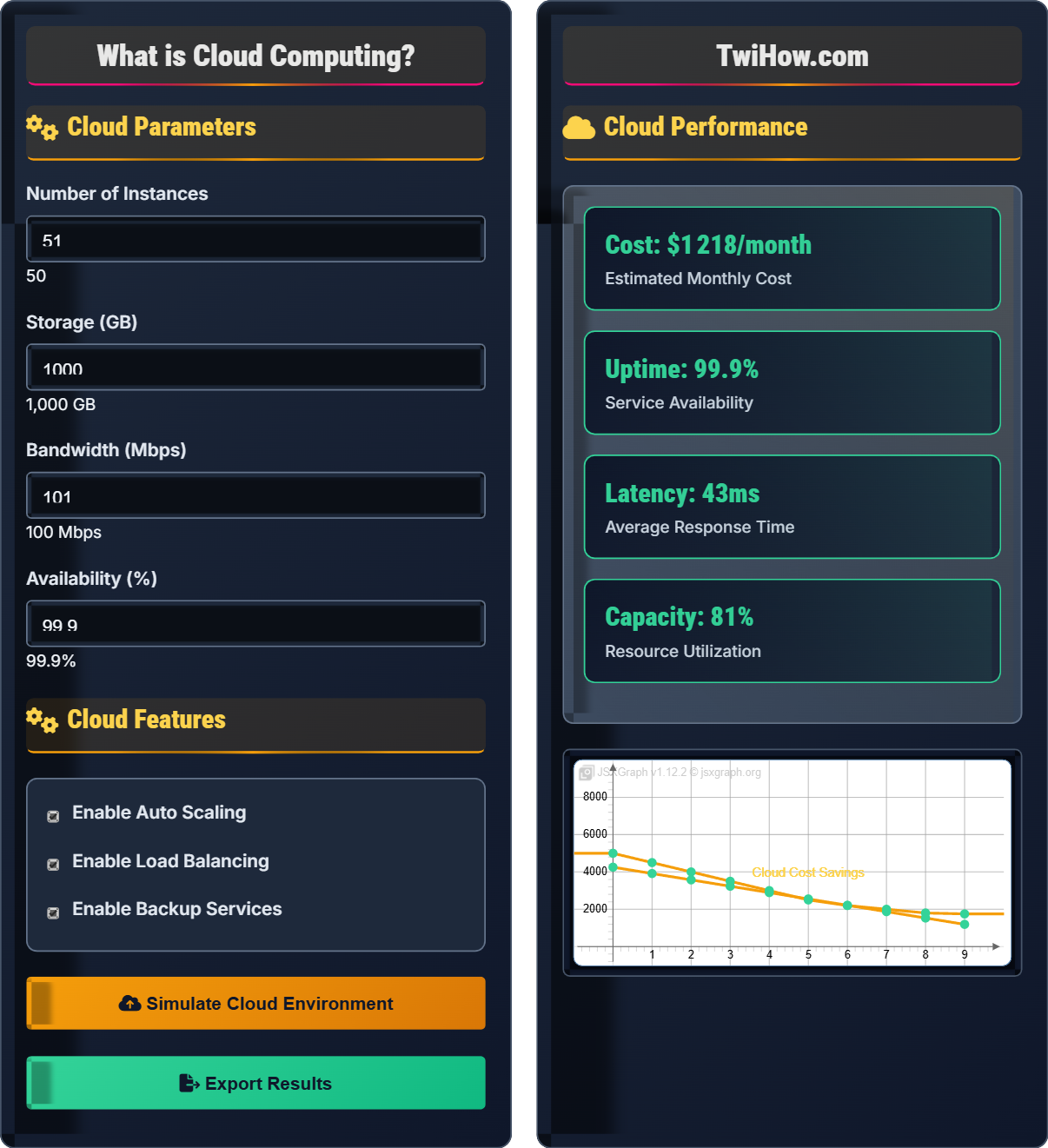
Cloud Parameters
Cloud Features
Cloud Performance
| Service | Amount | Cost ($/month) | Utilization |
|---|---|---|---|
| Compute | 50 VMs | $800 | 80% |
| Storage | 1 TB | $100 | 65% |
| Database | 5 instances | $200 | 75% |
| Networking | 100 Mbps | $150 | 40% |
How Cloud Computing Works
Cloud computing is the delivery of computing services—including servers, storage, databases, networking, software, and analytics—over the internet ("the cloud") to offer faster innovation, flexible resources, and economies of scale. Instead of owning and maintaining physical data centers and servers, organizations can access technology services on-demand from cloud providers.
The three primary cloud service models are:
Where:
- IaaS (Infrastructure as a Service): Virtualized computing resources over the internet
- PaaS (Platform as a Service): Platform allowing customers to develop, run, and manage applications
- SaaS (Software as a Service): Software applications delivered over the internet
- Each model provides different levels of control and responsibility
Cloud services can be deployed in four main models:
Deployment models include:
- Public Cloud: Services offered over public internet
- Private Cloud: Dedicated cloud for single organization
- Hybrid Cloud: Combination of public and private clouds
- Multi-cloud: Using multiple cloud providers
Cloud computing relies on several foundational technologies:
- Virtualization: Creating virtual versions of physical resources
- Containerization: Packaging applications with their dependencies
- APIs: Interfaces for accessing cloud services programmatically
- Microservices: Breaking applications into smaller services
- DevOps: Practices for continuous development and deployment
These technologies enable the flexibility and scalability that define cloud computing.
Key areas where cloud computing is transforming industries:
- Web Hosting: Scalable websites and applications
- Data Analytics: Processing and analyzing large datasets
- Machine Learning: Training and deploying AI models
- Development: Testing and deployment environments
- Backup & Recovery: Secure data backup and disaster recovery
- Collaboration: Shared tools and document management
Cloud Computing Fundamentals
Virtualization, elasticity, scalability, pay-per-use, on-demand access, resource pooling.
\(\text{Cost Savings} = \frac{\text{Traditional IT Cost} - \text{Cloud Cost}}{\text{Traditional IT Cost}} \times 100\%\)
Where cost savings represent the financial benefit of cloud adoption.
- Cloud resources should be scalable and elastic
- Security must be implemented at all layers
- Monitoring and governance are essential
Applications
Web hosting, data analytics, machine learning, development, backup & recovery, collaboration.
- E-commerce platforms
- Big data analytics
- AI/ML model training
- Software development
- Data privacy and compliance requirements
- Vendor lock-in concerns
- Network dependency
Cloud Computing Learning Quiz
Which of the following correctly describes the relationship between IaaS, PaaS, and SaaS?
The cloud service models provide different levels of control and responsibility: IaaS (Infrastructure as a Service) provides the highest level of control, giving users control over operating systems, applications, and runtime environments. PaaS (Platform as a Service) manages the underlying infrastructure, allowing users to focus on applications. SaaS (Software as a Service) provides the least control, with the provider managing everything including the application.
The answer is B) IaaS provides more control than PaaS.
Think of the service models like renting vs. buying vs. just using a car. IaaS is like buying a car where you own everything - engine, tires, maintenance. PaaS is like leasing a car where you drive and maintain the interior but the leasing company handles major repairs. SaaS is like using a taxi service where you just get in and ride - everything else is managed by the driver. The more control you have, the more responsibility you bear for maintenance and security.
IaaS: Infrastructure as a Service (raw computing resources)
PaaS: Platform as a Service (development platform)
SaaS: Software as a Service (ready-to-use applications)
• Control decreases from IaaS to SaaS
• Management responsibility shifts to provider
• Flexibility increases with control level
• IaaS = Infrastructure (VMs, storage, networks)
• PaaS = Platform (runtime, middleware, OS)
• SaaS = Software (applications, user interfaces)
• Confusing control levels between service models
• Thinking SaaS gives more control than IaaS
• Ignoring management responsibilities
Explain the concept of virtualization in cloud computing and describe how it enables resource sharing and efficiency.
Virtualization: Virtualization is the creation of virtual versions of physical computing resources such as servers, storage devices, network resources, or operating systems. It allows a single physical server to run multiple virtual machines (VMs), each with its own operating system and applications.
Resource Sharing: Virtualization enables multiple VMs to share the same physical resources (CPU, memory, storage) through a hypervisor that manages resource allocation. Each VM operates independently while sharing the underlying hardware.
Efficiency Benefits: Virtualization dramatically improves resource utilization by consolidating multiple workloads onto fewer physical servers. It reduces hardware costs, power consumption, and data center space requirements while increasing flexibility and scalability.
Cloud Impact: Virtualization is fundamental to cloud computing, enabling the dynamic provisioning of resources, rapid scaling, and efficient multi-tenancy where multiple customers share the same infrastructure securely.
Imagine a large apartment building where one physical structure houses many individual apartments. Each apartment functions independently with its own residents, utilities, and activities, but they all share the same building infrastructure (walls, plumbing, electricity). Similarly, virtualization allows multiple virtual machines to run on one physical server, each with its own operating system and applications, but sharing the underlying hardware resources. This dramatically increases efficiency and enables the cloud's ability to quickly provision resources to different users.
Virtualization: Creating virtual versions of physical resources
Hypervisor: Software that manages virtual machines
Multi-tenancy: Multiple users sharing same infrastructure securely
• Each VM operates independently
• Resources are dynamically allocated
• Security isolation between VMs is essential
• Think of VMs as separate computers on one machine
• Hypervisors manage resource allocation
• Virtualization enables cloud elasticity
• Confusing virtualization with cloud computing
• Thinking VMs consume more resources
• Ignoring security isolation between VMs
A company currently runs 100 servers in their data center, each costing $500/month in maintenance and electricity. They want to migrate to AWS EC2, where equivalent instances cost $100/month each. Calculate the annual cost savings if they move to the cloud, and determine what percentage of their traditional IT budget they would save. If they only need 80 servers in the cloud, calculate the additional savings.
Traditional IT Costs:
Monthly: 100 servers × $500 = $50,000
Annual: $50,000 × 12 = $600,000
Cloud Costs (100 servers):
Monthly: 100 instances × $100 = $10,000
Annual: $10,000 × 12 = $120,000
Cost Savings:
Annual Savings: $600,000 - $120,000 = $480,000
Percentage Savings: ($480,000 ÷ $600,000) × 100% = 80%
With 80 servers:
Cloud Annual: 80 × $100 × 12 = $96,000
Additional Savings: $120,000 - $96,000 = $24,000
The company would save $480,000 annually (80%) and an additional $24,000 by using only 80 servers.
This problem demonstrates the economic advantages of cloud computing. Traditional IT requires upfront capital investment and ongoing maintenance costs for hardware that may be underutilized. Cloud computing offers pay-per-use pricing and eliminates the need to maintain underutilized resources. The 80% savings in this example is typical for companies moving to the cloud, though actual savings depend on utilization patterns and workload requirements. The additional savings from right-sizing (using 80 instead of 100 servers) shows the importance of proper capacity planning in cloud environments.
CapEx: Capital expenditure (upfront hardware costs)
OpEx: Operational expenditure (ongoing operational costs)Right-sizing: Matching resource allocation to actual needs
• Cloud converts CapEx to OpEx
• Pay only for resources actually used
• Right-sizing maximizes cost savings
• Monitor usage to avoid over-provisioning
• Use reserved instances for predictable workloads
• Consider spot instances for flexible workloads
• Not considering all traditional IT costs
• Over-provisioning cloud resources
• Ignoring data transfer costs
Design a security strategy for a company migrating sensitive customer data to the cloud. Identify the key security challenges, explain the shared responsibility model, and recommend specific security measures for data protection.
Key Security Challenges:
1. Data Breaches: Protecting sensitive customer information
2. Account Hijacking: Securing cloud accounts from unauthorized access
3. Insider Threats: Malicious actions by authorized personnel
4. Data Loss: Preventing accidental or malicious data deletion
Shared Responsibility Model: The cloud provider is responsible for security "of" the cloud (infrastructure, hardware, facilities), while the customer is responsible for security "in" the cloud (data, applications, access management).
Recommended Security Measures:
• Encryption: Encrypt data both at rest and in transit
• Access Control: Implement multi-factor authentication and role-based access
• Monitoring: Enable comprehensive logging and monitoring
• Backup: Regular encrypted backups with geographic distribution
• Compliance: Ensure adherence to regulations (GDPR, HIPAA, etc.)
This layered approach provides comprehensive security while leveraging cloud provider capabilities.
The shared responsibility model is crucial to understand - it's not that cloud providers handle all security, nor do customers. Think of it like a hotel: the hotel provides the secure building and basic security measures, but guests are responsible for securing their own rooms and belongings. In cloud computing, the provider secures the infrastructure, but customers must secure their data, applications, and access. This requires a new mindset from traditional IT where organizations had complete control over security measures.
Shared Responsibility: Division of security duties between provider and customer
Data Encryption: Converting data to unreadable format for security
Multi-factor Authentication: Requiring multiple verification methods
• Understand your security responsibilities
• Encrypt sensitive data by default
• Implement least privilege access
• Use cloud security tools provided by your provider
• Regular security audits and penetration testing
• Employee training on cloud security practices
• Assuming cloud provider handles all security
• Not encrypting sensitive data
• Weak access controls and passwords
Which of the following represents the most significant advantage of cloud computing for businesses?
The most significant advantage of cloud computing is the conversion of capital expenditure (CapEx) to operational expenditure (OpEx). Businesses no longer need to invest large amounts in hardware and infrastructure upfront. Instead, they pay only for the resources they actually use, which provides greater financial flexibility and can result in substantial cost savings. While security remains important, maintenance is shifted to the provider, and uptime is very high but not 100% guaranteed.
The answer is B) Reduced capital expenditure and operational costs.
The financial model change is transformative for businesses. Traditional IT requires significant upfront investment in servers, networking equipment, and data center space - money that is tied up for years. Cloud computing allows businesses to pay for only what they use, when they use it. This is particularly valuable for startups and growing companies that need to scale quickly without major capital investments. It also allows for more predictable budgeting since costs are typically based on actual usage rather than estimated capacity needs.
CapEx: Capital expenditure (one-time purchases)
OpEx: Operational expenditure (ongoing costs)
Pay-per-use: Billing based on actual resource consumption
• Cloud converts CapEx to OpEx
• Pay only for resources consumed
• Budget more predictable with cloud
• Monitor usage to optimize costs
• Use reserved instances for predictable workloads
• Implement automated cost controls
• Assuming cloud is always cheaper
• Not monitoring cloud spending
• Over-provisioning resources
FAQ
Q: How is cloud computing different from storing files on my computer?
A: Cloud computing is fundamentally different from local storage. When you store files on your computer, the data resides on your physical device. Cloud computing involves using remote servers accessed over the internet to store, manage, and process data.
Key differences include:
• Accessibility: Cloud files can be accessed from anywhere with internet
• Scalability: Cloud resources can be expanded instantly
• Management: Cloud providers handle maintenance and security
• Cost: Pay-per-use model instead of purchasing hardware
Cloud computing goes beyond simple file storage to include computing power, databases, and applications.
Q: What are the main business benefits of cloud computing?
A: Cloud computing offers several key business benefits:
Cost Efficiency: Eliminate upfront hardware investments and pay only for resources used.
Scalability: Instantly scale resources up or down based on demand without procurement delays.
Global Reach: Deploy applications globally with minimal effort and infrastructure investment.
Agility: Rapidly deploy new applications and services to respond to market opportunities.
Reliability: Cloud providers offer enterprise-grade uptime and disaster recovery.
Innovation: Access to cutting-edge technologies like AI, machine learning, and big data analytics without major investments.