How to Build a Mobile App?
Complete guide • Mobile app development
Mobile App Development Fundamentals:
App BuilderMobile app development involves creating software applications that run on mobile devices. This process includes planning, designing, coding, testing, and deploying apps for iOS and Android platforms. Modern mobile development offers various approaches including native, cross-platform, and hybrid development methods.
Key development approaches include:
- Native Development: iOS (Swift/Objective-C) and Android (Kotlin/Java)
- Cross-Platform: React Native, Flutter, Xamarin
- Hybrid Development: Ionic, Cordova, Capacitor
- Progressive Web Apps: Web technologies for app-like experiences
- Backend Services: Firebase, AWS Amplify, Azure Mobile Apps
- App Stores: Apple App Store and Google Play Store
Successful mobile app development requires planning, design, development, testing, and deployment phases.
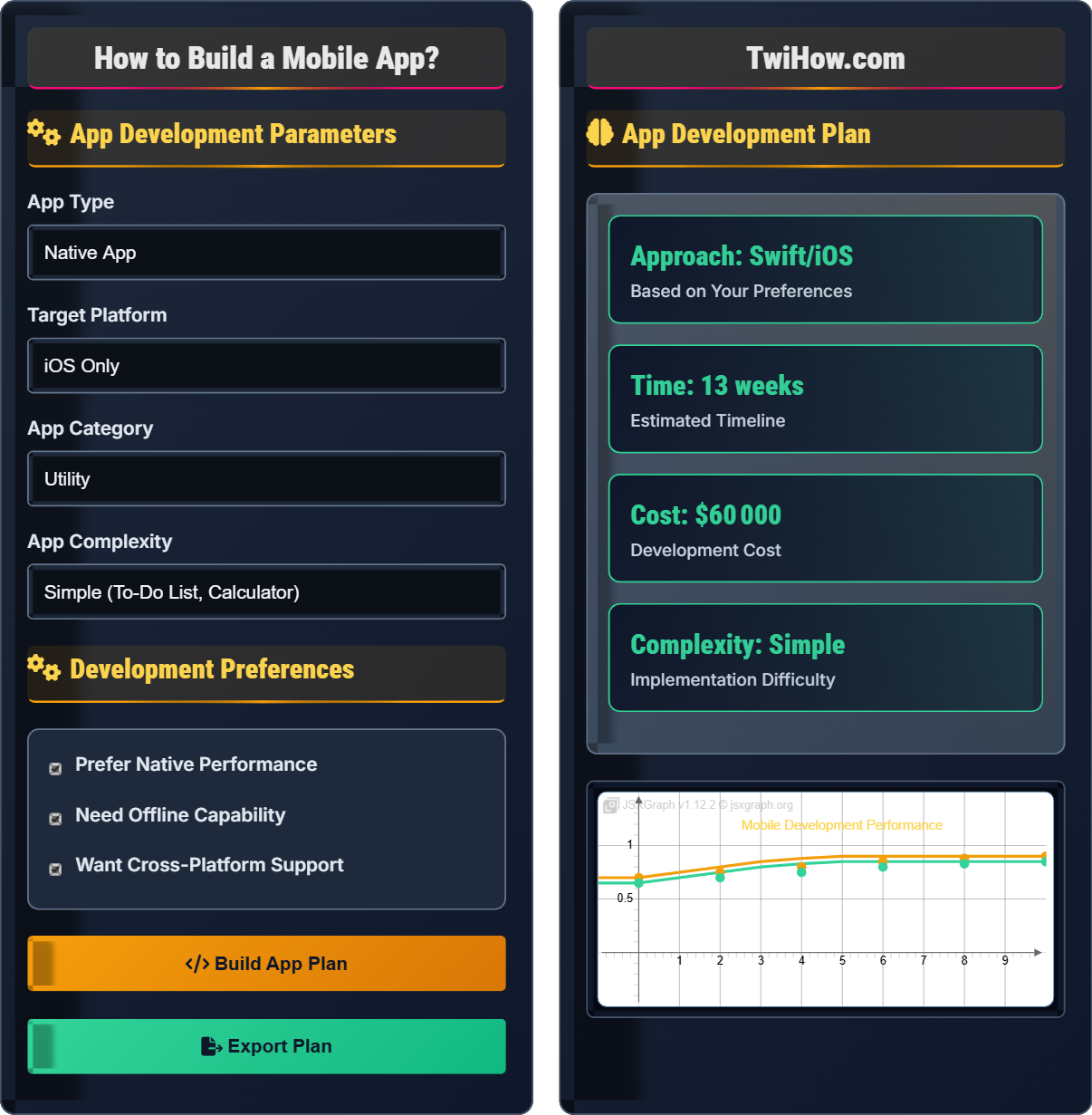
App Development Parameters
Development Preferences
App Development Plan
Mobile App
Backend
Database
API
React Native Setup Example:
Complete Guide to Mobile App Development
Mobile app development is the process of creating software applications that run on mobile devices like smartphones and tablets. This involves designing, coding, testing, and deploying applications for iOS and Android platforms. Modern mobile development encompasses various technologies, frameworks, and methodologies to build engaging and functional mobile experiences.
class ViewController: UIViewController {
override func viewDidLoad() {
super.viewDidLoad()
// Native iOS code
}
}
// Android (Kotlin)
class MainActivity : AppCompatActivity() {
override fun onCreate(savedInstanceState: Bundle?) {
super.onCreate(savedInstanceState)
setContentView(R.layout.activity_main)
}
}
const App = () => {
return (
);
};
// Flutter
class MyApp extends StatelessWidget {
Widget build(BuildContext context) {
return MaterialApp(
home: Scaffold(
body: Text('Hello World'),
),
);
}
}
Choose the approach based on your specific requirements for performance, reach, and development speed.
| Technology | Platform | Language | Performance | Learning Curve | Popularity |
|---|---|---|---|---|---|
| Swift | iOS | Swift | Excellent | Moderate | High |
| Kotlin | Android | Kotlin | Excellent | Moderate | High |
| React Native | Cross-Platform | JavaScript | Good | Low | Very High |
| Flutter | Cross-Platform | Dart | Excellent | Moderate | Very High |
| Xamarin | Cross-Platform | C# | Good | Moderate | Medium |
| Flutter | Cross-Platform | Dart | Excellent | Moderate | Very High |
- Follow Platform Guidelines: Adhere to iOS Human Interface Guidelines and Material Design principles
- Optimize Performance: Minimize app size, optimize images, and implement efficient code
- Security First: Implement proper authentication, encryption, and secure data handling
- Responsive Design: Ensure app works well on different screen sizes and orientations
- Testing Strategy: Implement comprehensive testing including unit, integration, and UI tests
- Analytics & Monitoring: Track user behavior, crashes, and performance metrics
Development Technologies
Native (Swift/Kotlin), Cross-Platform (React Native/Flutter), Hybrid (Ionic/Cordova), Web (PWA).
- Choose development approach
- Set up development environment
- Design app architecture
- Implement core features
- Test and debug
- Match approach to requirements
- Consider performance needs
- Plan for scalability
- Implement security measures
Development Phases
Planning, design, development, testing, deployment, maintenance phases with specific requirements.
Ideation & Planning (Week 1-2)
Market research, feature definition, and technical planning.
Design & Prototyping (Week 3-4)
UI/UX design, wireframing, and user experience planning.
Development Phase (Week 5-10)
Frontend, backend, and integration development.
Testing & Deployment (Week 11-12)
Quality assurance, app store submission, and launch.
- Clear phase transitions
- Regular milestone reviews
- Continuous feedback loops
- Quality checkpoints
Mobile App Development Assessment
Which mobile development approach is best for a startup that needs to build an app for both iOS and Android with a limited budget and timeline?
Cross-platform development (like React Native or Flutter) is best for startups needing to target multiple platforms with limited resources. It allows for code sharing between platforms, reducing development time and costs while still providing native-like performance and access to platform-specific features.
The answer is B) Cross-platform development.
For resource-constrained startups, cross-platform development offers the best balance of reach, cost, and time-to-market. While native development provides the best performance, it doubles the development effort. Cross-platform frameworks allow startups to validate their product in both markets simultaneously with a single codebase.
Cross-Platform: Single codebase for multiple platforms
Native: Platform-specific development
Hybrid: Web technologies wrapped in native container
• Balance performance vs. cost
• Consider market reach
• Evaluate technical requirements
• Use React Native for JavaScript developers
• Choose Flutter for better performance
• Plan for platform-specific customizations
• Choosing approach without requirements analysis
• Not planning for platform differences
• Underestimating native performance needs
Explain the process and requirements for submitting an app to the Apple App Store and Google Play Store.
Apple App Store Process:
• Developer Account: Pay $99/year for individual or $299/year for organizations
• App Preparation: Create app icon, screenshots, privacy policy, and metadata
• App Store Connect: Upload binary and configure app details
• Review Process: Apple reviews apps (typically 1-3 days)
• Guidelines: Must comply with App Store Review Guidelines
Google Play Store Process:
• Developer Account: One-time $25 registration fee
• App Preparation: Create app listing, screenshots, and privacy policy
• Google Play Console: Upload APK/AAB and configure app details
• Review Process: Automated review with manual checks if needed (typically 1-2 days)
• Policy Compliance: Must follow Google Play Policies
Both stores require ongoing compliance and app updates.
App store submission is a critical step that requires careful preparation and compliance with platform guidelines. Both Apple and Google have different requirements, costs, and review processes. Understanding these differences is crucial for successful app deployment and avoiding rejection during the review process.
App Store Connect: Apple's developer portal
Play Console: Google's developer portal
AAB: Android App Bundle format
• Follow platform guidelines strictly
• Prepare quality screenshots and descriptions
• Plan for review time in schedule
• Test on multiple devices before submission
• Prepare compelling app store listings
• Monitor review feedback for improvements
• Not reading guidelines thoroughly
• Poor quality screenshots and descriptions
• Not testing on various devices
A retail company wants to build a mobile e-commerce app that needs to handle payments, inventory management, push notifications, and user accounts. Design a development approach that meets these requirements while ensuring security and performance.
Recommended Approach: Native Development with Cross-Platform Backend
Frontend Strategy:
• iOS: Swift with UIKit/SwiftUI for native performance
• Android: Kotlin with Jetpack Compose for modern UI
• Performance: Native code for smooth UI and fast transactions
Backend Architecture:
• Server: Node.js/Express or Django REST API
• Database: PostgreSQL for transactional data
• Payment: Stripe or Square integration
• Push Notifications: Firebase Cloud Messaging
Security Measures:
• SSL/TLS encryption for all communications
• Secure payment processing (PCI DSS compliance)
• OAuth 2.0 for user authentication
• Regular security audits and penetration testing
Performance Optimization:
• Image optimization and lazy loading
• Caching strategies for offline functionality
• Code splitting and lazy loading
This approach ensures security, performance, and scalability.
E-commerce apps require high performance, security, and reliability. Native development ensures the best user experience and security for financial transactions. The backend can be cross-platform to reduce server-side development costs while maintaining platform-specific frontend experiences for optimal performance.
PCI DSS: Payment Card Industry Data Security Standard
OAuth 2.0: Authorization framework
AAB: Android App Bundle packaging format
• Security is paramount for payments
• Native performance for e-commerce
• Compliance with regulations
• Use established payment providers
• Implement cart abandonment tracking
• Optimize for mobile checkout
• Poor checkout experience
• Not optimizing for mobile
A mobile app is experiencing slow loading times and high battery consumption. Analyze the issues and propose optimization strategies for better performance and user experience.
Identified Performance Issues:
• Heavy image loading without optimization
• Inefficient database queries
• Poor memory management
• Background processes consuming resources
Optimization Strategies:
• Image Optimization: Implement image compression, lazy loading, and caching
• Database Optimization: Use efficient queries, indexing, and pagination
• Memory Management: Implement proper object lifecycle and garbage collection
• Background Processes: Optimize background tasks and use job scheduling
• Code Splitting: Load only necessary components initially
• Network Optimization: Implement efficient API calls and caching
• Profiling Tools: Use Xcode Instruments or Android Studio Profiler
• App Architecture: Implement MVP/MVVM patterns for better performance
These optimizations can significantly improve app performance and battery life.
Mobile app performance optimization requires a systematic approach targeting different aspects of the application. The key is identifying bottlenecks and implementing appropriate solutions. Regular profiling and monitoring help maintain optimal performance as the app evolves and new features are added.
Lazy Loading: Loading resources only when needed
Memory Management: Proper object lifecycle handling
Profiling: Measuring performance metrics
• Profile before optimizing
• Focus on critical paths
• Test on real devices
• Use performance monitoring tools
• Implement progressive loading
• Optimize for lowest spec devices
• Not measuring performance metrics
• Optimizing prematurely
• Ignoring battery consumption
Which emerging technology is likely to have the greatest impact on mobile app development in the coming years?
Machine Learning and AI are having the greatest impact on mobile app development. AI-powered features like personalized recommendations, voice assistants, predictive analytics, and automated testing are becoming standard. ML frameworks for mobile (like TensorFlow Lite, Core ML) enable sophisticated AI features directly on devices.
The answer is B) Machine Learning and AI.
AI and ML integration in mobile apps is transforming user experiences through personalization, intelligent features, and automation. These technologies are already mainstream in mobile development, with frameworks specifically designed for mobile platforms making implementation accessible to developers.
AI in Mobile: Intelligence features on devices
ML Frameworks: Tools for mobile machine learning
Personalization: AI-driven user experiences
• Stay updated on trends
• Consider user privacy
• Evaluate performance impact
• Use on-device ML for privacy
• Implement progressive AI features
• Monitor performance impact
• Not considering privacy implications
• Over-engineering AI features
• Ignoring performance constraints
FAQ
Q: What's the difference between React Native and Flutter for cross-platform development?
A: React Native and Flutter have different approaches:
React Native:
• Uses JavaScript/TypeScript with native components
• Larger community and ecosystem
• Hot reload for faster development
• Better for developers familiar with web technologies
Flutter:
• Uses Dart language with custom rendering engine
• Better performance and UI consistency
• Rich set of pre-built widgets
• More native-like feel across platforms
Choose React Native for web familiarity and Flutter for performance.
Q: How should we approach mobile app development costs and budgeting?
A: Mobile app development costs include several components:
Development Costs:
• Design and UX: $5,000-15,000
• Frontend development: $20,000-50,000
• Backend development: $15,000-30,000
• Testing and QA: $5,000-10,000
Ongoing Costs:
• Server hosting: $50-500/month
• App store fees: $25-99/year
• Maintenance and updates: $1,000-5,000/month
• Marketing and promotion: Variable
Budgeting Strategy:
• Start with MVP to validate concept
• Plan for ongoing maintenance
• Consider in-house vs. outsourcing
• Budget for marketing and user acquisition
Proper budgeting helps ensure sustainable app development and success.