Best Productivity Apps
Complete guide • Productivity software
Productivity App Ecosystem:
App FinderProductivity apps are software tools designed to help individuals and teams organize tasks, manage time, collaborate effectively, and streamline workflows. These applications range from simple to-do lists to comprehensive project management suites, each serving specific productivity needs.
Popular productivity categories include:
- Task Management: Todoist, Trello, Asana, ClickUp
- Time Tracking: RescueTime, Toggl, Clockify
- Note Taking: Notion, Evernote, Obsidian
- Calendar & Scheduling: Google Calendar, Outlook, Calendly
- Communication: Slack, Microsoft Teams, Discord
- File Management: Dropbox, Google Drive, OneDrive
Choosing the right productivity apps depends on your specific workflow, team size, and organizational needs.
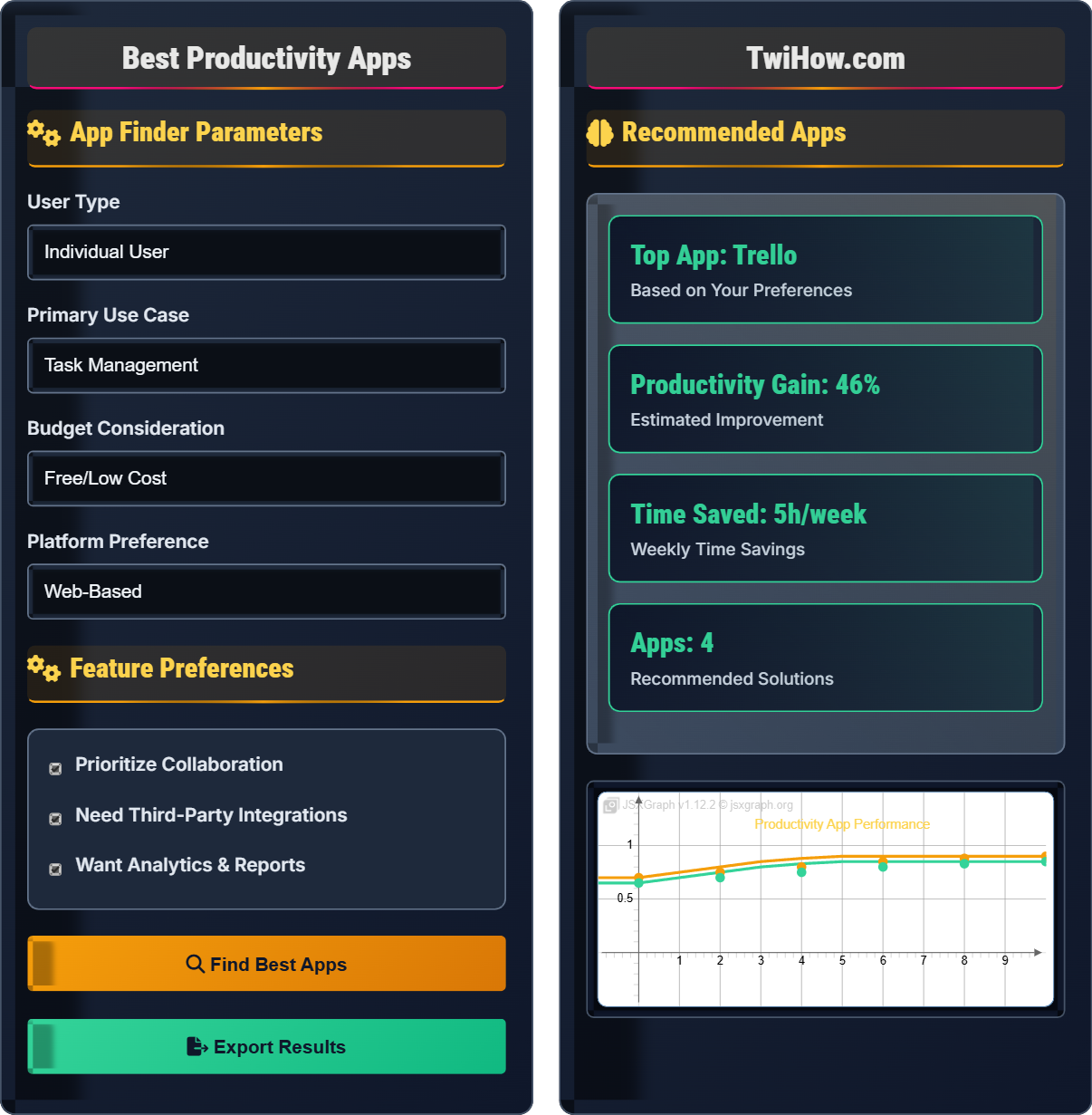
App Finder Parameters
Feature Preferences
Recommended Apps
Notion
Comprehensive workspace for note-taking, task management, and collaboration. Combines wiki, docs, and project management in one platform.
Notes
Rich text editing
Tasks
Project boards
Team
Collaboration
Database
Flexible tables
- Project Documentation
- Knowledge Base
- Meeting Notes
Workflow Example: Daily Productivity Routine
1. Morning: Check tasks in Todoist
2. Work: Time tracking with Toggl
3. Collaboration: Meeting notes in Notion
4. Evening: Review progress and plan tomorrow
Integrated workflow showing app synergy
Complete Guide to Productivity Apps
Productivity apps are software tools designed to help individuals and teams organize, plan, and execute tasks more efficiently. These applications streamline workflows, reduce administrative overhead, and enhance focus by automating routine tasks and providing structured approaches to work management.
Manual task tracking
Scattered information
Missed deadlines
Lost productivity
Communication gaps
Disorganized workflows
Centralized task management
Organized information
Automatic reminders
Enhanced focus
Real-time collaboration
Streamlined workflows
Productivity apps transform chaotic workflows into structured, efficient processes.
| Feature | Notion | Trello | Todoist | Asana |
|---|---|---|---|---|
| Task Management | Excellent | Good | Excellent | Excellent |
| Team Collaboration | Excellent | Good | Fair | Excellent |
| File Storage | Excellent | Fair | Poor | Good |
| Customization | Excellent | Good | Fair | Good |
| Free Tier | Yes | Yes | Yes | Yes |
| Mobile Support | Excellent | Excellent | Excellent | Good |
- Start Simple: Begin with one or two essential apps and gradually expand
- Consistency: Use apps regularly to build productive habits
- Integration: Choose apps that work well together
- Customization: Tailor settings to match your workflow
- Review & Adjust: Regularly evaluate and optimize your setup
- Training: Invest time in learning advanced features
App Categories
Task management, time tracking, note-taking, calendar, communication, file sharing, project management.
- Identify specific needs
- Research available options
- Test free trials
- Compare features
- Implement gradually
- Don't overcomplicate with too many apps
- Choose apps that match your workflow
- Consider team collaboration needs
- Factor in security and privacy
Performance Metrics
Time saved, tasks completed, productivity improvement, focus enhancement, stress reduction.
- Usability and interface
- Feature completeness
- Integration capabilities
- Cost-effectiveness
Productivity Apps Assessment
Which productivity app category is most important for a remote team that needs to collaborate on documents, track project progress, and communicate effectively?
Project management apps are most important for remote teams as they provide comprehensive solutions for document collaboration, project tracking, and team communication. Apps like Notion, Asana, and Monday.com offer integrated solutions that combine these essential functions in one platform.
The answer is C) Project Management.
Remote teams face unique challenges that require integrated solutions. Project management apps address the core needs of remote collaboration by providing shared workspaces, task tracking, communication channels, and document management. This eliminates the need for multiple separate tools and creates a centralized hub for all team activities.
Remote Team: Distributed workforce collaborating from different locations
Project Management: Coordinated planning and execution of tasks
Document Collaboration: Real-time editing and sharing of files
• Centralized collaboration reduces complexity
• Integrated features improve workflow
• Remote work requires specialized tools
• Choose apps with real-time collaboration
• Look for communication integration
• Consider mobile accessibility
• Using too many separate tools
• Not considering team size
• Ignoring mobile requirements
How should productivity apps be integrated into an existing workflow, and what are the key considerations for successful implementation?
Integration Process:
• Assessment: Evaluate current workflow and identify pain points
• Selection: Choose apps that address specific needs
• Testing: Start with free trials and pilot programs
• Training: Provide adequate training and support
• Implementation: Roll out gradually to minimize disruption
Key Considerations:
• Compatibility: Ensure apps integrate well with existing systems
• Team Adoption: Consider user comfort and learning curve
• Cost Management: Factor in licensing and training costs
• Data Migration: Plan for transferring existing data
• Support: Ensure adequate technical support availability
Successful integration requires careful planning and gradual implementation.
Productivity app integration is a change management process that requires careful planning. The key is to start with a clear understanding of current challenges and desired outcomes. Successful implementation involves not just choosing the right tools, but also managing the human element of change. Gradual adoption and proper training are crucial for user acceptance and long-term success.
Change Management: Process of transitioning to new systems
Integration: Connecting different applications
User Adoption: Acceptance of new tools by users
• Start with assessment
• Test before full implementation
• Provide adequate training
• Use free trials extensively
• Start with willing participants
• Gather regular feedback
• Implementing too many changes at once
• Not providing adequate training
• Ignoring user resistance
A small business with 5 employees needs to implement productivity apps for project management, time tracking, and file sharing. The team works remotely and has a limited budget. Design a cost-effective productivity suite that meets their needs.
Recommended Suite:
Project Management: Trello (free tier) for visual task management and project tracking
Time Tracking: Toggl (free tier) for individual and team time tracking
File Sharing: Google Drive (free tier) for document storage and collaboration
Communication: Slack (free tier) for team messaging and integration
Integration Strategy:
• Link Trello with Google Drive for file attachments
• Integrate Toggl with Trello for time tracking on tasks
• Use Slack to notify team of updates in other apps
Cost-Effective Benefits:
• Total monthly cost: $0 (with free tiers)
• Scalable to paid plans as needed
• Minimal learning curve
• Strong integration capabilities
This combination provides comprehensive productivity features at minimal cost.
Small businesses face unique challenges with limited budgets and small teams. The key is to maximize functionality while minimizing cost. Free tiers of established apps often provide sufficient features for small teams. Integration between apps creates a unified experience that enhances productivity without requiring expensive enterprise solutions.
Free Tier: Basic features available at no cost
Integration: Connecting different applications
Scalability: Ability to grow with business needs
• Maximize free features first
• Plan for future growth
• Ensure integration capability
• Use Zapier for advanced integrations
• Monitor usage limits
• Plan upgrade timing
• Choosing expensive solutions for small needs
• Not considering integration costs
• Ignoring usage limits
A large enterprise with 500 employees wants to standardize productivity apps across departments. The organization needs security compliance, admin controls, and integration with existing enterprise systems. Analyze the requirements and propose an enterprise solution.
Enterprise Requirements:
• Security compliance (SOC 2, GDPR, HIPAA)
• Administrative controls and permissions
• Integration with existing systems (ERP, CRM)
• Centralized billing and management
• Dedicated support and SLAs
Recommended Solution: Microsoft 365 Suite
• Project Management: Microsoft Project for complex project planning
• Team Collaboration: Microsoft Teams for communication
• Document Management: SharePoint for file sharing
• Task Management: Planner for task tracking
• Security: Advanced security and compliance features
• Integration: Seamless integration with other Microsoft products
• Admin Control: Comprehensive administrative tools
Implementation Strategy:
• Phased rollout department by department
• Comprehensive training programs
• IT support preparation
• Change management initiatives
This solution provides enterprise-grade features with comprehensive support.
Enterprise adoption requires different considerations than individual or small business use. Security, compliance, and administrative controls become paramount. The solution must integrate with existing enterprise infrastructure and provide the scalability and support required for large organizations. Change management becomes critical for successful adoption across hundreds of users.
Enterprise Software: Solutions for large organizations
Security Compliance: Meeting regulatory requirements
Change Management: Managing organizational transitions
• Security is paramount
• Integration is essential
• Support requirements are critical
• Conduct security audits
• Plan for data migration
• Prepare IT infrastructure
• Underestimating change management
• Not considering security requirements
• Ignoring existing system integration
Which trend is most likely to shape the future of productivity apps?
AI-powered automation and insights represent the most significant trend shaping productivity apps. Modern apps increasingly incorporate AI for task prioritization, smart scheduling, predictive analytics, and automated workflows that adapt to user behavior and preferences.
The answer is B) AI-powered automation and insights.
AI integration is transforming productivity apps from passive tools to intelligent assistants. Rather than simply organizing tasks, modern apps now predict user needs, suggest optimal schedules, and automate routine activities. This shift represents the evolution from manual organization to intelligent automation, making productivity tools more proactive and personalized.
AI Automation: Intelligent task completion
Predictive Analytics: Forecasting based on data
Adaptive Interfaces: Learning from user behavior
• AI enhances productivity significantly
• Personalization improves user experience
• Automation reduces manual tasks
• Look for AI-powered features
• Consider learning capabilities
• Evaluate automation potential
• Not leveraging AI features
• Ignoring automation capabilities
• Resisting intelligent assistance
FAQ
Q: How do I choose between free and paid productivity apps?
A: The choice depends on your specific needs:
Choose Free Apps When:
• Individual use with basic features
• Limited budget constraints
• Testing app suitability
• Small team with simple needs
Choose Paid Apps When:
• Need advanced features
• Team collaboration required
• Security and compliance important
• Integration with other tools needed
• Dedicated support required
Start with free versions to test functionality, then upgrade when you need more features.
Q: What's the ROI of investing in productivity apps for a team?
A: Productivity apps typically provide significant ROI through:
Time Savings: 15-25% reduction in administrative tasks
Efficiency Gains: 20-30% improvement in task completion
Reduced Errors: 40-50% decrease in miscommunication
Cost Benefits: $500-1000 per employee annually
Typical Costs vs Benefits:
• Cost: $5-15 per user/month
• Benefit: $500-1000 per user/month in productivity gains
• ROI: 10:1 to 50:1 ratio in many cases
The investment typically pays for itself within 1-3 months through improved efficiency.