What are the best tools for remote startup teams?
Complete remote tools guide • Team productivity
Remote Team Tools:
Show Tool SelectorRemote team tools are essential for startup success in today's distributed work environment. The right combination of communication, project management, and collaboration tools can enhance productivity, maintain team cohesion, and streamline workflows for remote teams.
Effective remote tool stacks typically include communication platforms for real-time collaboration, project management tools for task tracking, and specialized software for specific business functions. The key is selecting tools that integrate well together and scale with your team's growth.
Essential tool categories:
- Communication: Video conferencing, instant messaging, email
- Project Management: Task tracking, workflow management, progress monitoring
- Collaboration: File sharing, document editing, screen sharing
- Productivity: Time tracking, automation, reporting
Modern startups leverage cloud-based tools that offer real-time collaboration, mobile accessibility, and cost-effective pricing models suitable for growing businesses.
Team Configuration
Feature Preferences
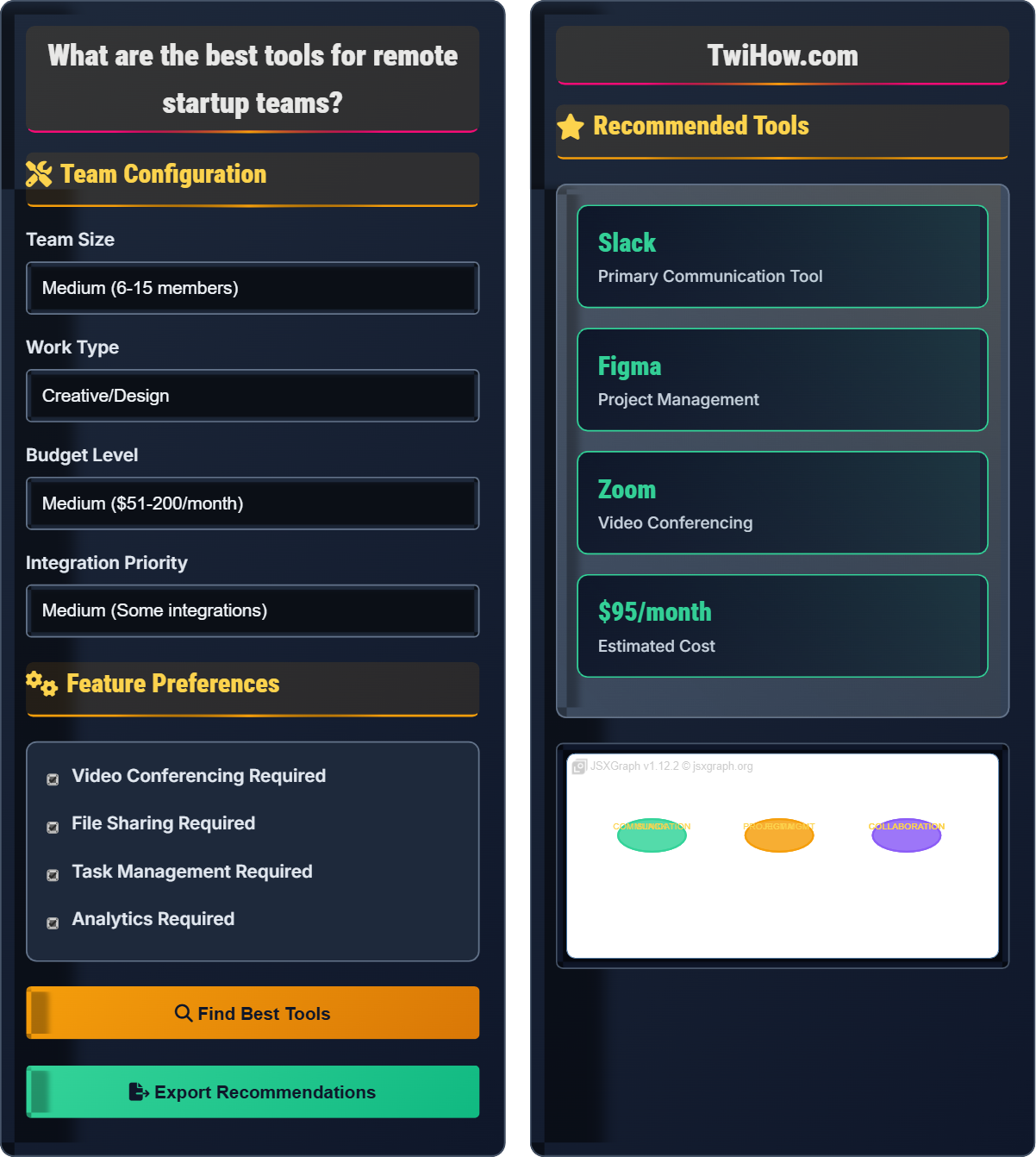
Recommended Tools
| Tool | Category | Cost | Rating |
|---|---|---|---|
| Slack | Communication | Free-$7.25/user | ★★★★☆ |
| Trello | Project Mgmt | Free-$10/user | ★★★★☆ |
| Zoom | Video | Free-$15.99/host | ★★★★★ |
| Google Drive | Storage | Free-$11.99/user | ★★★★★ |
Best Tools for Remote Startup Teams
Remote team tools are software solutions designed to facilitate communication, collaboration, and productivity among distributed teams. For startups, selecting the right tools is crucial for maintaining team cohesion and operational efficiency without physical offices.
Framework for evaluating remote team tools:
Where:
- Usability: Ease of use and learning curve
- Integration: Compatibility with other tools
- Cost-Effectiveness: Value for money
- Scalability: Ability to grow with the team
Top tools for remote startups:
- Communication: Slack, Discord, Microsoft Teams, Zoom
- Project Management: Trello, Asana, ClickUp, Notion
- Collaboration: Google Workspace, Microsoft 365, Figma, Miro
- Productivity: Todoist, RescueTime, Calendly, Zapier
- Security: LastPass, NordVPN, 1Password, Okta
- Start Simple: Begin with core tools, add complexity gradually
- Train Thoroughly: Ensure all team members are proficient
- Integrate When Possible: Connect tools to reduce context switching
- Review Regularly: Assess tool effectiveness and update as needed
- Consider Budget: Balance features with cost constraints
Remote Tools Fundamentals
Remote collaboration, distributed teams, cloud computing, SaaS tools, digital workspace, asynchronous communication.
Tool Score = (Usability + Integration + Cost-Effectiveness + Scalability) / 4
Where Tool Score = overall evaluation, Usability = ease of use, Integration = compatibility with other tools.
- Choose tools that fit your team's workflow
- Minimize tool switching overhead
- Consider integration capabilities
Applications
Startups, freelancers, distributed teams, hybrid workplaces, global collaborations.
- Assess team needs and workflows
- Research and evaluate tools
- Test with pilot group
- Train all team members
- Roll out organization-wide
- Team size and structure
- Work type and requirements
- Budget constraints
- Security requirements
Remote Tools Learning Quiz
Which of the following is the most important factor when selecting remote team tools for a startup?
The correct answer is B) How well the tool fits the team's workflow. The most important factor is whether the tool supports and enhances the team's existing processes rather than forcing changes. A tool that fits the workflow will be adopted more readily and used more effectively. While features, brand recognition, and integrations are important, they are secondary to workflow compatibility.
Startups should prioritize tools that complement their existing processes rather than disrupt them.
Tool selection is a critical decision for remote teams, especially for resource-constrained startups. The key principle is workflow-first, feature-second. A tool that requires significant changes to established workflows often faces resistance and underutilization. Instead, teams should identify their core processes and select tools that enhance these processes. This approach leads to better adoption rates and more effective utilization of the tool's capabilities.
Workflow: Established process for completing tasks
Tool Adoption: Team's acceptance and usage of software
Process Integration: How well tools fit existing workflows
• Match tools to existing workflows
• Consider team adoption factors
• Evaluate process integration
• Map current workflows before selecting tools
• Involve team in tool selection
• Pilot tools with small group first
• Choosing tools based on features alone
• Not involving team in selection
• Forcing workflow changes
Explain the challenges of integrating multiple remote team tools and describe strategies to overcome them.
Integration Challenges:
Context Switching: Moving between multiple tools reduces productivity and increases cognitive load. Team members spend time navigating between platforms instead of focusing on work.
Data Fragmentation: Information becomes scattered across different tools, making it difficult to find and correlate data.
Learning Curve: Each tool requires separate training and maintenance of login credentials.
Cost Accumulation: Multiple tools can become expensive as team size grows.
Strategies to Overcome:
1) Select tools with strong integration capabilities (e.g., Slack integrates with many other tools)
2) Use unified platforms when possible (e.g., Microsoft 365, Google Workspace)
3) Implement automation tools (e.g., Zapier) to connect disparate systems
4) Standardize on core tools and limit the number of specialized tools
5) Provide comprehensive training on tool integration features
Tool integration is a common challenge for remote teams, especially as they grow and add specialized tools. The key is to think holistically about the tool ecosystem rather than selecting tools in isolation. A well-integrated tool stack reduces friction and enhances productivity, while a fragmented set of tools can create more problems than it solves. The goal is to create seamless workflows that allow team members to focus on their work rather than managing tools.
Context Switching: Mental effort required to switch between tasks/tools
Data Fragmentation: Information spread across multiple systems
Tool Ecosystem: Integrated set of software tools
• Plan tool ecosystem holistically
• Minimize context switching
• Prioritize integration capabilities
• Use integration platforms like Zapier
• Choose tools from the same ecosystem
• Regularly audit tool usage
• Adding tools without integration planning
• Not consolidating redundant tools
• Overlooking automation possibilities
You're a startup with 8 team members developing a mobile app. The team includes developers, designers, and a marketing person. You need to select a complete tool stack for communication, project management, file sharing, and video calls. Your budget is $100/month. What tools would you recommend and why?
Recommended Tool Stack:
Communication: Slack (free tier) - Excellent for real-time messaging, has developer-friendly features, and integrates with many development tools.
Project Management: Trello (free tier) - Simple and visual for tracking development tasks, easy for non-technical team members to use.
File Sharing: Google Drive (free tier) - Provides 15GB storage, excellent for sharing design files, documents, and collaboration.
Video Calls: Zoom (free tier) - Reliable for team meetings and client calls, good video quality.
Specialized: GitHub (free for public repos) - Version control for code, essential for developers.
This stack stays within budget while covering all essential needs. As the team grows, you can upgrade to paid plans or add specialized tools like Figma for design collaboration.
This scenario demonstrates the importance of selecting a balanced tool stack that meets all team needs while staying within budget constraints. For a mixed team of developers, designers, and marketers, the tools must be accessible to all skill levels while supporting the technical requirements of development work. The free tiers of popular tools often provide sufficient functionality for small teams, allowing startups to allocate budget to other priorities while scaling tool usage as they grow.
Tool Stack: Complete set of tools used by a team
Free Tier: Basic level of service at no cost
Version Control: System for managing code changes
• Balance functionality with budget
• Consider all team roles
• Plan for scalability
• Start with free tiers for budget management
• Choose tools familiar to team members
• Test tools with actual work tasks
• Selecting tools only for technical team
• Not considering budget constraints
• Overcomplicating the tool stack
Your remote startup handles sensitive customer data and must comply with data protection regulations. What security considerations should you evaluate when selecting remote team tools, and what tools would you recommend to ensure data protection?
Security Considerations:
1) Data Encryption: Ensure end-to-end encryption for data in transit and at rest
2) Access Controls: Multi-factor authentication, role-based permissions, single sign-on
3) Compliance Certifications: SOC 2, GDPR, HIPAA compliance where applicable
4) Data Residency: Where data is stored and processed
5) Audit Logs: Track access and changes to sensitive data
Recommended Tools:
Secure Communication: Microsoft Teams or Slack Enterprise Grid (has enhanced security features)
Secure File Storage: Microsoft SharePoint or Google Workspace Enterprise (compliance certifications)
Password Management: 1Password or LastPass Enterprise (secure credential storage)
Identity Management: Okta or Azure AD (centralized authentication)
Additionally, implement security training for team members and regular security audits of tools and processes.
Security is paramount for remote teams handling sensitive data. The distributed nature of remote work introduces additional security risks that must be addressed through careful tool selection and implementation. When evaluating tools, consider not just the features but the security infrastructure and compliance capabilities. It's important to implement a defense-in-depth approach with multiple security layers, from endpoint protection to data encryption to access controls.
Data Encryption: Encoding data to prevent unauthorized access
Compliance Certification: Official verification of security standards
Defense-in-Depth: Multiple layers of security protection
• Evaluate security features first
• Verify compliance certifications
• Implement access controls
• Request security documentation from vendors
• Implement multi-factor authentication
• Regular security training for staff
• Ignoring security in favor of convenience
• Not verifying compliance certifications
• Weak access controls implementation
Which strategy is most effective for managing remote team tool costs as your startup scales?
The correct answer is C) Start with free tiers and upgrade selectively based on actual needs. This approach allows startups to validate tool effectiveness before committing to paid plans. It also helps avoid overspending on features that aren't used. As specific needs arise and the team grows, upgrades can be made for the tools that provide the most value. This strategy optimizes cost-effectiveness while ensuring necessary functionality.
The key is to regularly evaluate tool usage and upgrade only when free tiers become limiting.
Cost management is critical for startups with limited budgets. The key is to balance functionality with affordability while planning for growth. Starting with free tiers allows teams to evaluate tools in real-world scenarios before committing to paid plans. This approach also helps identify which tools provide the most value, allowing for strategic upgrades. Regular review of tool usage ensures that the team isn't paying for unused features while maintaining necessary functionality.
Free Tier: Basic service level at no cost
Cost Management: Controlling expenses while maintaining functionality
Usage-Based Upgrades: Expanding services based on actual needs
• Start with free tiers for validation
• Upgrade based on actual usage
• Regularly review tool costs
• Monitor tool usage metrics
• Compare cost per user across tools
• Negotiate volume discounts for growth
• Over-provisioning tools initially
• Not tracking actual usage
• Upgrading unnecessarily
FAQ
Q: How many tools should a remote startup team use, and how do I know if we're using too many?
A: As a general rule, startups should aim for 4-6 core tools that cover all essential functions. You might be using too many tools if: 1) Team members complain about having to switch between too many applications, 2) Important information gets lost across different platforms, 3) Training time for new hires is excessive, 4) Monthly tool costs are becoming burdensome, or 5) Team members are using personal tools alongside official ones. The key is to regularly audit tool usage and consolidate where possible. Consider unified platforms that can serve multiple functions, like Google Workspace or Microsoft 365, which can replace several standalone tools.
Q: What remote team tools do investors look for when evaluating startup efficiency?
A: As an investor, I look for evidence that the team has thoughtfully selected and implemented remote collaboration tools. I want to see: 1) Project management tools that provide visibility into progress (Asana, Trello, Monday), 2) Communication platforms that enable efficient collaboration (Slack, Microsoft Teams), 3) Document sharing and version control systems (Google Workspace, Dropbox), and 4) Time tracking or productivity tools (especially for service-based startups). More importantly, I look for how effectively the team uses these tools - not just which ones they use. A team that uses simple tools effectively is better than a team overwhelmed by complex tools. I also consider the cost of tools relative to the team size as a proxy for operational efficiency.