How Do I Talk to My Child About Online Safety?
Complete parent's guide • Age-appropriate strategies
Online Safety Fundamentals:
Show Safety PlannerTalking to children about online safety is crucial in today's digital age. Children face various risks online including cyberbullying, inappropriate content, privacy violations, and contact with strangers. Effective communication involves age-appropriate conversations, establishing trust, setting clear boundaries, and providing practical tools for staying safe.
Key safety topics include:
- Privacy Protection: Sharing personal information safely
- Cyberbullying: Recognizing and responding to online harassment
- Stranger Danger: Understanding online predators and inappropriate contacts
- Content Filtering: Identifying and avoiding harmful content
- Digital Footprint: Understanding permanence of online actions
Successful online safety conversations are ongoing, open, and adapted to your child's developmental stage and digital activities.
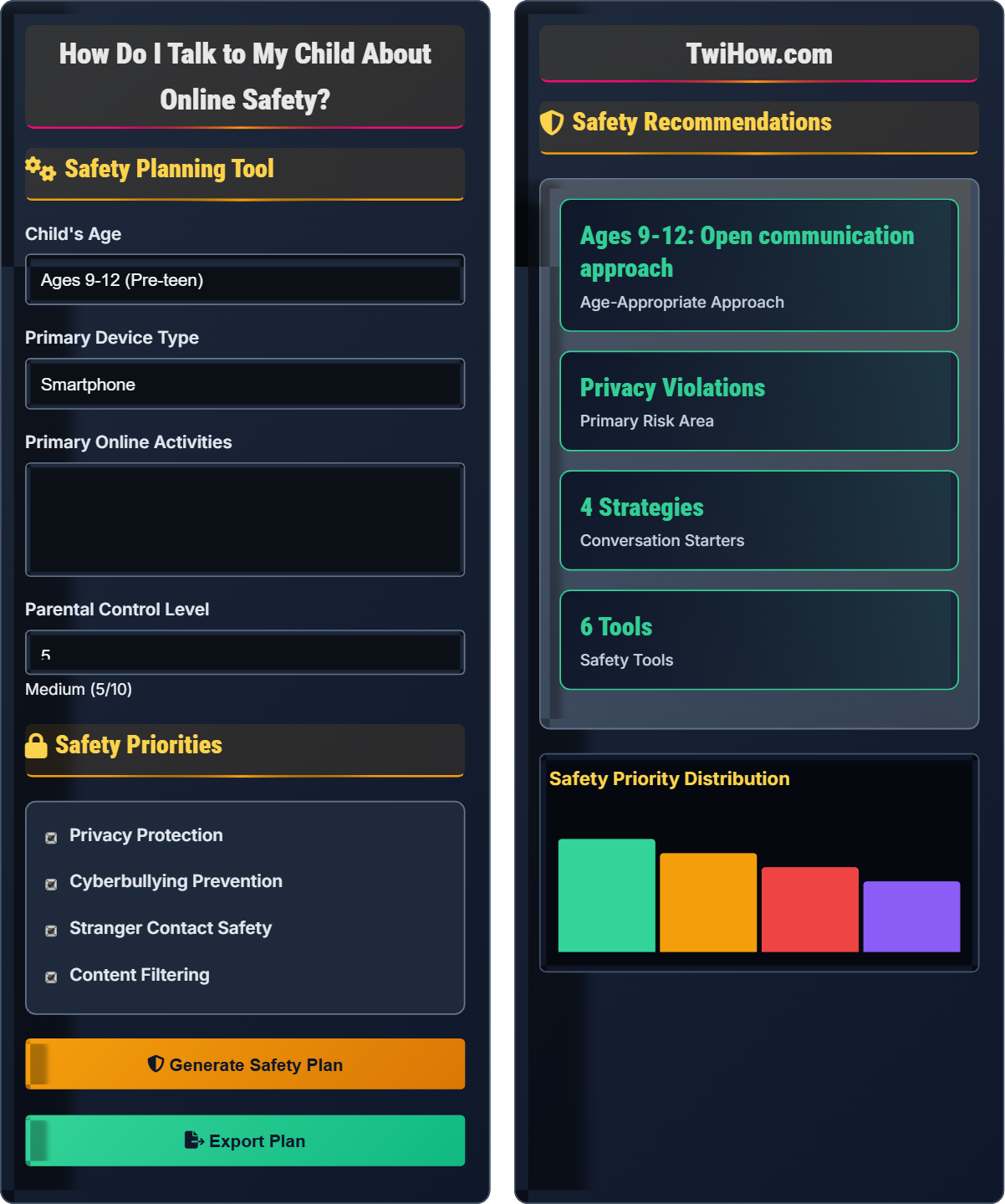
Safety Planning Tool
Safety Priorities
Safety Recommendations
Safety Priority Distribution
Conversation Tips
- Keep conversations casual and non-judgmental
- Ask open-ended questions about their online experiences
- Listen actively and validate their concerns
- Share real examples and scenarios
| Tool | Type | Priority | Implementation |
|---|---|---|---|
| Privacy Settings | Account | High | Review monthly |
| Parental Controls | Device | High | Set up now |
| Reporting Tools | Social | Medium | Learn together |
| Privacy Browser | Browser | Medium | Install next week |
| Safety Contract | Agreement | High | Create today |
How to Talk About Online Safety
Different age groups require different approaches to online safety discussions:
Key areas to address when discussing online safety with children:
Each topic should be introduced gradually and reinforced regularly through ongoing conversations.
Practical tools to support online safety conversations:
- Parental Control Software: Filter content and monitor activity
- Privacy Settings Guides: Help configure accounts securely
- Safety Contracts: Written agreements between parent and child
- Reporting Mechanisms: Teach how to report inappropriate content
- Communication Apps: Stay connected while respecting privacy
- Educational Resources: Age-appropriate safety materials
Watch for these signs that may indicate online safety issues:
- Secretive behavior about online activities
- Emotional changes after using devices
- Reluctance to discuss online experiences
- Unexplained gifts or money
- Changes in sleep or eating patterns
- Withdrawal from family activities
Safety Fundamentals
Privacy protection, digital citizenship, cyberbullying awareness, stranger danger, content filtering.
Trust + Openness + Consistency = Effective Safety Communication
Where Trust = Safe environment for sharing, Openness = Honest dialogue, Consistency = Regular conversations.
- Never shame children for online mistakes
- Adjust approach based on child's age and maturity
- Maintain ongoing conversations, not one-time talks
Implementation Strategies
Family contracts, regular check-ins, safety tools, monitoring, education.
- Start with age-appropriate basics
- Gradually introduce more complex topics
- Use real-world examples
- Practice scenarios together
- Balancing safety with independence
- Respecting growing privacy needs
- Staying informed about new platforms
- Being a positive digital role model
Online Safety Learning Quiz
Which approach is most effective when talking to a 10-year-old about online privacy?
For a 10-year-old, the "stranger danger" analogy is the most effective approach because it connects to familiar safety concepts. Children at this age understand that they shouldn't share personal information with strangers in person, so extending this concept to online interactions makes sense to them.
The answer is B) Simple explanation using "stranger danger" analogy.
Children aged 9-12 are in the concrete operational stage of development, meaning they learn best through concrete examples and analogies. Abstract concepts like data harvesting are too complex for this age group. By connecting online safety to familiar concepts like "stranger danger," we create meaningful learning experiences that children can understand and remember.
Concrete Operational Stage: Cognitive development phase (ages 7-11) characterized by logical thinking about concrete objects and events
Developmental Appropriateness: Matching teaching methods to cognitive abilities of the child
Learning Transfer: Applying knowledge from familiar contexts to new situations
• Match complexity to developmental stage
• Use familiar concepts as bridges
• Connect abstract ideas to concrete examples
• Use visual aids and storytelling
• Practice scenarios together
• Encourage questions without judgment
• Overloading with too much information
• Using fear-based tactics
• Ignoring the child's emotional state
Explain how to establish trust with your child so they feel comfortable coming to you with online safety concerns. Include specific strategies and the reasoning behind each.
Trust-Building Strategies:
1. Create a Non-Judgmental Environment: Promise not to immediately punish for honest sharing. This encourages disclosure of problematic experiences.
2. Active Listening: Give full attention when your child discusses online experiences. This validates their feelings and shows respect.
3. Consistent Availability: Make yourself available for conversations at any time. This ensures children know they can come to you.
4. Share Your Own Experiences: Relate your own online experiences (appropriately) to normalize the conversation.
5. Follow Through on Promises: Keep commitments made during safety discussions to build reliability.
Trust is the foundation of effective safety communication. When children trust that they won't face immediate consequences for sharing concerning experiences, they're more likely to seek help. Trust builds through consistent, predictable responses and demonstrates that parents are partners in navigating online challenges rather than judges.
Non-Judgmental Environment: Space where individuals feel safe to share without fear of criticism or punishment
Active Listening: Fully concentrating, understanding, and responding thoughtfully to what someone is saying
Trust-Based Communication: Interaction built on mutual respect and reliability
• Listen first, react second
• Separate behavior from identity
• Maintain confidentiality when promised
• Schedule regular check-ins
• Ask open-ended questions
• Validate emotions without agreeing to behaviors
• Immediate punishment for mistakes
• Dismissing concerns as trivial
• Breaking promises of confidentiality
Your 12-year-old daughter tells you she received a friend request from someone her age who claims to live in the same town. The person is pressuring her to share her phone number and meet in person. She's excited about the potential friendship but also nervous. How would you approach this situation with age-appropriate guidance?
Immediate Response: Acknowledge her excitement while expressing understanding of her nervousness. Validate both feelings.
Investigation: Ask questions about the person: "How did they find out about you?" "What have you shared with them?" "Can you show me their profile?"
Education: Explain that online identities can be fake and that meeting strangers in person is dangerous regardless of age.
Empowerment: Teach her to decline friend requests from unknown people and to block those who pressure her.
Follow-up: Suggest alternative ways to meet friends (sports clubs, school activities).
Tools: Help her adjust privacy settings and review reporting features.
Twelve-year-olds are developing more sophisticated thinking skills but still need guidance with complex social situations. The approach should balance empathy with clear safety instruction. By validating her emotions first, we create psychological safety, then provide the information she needs to make safer choices. Empowering her with specific tools gives her agency in protecting herself.
Social Engineering: Manipulation technique used to trick people into divulging confidential information
Psychological Safety: Environment where individuals feel safe to express themselves without fear
Age-Appropriate Guidance: Support tailored to cognitive and emotional development level
• Validate emotions before giving advice
• Teach critical thinking skills
• Provide alternatives to unsafe behaviors
• Role-play potential scenarios
• Review profiles together for warning signs
• Establish "check-in" protocols for new online contacts
• Immediately dismissing the relationship
• Failing to explain the reasoning
• Taking control away from the child
You discover your 14-year-old son has been posting photos and comments that could damage his future college or job prospects. He argues that everyone does it and that the posts can be deleted. How would you help him understand the concept of digital permanence and make better choices?
Start with Empathy: Acknowledge that he's trying to fit in with peers and that he may not have considered long-term consequences.
Explain Digital Permanence: Use concrete examples of screenshots, cached pages, and data retention by platforms. Emphasize that "deleted" doesn't mean gone forever.
Future Impact Discussion: Research together how colleges and employers review social media. Look at real examples of consequences.
Positive Reframing: Help him think about the positive digital footprint he wants to create.
Action Plan: Review current posts together and decide which ones to keep, edit, or delete.
Ongoing Strategy: Establish a "think before you post" routine and periodic reviews.
Fourteen-year-olds are developing abstract thinking skills but often focus on immediate rewards over long-term consequences. They also highly value peer acceptance. The approach must acknowledge these developmental factors while introducing the concept of long-term digital consequences. Concrete examples and collaborative action help bridge the gap between abstract concepts and practical application.
Digital Footprint: Trail of data created by online activities that can be traced back to an individual
Digital Permanence: Concept that online content can persist beyond its original posting
Abstract Thinking: Cognitive ability to understand concepts not directly observable
• Use concrete examples for abstract concepts
• Collaborate rather than dictate
• Focus on empowerment over restriction
• Set up Google alerts for their name
• Create a "digital reputation" goal
• Practice the "grandma test" for posts
• Punishing without explanation
• Focusing only on restrictions
• Ignoring the developmental need for identity exploration
When your child reports cyberbullying, what is the most important immediate parental response?
The most important immediate response is to document evidence and report to the appropriate authorities. This preserves proof, initiates official intervention, and demonstrates to your child that their safety is taken seriously. Cyberbullying can have serious emotional and psychological effects, so proper documentation and reporting are essential.
The answer is B) Document evidence and report to platform/school.
Effective responses to cyberbullying require immediate action that both addresses the incident and teaches the child appropriate responses. Documenting evidence preserves proof that might otherwise disappear, while reporting engages official channels that can provide additional support and protection. This approach also models good digital citizenship by showing that online harassment should be reported just like offline harassment.
Cyberbullying: Bullying that takes place over digital devices using electronic communication
Digital Citizenship: Responsible and ethical use of technology
Evidence Documentation: Preserving records of online incidents for official purposes
• Take all reports seriously
• Preserve evidence immediately
• Engage official channels when appropriate
• Take screenshots immediately
• Keep original messages
• Report to both platforms and schools
• Minimizing the severity of online harassment
• Taking retaliatory action
• Failing to involve appropriate authorities
FAQ
Q: How do I talk to my 8-year-old about online safety without scaring them?
A: With 8-year-olds, frame online safety as "internet manners" and "keeping yourself healthy and happy online." Use positive language focused on empowerment rather than fear. For example:
• Instead of "Bad people online," say "Some people aren't friendly, so we have special rules to stay safe."
• Instead of "Don't give out your info," say "We keep our private information private like a secret."
• Practice scenarios in a playful way, like "What would you do if someone asked for your address? You can say 'I don't share that information' and tell a grown-up you trust."
Focus on building confidence and problem-solving skills rather than creating anxiety. Reassure them that you're there to help if anything makes them uncomfortable.
Q: What are the most important safety topics for teenagers using social media?
A: For teenagers on social media, prioritize these safety topics:
1. Privacy Settings: Regular review of who can see their posts, send messages, and view profile information. Teach them that privacy settings can change with platform updates.
2. Digital Footprint: Everything posted creates a permanent record that can affect college admissions, job opportunities, and relationships. Encourage thinking about long-term consequences.
3. Cyberbullying Recognition: Understanding different forms (harassment, exclusion, impersonation) and knowing how to respond appropriately.
4. Sexting Risks: Legal consequences, emotional impact, and permanence of sharing intimate images. This is critical as teens may not understand the serious implications.
5. Fake News and Misinformation: Critical evaluation of sources and understanding how to verify information before sharing.
Approach these topics collaboratively, asking for their thoughts and experiences rather than lecturing. Teens are more receptive when they feel respected and included in creating safety strategies.
Q: How can I help my grandkids stay safe online when I barely understand technology myself?
A: Your role as a grandparent is valuable even without technical expertise! Here's how to contribute:
1. Be a Trusted Listener: Grandchildren often feel comfortable sharing concerns with grandparents. Create opportunities for open conversation about their online experiences.
2. Advocate for Family Standards: Encourage consistent safety rules across households. Your influence can reinforce messages from parents.
3. Focus on Values: Teach kindness, respect, and good judgment - principles that apply online and offline regardless of technology.
4. Learn Together: Ask your grandchildren to teach you about their favorite apps. This creates bonding time while helping you understand their digital world.
5. Observe Behavior Changes: Watch for signs of distress that might indicate online problems. Your close relationship allows you to notice changes others might miss.
Technology changes rapidly, but caring relationships and good values remain constant. Your emotional support and advocacy are irreplaceable assets for your grandchildren's online safety.
Resources
National Center for Missing & Exploited Children: www.missingkids.org
Common Sense Media: www.commonsensemedia.org
Family Online Safety Institute: www.fosi.org
Cyberbullying Research Center: www.cyberbullying.org