How to Evaluate Sound Quality of Audio Formats & Equipment
Complete audio quality guide • Technical analysis
Audio Quality Evaluation:
Show Audio Quality TesterEvaluating sound quality involves understanding technical specifications, conducting subjective listening tests, and comparing different formats and equipment. This comprehensive guide covers bitrates, codecs, frequency response, and practical evaluation methods.
Key evaluation factors:
- Technical Specifications: Bitrate, sample rate, bit depth
- Subjective Listening: Tone, clarity, spatial imaging
- Equipment Testing: Frequency response, distortion
- Format Comparison: Lossy vs lossless differences
Accurate evaluation requires both objective measurements and subjective listening tests.
Audio Quality Evaluator
Testing Parameters
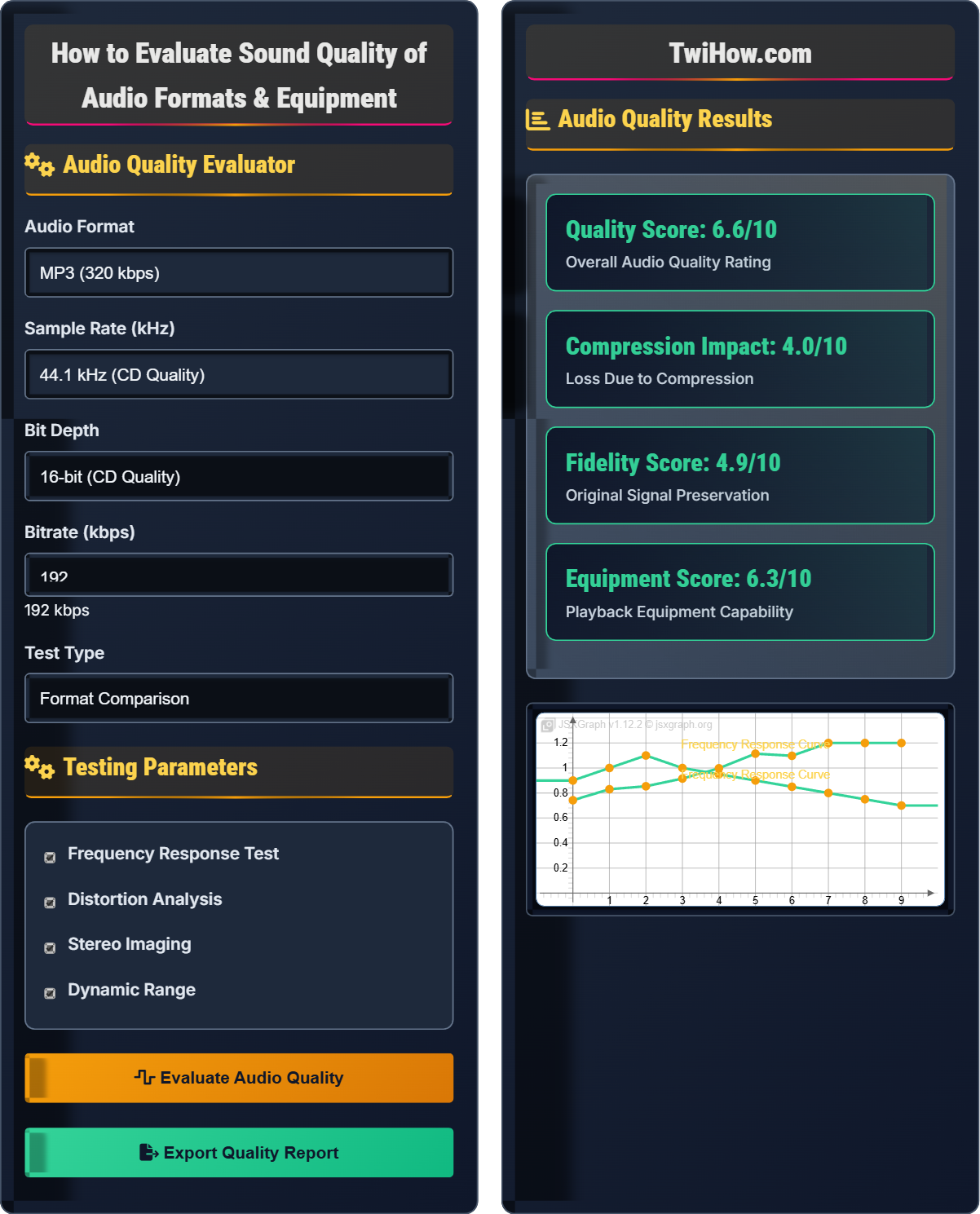
Audio Quality Results
| Specification | Value | Quality | Impact |
|---|---|---|---|
| Sample Rate | 44.1 kHz | CD Quality | High |
| Bit Depth | 16-bit | CD Quality | High |
| Bitrate | 192 kbps | Good | Medium |
| Format | MP3 | Lossy | Medium |
Evaluating Sound Quality of Audio Formats & Equipment
Audio quality evaluation involves both objective technical measurements and subjective listening assessments. Quality is determined by multiple factors including sample rate, bit depth, bitrate, and the playback equipment's capabilities.
Understanding the relationship between these factors helps in making informed decisions about audio formats and equipment.
Where:
- Sample Rate: Samples per second (Hz)
- Bit Depth: Resolution of each sample (bits)
- Bitrate: Data rate (kbps)
- Compression Factor: Loss ratio for compressed formats
Common audio formats and their quality characteristics:
- WAV: Uncompressed, CD quality (44.1kHz, 16-bit), large files
- FLAC: Lossless compression, perfect quality, reduced file size
- MP3: Lossy compression, good quality at 320 kbps, small files
- AAC: Better compression than MP3, efficient at lower bitrates
- ALAC: Apple's lossless format, equivalent to FLAC
- OGG: Open-source format, good compression efficiency
- Reference Tracks: Use familiar music to identify quality differences
- Frequency Sweep: Test equipment response across frequency range
- Dynamic Range: Listen for compression artifacts
- Stereo Imaging: Assess spatial positioning accuracy
- Background Noise: Check for hiss or interference
- Volume Consistency: Ensure consistent loudness across formats
Audio Quality Fundamentals
Key technical parameters that determine audio quality:
- Sample Rate: Number of samples per second (44.1kHz, 48kHz, 96kHz, 192kHz)
- Bit Depth: Resolution of each sample (16-bit, 24-bit, 32-bit)
- Bitrate: Data rate for compressed formats (64-320 kbps)
- Frequency Response: Range of audible frequencies reproduced
- Dynamic Range: Difference between quietest and loudest sounds
How compression affects audio quality:
- Lossless: No quality loss, perfect reconstruction (FLAC, ALAC, WAV)
- Lossy: Quality reduction for smaller files (MP3, AAC, OGG)
- Perceptual Coding: Removes inaudible information
- Variable Bitrate: Adjusts quality based on content complexity
- Constant Bitrate: Fixed quality level throughout
Testing and evaluating audio equipment:
- Frequency Response: Measure output across frequency spectrum
- Total Harmonic Distortion: Quantify unwanted harmonics
- Signal-to-Noise Ratio: Compare desired signal to background noise
- Stereo Separation: Measure channel isolation
- Impedance Matching: Ensure proper connection between components
Testing Methods
Audio quality, sample rate, bit depth, bitrate, frequency response, dynamic range, total harmonic distortion.
Audio Quality = (Sample Rate × Bit Depth × Bitrate) ÷ Compression Factor
Where Audio Quality = overall quality rating, Sample Rate = sampling frequency.
- Higher sample rates capture more detail
- Greater bit depth provides more resolution
- Higher bitrates improve compressed audio quality
Audio Quality Evaluation Quiz
At what bitrate does MP3 audio quality become indistinguishable from the original for most listeners?
At 320 kbps, MP3 audio quality becomes nearly indistinguishable from the original for most listeners. While 192 kbps is considered good quality, 320 kbps (the maximum for MP3) provides the closest approximation to CD quality while maintaining compression benefits.
The answer is D) 320 kbps.
This demonstrates the relationship between bitrate and audio quality in lossy formats. Higher bitrates preserve more of the original audio information, reducing compression artifacts. The 320 kbps setting represents the sweet spot where MP3 compression achieves near-perfect quality while still offering file size reduction.
Bitrate: Amount of data processed per second (kbps)
Compression Artifacts: Distortions introduced by compression
Lossy Compression: Data reduction with quality loss
• Higher bitrate = better quality
• MP3 maxes at 320 kbps
• Diminishing returns at higher bitrates
• 320 kbps for highest MP3 quality
• Consider lossless for archival
• Test with familiar music
• Believing lower bitrates sound identical
Explain the difference between sample rate and bit depth in digital audio. How do these parameters affect audio quality?
Sample Rate: The number of times per second that audio is measured (sampled). Measured in Hertz (Hz) or kilohertz (kHz). CD quality is 44.1 kHz, meaning the audio is sampled 44,100 times per second. Higher sample rates capture more detail in the frequency domain, extending the upper frequency limit of the reproduced audio.
Bit Depth: The resolution of each sample measurement. Measured in bits. CD quality is 16-bit, which provides 65,536 possible amplitude values for each sample. Higher bit depth (24-bit) provides more precise measurements and greater dynamic range.
Quality Impact: Sample rate affects the frequency range that can be reproduced (higher rates capture higher frequencies). Bit depth affects the dynamic range and noise floor (higher depths provide more detail in quiet passages).
Think of sample rate as the "horizontal" resolution (how many snapshots per second) and bit depth as the "vertical" resolution (how precisely each snapshot is measured). Together, they determine the overall fidelity of the digital audio representation. This is fundamental to understanding digital audio theory.
Sample Rate: Number of samples taken per second
Bit Depth: Resolution of each sample measurement
Dynamic Range: Difference between quietest and loudest sounds
• Sample rate affects frequency range
• Bit depth affects dynamic range
• Both contribute to overall quality
• 44.1 kHz captures up to 22.05 kHz
• 16-bit provides 96 dB dynamic range
• 24-bit provides 144 dB dynamic range
• Confusing sample rate with bitrate
• Not understanding frequency limits
• Ignoring the Nyquist theorem
You're evaluating a new pair of headphones that claim to reproduce frequencies from 20 Hz to 20 kHz. Design a testing procedure to verify this specification and assess overall audio quality. Include specific test tracks and measurement techniques.
Testing Procedure:
1. Frequency Sweep Test: Use a sine wave sweep from 20 Hz to 20 kHz to verify frequency response. Listen for volume drops or peaks at specific frequencies.
2. Reference Tracks: Use familiar, well-recorded music to assess overall tonal balance and imaging.
3. Dynamic Range: Play music with extreme dynamic contrasts to test handling of soft and loud passages.
4. Stereo Imaging: Use tracks with clear spatial positioning to evaluate stereo separation.
5. Distortion Test: Play high-volume sine waves at different frequencies to check for harmonic distortion.
6. Noise Floor: Listen in a quiet environment for hiss or electrical noise.
Measurement Tools: Use audio analyzer software or smartphone apps to measure actual frequency response.
This systematic approach demonstrates how to objectively evaluate audio equipment claims. The combination of technical tests and subjective listening provides a comprehensive assessment. This methodology can be applied to any audio equipment evaluation.
Frequency Response: How equipment reproduces different frequencies
Stereo Imaging: Spatial positioning accuracy
Harmonic Distortion: Unwanted frequency additions
• Test across full frequency range
• Use familiar reference material
• Combine objective and subjective tests
• Test in quiet environment
• Use multiple reference tracks
• Take notes during testing
• Testing with poor source material
• Not testing full frequency range
• Ignoring environmental noise
You have a high-quality WAV file and need to convert it to a compressed format for portable use. Compare MP3, AAC, and OGG formats at 128 kbps. Which would provide the best subjective quality, and why?
Format Comparison at 128 kbps:
MP3: Older compression technology, noticeable artifacts in complex passages, wide compatibility.
AAC: More efficient compression, better quality than MP3 at same bitrate, good compatibility with newer devices.
OGG: Very efficient compression, often better than MP3 and sometimes AAC, good for open-source systems.
Best Choice: AAC would provide the best subjective quality at 128 kbps. Its more advanced compression algorithm better preserves audio quality while achieving smaller file sizes compared to MP3.
Reasoning: AAC was developed after MP3 and incorporates lessons learned from its limitations, resulting in superior compression efficiency.
This demonstrates how compression technology evolves over time. Newer codecs typically provide better quality at the same bitrate due to improved algorithms and a better understanding of psychoacoustic principles. The choice of format should consider both quality and compatibility requirements.
Codec: Coder-decoder for audio compression
Psychoacoustics: Study of sound perception
Compression Efficiency: Quality per bit of data
• Newer codecs are generally more efficient
• Consider compatibility requirements
• Higher bitrates reduce format differences
• Use AAC for Apple devices
• Use OGG for open systems
• Test with your specific content
• Assuming all formats are equal
• Not considering compatibility
• Using outdated codec preferences
Which technical specification is most important for evaluating high-quality audio equipment?
Frequency response flatness is the most important technical specification for evaluating high-quality audio equipment. This measures how evenly the equipment reproduces all frequencies across the audible spectrum (typically 20 Hz to 20 kHz). Flat frequency response ensures accurate reproduction without emphasizing or attenuating specific frequency ranges.
The answer is B) Frequency response flatness.
Frequency response is fundamental to audio quality because it determines how accurately equipment reproduces the original recording. Other specifications like power output are important but secondary to accurate frequency reproduction. This principle applies to all audio equipment from headphones to amplifiers.
Frequency Response: How equipment handles different frequencies
Flat Response: Equal reproduction across all frequencies
Audio Accuracy: Faithful reproduction of source
• Flat frequency response = accuracy
• Power is secondary to accuracy
• Subjective preferences vary
• Look for ±3dB specifications
• Test with known reference material
• Consider your listening preferences
• Focusing on power rather than accuracy
• Being swayed by marketing
• Ignoring frequency response specs
FAQ
Q: Do I really need high-resolution audio if I can't hear the difference?
A: The answer depends on several factors:
1. Your Hearing: Age and hearing health affect perception of high frequencies
2. Equipment Quality: High-res files require high-quality equipment to be appreciated
3. Source Material: Well-recorded high-res content sounds better than compressed
4. Listening Environment: Quiet environments reveal more detail
5. Personal Preference: Some people prefer the "warmth" of compressed audio
While studies show most people can't reliably distinguish between 16-bit/44.1kHz and higher resolutions in blind tests, high-res files offer insurance for future playback and may sound better with quality equipment.
Q: How can I test if my equipment is limiting my audio quality?
A: Here are several methods to test equipment limitations:
1. Equipment Chain Testing: Bypass components one by one to identify bottlenecks
2. Direct Comparison: Connect same source to different equipment simultaneously
3. Measurement Tools: Use smartphone apps or dedicated meters to measure frequency response
4. Reference Material: Use well-recorded content you know well
5. Volume Testing: Listen for distortion at higher volumes
6. Silence Testing: Listen for hiss or noise when no audio is playing
7. Blind Testing: Compare equipment without knowing which is which
Often, the weakest link in your chain determines the overall quality.