Latest Creative Expression Tools & Platforms
Complete creative tech guide • Step-by-step explanations
Creative Technology:
Show Creative Platform SimulatorThe landscape of creative expression tools has evolved dramatically with emerging technologies. Today's creators have access to sophisticated platforms that blend traditional artistry with cutting-edge technology, enabling new forms of expression across multiple mediums.
Creative tools now encompass AI-assisted creation, real-time collaboration, cloud-based workflows, and cross-platform compatibility. These platforms support various creative disciplines including digital art, music production, video editing, 3D modeling, game development, and interactive media.
Key trends in creative platforms:
- AI Integration: Smart features and automation
- Cloud Collaboration: Real-time team projects
- Cross-Platform: Seamless workflow across devices
- Accessibility: Tools for creators of all skill levels
- Real-time Rendering: Immediate visual feedback
Modern creative platforms leverage neural networks, machine learning, and advanced algorithms to enhance creative processes while maintaining the human element of artistic expression.
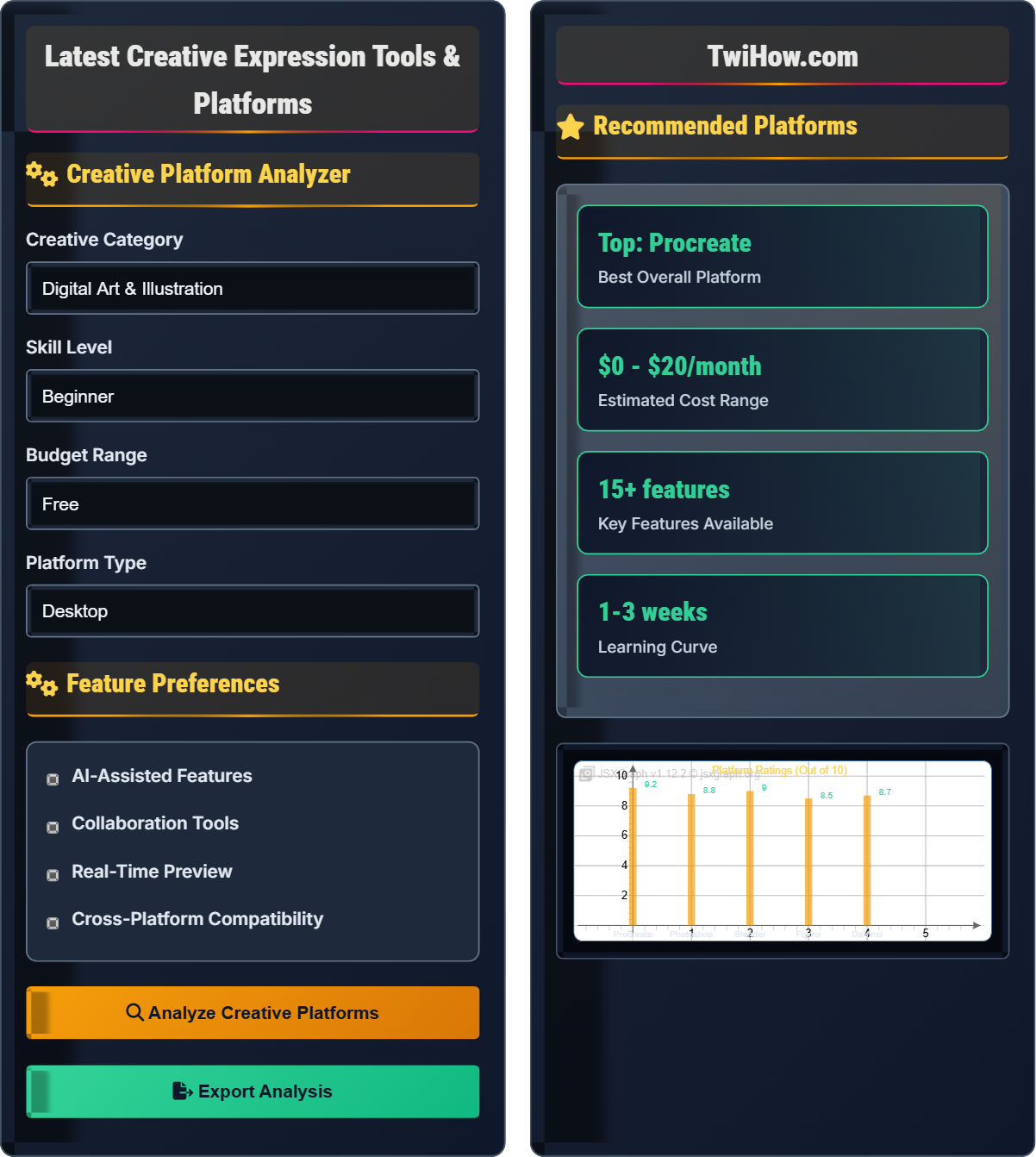
Creative Platform Analyzer
Feature Preferences
Recommended Platforms
Procreate
Digital illustration app for iPad with advanced drawing tools
Ableton Live
Professional music production and live performance software
DaVinci Resolve
Professional video editing and color correction suite
| Platform | AI Features | Collaboration | Cloud Sync | Mobile Support |
|---|---|---|---|---|
| Procreate | Yes | No | Yes | iPad Only |
| Ableton Live | Limited | Basic | Yes | No |
| DaVinci Resolve | Advanced | Yes | Yes | Mobile App |
Creative Platforms Landscape
Modern digital art platforms offer sophisticated brush engines, layer management, and professional-grade features. Popular tools include Procreate for mobile, Adobe Photoshop for comprehensive editing, and Clip Studio Paint for manga and comic creation.
Key features: Pressure sensitivity, custom brushes, animation support, vector graphics, and integration with other creative tools.
Music production software provides virtual instruments, audio recording, mixing, and mastering capabilities. Leading platforms include Ableton Live, Logic Pro, FL Studio, and GarageBand for beginners.
Features: MIDI support, audio effects, sample libraries, automation, and collaboration tools for remote recording sessions.
Video editing platforms range from consumer-friendly options like iMovie to professional suites like Adobe Premiere Pro and DaVinci Resolve. Modern tools emphasize real-time rendering and AI-assisted editing.
Capabilities: Multi-track editing, color grading, visual effects, audio sync, and export optimization for various platforms.
3D creation tools span from accessible options like Blender (free) to industry standards like Maya and 3ds Max. These platforms support modeling, texturing, rigging, animation, and rendering.
Features: Physics simulation, particle systems, GPU acceleration, VR/AR export, and real-time preview capabilities.
Game engines like Unity, Unreal Engine, and Godot provide comprehensive development environments for creating games across multiple platforms. They include visual scripting, physics engines, and asset management.
Components: Visual editor, scripting support, physics simulation, lighting systems, and cross-platform publishing tools.
Design platforms for web and user interface creation include Figma, Adobe XD, Sketch, and Webflow. These tools emphasize collaboration, prototyping, and responsive design capabilities.
Functions: Vector editing, component libraries, prototype creation, developer handoff, and version control systems.
Emerging Trends in Creative Tools
Artificial Intelligence in Creative Workflows
AI is revolutionizing creative tools through features like smart selection, content-aware fill, style transfer, and automated color correction. Platforms like Adobe Firefly and Runway ML bring generative AI directly into creative applications.
Real-Time Collaborative Creation
Cloud-based platforms now enable multiple creators to work simultaneously on the same project. Figma pioneered this in design, and similar features are expanding to other creative domains.
Democratization of Creative Tools
Free and affordable options like GIMP, Krita, and Blender provide professional-grade capabilities. Browser-based tools reduce hardware barriers and enable creation from anywhere.
VR/AR Creative Environments
Virtual and augmented reality tools like Tilt Brush and Gravity Sketch offer three-dimensional creative experiences. These platforms open new possibilities for sculptors, architects, and designers.
Creative Platform Comparison
Creative Platform Capabilities
| Platform | Category | Price | AI Features | Mobile | Rating |
|---|---|---|---|---|---|
| Procreate | Digital Art | $9.99 one-time | Yes | iPad | 4.8/5 |
| Ableton Live | Music | $79-$749 | Limited | No | 4.5/5 |
| DaVinci Resolve | Video | Free-$295 | Advanced | Mobile App | 4.7/5 |
| Blender | 3D Animation | Free | Coming Soon | Planned | 4.6/5 |
| Figma | UI/UX Design | Free-$45/mo | Planned | Yes | 4.7/5 |
Resources & Learning Materials
Structured learning paths for various creative tools and techniques.
CreativeLive Courses Udemy Creative Classes YouTube TutorialsConnect with other creators and share your work.
Reddit Creative Communities Discord Servers DeviantArt GroupsOfficial guides and resources for creative tools.
Adobe Help Center Blender Manual Procreate GuideCreative Tools Learning Quiz
Which creative platform would be most suitable for a beginner who wants to create digital illustrations on an iPad with a focus on portability and ease of use?
Procreate is specifically designed for digital illustration on iPad with an intuitive touch interface. It offers professional-grade tools optimized for mobile creation, making it ideal for beginners who want portability and ease of use.
Adobe Photoshop is primarily desktop-focused, Blender is for 3D work, and Ableton Live is for music production.
The answer is B) Procreate.
Selecting the right creative tool requires matching the platform's strengths with your specific needs. For digital illustration on iPad, Procreate excels because it was built from the ground up for touch interfaces. Its brush engine, layer management, and gesture controls are optimized for stylus input, providing a natural drawing experience that feels familiar to traditional artists.
Digital Illustration: Creating artwork using digital tools and techniques
Touch Interface: Direct manipulation using finger or stylus input
Brush Engine: Software component that simulates physical drawing tools
• Match tool to intended medium and device
• Consider learning curve for beginners
• Evaluate feature set for specific needs
• Start with free trials before purchasing
• Look for beginner-friendly tutorials
• Consider cross-platform compatibility for workflow
• Choosing overly complex tools for beginners
• Ignoring device compatibility
• Not considering budget constraints
Explain the advantages of cloud-based creative platforms compared to traditional desktop applications. What are the implications for modern creative workflows?
Advantages of Cloud-Based Creative Platforms:
Accessibility: Projects can be accessed from any device with internet connection, enabling work from anywhere.
Collaboration: Real-time co-editing allows multiple creators to work simultaneously on the same project.
Automatic Backup: Files are automatically saved to the cloud, reducing risk of data loss.
Cross-Platform Compatibility: Seamless workflow between different operating systems and devices.
Automatic Updates: New features and security patches are deployed automatically.
Cost Efficiency: Subscription models often reduce upfront costs compared to perpetual licenses.
Implications: Cloud platforms enable distributed teams, faster iteration cycles, and reduced IT overhead. However, they require reliable internet and may raise concerns about data sovereignty.
The shift to cloud-based creative tools represents a fundamental change in how creative work is produced and managed. Traditional desktop applications were isolated to individual machines, limiting collaboration and accessibility. Cloud platforms break down these barriers by centralizing projects in accessible locations, enabling new workflows that were previously impossible.
Cloud-Based: Software and data hosted on remote servers
Creative Workflow: Sequence of steps in creative project development
Co-Editing: Multiple users editing simultaneously
• Reliable internet required for cloud platforms
• Consider data privacy and ownership
• Evaluate offline capabilities
• Maintain local backups of important files
• Test performance with your internet speed
• Understand subscription cancellation policies
• Not considering internet bandwidth limitations
• Ignoring data export rights
• Assuming unlimited storage
A small animation studio needs to choose a 3D modeling and animation platform for a team of 10 artists. They have a limited budget, require real-time collaboration features, and plan to produce content for both film and gaming. What platform would you recommend and why?
Recommended Platform: Blender (with paid add-ons and cloud collaboration setup)
Budget Consideration: Blender is completely free, fitting the limited budget constraint. While commercial alternatives like Maya ($205/month per user) would cost over $20,000 annually, Blender costs nothing.
Collaboration Features: While Blender doesn't natively include real-time collaboration, third-party solutions like Blender Cloud and Render Farms provide collaborative workflows. Additionally, Git-based version control systems can manage shared assets.
Industry Standards: Blender supports both film and gaming pipelines with Cycles and Eevee render engines, game engine integration, and comprehensive animation tools.
Considerations: Requires investment in training and setup, but the cost savings justify the effort for a small studio.
Professional creative decisions often involve trade-offs between cost, features, and workflow requirements. In this scenario, the studio must balance budget constraints with professional capabilities. Blender demonstrates that free tools can meet professional standards when properly implemented with supporting infrastructure.
Render Engine: Software component that calculates final image appearance
Version Control: System for managing file changes over time
Game Engine Integration: Export capabilities for game development platforms
• Total cost of ownership includes training
• Collaboration tools require infrastructure setup
• Professional quality isn't tied to price alone
• Explore community add-ons for enhanced functionality
• Set up standardized file naming conventions
• Invest in proper hardware for optimal performance
• Underestimating training costs for free tools
• Not planning for collaboration workflows
• Choosing tools based on price alone
A graphic designer notices that newer creative platforms include AI-powered features like content-aware fill, smart selection, and style transfer. Explain how these AI features enhance the creative process and what potential concerns they might raise for professional creators.
Enhancement Benefits:
1. Efficiency: AI automates repetitive tasks like background removal, allowing more time for creative work
2. Quality: Advanced algorithms can achieve results that would be difficult manually
3. Accessibility: Complex techniques become available to less experienced users
4. Creativity: AI can suggest variations and inspire new approaches
Potential Concerns:
1. Job Displacement: Automation might reduce demand for certain skills
2. Creative Authenticity: Questions about authorship when AI generates content
3. Skill Atrophy: Reliance on AI might diminish traditional skills
4. Style Homogenization: AI-generated elements might create similar-looking content
Successful integration requires balancing AI assistance with human creativity and maintaining artistic authenticity.
The integration of AI into creative tools represents a paradigm shift similar to previous technological advances in art. Just as photography didn't eliminate painting but changed its role, AI tools augment rather than replace human creativity. The key is understanding AI as a powerful assistant that handles technical tasks while preserving the human element of vision and interpretation.
Content-Aware Fill: AI that intelligently fills areas based on surrounding content
Style Transfer: Algorithm that applies artistic styles to different images
Creative Authenticity: Originality and personal expression in creative work
• AI enhances but doesn't replace creative vision
• Ethical disclosure of AI usage is important
• Maintain core creative skills alongside AI use
• Use AI for preliminary work, refine manually
• Becoming overly dependent on AI features
• Not understanding AI limitations
• Ignoring ethical considerations
Which pricing model has become increasingly popular among creative platforms in recent years, and what is a major advantage for users?
The subscription model has become dominant among creative platforms (Adobe Creative Cloud, Figma, Canva Pro, etc.). This model provides continuous access to updates, new features, cloud storage, and integrated services.
Major advantage: Users receive regular updates and new features without additional purchases, ensuring they always have access to the latest tools and improvements.
The answer is B) Subscription model - Continuous updates and features.
The shift to subscription models reflects the changing nature of creative software, which now includes cloud services, AI features, and constant innovation. Rather than periodic major releases, platforms now receive continuous updates, bug fixes, and new capabilities. This model aligns vendor revenue with ongoing value delivery rather than one-time sales.
Subscription Model: Recurring payment for continued access
Software-as-a-Service: Cloud-based software delivery model
Continuous Updates: Regular feature additions and improvements
• Subscription costs accumulate over time
• Access ends if payments stop
• Evaluate long-term value proposition
• Compare total cost of ownership
• Consider annual payment discounts
• Evaluate essential vs. nice-to-have features
• Not calculating long-term subscription costs
• Assuming subscriptions are always cheaper
• Ignoring cancellation policies
FAQ
Q: Should I learn multiple creative platforms or focus on mastering one?
A: The approach depends on your career goals and the creative field you're in. For specialization (like 3D animation), deep mastery of one platform (Blender, Maya) is valuable. For broader creative work, learning complementary tools creates more opportunities.
I recommend starting with one platform in your primary area, achieving proficiency, then gradually adding complementary tools. For example: Illustrator for vector graphics, Photoshop for raster editing, and After Effects for motion graphics. This creates a powerful toolkit while avoiding shallow knowledge across many tools.
Q: Are free creative tools as good as paid ones?
A: Many free tools rival or exceed paid alternatives in specific areas. GIMP matches Photoshop for basic photo editing, Blender equals Maya for 3D work, and DaVinci Resolve surpasses many paid video editors.
However, paid tools often excel in: seamless integration, consistent updates, professional support, and advanced features. Free tools may lack customer service and have steeper learning curves. The choice depends on your needs: free tools are excellent for learning and personal projects, while paid tools often provide better professional workflows and support.