How Do I Manage Multiple Streaming Subscriptions Effectively?
Complete streaming guide • Step-by-step explanations
Streaming Subscription Management:
Show Subscription ManagerManaging multiple streaming subscriptions effectively requires strategic planning, cost optimization, and organizational tools. With the average household subscribing to multiple services, proper management can save money and improve content discovery.
Key strategies:
- Cost Tracking: Monitor monthly expenses and identify overlaps
- Content Organization: Track what's available across platforms
- Account Sharing: Maximize value through family plans
- Usage Monitoring: Track actual usage to justify subscriptions
Effective management balances entertainment value with financial responsibility while optimizing the streaming experience.
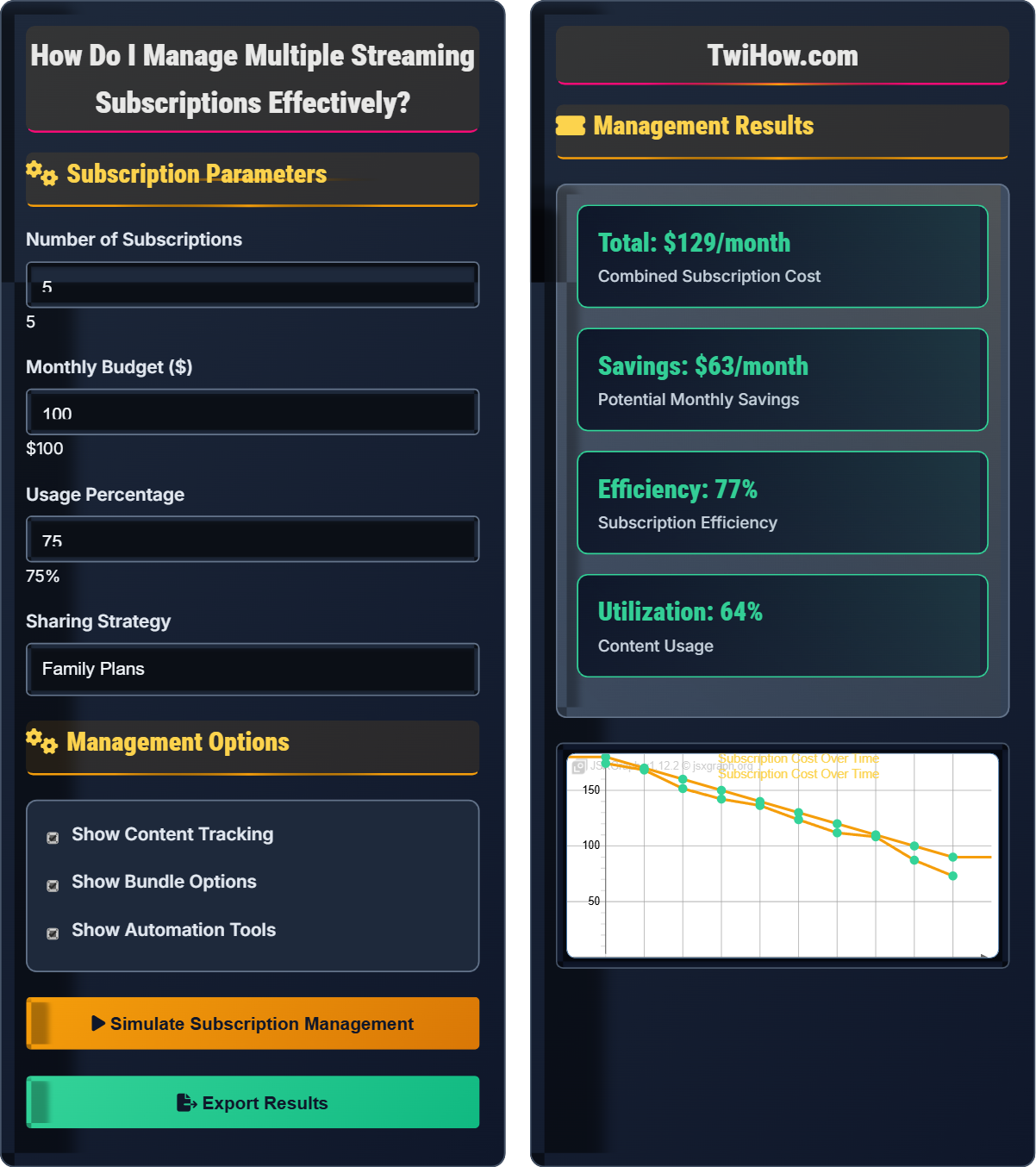
Subscription Parameters
Management Options
Management Results
| Service | Cost | Usage | Recommendation |
|---|---|---|---|
| Netflix | $15.99 | 85% | Keep |
| Disney+ | $7.99 | 90% | Keep |
| HBO Max | $14.99 | 30% | Cancel |
| Hulu | $6.99 | 70% | Keep |
| Paramount+ | $4.99 | 20% | Cancel |
Cost Optimization: Bundle services and eliminate unused subscriptions.
Content Tracking: Use tools to find what's available across platforms.
Streaming Subscription Management Explained
Streaming subscription management involves organizing, tracking, and optimizing multiple streaming service subscriptions to maximize value while minimizing costs. This includes tracking renewal dates, monitoring usage, identifying overlaps, and implementing strategies to avoid subscription bloat.
Effective streaming management involves several key components:
Where:
- Value Received: Content watched and enjoyed
- Cost Paid: Total monthly subscription fees
- Usage Optimization: Efficient content discovery
Effective cost management strategies include:
- Bundling: Combine services for discounts
- Account Sharing: Use family plans and group purchases
- Rotation: Temporarily pause subscriptions
- Free Trials: Use strategically for specific content
- Multi-Platform: Take advantage of promotional offers
- Content Tracking: Avoid duplicate subscriptions
- Spreadsheet Tracking: Manual tracking of subscriptions
- Mobile Apps: Subscription managers and reminders
- Content Aggregators: Tools to find content across platforms
- Calendar Integration: Renewal date reminders
- Bank Alerts: Notification of subscription charges
- Automated Tools: Services that manage subscriptions
Management Strategies
Cost optimization, usage tracking, content aggregation, subscription rotation.
Efficiency = (Hours Watched / Cost) × 100
Where Efficiency = value per dollar spent.
- Track usage before canceling
- Look for content overlaps
- Use automation tools
Cost Optimization
Bundling, sharing, rotation, tracking, aggregation, automation.
- Inventory all subscriptions
- Track usage patterns
- Identify overlaps
- Optimize costs
- Set up tracking systems
- Monitor and adjust regularly
- Family sharing limits
- Geographic restrictions
- Renewal date tracking
Streaming Management Learning Quiz
What is the most effective way to reduce streaming subscription costs?
Using family plans and account sharing is the most effective way to reduce per-person costs while maintaining access to premium content. Most streaming services offer family plans that allow multiple users to share one subscription at a reduced per-person cost.
Family plans typically allow 2-6 simultaneous streams and often include parental controls, making them ideal for households. This approach maximizes value while keeping costs reasonable.
The answer is B) Use family plans and account sharing.
Students should understand that account sharing and family plans are legitimate features offered by streaming services. This strategy allows multiple users to share costs while maintaining access to premium content. It's a win-win for both consumers and providers.
Family Plan: Subscription allowing multiple users
Account Sharing: Sharing login credentials
Simultaneous Streams: Number of devices that can watch at once
• Family plans are designed for sharing
• Maximize value per dollar
• Track sharing limits
• Split costs with friends/family
• Use different payment methods
• Respect streaming limits
• Not utilizing family plans
• Sharing with too many people
• Not tracking usage
Explain the importance of tracking content across multiple streaming platforms and suggest tools or methods for effective content discovery.
Importance of Content Tracking:
1. Avoid Duplication: Prevent subscribing to multiple services for the same content.
2. Maximize Value: Ensure you're watching content from all subscribed services.
3. Discover Hidden Gems: Find content you didn't know was available.
4. Justify Costs: Determine if subscriptions are worth the expense.
5. Plan Viewing: Know what's available when you want to watch.
Tracking Tools and Methods:
Content Aggregators: JustWatch, Reelgood, Trakt.tv aggregate content from multiple platforms.
Spreadsheets: Track shows/movies across platforms manually.
Mobile Apps: Whatcha, My Shows for content tracking.
Browser Extensions: JustWatch and Reelgood extensions show availability on current pages.
Calendar Integration: Mark release dates for upcoming content.
Effective tracking ensures you get maximum value from your subscriptions while avoiding content overlap.
Content tracking is crucial for subscription management because it helps justify costs and prevents duplication. Students should understand that without tracking, it's easy to forget what's available across platforms, leading to unnecessary subscriptions or missed content.
Content Aggregator: Tool showing content across platforms
JustWatch: Popular content discovery platform
Content Overlap: Same content on multiple platforms
• Track before canceling
• Use aggregation tools
• Regular content reviews
• Use browser extensions
• Set up alerts for new content
• Track favorite creators
• Not tracking content availability
• Forgetting what's available
• Missing content on different platforms
You currently spend $180/month on 8 streaming services but only use 4 of them regularly. Calculate the potential savings by eliminating unused services and using family plans for the remaining ones. Assume family plans reduce costs by 30%.
Current Situation:
• 8 services at $180/month
• Only 4 services used regularly
Unused Services:
• 4 unused services = ~$90/month (assuming average $22.50 per service)
Used Services:
• 4 services at $90/month
With Family Plans:
• 4 services at 30% discount = $90 × 0.7 = $63/month
Total Savings:
• Current: $180
• Optimized: $63
• Savings: $180 - $63 = $117/month
Annual Savings: $117 × 12 = $1,404/year
This represents a 65% reduction in streaming costs while maintaining access to regularly used content.
This example demonstrates the significant impact of eliminating unused subscriptions and optimizing remaining ones. Students should understand that small changes in subscription management can result in substantial annual savings. The calculation shows the power of both elimination and optimization strategies.
Subscription Bloat: Having more subscriptions than needed
Cost Per Service: Average monthly cost per subscription
Family Discount: Reduced rate for multiple users
• Calculate before canceling
• Consider family plan savings
• Keep a usage log
• Calculate cost per hour watched
• Try before you cancel
• Not calculating actual usage
• Canceling without tracking
• Forgetting about family discounts
Explain how to effectively share streaming accounts with friends or family while avoiding common pitfalls. Include strategies for tracking usage, managing passwords, and handling content preferences.
Effective Account Sharing Strategies:
1. Password Management:
• Use password manager to securely share credentials
• Create unique user profiles for each person
• Regularly update passwords
2. Usage Tracking:
• Monitor simultaneous stream limits
• Schedule content viewing to avoid conflicts
• Track individual usage patterns
3. Content Preferences:
• Use separate user profiles with individual recommendations
• Create shared watchlists
• Communicate about content preferences
4. Financial Arrangements:
• Set up automatic payments split
• Use apps like Venmo or Splitwise
• Establish clear payment schedules
Common Pitfalls to Avoid:
• Exceeding simultaneous stream limits
• Password sharing security issues
• Disputes over content choices
• Payment disagreements
• Account suspension due to violations
Successful account sharing requires clear communication, proper tools, and established guidelines.
Account sharing requires careful organization and communication. Students should understand that while sharing can reduce costs, it also introduces coordination challenges. Proper tools and clear agreements help maintain positive relationships while achieving cost savings.
Simultaneous Streams: Number of devices that can watch simultaneously
User Profiles: Individual viewing accounts within one subscription
Password Manager: Secure credential storage tool
• Respect streaming limits
• Use secure sharing methods
• Maintain clear agreements
• Use password managers
• Create individual profiles
• Set up automatic payments
• Exceeding stream limits
• Poor password security
• Unclear payment agreements
Which of the following is the best strategy for managing seasonal content subscriptions?
The best strategy combines subscription rotation with content tracking. This approach involves:
• Tracking when seasonal content is available
• Timing subscriptions to coincide with desired content
• Using content aggregators to identify optimal timing
• Setting up calendar reminders for renewals
• Maintaining watchlists for future viewing
This strategy maximizes value while minimizing costs, as you only pay for access during relevant periods. Content tracking ensures you don't miss seasonal content while rotation keeps costs low.
The answer is D) Combine rotation with content tracking.
Students should understand that effective subscription management involves multiple strategies working together. Rotation alone can cause you to miss content, while tracking alone doesn't reduce costs. The combination of both approaches provides the best results.
Subscription Rotation: Cancelling and restarting as needed
Seasonal Content: Content available only during specific times
Content Tracking: Monitoring availability across platforms
• Track before rotating
• Time subscriptions properly
• Maintain watchlists
• Use calendar reminders
• Track seasonal schedules
• Combine multiple strategies
• Rotating without tracking
• Missing seasonal content
• Not timing properly
FAQ
Q: How do I know which subscriptions I'm actually using?
A: To identify active subscriptions:
Check Account History: Most streaming services show your viewing history and recently watched items.
Review Bank Statements: Track which services are charging monthly.
Use Streaming Analytics: Apps like Reelgood or JustWatch can help track your viewing habits.
Create a Spreadsheet: List all subscriptions with last usage date.
Set a Trial Period: Pause subscriptions for 2-3 months to see if you miss them.
Track Hours Watched: Estimate how much time you spend on each platform.
If you can't remember the last thing you watched on a service, it's likely not worth keeping.
Q: Are there any apps that can manage all my subscriptions automatically?
A: Several apps can help manage subscriptions:
Truebill: Tracks recurring bills and subscriptions, can negotiate cancellations.
Trim: Monitors subscriptions and identifies unused services.
Clarity Money: Manages finances and tracks subscriptions.
Wallet apps: Many banking apps now include subscription tracking.
Google Pay/Apple Wallet: Built-in subscription tracking features.
Content Aggregators: JustWatch, Reelgood for content discovery.
However, no app can automatically cancel or rotate subscriptions for you. You'll still need to manually manage the actual streaming accounts, but these tools help with tracking and reminders.