How to Learn Programming?
Complete coding guide • Step-by-step learning
Programming Learning Fundamentals:
Learning Path PlannerLearning to program is a journey that begins with understanding fundamental concepts and progresses through practical application. It involves mastering syntax, logic, algorithms, and problem-solving techniques. Modern programming education emphasizes hands-on practice, project-based learning, and continuous skill development.
At its core, programming is about breaking down complex problems into smaller, manageable steps and expressing those steps in a language that computers can understand. The learning process involves understanding how to think algorithmically, structure code effectively, and solve real-world problems through code.
Key programming concepts:
- Variables: Storing and manipulating data
- Control Structures: Loops and conditional statements
- Functions: Reusable code blocks
- Data Structures: Arrays, objects, and collections
- Algorithms: Problem-solving approaches
- Object-Oriented Programming: Classes and inheritance
Successful programming learning requires consistent practice, patience, and a growth mindset. The journey involves starting with basics, building projects, and gradually advancing to more complex topics while staying current with industry trends and best practices.
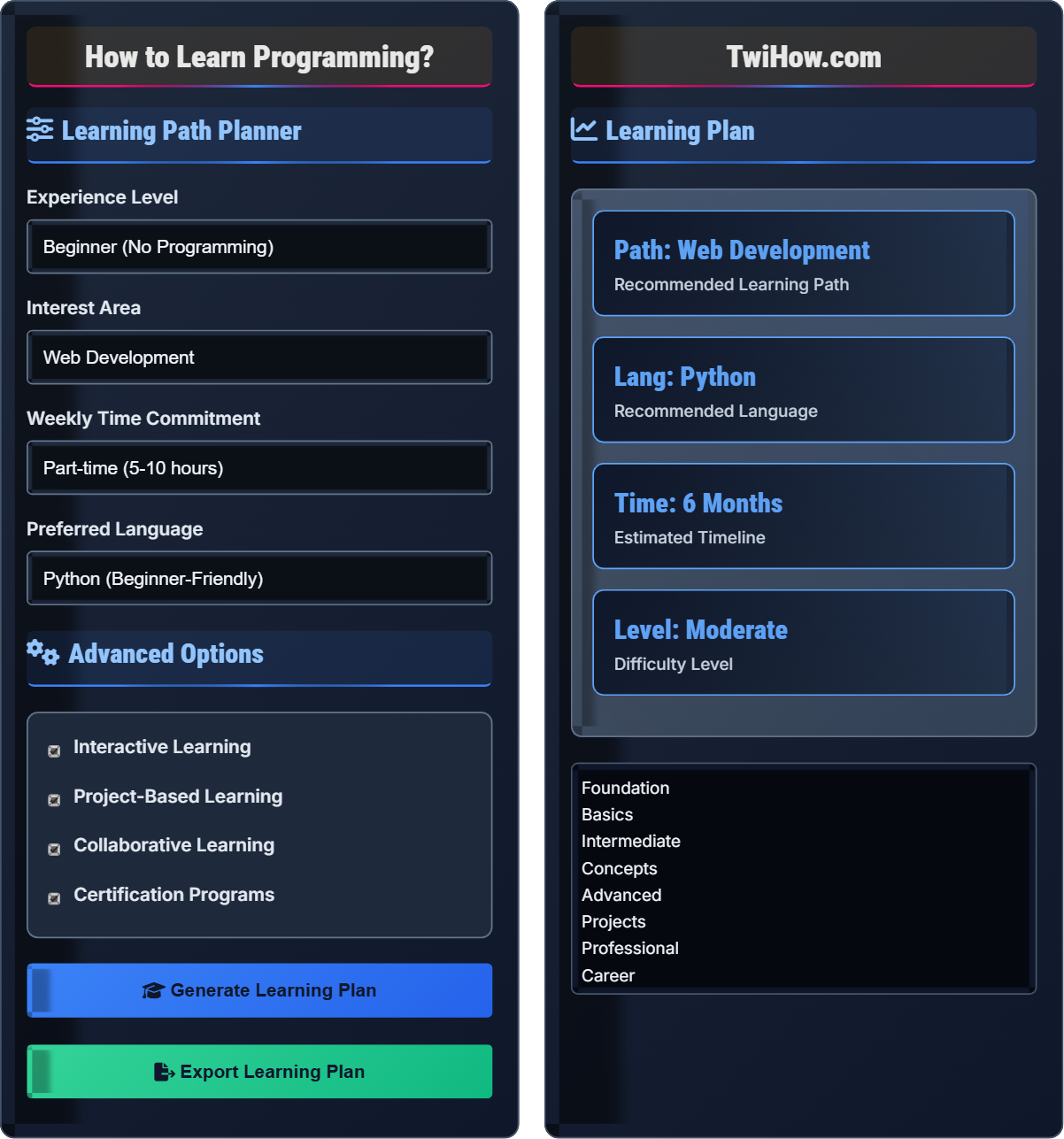
Learning Path Planner
Advanced Options
Learning Plan
Recommended Resources
- • Online courses (Codecademy, Udemy, Coursera)
- • Interactive platforms (FreeCodeCamp, HackerRank)
- • Documentation and tutorials
- • Open source contributions
- • Coding communities and forums
Programming Learning Journey
Programming is the process of creating instructions that computers can follow to perform specific tasks. It involves writing code in programming languages that translate human intentions into machine-readable commands. Programming enables the creation of software, applications, websites, and systems that power our digital world.
Programming follows logical principles:
Where:
- Input: Data or user interactions received by the program
- Processing: Logic, calculations, and transformations applied to data
- Output: Results, responses, or actions produced by the program
- Variables: Storage locations for data
- Functions: Reusable blocks of code
- Control Flow: Decision-making and repetition structures
Key languages for different purposes:
- Python: Versatile, beginner-friendly, great for data science and automation
- JavaScript: Essential for web development, runs in browsers and servers
- Java: Enterprise applications, Android development, reliable and robust
- C++: System programming, game development, high performance
- Swift: iOS and macOS app development, modern and safe
- Go: Cloud services, networking, simplicity and efficiency
- Interactive Coding: Platforms that provide immediate feedback
- Project-Based Learning: Building real applications while learning
- Pair Programming: Collaborating with others to learn faster
- Online Bootcamps: Structured intensive learning programs
- Open Source Contributions: Learning by contributing to real projects
- Mentorship Programs: Guidance from experienced developers
Programming Fundamentals
Variables, Functions, Control Flow, Data Structures, Algorithms, Object-Oriented Programming.
Skills = (Practice × Consistency) / Time
Where Skills = programming proficiency, Practice = coding activities.
- Consistent daily practice is crucial
- Start with simple projects
- Read other people's code
- Debug patiently and systematically
Best Practices
Code reviews, testing, documentation, version control, and continuous learning.
- Write clean, readable code
- Use version control (Git)
- Test your code regularly
- Document your code
- Page load time under 3 seconds
- Mobile-first design approach
- Security best practices
- Accessibility compliance
Programming Learning Quiz
What does the term "variable" mean in programming?
A variable is a named storage location in memory that holds data. It allows programmers to store, retrieve, and manipulate data during program execution. Variables have names (identifiers) and can hold different types of values like numbers, text, or boolean values.
Variables are fundamental to programming because they enable programs to work with dynamic data rather than fixed values. The value stored in a variable can be changed during program execution.
The answer is B) A named storage location for data.
Variables are one of the most fundamental concepts in programming. They act as containers that hold information the program can use. Understanding variables is crucial because they form the basis for more complex programming concepts like functions, objects, and data structures.
Variable: Named storage location for data
Identifier: Name given to a variable
Data Type: Classification determining kind of value
• Variable names must be descriptive
• Follow naming conventions
• Choose appropriate data types
• Use camelCase or snake_case consistently
• Make variable names self-documenting
• Initialize variables when declaring them
• Using vague variable names
• Not initializing variables
• Confusing variable names with keywords
Explain the systematic approach to debugging code and why it's important for learning programming.
Debugging Process: Debugging is the systematic process of identifying, analyzing, and fixing bugs in code. It involves several steps:
1. Reproduce the Bug: Consistently recreate the error to understand the conditions that cause it.
2. Isolate the Problem: Narrow down the code segment responsible for the bug.
3. Analyze the Code: Examine the logic, variables, and control flow around the suspected area.
4. Formulate Hypothesis: Make educated guesses about the root cause of the problem.
5. Test Solutions: Try potential fixes and verify they resolve the issue without introducing new problems.
6. Verify and Document: Ensure the fix works in all scenarios and document the solution.
Importance: Debugging develops critical thinking, logical reasoning, and problem-solving skills essential for programming.
Debugging is a crucial skill for programmers. It teaches systematic problem-solving and helps deepen understanding of how code executes. Debugging forces you to think critically about your code and understand the relationship between cause and effect in program execution. This process significantly improves programming skills and builds confidence in tackling complex problems.
Debugging: Process of finding and fixing errors
Bug: Error or flaw in code
Stack Trace: Report of function calls at error point
• Don't panic when encountering errors
• Read error messages carefully
• Use debugging tools and print statements
• Use IDE debugging features
• Write test cases for functions
• Keep code simple and modular
• Making random changes without understanding
• Not reading error messages properly
• Trying to fix too many issues at once
You're a beginner programmer tasked with building a simple calculator application. Describe the planning process you would follow, including the programming concepts you would need to implement and the development approach you would take.
Planning Process:
1. Requirements Analysis: Define calculator features (addition, subtraction, multiplication, division).
2. Design Structure: Plan user interface and program flow.
3. Identify Concepts Needed: Variables for storing numbers, functions for operations, loops for continuous operation.
4. Implementation Plan: Break into smaller tasks like number input, operation selection, result display.
5. Testing Strategy: Plan for edge cases like division by zero.
Development Approach: Start with basic functionality, test each feature, then add complexity. Use iterative development with regular testing.
Implementation: Input → Process → Output cycle with error handling.
Project planning teaches important programming principles. Breaking down problems into smaller components is a fundamental skill. Planning helps identify the programming concepts needed and ensures a structured approach to development. This process mirrors professional software development practices and builds good habits early in your programming journey.
Requirements: Features and functionality needed
Iterative Development: Building in small increments
Edge Cases: Extreme or unusual input scenarios
• Start simple and add complexity gradually
• Test frequently during development
• Plan before coding
• Use pseudocode to plan logic
• Test edge cases early
• Keep functions small and focused
• Trying to implement everything at once
• Not planning for error handling
• Writing overly complex initial code
You have 10 hours per week to learn programming for the next 6 months. Design a learning strategy that maximizes your progress and keeps you motivated throughout the journey.
Learning Strategy:
Month 1-2: Foundation (4 hours theory, 6 hours practice weekly). Focus on syntax, variables, functions.
Month 3-4: Intermediate concepts (3 hours theory, 7 hours practice). Learn data structures, algorithms.
Month 5-6: Project building (2 hours theory, 8 hours practice). Create portfolio projects.
Motivation Techniques: Join coding communities, track progress, celebrate milestones, build projects you enjoy.
Resources: Mix online courses, practice platforms, and real-world projects.
Assessment: Weekly self-assessments, monthly project reviews, and peer feedback.
Alternative: Adjust based on progress and interests.
Effective learning strategies balance theory and practice. The 60% practice to 40% theory ratio is optimal for skill development. Consistent scheduling is more effective than sporadic intense sessions. Motivation is sustained through tangible progress and meaningful projects that align with personal interests.
Deliberate Practice: Focused, goal-oriented practice
Spaced Repetition: Reviewing material at increasing intervals
Active Learning: Engaging with material through practice
• Consistency beats intensity
• Practice more than study theory
• Build projects to demonstrate learning
• Use spaced repetition for concepts
• Join study groups for accountability
• Teach others to reinforce learning
• Reading too much without coding
• Not practicing consistently
• Trying to learn everything at once
Which programming paradigm focuses on breaking down problems into smaller, reusable functions?
Functional programming focuses on writing code as a series of functions that avoid changing state and mutating data. It emphasizes pure functions, immutability, and treating computation as the evaluation of mathematical functions.
While procedural programming also uses functions, functional programming specifically emphasizes breaking problems into smaller, composable functions that don't have side effects.
The answer is B) Functional Programming.
Understanding programming paradigms helps you choose the right approach for different problems. Functional programming promotes code that's easier to test, debug, and reason about because functions don't have hidden side effects. Learning multiple paradigms makes you a more versatile programmer.
Functional Programming: Emphasis on functions and immutability
Object-Oriented: Focus on objects and classes
Paradigm: Approach to structuring code
• Choose paradigm based on problem type
• Many languages support multiple paradigms
• Learn to recognize when to use each approach
• Practice with languages that emphasize each paradigm
• Study how problems can be solved differently
• Combine paradigms for complex solutions
• Forcing one paradigm to all problems
• Not understanding paradigm strengths
• Mixing paradigms without purpose
Analyze the following code and identify best practices that should be followed. What improvements would you suggest?
Issues Identified:
1. Poor Naming: Variable names 'x', 'y', 'z' don't describe their purpose.
2. No Constants: Magic numbers should be defined as constants.
3. No Error Handling: No validation or error checking.
4. No Documentation: Code lacks comments or documentation.
Improvements:
1. Use descriptive variable names
2. Add input validation
3. Include error handling
Improved Version:
Writing readable, maintainable code is crucial for professional development. Good variable names make code self-documenting. Input validation prevents runtime errors. Proper error handling makes applications robust. These practices become increasingly important as codebases grow in complexity.
Readable Code: Code that's easy to understand
Error Handling: Managing unexpected situations
Code Quality: Measures of maintainability and reliability
• Use descriptive variable names
• Validate inputs when appropriate
• Handle errors gracefully
• Use linters for code style enforcement
• Write tests for your functions
• Follow language-specific conventions
• Using single-letter variable names
• Not validating user inputs
• Ignoring error handling
FAQ
Q: How long does it take to become a proficient programmer?
A: The timeline varies based on dedication and learning approach:
Basic Proficiency: 3-6 months of consistent practice with 10-15 hours per week.
Job-Ready: 6-12 months of focused learning with portfolio projects.
Advanced Skills: 2-5 years of professional experience.
Continuous Learning: Programming is a lifelong learning journey due to evolving technologies.
Consistent practice, building projects, and solving real problems accelerate the learning process.
Q: Do I need to know JavaScript well before learning Vue?
A: Yes, a solid understanding of JavaScript fundamentals is essential for Vue development:
Required Knowledge: ES6+ features, closures, promises, async/await, and DOM manipulation.
Why Important: Vue is built on JavaScript. Understanding how data binding, reactivity, and components work requires JavaScript knowledge.
Recommendation: Master JavaScript basics before diving into Vue. Focus on understanding how the DOM works and how JavaScript manipulates it.
While Vue abstracts many JavaScript concepts, understanding the underlying JavaScript helps you write better Vue applications.