How to Connect PHP with MySQL?
Complete database connection guide • Step-by-step explanations
PHP-MySQL Connection Essentials:
Connection BuilderConnecting PHP with MySQL is fundamental to web development. This connection allows PHP scripts to interact with MySQL databases, enabling dynamic content, user authentication, data storage, and retrieval. There are two primary methods: MySQLi and PDO.
PHP-MySQL connection involves establishing a communication channel between your PHP application and MySQL database server. This enables CRUD operations (Create, Read, Update, Delete) on database records through SQL queries executed by PHP.
Key connection methods:
- MySQLi: MySQL Improved extension with procedural and object-oriented interfaces
- PDO: PHP Data Objects with database abstraction layer
- Prepared Statements: Secure query execution with parameter binding
- Connection Pooling: Efficient resource management
Proper connection management is crucial for security, performance, and data integrity in web applications.
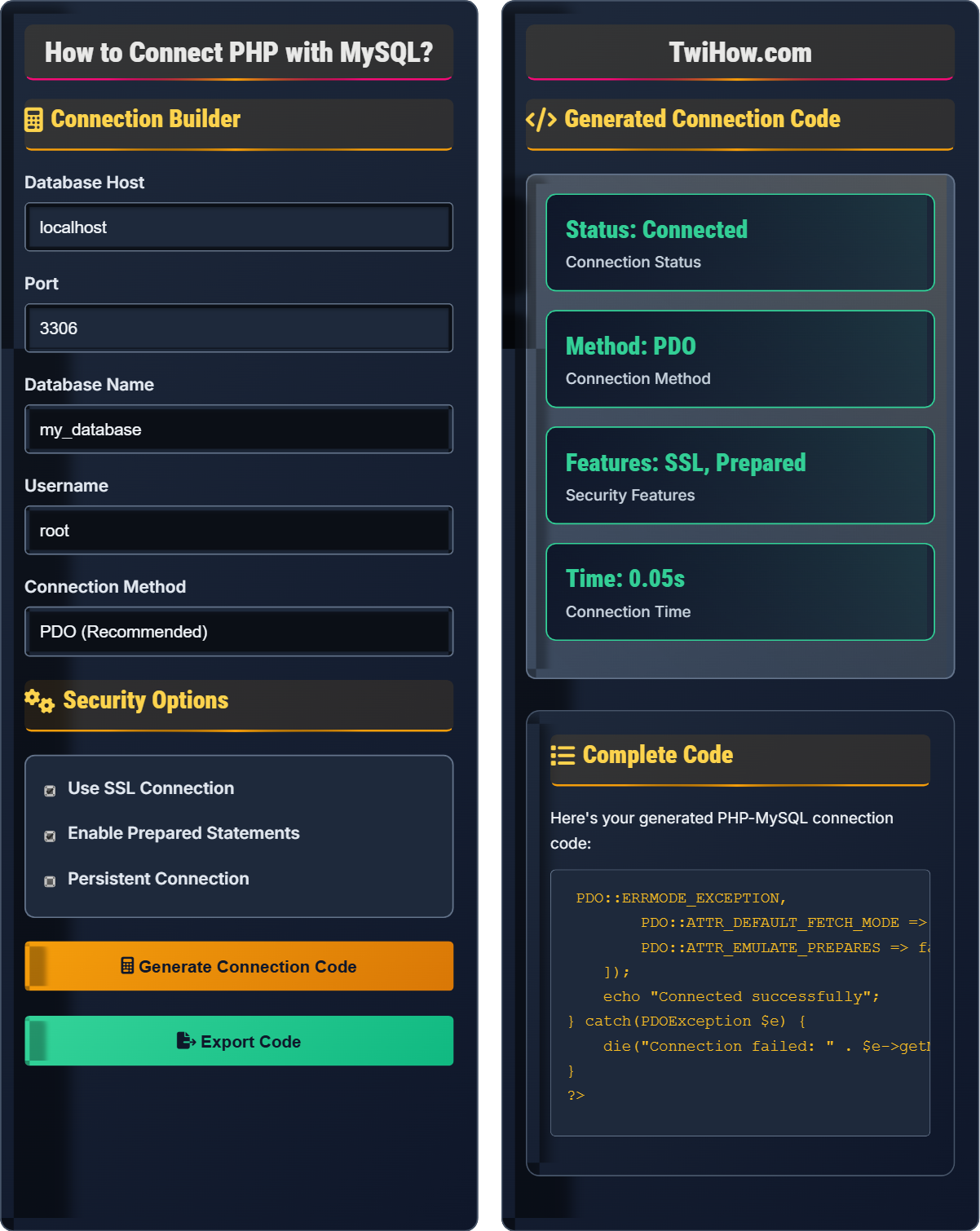
Connection Builder
Security Options
Generated Connection Code
Complete Code
Here's your generated PHP-MySQL connection code:
<?php
$host = 'localhost';
$dbname = 'my_database';
$username = 'root';
$password = '';

try {
    $pdo = new PDO("mysql:host=$host;dbname=$dbname", $username, $password, [
        PDO::ATTR_ERRMODE => PDO::ERRMODE_EXCEPTION,
        PDO::ATTR_DEFAULT_FETCH_MODE => PDO::FETCH_ASSOC,
        PDO::ATTR_EMULATE_PREPARES => false,
    ]);
    echo "Connected successfully";
} catch(PDOException $e) {
    die("Connection failed: " . $e->getMessage());
}
?>| Method | Security | Features | Recommendation |
|---|---|---|---|
| PDO | High | Prepared Statements, Multiple DB | Recommended |
| MySQLi OOP | High | Prepared Statements, MySQL Only | Good |
| MySQLi Procedural | Medium | Basic Features | Legacy |
Example Queries:
SELECT * FROM users WHERE id = ?
INSERT INTO posts (title, content) VALUES (?, ?)
UPDATE users SET email = ? WHERE id = ?
DELETE FROM comments WHERE post_id = ?
How to Connect PHP with MySQL Explained
PHP connects to MySQL through database extensions that provide APIs for communication. The connection process involves establishing a TCP/IP socket to the MySQL server, authenticating credentials, and creating a communication channel for sending SQL queries and receiving results.
Connection Success = (Valid Credentials × Available Server × Compatible Protocol) / (Security Checks × Timeout Limits)
Proper error handling ensures robust connection management.
Two primary methods for connecting PHP to MySQL:
- MySQLi: MySQL-specific, supports both procedural and object-oriented styles
- PDO: Database abstraction layer, supports multiple database types
PDO is generally recommended for new projects due to its flexibility and security features.
- Prepared Statements: Prevent SQL injection attacks
- SSL Connections: Encrypt data in transit
- Secure Credentials: Store passwords safely
- Input Validation: Sanitize all user inputs
Connection Methods
MySQLi, PDO, prepared statements, connection pooling, SSL encryption, error handling.
<?php
$host = 'localhost';
$dbname = 'my_database';
$username = 'root';
$password = '';

try {
    $pdo = new PDO("mysql:host=$host;dbname=$dbname", $username, $password, [
        PDO::ATTR_ERRMODE => PDO::ERRMODE_EXCEPTION,
        PDO::ATTR_DEFAULT_FETCH_MODE => PDO::FETCH_ASSOC,
        PDO::ATTR_EMULATE_PREPARES => false,
    ]);
    echo "Connected successfully";
} catch(PDOException $e) {
    die("Connection failed: " . $e->getMessage());
}
?>- Always use prepared statements
- Handle exceptions properly
- Validate all inputs
- Use SSL for sensitive data
Security Practices
SQL injection, XSS, CSRF, authentication, authorization, data encryption.
// Secure query with prepared statement
$stmt = $pdo->prepare("SELECT * FROM users WHERE email = ?");
$stmt->execute([$email]);
$user = $stmt->fetch();

// Secure insert with prepared statement
$stmt = $pdo->prepare("INSERT INTO posts (title, content, user_id) VALUES (?, ?, ?)");
$stmt->execute([$title, $content, $userId]);- Never concatenate user input directly into queries
- Use parameterized queries
- Validate and sanitize all inputs
- Implement proper access controls
PHP-MySQL Connection Quiz
Which PHP extension is recommended for new projects connecting to MySQL?
PDO (PHP Data Objects) is recommended for new projects due to its database abstraction layer, which allows switching between different database systems with minimal code changes. PDO also has superior security features and follows modern PHP practices.
While MySQLi is also secure and functional, PDO offers better portability, consistency, and is considered more modern. PDO supports named parameters and has a more intuitive interface.
The answer is C) PDO.
Think of PDO as a universal remote that works with any TV brand, while MySQLi is like a remote that only works with one specific brand. Both work well, but PDO gives you more flexibility for future changes.
PDO: PHP Data Objects (database abstraction)
MySQLi: MySQL Improved extension
Abstraction: Hiding complexity from developers
• Use PDO for new projects
• Always validate inputs
• Use try-catch blocks
• Set proper attributes
• Close connections when done
• Not using prepared statements
• Exposing credentials in code
• Not handling errors properly
Explain the concept of prepared statements and why they are crucial for secure database connections. Include the mechanism of how they prevent SQL injection and provide code examples.
Prepared Statement Definition: A feature that separates SQL logic from data by pre-compiling the query structure and then binding parameters separately.
SQL Injection Prevention:
Without Prepared Statements:
Unsafe query: SELECT * FROM users WHERE email = '$userInput'
If $userInput = "admin'; DROP TABLE users; --", the query becomes:
SELECT * FROM users WHERE email = 'admin'; DROP TABLE users; --'
With Prepared Statements:
Safe query: SELECT * FROM users WHERE email = ?
The parameter is bound separately and treated as data, not executable code.
Code Example:
// Secure with PDO
$stmt = $pdo->prepare("SELECT * FROM users WHERE email = ? AND password = ?");
$stmt->execute([$email, $password]);
$user = $stmt->fetch();

// Secure with named parameters
$stmt = $pdo->prepare("SELECT * FROM users WHERE email = :email AND password = :password");
$stmt->execute(['email' => $email, 'password' => $password]);
$user = $stmt->fetch();
Prepared statements prevent SQL injection by ensuring parameters are treated as literal values rather than executable code.
Think of prepared statements like a form with fillable fields. The form structure is fixed (the query), and you fill in the blanks (parameters) without changing the form's layout. This prevents malicious input from altering the query's structure.
SQL Injection: Code injection attack using SQL
Parameter Binding: Attaching values to placeholders
Query Compilation: Preparing query structure
• Always use prepared statements
• Never concatenate user input
• Validate inputs before queries
• Use named parameters for clarity
• Combine with input validation
• Log query attempts for debugging
• Concatenating user input directly
• Not using prepared statements
• Assuming all inputs are safe
You're building a user registration system for a web application. Create a secure PHP script that connects to a MySQL database and inserts user information while preventing SQL injection. Explain your approach and the security measures implemented.
Secure Registration Script:
<?php
// Database configuration
$host = 'localhost';
$dbname = 'user_system';
$username = 'db_user';
$password = 'secure_password';

try {
    // Create PDO connection with security settings
    $pdo = new PDO("mysql:host=$host;dbname=$dbname;charset=utf8mb4", $username, $password, [
        PDO::ATTR_ERRMODE => PDO::ERRMODE_EXCEPTION,
        PDO::ATTR_DEFAULT_FETCH_MODE => PDO::FETCH_ASSOC,
        PDO::ATTR_EMULATE_PREPARES => false,
        PDO::ATTR_PERSISTENT => true
    ]);

    // Sanitize and validate inputs
    $email = filter_var($_POST['email'], FILTER_VALIDATE_EMAIL);
    $username = trim($_POST['username']);
    $password = $_POST['password'];

    if (!$email || strlen($username) < 3 || strlen($password) < 8) {
        throw new Exception("Invalid input data");
    }

    // Hash password for security
    $hashedPassword = password_hash($password, PASSWORD_DEFAULT);

    // Use prepared statement to prevent SQL injection
    $stmt = $pdo->prepare("INSERT INTO users (username, email, password_hash) VALUES (?, ?, ?)");
    $stmt->execute([$username, $email, $hashedPassword]);

    echo "Registration successful!";

} catch(PDOException $e) {
    error_log("Database error: " . $e->getMessage());
    echo "Registration failed. Please try again.";
} catch(Exception $e) {
    error_log("Application error: " . $e->getMessage());
    echo "Invalid input data.";
}
?>
Security Measures Implemented:
1. Prepared statements prevent SQL injection
2. Password hashing prevents plaintext storage
3. Input validation ensures data integrity
4. Error logging without exposing details
5. Character set specification prevents encoding issues
This approach demonstrates defense in depth - multiple layers of security protect against different attack vectors. Each measure addresses specific vulnerabilities while maintaining usability.
Defense in Depth: Multiple security layers
Password Hashing: One-way encryption of passwords
Input Validation: Checking data before processing
• Never store passwords in plain text
• Always validate user inputs
• Use HTTPS for sensitive data
• Use environment variables for credentials
• Implement rate limiting
• Add CAPTCHA for protection
• Storing passwords in plain text
• Not validating inputs
• Exposing error details to users
Compare different approaches to handling database connection errors in PHP. Explain the advantages and disadvantages of each approach and recommend best practices for production environments.
Approach 1: Die with Message
try {
    $pdo = new PDO($dsn, $username, $password);
} catch(PDOException $e) {
    die("Connection failed: " . $e->getMessage());
}
Advantages: Simple, immediate termination
Disadvantages: Exposes error details, no graceful degradation
Approach 2: Log and Redirect
try {
    $pdo = new PDO($dsn, $username, $password);
} catch(PDOException $e) {
    error_log("DB Error: " . $e->getMessage());
    header("Location: /error-page.php");
    exit();
}
Advantages: Secure, user-friendly
Disadvantages: May lose context, harder to debug
Approach 3: Graceful Degradation
try {
    $pdo = new PDO($dsn, $username, $password);
    $connected = true;
} catch(PDOException $e) {
    error_log("DB Error: " . $e->getMessage());
    $connected = false;
    $errorPage = true;
}
Advantages: Maintains functionality, secure
Disadvantages: More complex implementation
Production Recommendation: Use approach 3 with proper error logging and user notifications.
Think of error handling like having different emergency procedures. For critical failures, you might shut down completely. For recoverable issues, you might have backup plans. The key is having appropriate responses for different severity levels.
Error Logging: Recording errors without exposing them
Graceful Degradation: Maintaining basic functionality
Exception Handling: Managing unexpected errors
• Never expose database credentials
• Log errors securely
• Provide user-friendly messages
• Use custom error handlers
• Implement monitoring systems
• Create error recovery procedures
• Exposing error details to users
• Not logging errors properly
• Not having fallback procedures
Which of the following is the most secure way to store database credentials in a PHP application?
The most secure approaches are using environment variables (B) or storing credentials in a config file outside the web root (C). Both prevent direct access via web requests.
Hardcoding credentials in PHP files is insecure because the source code could be exposed through server misconfigurations. Environment variables are preferred in modern deployments (especially with containerization) while config files outside the web root provide security through file system permissions.
Environment variables are more flexible for different deployment environments and are the preferred method in cloud and containerized environments.
The answer is D) Both B and C are equally secure.
Think of credentials like house keys. You wouldn't leave them visible on the front door (hardcoded), but you might hide them in a secure place (environment variables or protected files). The goal is to keep them accessible to authorized users but hidden from unauthorized access.
Environment Variables: System-level configuration
Web Root: Publicly accessible directory
File Permissions: Access control settings
• Never hardcode credentials
• Use environment variables
• Protect config files
• Use .env files for local development
• Implement credential rotation
• Use vault services in production
• Committing credentials to version control
• Using default database passwords
• Not securing configuration files
FAQ
Q: What's the difference between MySQLi and PDO?
A: MySQLi is MySQL-specific and provides both procedural and object-oriented interfaces. PDO is database-agnostic and supports multiple database systems through a unified interface.
Both support prepared statements and are secure when used properly. PDO is more portable since you can switch database systems with minimal code changes, while MySQLi is tied specifically to MySQL.
Q: Do I need to close database connections manually?
A: PHP automatically closes database connections at the end of script execution, so manual closing is not strictly necessary. However, it's good practice to close connections explicitly when they're no longer needed in long-running scripts.
For persistent connections, you should explicitly close them. Using destructors or try-finally blocks ensures connections are closed even if errors occur.