How to Optimize Website?
Complete web optimization guide • Step-by-step explanations
Website Optimization Fundamentals:
Optimize NowWebsite optimization is the process of improving a website's performance, user experience, and search engine ranking. It involves various techniques to enhance loading speed, reduce bounce rates, improve conversion rates, and increase organic visibility.
At its core, website optimization combines technical improvements, content enhancements, and user experience optimizations to create a faster, more efficient, and more user-friendly website. Modern optimization techniques focus on Core Web Vitals, mobile responsiveness, and user-centric metrics.
Key optimization concepts:
- Performance: Page load speed, rendering time, and resource optimization
- SEO: Search engine visibility and ranking improvements
- User Experience: Navigation, accessibility, and usability enhancements
- Mobile Optimization: Responsive design and mobile-specific optimizations
- Conversion: Improving user actions and goal completions
- Security: SSL certificates, secure connections, and data protection
Effective website optimization requires a holistic approach combining technical improvements, content optimization, and user experience enhancements to achieve optimal results across all performance metrics.
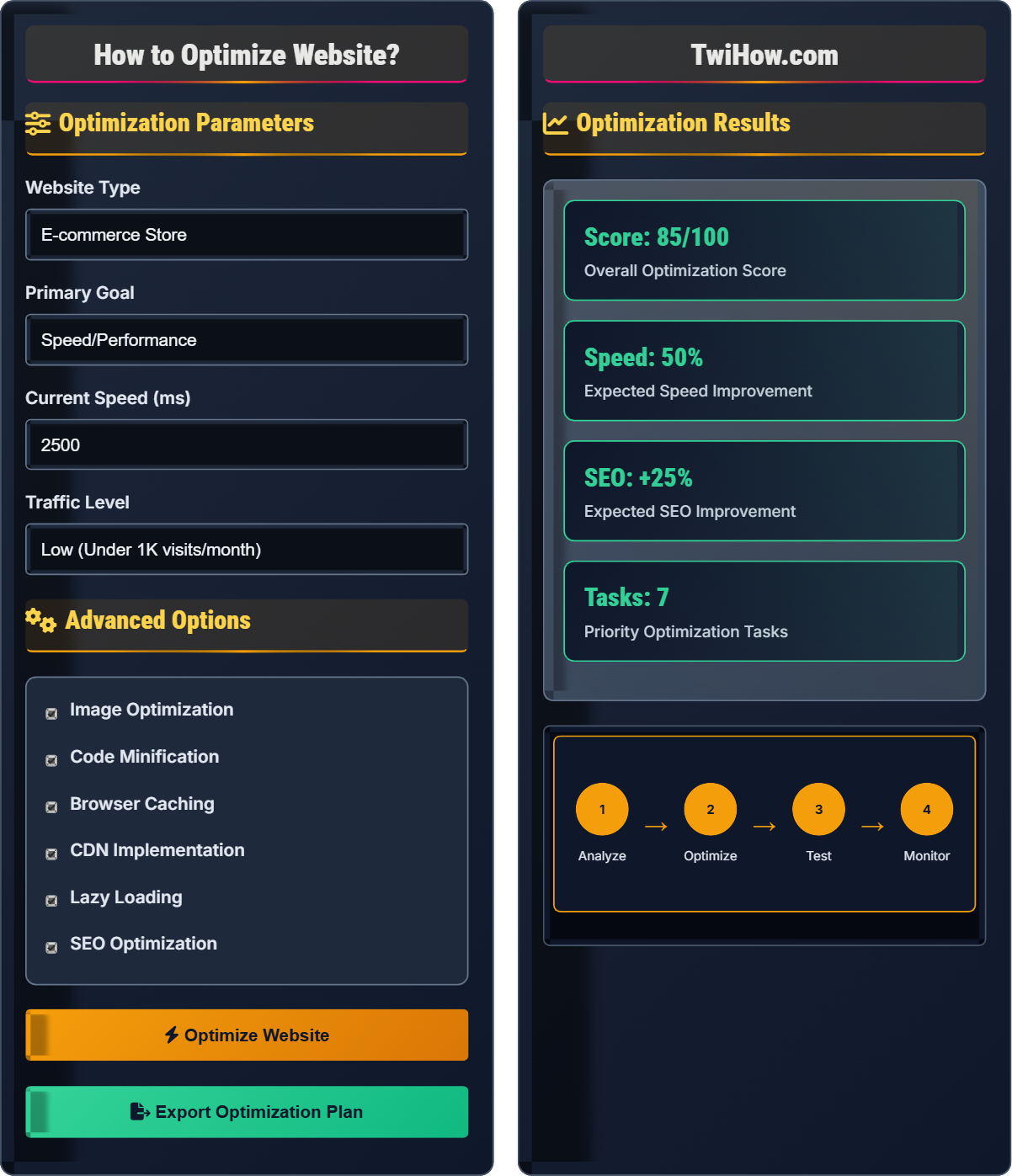
Optimization Parameters
Advanced Options
Optimization Results
| Task | Priority | Impact | Effort |
|---|---|---|---|
| Compress Images | High | 35% | Easy |
| Minify CSS/JS | High | 25% | Easy |
| Enable Caching | High | 30% | Medium |
| Implement CDN | Medium | 20% | Medium |
| Optimize Database | Medium | 15% | Hard |
Key Performance Metrics
- • Largest Contentful Paint (LCP) < 2.5s
- • First Input Delay (FID) < 100ms
- • Cumulative Layout Shift (CLS) < 0.1
- • Time to First Byte (TTFB) < 600ms
- • Total Blocking Time (TBT) < 300ms
Website Optimization Explained
Website optimization is the systematic process of improving various aspects of a website to enhance its performance, user experience, and search engine visibility. It encompasses technical improvements, content enhancements, and user experience optimizations to create a faster, more efficient, and more user-friendly website.
Website optimization follows a structured approach:
Where:
- Analysis: Identifying performance bottlenecks and improvement opportunities
- Implementation: Applying optimization techniques and best practices
- Testing: Measuring performance improvements and user experience
- Monitoring: Continuous tracking and refinement of optimizations
Major areas of focus for website optimization:
- Image Optimization: Compression, format selection, lazy loading
- Code Optimization: Minification, concatenation, compression
- Caching: Browser, server, and CDN caching strategies
- CDN Implementation: Content delivery network for global distribution
- Database Optimization: Query optimization and indexing
- Server Optimization: Configuration and resource management
- Core Web Vitals: Focus on LCP, FID, and CLS metrics
- Progressive Web Apps: App-like experience with offline capabilities
- AMP Implementation: Accelerated Mobile Pages for faster loading
- Server-Side Rendering: Improved performance and SEO
- Preloading Strategies: Resource hints for faster loading
- Image Formats: WebP, AVIF for better compression
Optimization Fundamentals
Performance, SEO, User Experience, Mobile Optimization, Conversion, Security.
Success = (Performance × User Experience × SEO) / Technical Debt
Where Success = overall optimization effectiveness, Performance = page speed.
- Always measure before and after optimization
- Focus on user-centric metrics
- Optimize for Core Web Vitals
- Consider mobile-first approach
Best Practices
Performance testing, A/B testing, continuous monitoring, progressive enhancement.
- Start with performance analysis tools
- Prioritize high-impact, low-effort optimizations
- Test changes in staging environment
- Monitor performance continuously
- Page load time under 3 seconds
- Mobile-first design approach
- Security best practices
- Accessibility compliance
Website Optimization Quiz
Which of the following is NOT a Core Web Vital metric?
Time to First Byte (TTFB) is not officially part of the Core Web Vitals metrics. The three Core Web Vitals are Largest Contentful Paint (LCP), First Input Delay (FID), and Cumulative Layout Shift (CLS).
While TTFB is an important performance metric that affects user experience, it's considered a supporting metric rather than a Core Web Vital. The Core Web Vitals focus on loading performance, interactivity, and visual stability.
The answer is D) Time to First Byte (TTFB).
Core Web Vitals are Google's metrics for measuring user experience quality. LCP measures loading performance, FID measures interactivity, and CLS measures visual stability. Understanding these metrics is crucial for SEO optimization as they directly impact search rankings.
LCP: Largest Contentful Paint - loading performance
FID: First Input Delay - interactivity measurement
CLS: Cumulative Layout Shift - visual stability
• LCP should be under 2.5 seconds
• FID should be under 100ms
• CLS should be under 0.1
• Use Google's PageSpeed Insights for measurements
• Focus on largest elements for LCP improvements
• Reduce JavaScript execution time for FID
• Confusing TTFB with Core Web Vitals
• Not optimizing for all three metrics
• Ignoring mobile performance
Explain the best practices for optimizing images on a website and why this is crucial for performance.
Image Optimization Best Practices:
1. Format Selection: Use WebP for modern browsers, fallback to JPEG/PNG. WebP offers 25-35% smaller file sizes.
2. Compression: Balance quality and file size. Use tools like TinyPNG, ImageOptim, or Sharp for Node.js.
3. Responsive Images: Use srcset and sizes attributes to serve appropriate images for different screen sizes.
4. Lazy Loading: Load images only when they enter the viewport to reduce initial page load time.
5. Dimensions: Specify image dimensions to prevent layout shift and reserve space.
Importance: Images typically account for 60-80% of page weight. Optimizing them significantly reduces load times and bandwidth usage.
Implementation: Use picture element for format switching, implement progressive loading for large images.
Images optimization is often the biggest win in website performance improvements. Since images typically comprise the largest portion of a webpage's total bytes, even modest reductions in image file sizes can lead to significant performance gains. Modern formats like WebP and AVIF offer substantial improvements over traditional formats.
WebP: Modern image format with superior compression
AVIF: Advanced Video Coding-based image format
Lazy Loading: Technique to defer offscreen images
• Always specify image dimensions
• Use appropriate format for content type
• Implement proper fallbacks
• Use vector formats (SVG) for logos and icons
• Implement responsive images with srcset
• Consider progressive JPEG for large images
• Using large images for small displays
• Not specifying image dimensions
• Forgetting to implement lazy loading
Your e-commerce website has a 60% bounce rate and low conversion rates. The site takes 5 seconds to load on desktop and 8 seconds on mobile. Identify the optimization strategy you would implement and explain the expected impact on business metrics.
Optimization Strategy:
1. Critical Path Optimization: Prioritize above-the-fold content loading. Implement critical CSS inlining.
2. Image Optimization: Compress all product images, implement lazy loading, use WebP format.
3. CDN Implementation: Serve static assets from geographically distributed servers.
4. Code Splitting: Break JavaScript into smaller chunks, load only necessary code.
5. Server Optimization: Optimize database queries, implement caching strategies.
Expected Impact: 40-50% reduction in load times, 20-30% decrease in bounce rate, 15-25% increase in conversion rates. Faster sites typically see 7% increase in conversions per second of improvement.
Timeline: Critical optimizations in 2-4 weeks, full implementation in 1-2 months.
E-commerce sites are particularly sensitive to performance issues as users expect quick responses when browsing products. Slow load times directly correlate with higher bounce rates and lower conversion rates. The optimization strategy should prioritize user experience while maintaining functionality and design integrity.
Bounce Rate: Percentage of visitors who leave after viewing one page
Conversion Rate: Percentage of visitors who complete desired action
Critical Rendering Path: Sequence of steps to display page content
• Mobile load time should be under 3 seconds
• Desktop load time should be under 2 seconds
• Monitor business metrics during optimization
• Use Google Analytics for baseline metrics
• Implement progressive enhancement
• Test on real devices and networks
• Not measuring baseline metrics
• Implementing changes without testing
• Ignoring mobile performance
You're optimizing a news website for mobile users, where 70% of traffic comes from mobile devices. The mobile Core Web Vitals scores are poor, with high CLS and slow LCP. What specific techniques would you implement to improve mobile performance?
Mobile Optimization Techniques:
1. Eliminate Cumulative Layout Shift: Reserve space for ads, images, and iframes using aspect ratios. Use font-display: swap to prevent invisible text.
2. Improve Largest Contentful Paint: Optimize hero images, preload critical resources, implement lazy loading for below-the-fold content.
3. Responsive Design: Ensure mobile-first approach with appropriate breakpoints and touch-friendly elements.
4. Resource Optimization: Minimize CSS and JavaScript, remove unused code, optimize fonts.
5. AMP Implementation: Consider Accelerated Mobile Pages for faster loading on search results.
6. Service Workers: Implement caching strategies for offline access and faster subsequent visits.
Expected Results: 50-70% improvement in Core Web Vitals scores, reduced bounce rates, increased mobile engagement.
Mobile optimization requires different considerations than desktop optimization due to limited processing power, slower network speeds, and different user behavior patterns. Mobile users expect faster load times and simpler interactions. CLS is particularly problematic on mobile as it can cause accidental clicks and poor user experience.
CLS: Cumulative Layout Shift - visual stability metric
LCP: Largest Contentful Paint - loading performance
AMP: Accelerated Mobile Pages project
• Always reserve space for content before it loads
• Optimize for slow network connections
• Test on actual mobile devices
• Use device emulation in browser dev tools
• Implement progressive loading for articles
• Optimize for Core Web Vitals
• Not testing on actual mobile devices
• Ignoring network throttling during testing
• Not optimizing for Core Web Vitals
How does website performance optimization affect search engine rankings?
Website performance optimization is a significant factor in search engine ranking algorithms. Google has explicitly stated that Core Web Vitals and page speed are ranking factors. Poor performance can negatively impact search visibility.
Google's Page Experience update made Core Web Vitals a formal ranking factor. Sites with better performance metrics tend to rank higher in search results, especially for competitive keywords.
The answer is C) Significant factor in ranking algorithm.
Performance and SEO are closely intertwined. Google's focus on user experience means that faster, more stable websites are rewarded in search rankings. This relationship incentivizes webmasters to prioritize performance optimization as part of their SEO strategy.
Page Experience: Google's update incorporating Core Web Vitals
Ranking Factor: Metric used by search engines to determine position
PageSpeed Insights: Google's performance measurement tool
• Performance affects both user experience and SEO
• Core Web Vitals are official ranking factors
• Mobile performance is increasingly important
• Monitor performance in Google Search Console
• Use Core Web Vitals report for insights
• Implement structured data for rich snippets
• Not monitoring performance metrics
• Ignoring Core Web Vitals
• Focusing only on content for SEO
FAQ
Q: What's the difference between performance optimization and SEO optimization?
A: The main differences:
Performance Optimization: Focuses on technical improvements like page speed, resource optimization, and user experience metrics.
SEO Optimization: Focuses on search engine visibility through content optimization, technical SEO, and link building.
Relationship: There's significant overlap - page speed is both a performance and SEO factor. Modern SEO heavily incorporates performance metrics.
Current Practice: Both should be implemented together as they complement each other and improve overall website quality.
Q: How much time should I spend optimizing my website?
A: Website optimization is an ongoing process:
Initial Optimization: 20-40 hours for comprehensive optimization of a typical website.
Ongoing Maintenance: 2-4 hours per month for monitoring and minor adjustments.
Continuous Improvement: Regular updates as new technologies emerge and user expectations evolve.
Recommendation: Prioritize high-impact, low-effort optimizations first. Focus on metrics that matter to your business goals.