What is Angular?
Complete Angular guide • Step-by-step explanations
Angular Fundamentals:
Angular PlaygroundAngular is a platform and framework for building single-page client applications using HTML and TypeScript. Developed and maintained by Google, Angular provides a comprehensive solution for building web applications with features like dependency injection, component-based architecture, and reactive programming.
At its core, Angular uses a component-based architecture where UI elements are encapsulated in reusable components. The framework emphasizes declarative templates, dependency injection for service management, and reactive data binding for efficient UI updates.
Key Angular concepts:
- Components: Reusable UI building blocks with templates
- Services: Singleton objects for sharing data and logic
- Dependency Injection: Inversion of control for managing dependencies
- Templates: HTML with Angular-specific syntax
- Observables: Reactive programming with RxJS
- Modules: Organizational units for related functionality
Modern Angular development leverages TypeScript for type safety, RxJS for reactive programming, and a rich ecosystem of libraries and tools for building scalable enterprise applications.
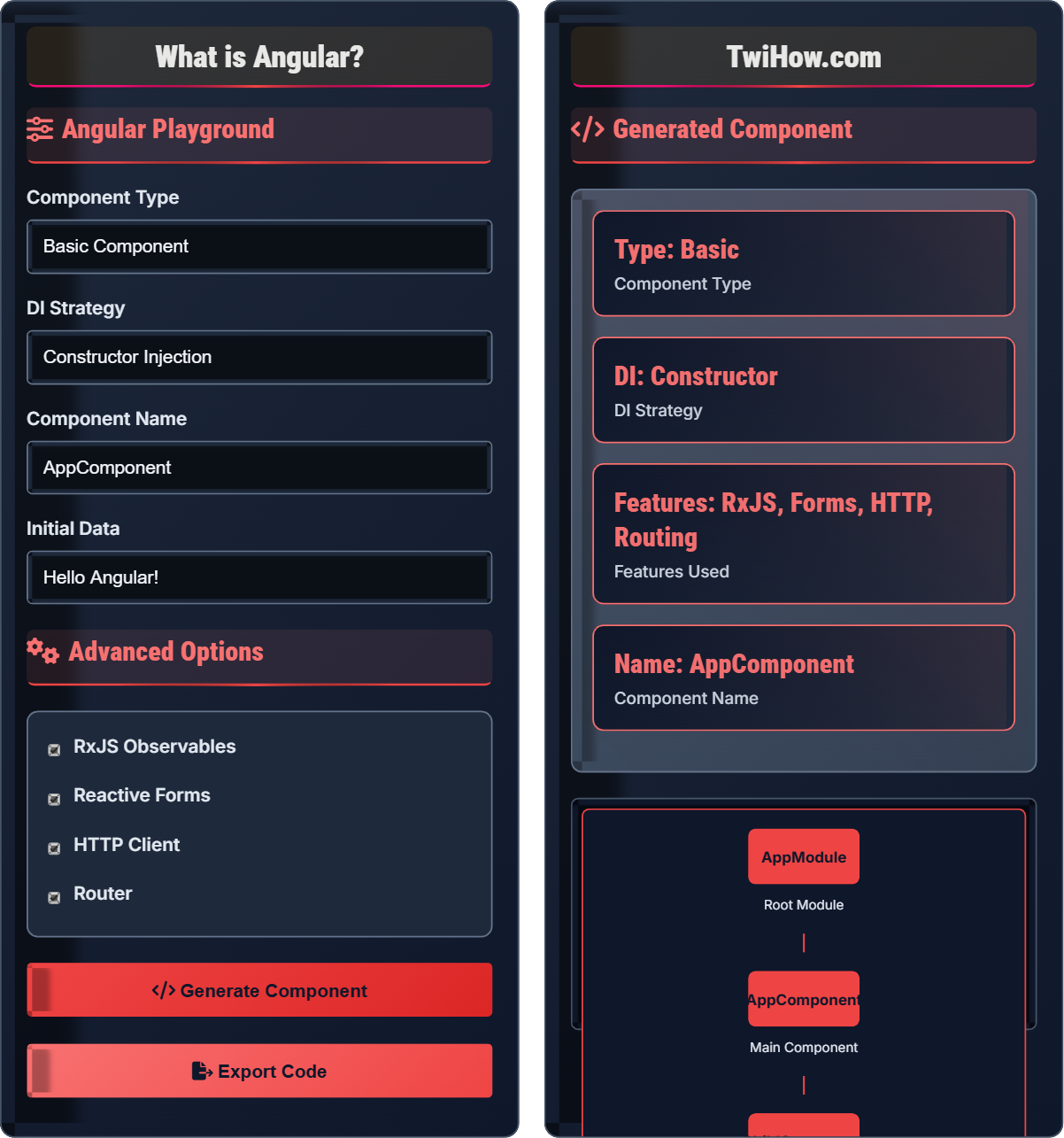
Angular Playground
Advanced Options
Generated Component
{{ title }}
{{ message }}
Component Preview
Angular App
Hello Angular!
Angular Explained
Angular is a platform and framework for building single-page client applications using HTML and TypeScript. It's maintained by Google and provides a comprehensive solution for building web applications with features like dependency injection, component-based architecture, and reactive programming.
Angular follows a modular architecture with components:
Where:
- Modules: Organizational units for related functionality
- Components: Reusable UI building blocks with templates
- Services: Singleton objects for sharing data and logic
- Dependency Injection: Inversion of control for managing dependencies
- Templates: HTML with Angular-specific syntax
Key features that make Angular powerful:
- Dependency Injection: Built-in DI system for managing dependencies
- Two-Way Binding: ngModel for form synchronization
- Component System: Reusable, composable UI building blocks
- Reactive Programming: RxJS for handling async operations
- Type Safety: TypeScript integration for better development
- CLI Tools: Command-line interface for scaffolding and building
- Signals: New reactivity model in Angular 16+
- Standalone Components: Components without modules
- Zoneless Change Detection: Performance optimization
- Control Flow: New structural directives
- ES Modules: Tree-shaking and performance
- DevTools Integration: Enhanced debugging experience
Angular Fundamentals
Components, Services, Dependency Injection, Templates, Modules, Observables.
UI = render(data, template, context, dependencies)
Where UI = user interface, data = component state, dependencies = injected services.
- Use dependency injection for services
- Follow component composition patterns
- Utilize observables for async operations
- Apply proper change detection strategies
Best Practices
Modular architecture, proper service structure, performance optimization, TypeScript integration.
- Use standalone components for new projects
- Keep components small and focused
- Use TypeScript for type safety
- Implement proper error handling
- Component composition over inheritance
- Performance optimization with OnPush
- Accessibility compliance
- Testing strategies
Angular Learning Quiz
Which decorator is used to define an Angular component?
@Component is the decorator used to define an Angular component. It provides metadata that tells Angular how to process the component, including its selector, template, and styles.
The @Component decorator configures the component's behavior and defines how it should be instantiated and used in templates.
The answer is B) @Component.
Decorators are fundamental to Angular's architecture. @Component, @Service, @NgModule, and @Injectable are all decorators that provide metadata to Angular's compiler. Understanding decorators is crucial for Angular development as they define how Angular should interpret and process your code.
Decorator: TypeScript feature for adding metadata to classes
@Component: Decorator for defining UI components
Metadata: Information about class configuration
• Use @Component for UI elements
• Use @Injectable for services
• Use @NgModule for application structure
• Remember @Component for views
• Use @Injectable for data services
• Decorators precede class definitions
• Confusing @Component with @NgModule
• Forgetting to import decorators
• Not understanding decorator configuration
Explain how Angular's dependency injection system works and why it's beneficial for application architecture compared to manual service instantiation.
DI Process: Angular's DI system creates and manages instances of services and injects them into components and other services. It maintains a hierarchy of injectors that resolve dependencies.
Injector Hierarchy: Angular creates injectors at different levels (root, module, component) that form a tree structure for resolving dependencies.
Benefits: Manual instantiation creates tight coupling and makes testing difficult. DI promotes loose coupling, single responsibility, and testability.
Architecture: DI enables inversion of control where dependencies are provided rather than created, leading to more maintainable and scalable applications.
Process: Register → Resolve → Inject → Manage Lifecycle.
Dependency Injection is Angular's core architectural pattern that promotes loose coupling between components and services. Instead of creating dependencies inside a class, they are provided from outside. This makes code more testable, maintainable, and follows the single responsibility principle. Understanding DI is crucial for effective Angular development.
Dependency Injection: Pattern for providing object dependencies
Injector: Angular service that creates and manages instances
Provider: Configuration that tells injector how to create instances
• Register services in providers array
• Use constructor injection for dependencies
• Prefer providedIn: 'root' for singleton services
• Use providedIn: 'root' for singleton services
• Consider providedIn: 'platform' for platform-wide services
• Remember to import Injectable decorator
• Forgetting to register services in providers
• Not using @Injectable() decorator for services
• Creating circular dependencies
You're building an e-commerce application with product listings, shopping cart, and checkout functionality. Design an Angular component hierarchy that follows best practices and explain the communication patterns between components.
Component Hierarchy:
1. AppComponent: Root component managing layout and global state
2. ProductCatalog: Manages product listing display
3. ProductCard: Individual product component with details
4. ShoppingCart: Cart component with items and totals
5. CheckoutForm: Checkout component with form validation
Communication: Use services with observables for state management. Components emit events upward, services manage shared state downward.
Best Practices: Keep components focused, use services for shared data, implement proper error handling.
Designing an Angular component hierarchy requires thinking about data flow and separation of concerns. Services with observables are ideal for sharing state across multiple components. The parent component coordinates between children while services handle cross-cutting concerns like state management and API calls.
Event Emission: Components communicating upward through @Output
Observable State: Shared state managed through services
Component Composition: Building UI from smaller components
• Components should be reusable and independent
• Follow the single responsibility principle
• Use services for cross-component state management
• Use NgRx for complex state management
• Implement proper loading and error states
• Consider using OnPush change detection
• Creating overly complex components
• Not implementing proper error boundaries
• Ignoring performance optimization opportunities
You're developing a real-time dashboard application with multiple components that need to access and update shared data. Explain the different state management approaches available in Angular and recommend the best solution for this scenario.
State Management Approaches:
1. Service with Observables: Simple service managing state with BehaviorSubject
2. Input/Output Events: Parent-child communication through events
3. NgRx Store: Redux-like state management for complex apps
4. Signals (Angular 16+): New reactivity model for state
Recommendation: For real-time dashboard, use NgRx Store with Effects. NgRx provides centralized state management with time-travel debugging and predictable state changes.
Implementation: Store manages state, Effects handle side effects, Components subscribe to store.
Alternative: For simpler apps, use service with BehaviorSubject.
State management in Angular has evolved significantly. For simple state, services with observables are sufficient. For complex applications with real-time updates, NgRx provides a robust solution with predictable state changes and excellent debugging capabilities. The new signals API in Angular 16+ offers an alternative reactive approach.
NgRx: Redux-like state management for Angular
Store: Centralized state container
Effects: Side effect handlers for async operations
• Start with simple services, upgrade to NgRx as needed
• Don't put everything in global state
• Use appropriate tools for the complexity level
• Use NgRx for complex state management
• Implement proper selectors for state access
• Use OnPush change detection for performance
• Using global state for everything
• Not structuring store properly
• Creating unnecessary re-renders with store
Which RxJS operator is commonly used to handle HTTP requests in Angular services?
All of these RxJS operators are commonly used to handle HTTP requests in Angular services. map() transforms the response data, switchMap() handles switching between requests, and catchError() handles errors.
In practice, HTTP requests often chain multiple operators together for comprehensive request handling.
The answer is D) All of the above.
RxJS is integral to Angular's reactive programming model. HTTP requests return observables that can be chained with operators for data transformation, error handling, and request management. Understanding these operators is crucial for effective Angular development.
map(): Operator to transform emitted values
switchMap(): Operator to switch between observables
catchError(): Operator to handle errors
• Subscribe to observables to get data
• Unsubscribe to prevent memory leaks
• Use pipe() to chain operators
• Use async pipe in templates for automatic subscription
• Remember to unsubscribe in ngOnDestroy
• Chain operators using pipe()
• Forgetting to unsubscribe from observables
• Not handling errors properly
• Not understanding operator behavior
Analyze the following Angular component and identify potential performance issues. How would you optimize it?
Performance Issues:
1. Expensive Calculation: expensiveCalculation runs on every change detection cycle
2. Template Logic: Complex logic in template causes re-renders
3. Change Detection: Default strategy checks all components
Optimizations:
1. Use getter or computed property for calculations
2. Move calculation to component property
3. Implement OnPush change detection strategy
Optimized Version:
Performance optimization in Angular involves preventing unnecessary calculations and change detection cycles. OnPush strategy optimizes change detection, while computed properties cache expensive calculations. Understanding Angular's change detection system helps identify performance bottlenecks.
Change Detection: Angular's mechanism for updating the view
OnPush Strategy: Optimization for change detection
Performance Optimization: Techniques to improve rendering speed
• Don't run expensive calculations in templates
• Use OnPush strategy when possible
• Cache computed values
• Use Angular DevTools Performance tab
• Consider virtual scrolling for large lists
• Use trackBy functions for ngFor
• Running expensive calculations in templates
• Not understanding change detection
• Ignoring OnPush optimization
FAQ
Q: What's the difference between Angular and AngularJS?
A: The main differences:
AngularJS (1.x): Based on JavaScript with scope-based data binding. Uses controllers and $scope for managing data.
Angular (2+): Rewritten in TypeScript with component-based architecture. Uses services, dependency injection, and reactive programming.
Current Practice: Angular 2+ is the current framework. AngularJS is deprecated and no longer maintained.
Q: Do I need to know TypeScript before learning Angular?
A: While not strictly required, TypeScript knowledge is strongly recommended for Angular development:
Required Knowledge: ES6+ features, basic OOP concepts, and TypeScript basics (types, interfaces, decorators).
Why Important: Angular is built with TypeScript. Understanding types, interfaces, and decorators is crucial for effective Angular development.
Recommendation: Learn TypeScript fundamentals before or alongside Angular. Focus on understanding how types and decorators work in Angular context.