What is Node.js?
Complete Node.js guide • Step-by-step explanations
Node.js Fundamentals:
Node.js PlaygroundNode.js is a JavaScript runtime built on Chrome's V8 JavaScript engine that allows developers to run JavaScript on the server-side. It enables the creation of fast, scalable network applications using an event-driven, non-blocking I/O model that makes it lightweight and efficient.
At its core, Node.js uses a single-threaded event loop architecture that handles concurrent operations through callbacks, promises, and async/await. This design allows Node.js to handle thousands of concurrent connections with high throughput, making it ideal for real-time applications and APIs.
Key Node.js concepts:
- Event Loop: Single-threaded execution model for handling async operations
- Non-blocking I/O: Asynchronous operations that don't block execution
- Modules: Reusable code packages managed by npm
- Streams: Efficient data handling for large datasets
- Callbacks/Promises: Managing asynchronous operations
- Package Management: npm for managing dependencies
Modern Node.js development leverages ES6+ features, TypeScript for type safety, and a rich ecosystem of frameworks like Express.js, NestJS, and Fastify for building scalable server applications.
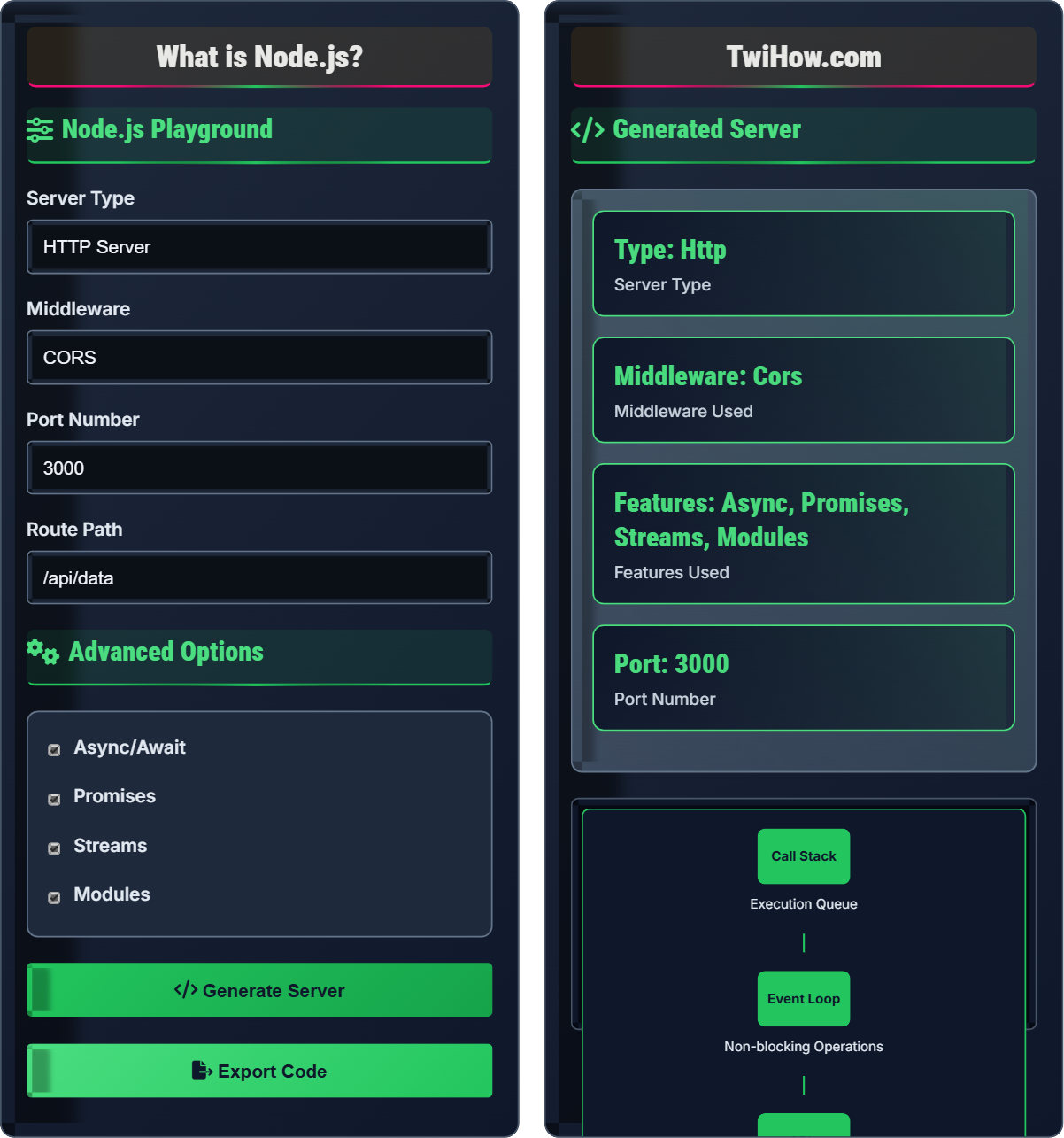
Node.js Playground
Advanced Options
Generated Server
Server Preview
Available routes:
GET /api/data - Returns sample data
Node.js Explained
Node.js is a JavaScript runtime environment that executes JavaScript code outside of a web browser. Built on Chrome's V8 JavaScript engine, Node.js allows developers to use JavaScript for server-side scripting, enabling the creation of dynamic web content before sending it to the user's browser.
Node.js follows an event-driven, non-blocking I/O model:
Where:
- Event Loop: Single-threaded mechanism for handling async operations
- Non-blocking I/O: Asynchronous operations that don't block execution
- Callbacks: Functions executed after async operations complete
- Modules: Reusable code packages managed by npm
- Streams: Efficient data handling for large datasets
Key features that make Node.js powerful:
- Fast Execution: Built on V8 JavaScript engine for high performance
- Non-blocking I/O: Asynchronous operations for handling concurrent requests
- Single-threaded: Event loop architecture for efficient resource utilization
- Cross-platform: Runs on Windows, macOS, Linux, and other platforms
- Rich Ecosystem: npm package registry with millions of packages
- Real-time Capabilities: Ideal for chat applications, gaming, and live updates
- Async/Await: Cleaner syntax for handling promises
- TypeScript: Type safety and better development experience
- Microservices: Breaking applications into smaller services
- Containerization: Docker for deployment and scaling
- Serverless: Functions as a service (AWS Lambda, etc.)
- Real-time Communication: WebSocket and Socket.io for live updates
Node.js Fundamentals
Event Loop, Non-blocking I/O, Modules, Callbacks, Streams, Promises.
Performance = (Concurrency × Throughput) / Blocking Operations
Where Performance = server efficiency, Concurrency = simultaneous connections.
- Never block the event loop
- Handle errors properly in async operations
- Use streams for large data handling
- Implement proper error boundaries
Best Practices
Async/await, proper error handling, modular architecture, performance optimization.
- Use async/await over callbacks
- Handle errors with try/catch
- Use TypeScript for type safety
- Implement proper logging and monitoring
- Memory management
- Security best practices
- Scalability patterns
- Testing strategies
Node.js Learning Quiz
What is the primary purpose of the Node.js event loop?
The primary purpose of the Node.js event loop is to handle asynchronous operations without blocking the main thread. It continuously checks for completed async operations and executes their callbacks.
The event loop enables Node.js to handle thousands of concurrent connections efficiently by using a single-threaded approach with non-blocking I/O operations.
The answer is B) To handle async operations without blocking.
The event loop is the heart of Node.js architecture. It's responsible for executing JavaScript code, handling async operations, and managing the callback queue. Understanding how it works is crucial for effective Node.js development, as it explains why Node.js can handle so many concurrent operations efficiently.
Event Loop: Mechanism that handles async operations
Non-blocking: Operations that don't halt execution
Callback Queue: Storage for completed async operations
• The event loop runs on a single thread
• It processes operations in order
• Never block the event loop with sync operations
• Use setTimeout for delayed execution
• Understand the different phases of the event loop
• Use setImmediate for next tick operations
• Blocking the event loop with sync operations
• Not understanding callback order
• Confusing event loop phases
Explain how Node.js achieves non-blocking I/O operations and why this is beneficial for server performance compared to traditional blocking I/O.
Non-blocking Process: Node.js delegates I/O operations (file reads, network requests, database queries) to the system kernel. While the operation is in progress, Node.js continues executing other code.
Callback Mechanism: When the I/O operation completes, the kernel places a callback in the event queue. The event loop processes these callbacks when the call stack is empty.
Benefits: Traditional blocking I/O creates a new thread for each request, consuming memory and context-switching overhead. Non-blocking I/O allows one thread to handle thousands of connections.
Performance: This model excels with I/O-intensive applications but struggles with CPU-intensive operations.
Process: Request → Kernel → Event Queue → Event Loop → Response.
Non-blocking I/O is Node.js's key innovation that enables high concurrency. Instead of waiting for an operation to complete, Node.js continues processing other requests. When the operation finishes, a callback is executed. This contrasts with traditional multi-threaded servers that dedicate a thread to each connection, which becomes inefficient at scale.
Non-blocking I/O: Operations that don't halt execution
Kernel: Operating system component that handles I/O
Event Queue: Storage for completed operations
• Use async operations for I/O tasks
• Never use sync operations in request handlers
• Understand when operations are blocking vs non-blocking
• Use fs.promises for file operations
• Implement proper error handling
• Consider worker threads for CPU-intensive tasks
• Using synchronous operations in request handlers
• Not understanding when operations are truly async
• Blocking the event loop with CPU-intensive tasks
You're building a REST API with Node.js that handles user registration, login, and profile management. Design a server architecture that follows best practices and explain the middleware and error handling patterns you would implement.
Server Architecture:
1. Express.js Server: Main application with routing and middleware
2. Middleware Stack: CORS, Body Parsing, Logging, Authentication
3. Route Handlers: Controllers for user registration/login/profile
4. Database Layer: Connection pooling and query management
Middleware Pattern: Use middleware for authentication, validation, and error handling. Implement centralized error handling with next() function.
Best Practices: Use environment variables, implement rate limiting, and proper logging.
Building a REST API requires thoughtful middleware architecture. Middleware functions are executed sequentially, allowing you to add functionality like authentication, validation, and error handling. The error handling pattern uses Express's next() function to pass errors to centralized error handlers.
Middleware: Functions that process requests/responses
REST API: Architecture style for web services
Centralized Error Handling: Single location for error processing
• Place middleware in the correct order
• Use environment variables for configuration
• Implement proper authentication and validation
• Use helmet for security headers
• Implement rate limiting middleware
• Use morgan for request logging
• Incorrect middleware ordering
• Not implementing proper error boundaries
• Missing security considerations
You're developing a real-time chat application that needs to handle thousands of concurrent connections. Explain the Node.js patterns and techniques you would use to optimize performance and scalability.
Performance Patterns:
1. WebSocket Connections: Use Socket.io or ws for real-time bidirectional communication
2. Clustering: Utilize cluster module to use multiple CPU cores
3. Redis: Use Redis for session storage and pub/sub messaging
4. Load Balancing: Distribute connections across multiple instances
Techniques: Implement connection pooling, message buffering, and efficient serialization. Use PM2 for process management.
Implementation: Server clustering, Redis adapter for Socket.io, message queuing for high-volume scenarios.
Alternative: Consider horizontal scaling with microservices.
Real-time applications require special consideration for handling concurrent connections. Node.js excels at this due to its event-driven architecture. The cluster module allows you to utilize multiple CPU cores, while Redis provides shared state across instances. Proper memory management and connection limits are crucial for stability.
WebSocket: Protocol for real-time bidirectional communication
Clustering: Running multiple Node.js processes
Connection Pooling: Managing database connections efficiently
• Never block the event loop with CPU-intensive tasks
• Implement proper connection limits
• Use Redis for shared state across instances
• Use PM2 for process management
• Implement graceful shutdown procedures
• Monitor memory usage and garbage collection
• Not implementing connection limits
• Storing session data in memory
• Not handling disconnections properly
Which command is used to install a package globally in Node.js?
npm install -g package is used to install a package globally in Node.js. The -g flag specifies that the package should be installed globally rather than locally to the current project.
Global packages are installed in a central location and are available to all Node.js projects on the system. Local packages are installed in the project's node_modules directory.
The answer is B) npm install -g package.
npm (Node Package Manager) is crucial for Node.js development. Understanding the difference between global and local installations is important. Global packages are available system-wide, while local packages are project-specific. Different flags (-g, --save, --save-dev) control installation behavior and dependencies.
npm: Node Package Manager
Global Installation: System-wide package availability
Local Installation: Project-specific package availability
• Use local installations for project dependencies
• Use global installations for CLI tools
• Always specify versions in package.json
• Use --save for runtime dependencies
• Use --save-dev for development dependencies
• Run npm audit for security vulnerabilities
• Installing project dependencies globally
• Not specifying exact versions
• Not cleaning up unused packages
Analyze the following Node.js code and identify potential issues. How would you improve it?
Issues Identified:
1. Synchronous Operation: fs.readFileSync blocks the event loop
2. No Error Handling: JSON.parse could throw errors
3. No Validation: No input validation for userId
4. Security Risk: Path traversal vulnerability
Improvements:
1. Use async/await with fs.promises.readFile
2. Add try/catch error handling
3. Validate input parameters
Improved Version:
Proper error handling in Node.js is crucial for robust applications. Always use async operations to prevent blocking, implement proper try/catch blocks, validate inputs, and handle errors gracefully. Understanding security implications like path traversal is important for production applications.
Async Operations: Non-blocking operations that don't halt execution
Path Traversal: Security vulnerability allowing file system access
Error Handling: Proper management of exceptions and failures
• Never use sync operations in request handlers
• Always validate input parameters
• Handle errors gracefully
• Use async/await for cleaner code
• Implement proper logging
• Use path.join for safe file paths
• Using sync operations in request handlers
• Not validating user input
• Not handling errors properly
FAQ
Q: What's the difference between Node.js and JavaScript in the browser?
A: The main differences:
Environment: Browser JavaScript runs in web browsers with DOM access. Node.js runs on servers without DOM but with file system and network access.
APIs: Browser has fetch, localStorage, DOM manipulation. Node.js has fs, http, path modules for server operations.
Use Cases: Browser JavaScript handles UI interactions. Node.js handles server-side logic, APIs, and data processing.
Current Practice: Both use the same JavaScript syntax but different runtime environments and APIs.
Q: Do I need to know JavaScript well before learning Node.js?
A: Yes, a solid understanding of JavaScript fundamentals is essential for Node.js development:
Required Knowledge: ES6+ features, closures, promises, async/await, and callback patterns.
Why Important: Node.js is JavaScript runtime. Understanding callbacks, promises, and async patterns is crucial for non-blocking I/O operations.
Recommendation: Master JavaScript fundamentals before diving into Node.js. Focus on understanding how async operations work in JavaScript.