What is React?
Complete React guide • Step-by-step explanations
React Fundamentals:
React PlaygroundReact is a JavaScript library for building user interfaces, developed and maintained by Facebook. It enables developers to create reusable UI components and manage application state efficiently. React uses a component-based architecture and a virtual DOM to optimize rendering performance.
At its core, React follows the declarative programming paradigm, where developers describe what the UI should look like for a given state, and React efficiently updates the DOM to match that state. This approach simplifies complex UI development and improves maintainability.
Key React concepts:
- Components: Reusable UI building blocks
- JSX: Syntax extension for describing UI elements
- Virtual DOM: Memory representation for efficient updates
- State & Props: Data management patterns
- Hooks: Function-based state and lifecycle management
Modern React development leverages hooks for state management, functional components for cleaner code, and a rich ecosystem of libraries for routing, state management, and more.
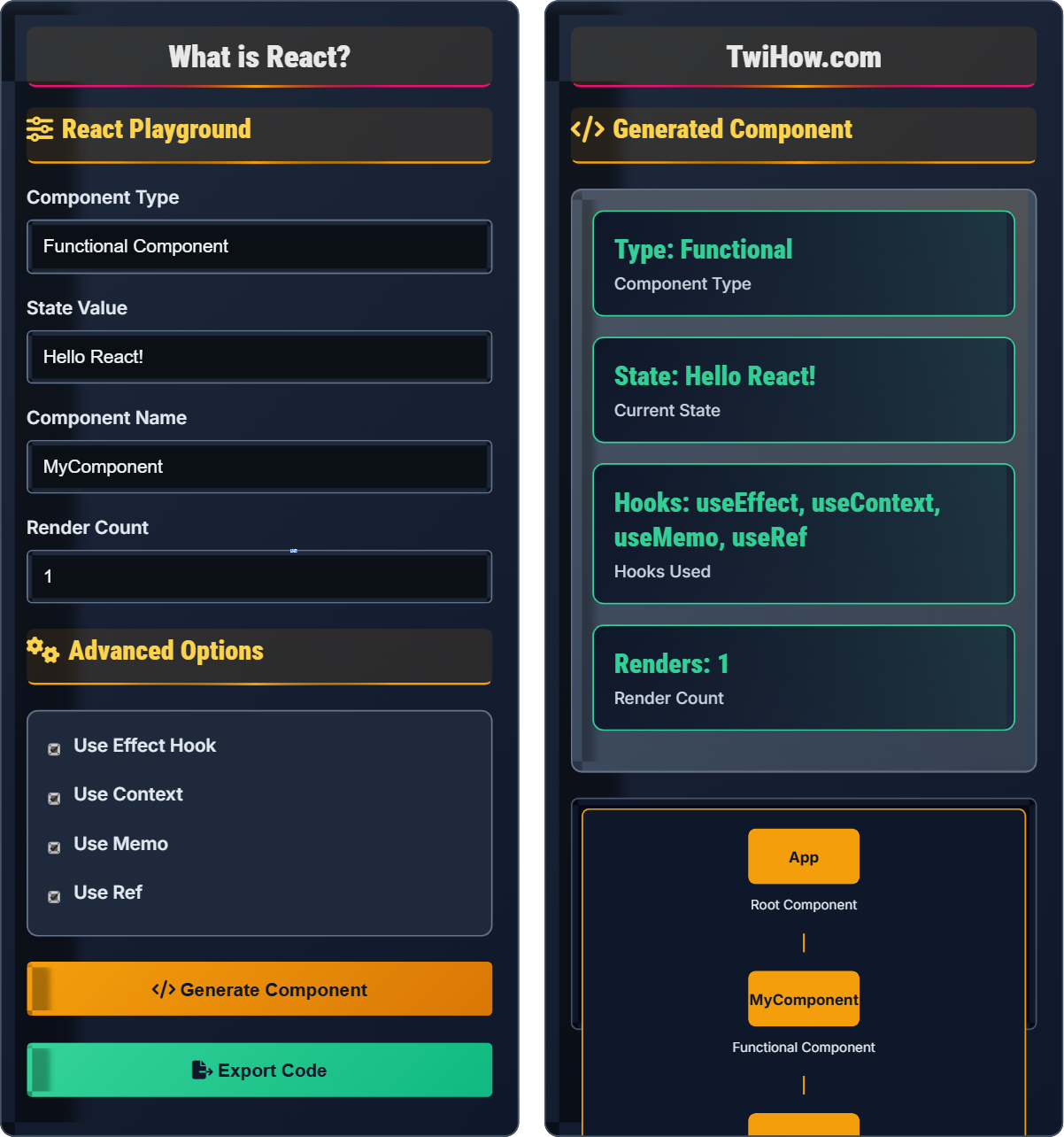
React Playground
Advanced Options
Generated Component
Component Preview
Hello React!
React Explained
React is a JavaScript library for building user interfaces, primarily for single-page applications where you view updates without page refreshes. It's maintained by Facebook and a community of developers. React allows developers to create large web applications that can change data without reloading the page.
React follows a component-based architecture:
Where:
- Components: Reusable UI building blocks
- State: Data that changes over time
- Props: Properties passed between components
- Virtual DOM: Memory representation of real DOM
- JSX: Syntax extension for describing UI
Key features that make React powerful:
- Virtual DOM: Efficient updates by comparing memory representations
- One-Way Data Binding: Unidirectional data flow for predictable state management
- Reusable Components: Write once, use everywhere philosophy
- Developer Tools: Excellent debugging and profiling capabilities
- Rich Ecosystem: Extensive library and tool ecosystem
- Performance: Optimized rendering and reconciliation
- Functional Components: Preferred approach over class components
- React Hooks: useState, useEffect, useContext, useMemo, etc.
- Context API: Global state management without props drilling
- Concurrent Mode: Improved rendering and responsiveness
- Server Components: New architecture for server-side rendering
- TypeScript Integration: Better type safety and development experience
React Fundamentals
Components, JSX, Virtual DOM, State, Props, Hooks, Lifecycle.
UI = render(currentState, previousState)
Where UI = user interface, currentState = current application state.
- Components should be pure functions
- State updates should be immutable
- Never modify the DOM directly
- Follow one-way data flow
Best Practices
Functional components, hooks, proper state management, performance optimization.
- Use functional components with hooks
- Keep components small and focused
- Use TypeScript for type safety
- Implement proper error boundaries
- Component composition over inheritance
- Performance optimization with memoization
- Accessibility compliance
- Testing strategies
React Learning Quiz
What does JSX stand for in React?
JSX stands for JavaScript XML. It's a syntax extension for JavaScript that allows you to write HTML-like code in JavaScript files. JSX makes it easier to visualize the structure of the UI component and is transformed into regular JavaScript function calls at runtime.
The answer is A) JavaScript XML.
JSX is a fundamental concept in React that bridges the gap between HTML and JavaScript. It allows developers to write markup inside JavaScript, making component structure more readable and maintainable. JSX elements are syntactically similar to HTML but can contain JavaScript expressions inside curly braces. Understanding JSX is crucial for React development as it's the primary way to define component templates.
JSX: JavaScript XML - syntax extension for JavaScript
Transpilation: Converting JSX to regular JavaScript
Babel: JavaScript compiler that transforms JSX
• JSX must return a single root element
• Attributes use camelCase naming
• JavaScript expressions go in curly braces
• Use fragments (<></>) for multiple elements
• Always close self-closing tags
• Remember className instead of class attribute
• Using class instead of className
• Not returning a single root element
• Forgetting to close tags properly
Explain how React's Virtual DOM works and why it's beneficial for performance compared to direct DOM manipulation.
Virtual DOM Process: React creates a lightweight copy of the real DOM in memory. When state changes, React creates a new virtual DOM tree and compares it with the previous tree (reconciliation).
Reconciliation: React identifies the minimal set of changes needed to update the real DOM. Only the changed elements are updated in the actual DOM.
Benefits: Direct DOM manipulation is expensive because each change triggers browser reflows and repaints. The Virtual DOM batches updates, minimizing actual DOM operations.
Efficiency: Instead of updating the entire DOM tree, React only updates the necessary parts, resulting in significant performance improvements, especially for complex UIs.
Process: Render → Compare → Update only differences.
The Virtual DOM is React's key innovation that solves the performance problem of frequent DOM updates. The DOM is slow because it's tied to the browser's rendering engine, which needs to recalculate styles, layouts, and paint when changes occur. By working with a virtual representation first, React can batch changes and apply only the necessary updates to the real DOM, dramatically reducing the performance cost of UI updates.
Virtual DOM: Memory representation of real DOM elements
Reconciliation: Algorithm that diffs virtual DOM trees
Reflow: Browser recalculation of element positions
• React doesn't update DOM immediately after state change
• Updates are batched for efficiency
• Only minimum changes are applied to real DOM
• Use React.memo for functional components
• Implement proper key props for lists
• Minimize unnecessary re-renders
• Not understanding when re-renders occur
• Using array indices as keys
• Modifying state directly instead of using setters
You're building a social media feed component that displays posts with comments, likes, and sharing functionality. Design a React component hierarchy that follows best practices and explain the data flow between components.
Component Hierarchy:
1. FeedContainer: Root component managing state and API calls
2. PostList: Renders list of post components
3. PostCard: Individual post component with metadata
4. PostHeader: User info, timestamp, options
5. PostContent: Text, images, video content
6. PostActions: Like, comment, share buttons
7. CommentSection: Nested comments and input
Data Flow: FeedContainer fetches data and passes it down through props. Actions bubble up through callbacks to update state in the parent.
Best Practices: Keep components small, use memoization, implement proper error boundaries.
Designing a component hierarchy requires thinking about data flow and separation of concerns. The parent component manages state and coordinates between children. Child components receive data through props and communicate back through callback functions. This unidirectional data flow makes the application predictable and easier to debug. Each component should have a single responsibility and be easily testable in isolation.
Props Drilling: Passing props through multiple component levels
Callback Prop: Function passed down to handle events
Controlled Component: Form element whose value is controlled by React state
• Components should be reusable and independent
• Follow the single responsibility principle
• Keep state as close to where it's needed as possible
• Use Context API to avoid props drilling
• Implement proper loading and error states
• Consider using custom hooks for shared logic
• Creating overly complex components
• Not implementing proper error boundaries
• Ignoring performance optimization opportunities
You're developing a shopping cart application with multiple components that need to access and modify cart data. Explain the different state management approaches available in React and recommend the best solution for this scenario.
State Management Approaches:
1. Local State: useState/useReducer for component-specific state
2. Lifting State: Move state to common ancestor component
3. Context API: Global state accessible to component tree
4. External Libraries: Redux, Zustand, Jotai for complex state
Recommendation: For shopping cart, use Context API with useReducer. Context provides global access while useReducer handles complex state logic.
Implementation: CartProvider wraps app, cartReducer handles actions like ADD_ITEM, REMOVE_ITEM, UPDATE_QUANTITY.
Alternative: For very large apps, consider Redux Toolkit.
State management is crucial in React applications. For simple state, useState is sufficient. As complexity grows, lifting state to common ancestors becomes impractical. Context API solves this by providing a way to pass data through the component tree without passing props at every level. For complex state logic, useReducer complements Context by providing a predictable state container.
Global State: Data accessible to entire application
useReducer: Hook for managing complex state logic
Context API: React feature for sharing data across components
• Start with local state, promote to global as needed
• Don't put everything in global state
• Use appropriate tools for the complexity level
• Combine Context with useReducer for complex state
• Use useMemo for expensive calculations
• Implement proper error handling in context providers
• Using global state for everything
• Not optimizing context consumers
• Creating unnecessary re-renders with context
Which React hook is used to perform side effects in functional components?
useEffect is the React hook used to perform side effects in functional components. Side effects include data fetching, subscriptions, manual DOM manipulation, timers, logging, and other operations that shouldn't happen during rendering.
useEffect runs after the render is committed to the screen and can optionally clean up effects from previous renders. It's equivalent to componentDidMount, componentDidUpdate, and componentWillUnmount combined in class components.
The answer is B) useEffect.
useEffect is crucial for managing side effects in functional components. It allows you to synchronize your component with external systems. The hook accepts a function (the effect) and an optional dependency array. When dependencies change, the effect runs again. Effects can return a cleanup function to prevent memory leaks and handle component unmounting.
Side Effect: Operation that affects something outside the component's scope
Effect Cleanup: Function returned by useEffect to clean up resources
Dependency Array: List of values that trigger effect re-runs
• Always specify dependencies for useEffect
Analyze the following React component and identify potential performance issues. How would you optimize it?
Performance Issues:
1. Function Creation: handleTodoClick is recreated on every render
2. Inline Callback: onClick={() => handleTodoClick(todo)} creates new function each time
3. Potential Re-renders: TodoItem components may re-render unnecessarily
Optimizations:
1. Use useCallback for handleTodoClick to memoize the function
2. Pass todo.id instead of todo object to avoid prop changes
3. Wrap TodoItem in React.memo for shallow prop comparison
4. Consider virtualization for large todo lists
Optimized Version:
Performance optimization in React involves preventing unnecessary re-renders and avoiding expensive operations. Every time a component re-renders, inline functions and objects are recreated, causing child components to re-render even if their data hasn't changed. useCallback and React.memo are essential tools for optimizing performance in React applications.
React.memo: Higher-order component for shallow prop comparison
useCallback: Hook to memoize function definitions
Shallow Comparison: Comparing references, not content
• Don't prematurely optimize
• Measure performance before optimizing
• Use React DevTools Profiler
• Use React.memo for pure components
• Memoize expensive calculations with useMemo
• Consider virtualization for large lists
• Over-memoizing components
• Not understanding when to use useCallback
• Ignoring prop changes that should cause updates
FAQ
Q: What's the difference between functional and class components in React?
A: The main differences:
Functional Components: Functions that accept props and return JSX. With hooks, they can use state and lifecycle features. More concise and easier to test.
Class Components: ES6 classes with render method. Use setState for state management and lifecycle methods (componentDidMount, etc.). More verbose but historically more powerful.
Current Practice: Functional components with hooks are preferred as they're simpler, have better performance characteristics, and provide the same functionality as class components.
Q: Do I need to know JavaScript well before learning React?
A: Yes, a solid understanding of JavaScript fundamentals is essential for React development:
Required Knowledge: ES6+ features (arrow functions, destructuring, modules), closures, promises, and async/await.
Why Important: React is built on JavaScript concepts. JSX is syntactic sugar for JavaScript function calls. State management and hooks rely heavily on JavaScript closures.
Recommendation: Master JavaScript fundamentals before diving deep into React. Focus on understanding how functions, objects, and arrays work in JavaScript.