How can AI improve accessibility for people with disabilities?
Complete guide to AI accessibility • Assistive technologies
AI Accessibility Overview:
Show Accessibility SimulatorAI is revolutionizing accessibility by creating powerful assistive technologies that enhance independence and inclusion for people with disabilities. From visual and hearing assistance to cognitive support and mobility aids, AI transforms barriers into opportunities.
Key areas of AI accessibility include:
- Visual Impairment: Object recognition, scene description, navigation assistance
- Hearing Support: Real-time transcription, sign language recognition, audio description
- Mobility Aids: Voice control, gesture recognition, smart wheelchair navigation
- Cognitive Support: Memory aids, task simplification, communication assistance
- Learning Disabilities: Personalized learning, reading assistance, focus tools
- Communication: Speech synthesis, alternative input methods, predictive text
These technologies create more inclusive environments and empower individuals to participate fully in digital and physical spaces.
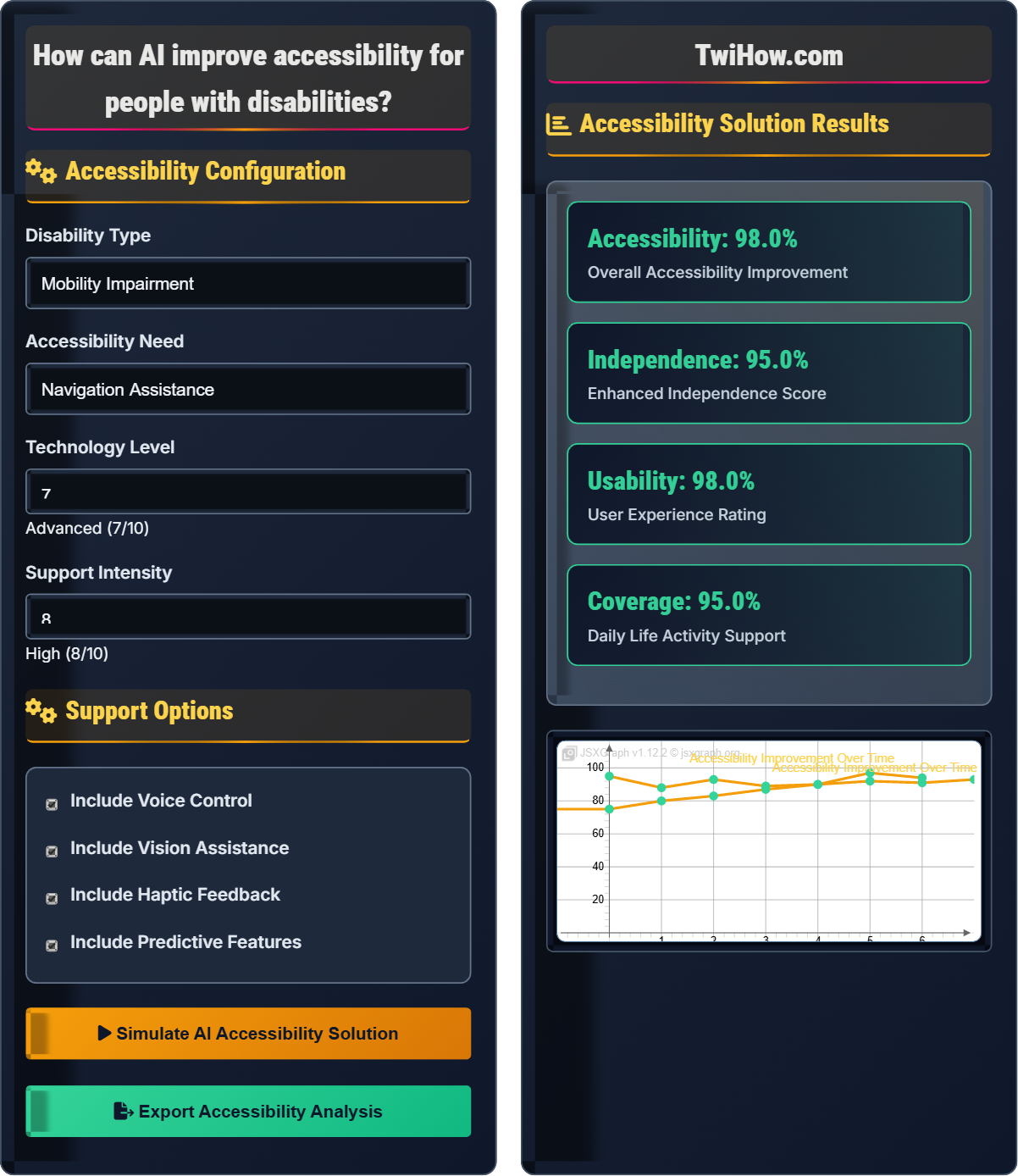
Accessibility Configuration
Support Options
Accessibility Solution Results
| Technology | Effectiveness | Compatibility | Cost |
|---|---|---|---|
| Voice Control | 95% | High | $$ |
| Gesture Recognition | 88% | Medium | $$$ |
| Object Detection | 92% | High | $$ |
| Smart Navigation | 90% | High | $$$ |
| Text-to-Speech | 96% | Very High | $ |
How AI Improves Accessibility for People with Disabilities
AI technologies are transforming accessibility by creating innovative solutions that address diverse needs of people with disabilities:
- Computer Vision: Object recognition, scene understanding, and navigation assistance
- Natural Language Processing: Speech recognition, text-to-speech, and language translation
- Machine Learning: Personalization, predictive modeling, and adaptive interfaces
- Speech Synthesis: Natural voice generation and communication aids
- Gesture Recognition: Alternative input methods and device control
- Biometric Sensors: Health monitoring and environmental adaptation
The impact of AI on accessibility can be understood through:
Where:
- Technology Capability: AI system's technical performance and features
- User Need Match: How well the solution addresses specific accessibility needs
- Implementation Quality: User interface design and system reliability
AI applications tailored to different types of disabilities:
- Visual Impairment: Image description, object detection, navigation apps, OCR
- Hearing Impairment: Real-time captioning, sign language recognition, audio alerts
- Mobility Impairment: Voice control, eye tracking, gesture recognition, smart home
- Cognitive Disability: Memory aids, task reminders, simplified interfaces
- Learning Disability: Reading assistance, personalized learning, focus tools
- Communication Disability: Speech synthesis, alternative communication methods
- Increased Independence: Empower individuals to perform tasks independently
- Enhanced Communication: Facilitate better interaction and expression
- Improved Safety: Provide navigation and hazard detection
- Personalization: Adapt to individual needs and preferences
- Cost Reduction: Make assistive technologies more affordable
- Scalability: Reach more people with accessible solutions
AI Accessibility Fundamentals
Assistive technology, universal design, inclusive AI, accessibility, usability, adaptive interfaces, human-centered design.
Accessibility Score = (Technology Capability × User Need Match × Implementation Quality) ÷ Complexity Factor
Where Technology Capability = AI performance, User Need Match = Requirement fulfillment, Implementation Quality = User experience, Complexity Factor = Technical difficulty.
- Design with users, not just for users
- Consider diverse accessibility needs
- Ensure privacy and security of personal data
Application Areas
Visual, hearing, mobility, cognitive, learning, communication disabilities.
- Needs assessment and research
- Technology selection and design
- Development and training
- User testing and validation
- Deployment and implementation
- Monitoring and improvement
- Individual variability in needs
- Privacy and security concerns
- Technical literacy requirements
- Cost and accessibility of solutions
AI Accessibility Quiz
Which AI technology is most effective for helping people with visual impairments navigate their environment?
Computer Vision and Object Recognition are most effective for helping people with visual impairments navigate their environment. These technologies can identify obstacles, read signs, recognize faces, and describe scenes in real-time. Examples include apps that detect curbs, stairs, and other hazards, as well as systems that provide audio descriptions of surroundings.
The answer is B) Computer Vision and Object Recognition.
Computer vision specifically addresses the sensory deficit of visual impairment by using cameras and AI to "see" the environment and translate visual information into accessible formats. This technology can identify and classify objects, determine spatial relationships, and provide navigational assistance.
Computer Vision: AI that interprets and understands visual information
Object Recognition: Identifying and classifying objects in images
Scene Description: Verbal explanation of visual content
• Match technology to specific sensory needs
• Ensure real-time processing for navigation
• Provide multiple output modalities
• Use multiple sensors for redundancy
• Provide haptic feedback for critical information
• Optimize for low-light conditions
• Using text-based solutions for visual impairment
• Not considering lighting conditions
• Insufficient accuracy for safety-critical tasks
Explain how AI-powered voice control systems can improve accessibility for people with mobility impairments. What are the key challenges and how can they be addressed?
Improvements: Voice control systems allow people with mobility impairments to operate devices, navigate applications, and control their environment without physical interaction. AI enhances this through natural language understanding, context awareness, and personalized recognition.
Key Challenges: Background noise interference, speech pattern variations, privacy concerns, and command complexity. Some users may have speech impairments that affect recognition accuracy.
Addressing Challenges: Noise cancellation algorithms, speaker adaptation, simplified command structures, and alternative input methods. Training systems on diverse speech patterns and providing customizable vocabularies.
Implementation: Integration with smart home systems, mobile devices, and computer interfaces to provide comprehensive control.
Voice control systems exemplify how AI can provide alternative interaction methods that bypass physical limitations. The key is creating robust systems that work reliably in diverse real-world conditions while respecting user privacy and preferences.
Voice Recognition: Technology that converts speech to text commands
Natural Language Processing: Understanding human language input
Speaker Adaptation: Adjusting recognition to individual speech patterns
• Ensure privacy protection for voice data
• Provide fallback interaction methods
• Account for diverse speech patterns
• Use wake words to activate listening mode
• Provide visual feedback for voice commands
• Allow customization of voice commands
• Not considering noisy environments
• Overlooking users with speech impairments
• Privacy concerns with always-listening systems
A university wants to make their online learning platform accessible to students with various disabilities. They need AI solutions for students who are deaf, blind, and have motor impairments. Propose a comprehensive accessibility strategy using AI technologies.
For Deaf Students: Real-time captioning for videos and live lectures, automatic transcription of audio content, visual alert systems for notifications, and sign language recognition for interactive features.
For Blind Students: Screen readers with AI-enhanced navigation, image description for educational materials, voice-controlled interface, and haptic feedback for interactive elements.
For Motor Impairments: Voice commands for navigation, eye-tracking for precise control, predictive text input, and gesture recognition for device operation.
Universal Features: AI-powered content simplification, personalized learning paths, and adaptive interface layouts. Integration with assistive technologies and compatibility with screen readers.
Implementation: Phased rollout starting with core accessibility features, extensive user testing with students who have disabilities, and continuous improvement based on feedback.
This example demonstrates the need for multi-modal AI solutions that address different types of disabilities simultaneously. The key is creating an inclusive platform that works for everyone while meeting specific accommodation needs.
Screen Reader: Software that reads screen content aloud
Universal Design: Designing for all users from the start
Assistive Technology: Devices that aid people with disabilities
• Follow WCAG accessibility guidelines
• Involve users with disabilities in design
• Ensure compatibility with existing tools
• Use semantic HTML for screen reader compatibility
• Provide multiple ways to accomplish tasks
• Regular accessibility audits and testing
• Retrofitting accessibility instead of designing inclusively
• Not testing with actual users who have disabilities
• Overlooking mobile accessibility
Design an AI system that supports people with cognitive disabilities in completing daily tasks. What features would you include and how would you ensure the system is easy to use and understand?
Memory Aids: Smart reminder systems with visual and auditory cues, location-based alerts, and calendar integration with task breakdowns.
Task Simplification: Breaking complex tasks into simple steps with visual guides, progress tracking, and completion confirmation.
Communication Support: Predictive text, simplified language processing, and emotion recognition for social interactions.
Environmental Awareness: Smart home integration to automate routine tasks and provide contextual assistance.
Personalization: Adaptive interfaces that learn user preferences and adjust complexity based on individual needs.
Training and Familiarization: Gradual introduction of features, consistent interface design, and positive reinforcement systems.
Cognitive support systems must be intuitive and predictable. The key is providing gentle assistance that enhances independence without being overwhelming or patronizing. Consistency and simplicity are crucial for users with cognitive disabilities.
Cognitive Load: Mental effort required to use a system
Executive Function: Mental processes that control behavior
Working Memory: Short-term memory for processing information
• Keep interfaces simple and consistent
• Provide clear feedback for actions
• Allow customization of complexity levels
• Use familiar icons and symbols
• Provide multiple ways to confirm actions
• Include undo functionality
• Overcomplicating interfaces with too many options
• Not considering individual cognitive differences
• Providing too much information at once
What is the most important ethical consideration when developing AI accessibility technologies?
Ensuring user privacy and data security is the most important ethical consideration. People with disabilities often share sensitive personal information through accessibility technologies, including health data, location information, and behavioral patterns. Protecting this information is crucial for maintaining dignity and preventing discrimination.
The answer is B) Ensuring user privacy and data security.
While all ethical considerations are important, privacy and security are foundational. Users must trust that their personal information is protected before they can fully engage with accessibility technologies. This is especially critical for vulnerable populations who may face discrimination based on their disability status.
Data Privacy: Protection of personal information
Consent: Permission to collect and use personal data
Dignity: Respect for human worth and autonomy
• Obtain informed consent for data collection
• Implement strong security measures
• Provide transparency about data use
• Use local processing when possible
• Encrypt sensitive data in transit and storage
• Provide granular privacy controls
• Collecting more data than necessary
• Not securing data transmission
• Failing to explain data practices clearly
FAQ
Q: How can we ensure AI accessibility solutions work for all people with disabilities?
A: Ensuring inclusive AI accessibility solutions requires:
1. Universal Design: Creating solutions that work for the widest range of users from the start
2. Multiple Modalities: Supporting different senses and interaction methods (voice, touch, sight)
3. User Involvement: Including people with disabilities in design, testing, and iteration
4. Customization: Allowing individual adjustments for specific needs and preferences
5. Interoperability: Ensuring compatibility with existing assistive technologies
6. Progressive Enhancement: Providing core functionality that works for everyone, with enhancements for specific needs
The key is designing for the edges, which benefits everyone in the middle.
Q: What's the difference between accessibility and usability?
A: These concepts are related but distinct:
Accessibility: The design of products, devices, services, or environments for people with disabilities. It's about whether someone can use the product at all. Example: A website that can be navigated with a screen reader.
Usability: The extent to which a product can be used by specified users to achieve specified goals with effectiveness, efficiency, and satisfaction. It's about how easily and effectively someone can use the product. Example: A website that's easy to navigate for all users.
Accessibility is a prerequisite for usability for people with disabilities. Something can be usable for some people but inaccessible to others. The goal is achieving both accessibility and usability for everyone.