How Do I Build an AI Chatbot for My Website?
Complete chatbot guide • Step-by-step explanations
AI Chatbot Development:
Show Chatbot BuilderBuilding an AI chatbot for your website involves integrating natural language processing, designing conversation flows, and connecting to your backend systems. Modern chatbots can handle customer service, lead generation, and provide instant support. The key to success is understanding your requirements, choosing the right platform, and implementing proper training data.
Successful chatbot implementation requires careful planning of conversation paths, proper integration with your existing systems, and continuous optimization based on user interactions. Whether you choose a no-code platform or build from scratch, the process involves defining use cases, training the AI model, and testing extensively.
Development approaches:
- No-Code Platforms: Dialogflow, Chatfuel, Tars
- Framework Solutions: Botpress, Microsoft Bot Framework
- Custom Development: Python, Node.js, APIs
- Cloud Services: AWS Lex, Azure Bot Service
The right approach depends on your technical expertise, budget, and specific requirements for functionality and integration.
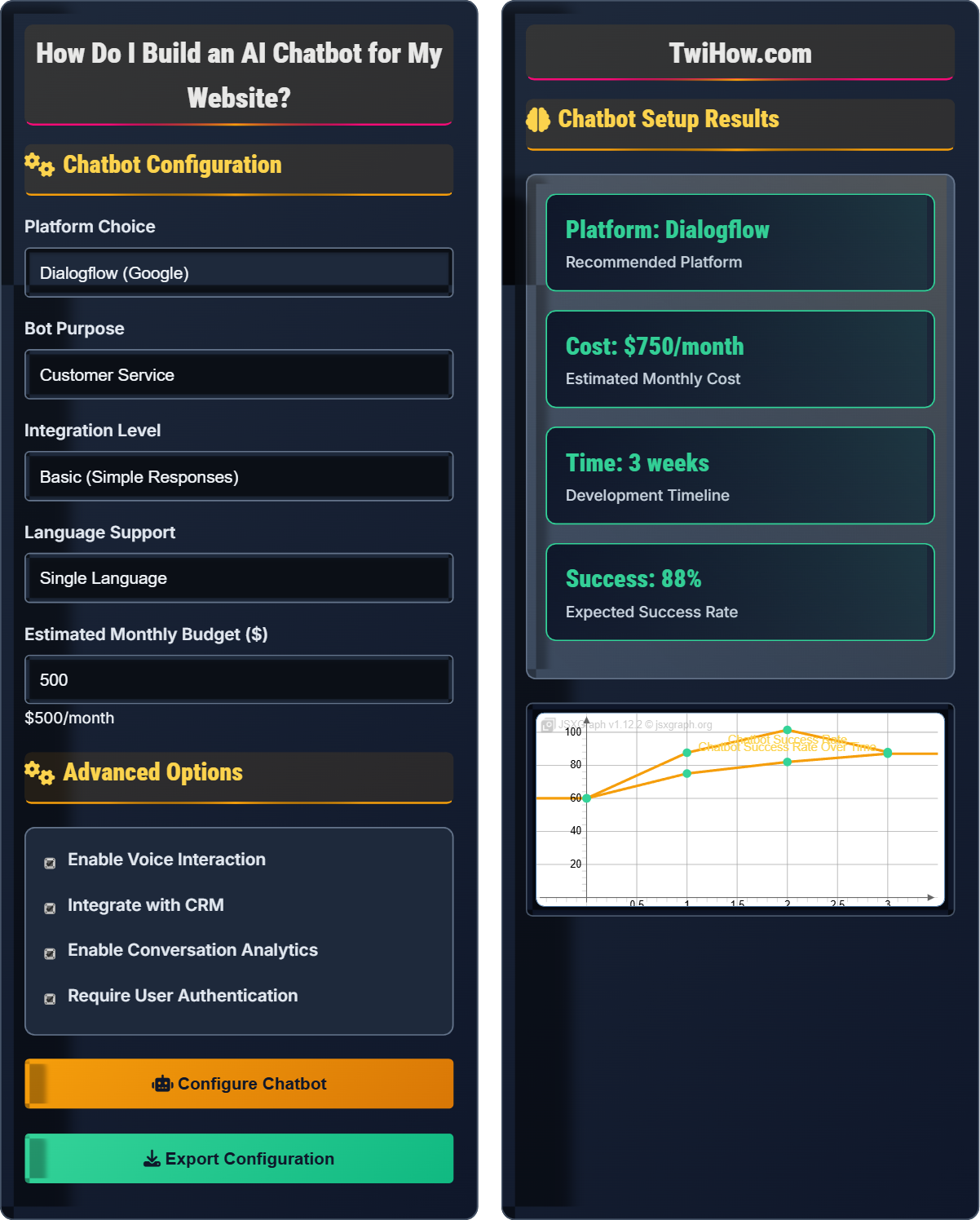
Chatbot Configuration
Advanced Options
Chatbot Setup Results
| Step | Task | Timeline | Complexity |
|---|---|---|---|
| 1 | Platform Setup | Day 1 | Easy |
| 2 | Intent Training | Days 2-5 | Medium |
| 3 | Conversation Flows | Days 6-10 | Medium |
| 4 | Backend Integration | Days 11-15 | Hard |
| 5 | Testing & Optimization | Days 16-21 | Medium |
Recommended Features:
• Natural Language Processing for understanding queries
• Multi-turn conversations with context retention
• Integration with your existing databases
• Analytics dashboard for performance tracking
• Handoff to human agents when needed
• Customizable appearance matching your brand
User → Chatbot → Backend API → Database
AI Chatbot Development Framework
An AI chatbot is an artificial intelligence program that simulates human conversation through text or voice interactions. Modern chatbots use natural language processing (NLP) and machine learning to understand user inputs and provide relevant responses. They can handle various tasks from answering simple questions to processing complex transactions.
The chatbot development process follows this formula:
Where:
- Planning: Requirements gathering and use case definition
- Training: AI model training with relevant data
- Integration: Connecting with backend systems and APIs
- Optimization: Continuous improvement based on user feedback
Popular AI chatbot platforms:
- Dialogflow: Google's NLP platform with excellent intent recognition
- Microsoft Bot Framework: Enterprise-grade solution with Azure integration
- AWS Lex: Amazon's service with high accuracy and scalability
- Botpress: Open-source platform with visual flow builder
- Custom Solutions: Built with Python, Node.js, or other technologies
- Start Simple: Begin with basic intents and expand gradually
- Train Continuously: Regularly update with new conversation data
- Monitor Performance: Track metrics like success rate and user satisfaction
- Plan for Handoffs: Include options to connect with human agents
- Ensure Privacy: Implement proper data protection measures
Chatbot Fundamentals
Natural Language Processing, intents, entities, conversation flow, API integration.
Success = Planning + Training + Integration + Optimization
Where each component contributes to the overall effectiveness of the chatbot.
- Define clear use cases before development
- Start with simple functionality and iterate
- Continuously monitor and improve performance
Implementation Strategies
Platform choice, integration complexity, scalability requirements, budget considerations.
- Choose appropriate development platform
- Design conversation flows and intents
- Prepare training data and entities
- Build and test the chatbot
- Deploy and integrate with website
- Monitor and optimize continuously
- Technical expertise requirements
- Integration complexity with existing systems
- Scalability for future growth
- Maintenance and update requirements
Chatbot Development Learning Quiz
Which of the following is NOT a critical factor when choosing an AI chatbot platform?
The color scheme of the platform interface is not a critical factor for chatbot functionality. While a pleasant interface is nice to have, it doesn't affect the chatbot's performance. Critical factors include integration capabilities, NLP quality, scalability, and pricing. These directly impact the chatbot's ability to function effectively and integrate with your existing systems.
The answer is C) Color scheme of the platform interface.
When selecting a chatbot platform, focus on functionality rather than aesthetics. The platform's underlying capabilities, integration options, and NLP quality are far more important than visual elements. A platform with a basic interface but excellent NLP capabilities will outperform a visually appealing platform with poor AI capabilities.
NLP: Natural Language Processing - AI technology for understanding text
Integration: Connecting chatbot with existing systems and databases
Scalability: Ability to handle increasing numbers of users
• Focus on functionality over aesthetics
• Consider integration requirements early
• Evaluate scalability needs
• Test NLP quality with sample conversations
• Verify API integration capabilities
• Consider future growth requirements
• Choosing platform based on interface appearance
• Not considering integration requirements
• Underestimating scalability needs
Explain the process of training chatbot intents and why this is crucial for chatbot performance. What are the best practices for creating effective training data?
Intent Training Process: 1) Identify user goals (intents) your chatbot should handle, 2) Collect and write example phrases for each intent, 3) Label these examples with the correct intent, 4) Train the model with this data, 5) Test and refine based on performance.
Importance: Intents are the foundation of chatbot understanding. Without proper training, the chatbot cannot correctly interpret user requests. Good intent training directly correlates with user satisfaction and success rate.
Best Practices: 1) Use diverse, natural language examples, 2) Include variations in phrasing, 3) Cover edge cases and common misspellings, 4) Regularly update with real user queries, 5) Keep intents specific and non-overlapping, 6) Test with actual user scenarios.
Think of intents as categories of user requests. Just like humans learn to recognize different types of questions, chatbots need to be trained to identify different user intents. The quality and diversity of training data directly affects how well the chatbot can understand and respond to user inputs.
Intent: The purpose or goal behind a user's message
Entity: Specific information within a user's request
Training Data: Examples used to teach the chatbot
• Intents should be specific and non-overlapping
• Include diverse language variations
• Regular updates improve performance
• Start with 10-15 examples per intent
• Use real customer queries when possible
• Include slang and informal language
• Creating overlapping or ambiguous intents
A small e-commerce business wants to build a chatbot to handle customer service inquiries, product recommendations, and order tracking. The business has limited technical expertise and a monthly budget of $300. Design a chatbot implementation plan that meets their needs and budget constraints.
Recommended Platform: Dialogflow with Google Cloud's free tier initially, or a no-code platform like Tars or Chatfuel for e-commerce.
Implementation Plan: 1) Start with basic intents (product inquiry, order status, return policy), 2) Use pre-built templates for e-commerce, 3) Integrate with existing e-commerce platform (Shopify, WooCommerce), 4) Implement handoff to human support for complex issues, 5) Use simple UI widget for website integration.
Budget Allocation: Platform subscription (~$200/month), integration development (~$100/month), ongoing maintenance and updates.
Success Metrics: Aim for 60-70% query resolution rate, with 30-second average response time. Plan for 3-4 week implementation timeline.
This scenario demonstrates the importance of matching technical solutions to business constraints. For small businesses, no-code or low-code solutions often provide the best balance of functionality and affordability. The key is starting with core functionality and expanding gradually.
No-Code Platform: Tools that allow development without programming
Handoff: Transfer of conversation to human agentQuery Resolution: Percentage of questions answered by bot
• Start with core functionality
• Plan for budget constraints
• Include human backup options
• Use free tier platforms initially
• Focus on most common customer queries
• Plan for easy scalability
• Overcomplicating initial implementation
• Not planning for budget constraints
• Ignoring the need for human backup
You're building a chatbot that needs to access customer data from multiple systems (CRM, order management, inventory). How would you design the integration architecture to ensure data security, performance, and reliability?
Integration Architecture: 1) Create a middleware API layer that handles communication with different systems, 2) Implement proper authentication and authorization for each system, 3) Use API gateways with rate limiting and caching, 4) Implement fallback mechanisms for system outages.
Security Measures: 1) Encrypt all data in transit and at rest, 2) Use OAuth or API keys for system authentication, 3) Implement role-based access control, 4) Log all access attempts for audit trails.
Performance Optimization: 1) Cache frequently accessed data, 2) Use asynchronous processing for slow operations, 3) Implement timeout mechanisms, 4) Optimize database queries.
Reliability Features: 1) Implement retry logic with exponential backoff, 2) Monitor system health and performance, 3) Set up alerts for failures, 4) Create backup data sources.
Integration with multiple systems creates complexity in terms of security, performance, and reliability. The middleware approach acts as a buffer, providing a consistent interface while handling the complexities of connecting to different systems. Proper error handling and fallback mechanisms are crucial for maintaining user experience.
Middleware: Software layer that connects different systems
API Gateway: Entry point for API requests with management features
Rate Limiting: Restriction on number of requests per time period
• Never expose system credentials directly
• Implement proper error handling
• Use secure communication protocols
• Use environment variables for credentials
• Implement circuit breakers for failing systems
• Monitor API response times
• Hardcoding credentials in code
• Not implementing proper error handling
• Failing to consider system dependencies
Which of the following metrics is the most important indicator of chatbot success?
Query resolution rate is the most important metric because it directly measures the chatbot's effectiveness in accomplishing its primary purpose - resolving user queries. While other metrics like response time and conversation initiation are important, the ultimate goal is to successfully address user needs without requiring human intervention. A chatbot that resolves 80% of queries is more valuable than one with fast response times but low resolution rates.
The answer is C) Query resolution rate.
When evaluating chatbot performance, focus on outcomes rather than just technical metrics. While fast response times and high conversation volumes are nice, the core value comes from actually solving user problems. This metric directly correlates with customer satisfaction and business value.
Query Resolution Rate: Percentage of questions answered by bot
Conversation Completion: Successfully finishing conversation flow
Response Time: Time taken to reply to user queries
• Focus on outcome metrics over technical ones
• Consider user satisfaction in evaluation
• Balance multiple metrics for comprehensive view
• Track user satisfaction scores
• Monitor escalation rates to humans
• Use A/B testing for improvements
• Focusing only on response time
• Not tracking actual problem resolution
• Ignoring user satisfaction metrics
FAQ
Q: How much does it cost to build and maintain an AI chatbot?
A: Costs vary significantly based on complexity:
Simple Chatbots: $20-100/month using no-code platforms like Chatfuel or Tars
Medium Complexity: $100-500/month using platforms like Dialogflow or Microsoft Bot Framework
Custom Development: $500-2000+ monthly for complex, custom solutions
Enterprise Solutions: $1000-10000+ monthly for large-scale deployments
Additional costs include development time (2-8 weeks), integration with systems, ongoing maintenance, and training data management. For most small businesses, a platform-based solution in the $100-300/month range provides good functionality and support.
Q: What are the technical requirements for integrating a chatbot with my website?
A: Technical requirements depend on your chosen approach:
Widget Integration: Simple JavaScript embed, works with most websites
API Integration: REST API endpoints, authentication tokens, CORS configuration
Backend Requirements: Server-side processing, database access, webhook handlers
Security: HTTPS, authentication, data encryption, rate limiting
Performance: CDN integration, caching strategies, load balancing
Most platforms provide SDKs and documentation for common frameworks (React, Angular, Vue, WordPress). For custom solutions, you'll need API endpoints to handle user messages and responses, along with proper error handling and logging mechanisms.