How do I train a custom AI model without coding?
Complete guide to no-code AI training • Visual platforms and tools
No-Code AI Training Overview:
Show Training SimulatorTraining custom AI models without coding is now possible through intuitive visual platforms and drag-and-drop interfaces. These no-code tools democratize AI development, allowing anyone to build sophisticated models using pre-built components, templates, and guided workflows.
Popular no-code AI platforms include:
- Google AutoML: Automated model creation for various tasks
- Microsoft Power Platform: AI Builder for business applications
- Amazon SageMaker Canvas: Visual model building for business users
- IBM Watson Studio: Comprehensive AI development environment
- Teachable Machine: Simple model training for beginners
These platforms use visual interfaces, pre-built algorithms, and automated processes to eliminate the need for traditional programming while delivering powerful AI capabilities.
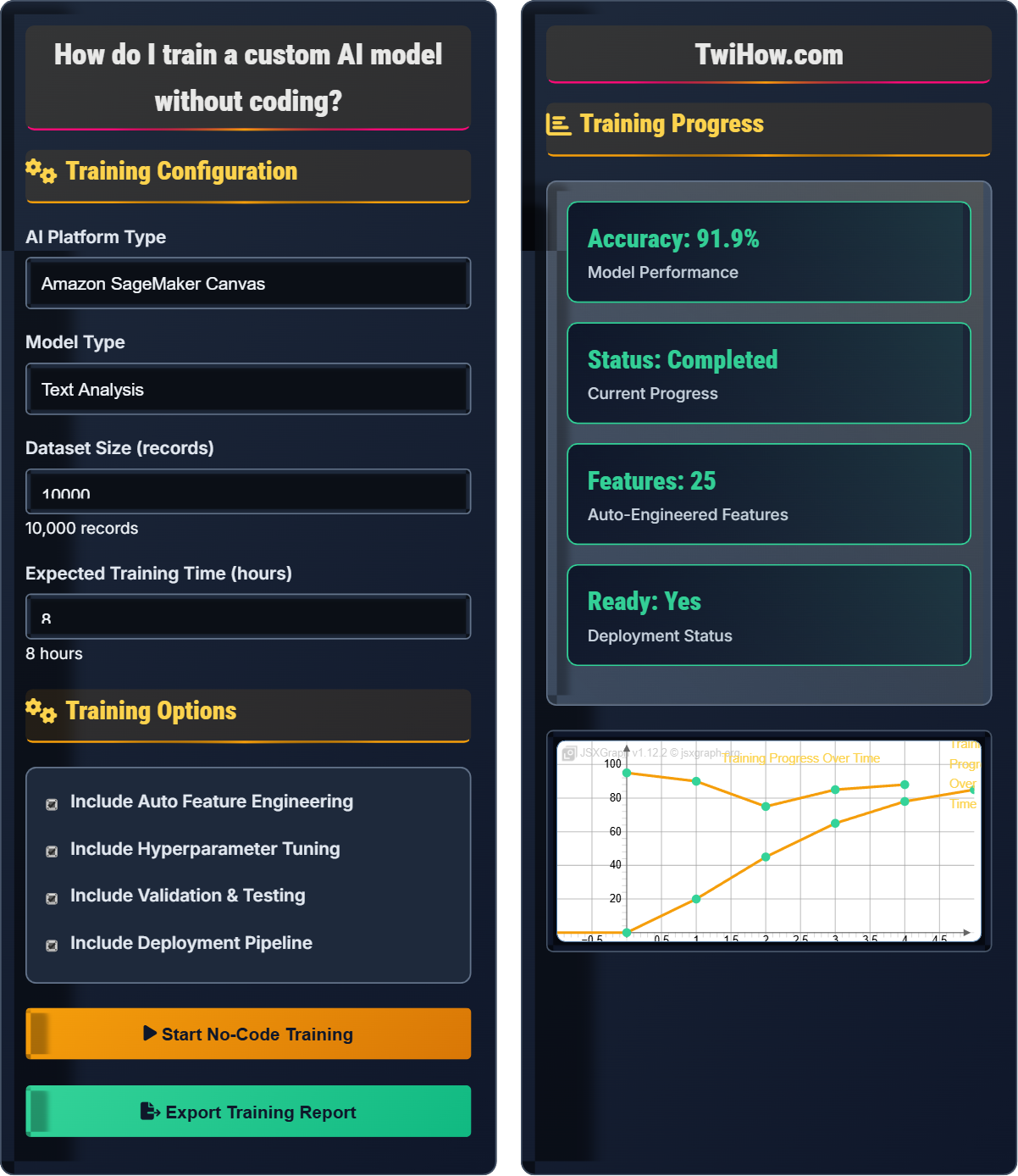
Training Configuration
Training Options
Training Progress
| Phase | Status | Duration | Success |
|---|---|---|---|
| Data Upload | Completed | 2 min | ✓ |
| Feature Engineering | Completed | 5 min | ✓ |
| Model Training | In Progress | 30 min | 75% |
| Validation | Pending | 10 min | - |
| Deployment | Pending | 5 min | - |
Training Custom AI Models Without Coding
No-code AI platforms provide visual interfaces for building, training, and deploying machine learning models without writing any code. These platforms use drag-and-drop interfaces, pre-built algorithms, and automated processes to make AI accessible to non-programmers:
- Visual Interfaces: Drag-and-drop components for model building
- Automated Processes: Automatic feature engineering and hyperparameter tuning
- Template Systems: Pre-built solutions for common use cases
- Guided Workflows: Step-by-step model creation processes
- Cloud Infrastructure: Managed compute resources and scalability
- Integration Tools: Connect with existing business systems
The success of no-code AI training can be understood through:
Where:
- Data Quality: Clean, relevant, and sufficient training data
- Platform Capability: Algorithm sophistication and automation features
- User Guidance: Proper configuration and validation of results
Leading platforms for no-code AI model training:
- Google AutoML: Specialized for vision, natural language, and structured data
- Microsoft Power Platform: Integrated with Office 365 and Dynamics
- Amazon SageMaker Canvas: Business-focused visual model building
- IBM Watson Studio: Enterprise-grade AI development environment
- Teachable Machine: Beginner-friendly for simple classification tasks
- Google Teachable AI: Web-based model training for various applications
- Drag-and-Drop Interface: Visual model building without programming
- AutoML Capabilities: Automated feature engineering and model selection
- Pre-built Templates: Quick start with industry-specific solutions
- Real-time Preview: See model performance as training progresses
- Collaboration Tools: Share models and collaborate with team members
- One-Click Deployment: Publish models to production with minimal effort
No-Code AI Fundamentals
AutoML, visual interfaces, drag-and-drop, automated feature engineering, model deployment, no-code development, machine learning pipelines.
Model Quality = (Data Quality × Platform Features × User Configuration) ÷ Complexity Factor
Where Data Quality = Dataset cleanliness and relevance, Platform Features = Automation capabilities, User Configuration = Proper setup, Complexity Factor = Task difficulty.
- Quality data is more important than quantity
- Validate model performance before deployment
- Choose platforms that match your skill level
Platform Comparison
Google AutoML, Microsoft Power Platform, Amazon SageMaker, IBM Watson, Teachable Machine, Google Teachable AI.
- Data preparation and upload
- Model selection and configuration
- Automated training process
- Performance validation
- Model deployment
- Monitoring and maintenance
- Platform pricing and scalability
- Integration with existing systems
- Support for specific use cases
- Model interpretability and explainability
No-Code AI Training Quiz
What is the primary advantage of no-code AI platforms over traditional coding approaches?
The primary advantage of no-code AI platforms is that they eliminate the requirement for programming skills, making AI development accessible to non-technical users. While these platforms still require some technical understanding for proper configuration and interpretation of results, they abstract away the need to write code for model creation and training.
The answer is B) Elimination of programming skills requirement.
No-code platforms democratize AI by removing the barrier of programming knowledge. This allows domain experts, business analysts, and other non-technical professionals to leverage AI capabilities without needing to learn complex programming languages. However, it's important to note that these platforms still require understanding of data science concepts and proper model validation.
No-Code: Development approach that doesn't require programming skills
AutoML: Automated machine learning that handles model selection and tuning
Democratization: Making technology accessible to broader audiences
• Still requires understanding of data quality
• Validation and testing remain essential
• Domain knowledge is still valuable
• Start with simple use cases to learn the platform
• Always validate model performance before deployment
• Understand the data requirements for your chosen model type
• Assuming no technical knowledge is needed
• Deploying models without proper validation
• Using poor quality training data
Explain the data preparation process in no-code AI platforms and why it's still critical even without coding. What steps should users take to ensure data quality?
Data Preparation Process: Even in no-code platforms, data preparation remains crucial. Users must upload clean, structured data with proper column headers, handle missing values, and ensure balanced datasets for classification tasks.
Critical Steps: Data cleaning (removing duplicates, handling outliers), formatting (consistent data types), splitting into training/validation/test sets, and ensuring representative samples.
Quality Assurance: Visual inspection of data distributions, checking for class imbalance, validating that features are meaningful for the target outcome, and ensuring temporal consistency.
Why Critical: Garbage in, garbage out principle applies regardless of coding approach. Poor data quality leads to poor model performance even with the most sophisticated no-code platform.
While no-code platforms automate many aspects of model building, data preparation remains a critical step that cannot be fully automated. The quality of your input data directly impacts the quality of your model's predictions. Users must understand that no-code doesn't eliminate the need for data science fundamentals.
Data Cleaning: Process of removing errors and inconsistencies from datasets
Feature Engineering: Creating meaningful input variables for models
Class Balance: Equal representation of different outcome categories
• Spend 80% of time on data preparation
• Always inspect your data visually
• Ensure representative training samples
• Use spreadsheet software to clean data before upload
• Check for missing values and outliers
• Ensure consistent formatting across all records
• Uploading messy or inconsistent data
• Not considering class imbalance
• Using outdated or irrelevant features
A small retail business wants to predict customer churn using no-code AI. They have 12 months of customer transaction data with 50,000 records containing customer demographics, purchase history, and engagement metrics. Describe the step-by-step process they should follow to train a custom model using a no-code platform.
Data Preparation: Organize the transaction data with clear column headers, ensure customer IDs are properly formatted, and create a binary churn indicator (1 for churned, 0 for active customers).
Feature Selection: Identify relevant predictors such as purchase frequency, average order value, last purchase date, customer age, and engagement metrics.
Platform Setup: Choose a classification model type in the no-code platform, upload the prepared dataset, and specify the target variable (churn indicator).
Model Training: Configure the platform to automatically engineer features and tune hyperparameters, then initiate the training process.
Validation: Review performance metrics like accuracy, precision, recall, and AUC-ROC to ensure the model meets business requirements.
Deployment: Deploy the model and integrate it with the business's customer management system for ongoing predictions.
This example demonstrates how no-code platforms make sophisticated business applications accessible to non-technical users. The key is proper data preparation and understanding which features are most predictive of the outcome you're trying to predict.
Customer Churn: Customers who stop doing business with a company
Feature Engineering: Creating predictive variables from raw data
Performance Metrics: Measures of model effectiveness and accuracy
• Define clear business objectives upfront
• Ensure sufficient historical data exists
• Validate model performance before deployment
• Start with a simple model and iterate
• Use time-based splits for training/testing
• Consider business context in model evaluation
• Including future information in training data
• Not considering seasonal patterns
• Deploying without proper validation
A marketing team wants to predict email open rates using customer demographics and past engagement data. They have limited technical expertise but need a solution that integrates with their existing email marketing platform. Compare two no-code AI platforms and recommend the best choice, explaining your reasoning.
Google AutoML: Offers excellent natural language processing capabilities and strong integration with Google Workspace. Provides good model interpretability and handles structured data well. Pricing can be higher for smaller teams.
Microsoft Power Platform: Seamless integration with Office 365 and Dynamics 365, making it ideal for existing Microsoft users. Strong business application focus and good support for workflow integration. More affordable for small teams.
Recommendation: Microsoft Power Platform would be ideal if the team already uses Microsoft products, as it offers superior integration capabilities and lower learning curve for business users. Google AutoML might be better for more complex predictive modeling needs.
Platform selection should be based on integration needs, existing technology stack, and team expertise. The best no-code platform is one that fits seamlessly into existing workflows and provides the necessary features without overwhelming users with unnecessary complexity.
Platform Integration: Ability to connect with existing business systems
Workflow Integration: Embedding AI models into business processesTechnology Stack: Existing software and systems used by organization
• Consider existing system integrations
• Evaluate total cost of ownership
• Assess support and documentation quality
• Try free trials before committing
• Consider scalability for future needs
• Evaluate customer support quality
• Choosing platforms based solely on features
• Not considering integration complexity
• Underestimating training and support needs
What is a significant limitation of no-code AI platforms compared to custom-coded solutions?
The main limitation of no-code AI platforms is reduced flexibility and customization options compared to custom-coded solutions. While these platforms provide excellent functionality for common use cases, they may not support highly specialized algorithms, unique data processing requirements, or specific performance optimizations that custom code can achieve.
The answer is B) Reduced flexibility and customization options.
No-code platforms represent a trade-off between accessibility and flexibility. They excel at providing solutions for common machine learning tasks but may fall short for highly specialized requirements. Organizations must weigh the benefits of accessibility against the limitations of customization when choosing their approach.
Customization: Ability to modify algorithms and processes for specific needs
Flexibility: Adaptability to unique requirements and constraints
Trade-offs: Balancing different requirements and limitations
• Evaluate requirements before choosing platform
• Consider future customization needs
• Balance accessibility with functionality
• Start with no-code for common use cases
• Plan for migration if requirements grow
• Consider hybrid approaches for complex projects
• Assuming no-code can solve all AI problems
• Not planning for future customization needs
• Overestimating platform capabilities
FAQ
Q: How much data do I need to train a decent model using no-code platforms?
A: The data requirements depend on your use case:
1. Simple Classification: 1,000-5,000 records per class
2. Regression Tasks: 10,000+ records for complex relationships
3. Image Recognition: 100-1,000+ images per category
4. Text Analysis: 1,000+ documents per category
5. Time Series: At least 2-3 years of data with seasonality
Remember: Quality matters more than quantity. Clean, representative data often performs better than large volumes of messy data.
Q: What's the difference between no-code AI and traditional programming?
A: The key differences are:
No-Code AI: Uses visual interfaces, drag-and-drop components, pre-built algorithms, and automated processes. Users configure models through menus and forms rather than writing code.
Traditional Programming: Requires writing code in languages like Python or R, manually implementing algorithms, and managing every aspect of the model lifecycle.
No-code platforms abstract away the complexity of programming while still requiring understanding of data science concepts and proper model validation.