How Do I Balance Security with User Convenience?
Complete security guide • Step-by-step explanations
Security-Convenience Balance:
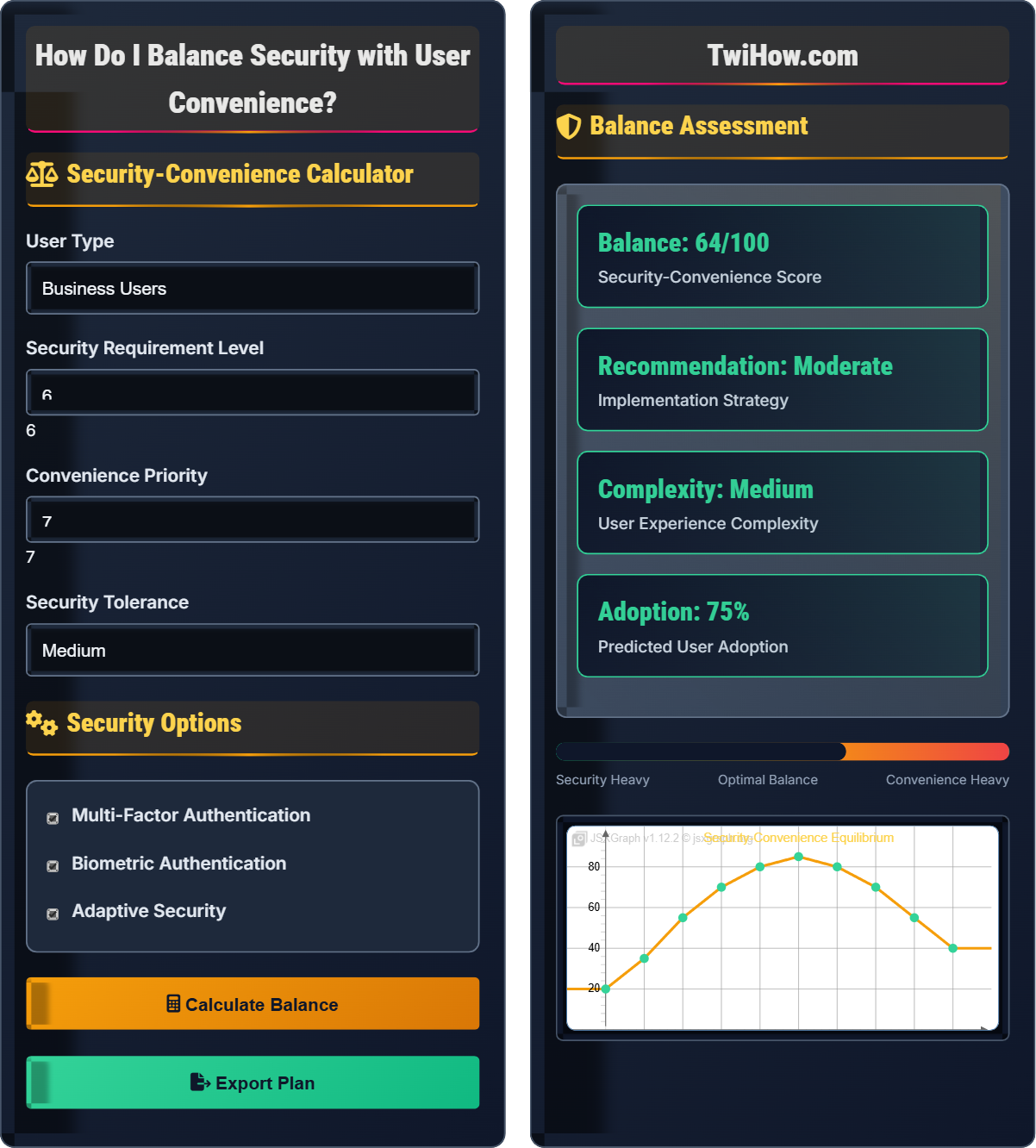
Show Balance CalculatorBalancing security with user convenience is a critical challenge in cybersecurity. The goal is to implement security measures that protect users and systems while maintaining a positive user experience. Too much security can frustrate users and lead to workarounds, while too little security leaves systems vulnerable.
Successful security-convenience balance requires understanding user behavior, threat models, and implementing adaptive security measures.
Key considerations:
- Authentication: Strong enough to prevent unauthorized access
- Usability: Simple enough to encourage adoption
- Adaptability: Adjusts to threat levels and user behavior
- Transparency: Users understand security measures
- Efficiency: Minimal impact on workflow
- Scalability: Works for different user types and volumes
Successfully balancing security and convenience requires continuous evaluation and adjustment based on user feedback and security requirements.
Security-Convenience Calculator
Security Options
Balance Assessment
| Measure | Security Impact | Convenience Impact | Priority |
|---|---|---|---|
| 2FA | High | Medium | High |
| Biometrics | Medium | High | Medium |
| Adaptive Auth | High | High | High |
| Session Timeout | Medium | Low | Low |
Security-Convenience Balance Explained
Security-convenience balance is the practice of implementing security measures that provide adequate protection while maintaining a positive user experience. The goal is to find the optimal point where security measures are effective but not so intrusive that users circumvent them or abandon the system.
Where:
- Security Benefit: Risk reduction achieved by security measure
- Usability Factor: Ease of use and user acceptance
- User Friction: Difficulty and inconvenience experienced
- Security Cost: Resources required to implement measure
Key components of balanced security:
- Risk-Based Authentication: Adjust security based on risk level
- Adaptive Security: Modify controls based on context
- Frictionless Security: Invisible security where possible
- User Education: Help users understand security importance
- Feedback Mechanisms: Monitor user satisfaction and security effectiveness
- Graduated Controls: Scale security based on sensitivity
- Phase 1: User research and security assessment (2-4 weeks)
- Phase 2: Design and prototype development (4-6 weeks)
- Phase 3: User testing and feedback collection (2-3 weeks)
- Phase 4: Implementation and deployment (4-8 weeks)
- Phase 5: Monitoring and optimization (ongoing)
Security vs Convenience Factors
Risk assessment, user behavior, threat modeling, usability testing, cost-benefit analysis.
Optimal Balance = (Security Benefit × Usability Factor) / (User Friction + Security Cost)
Where Optimal Balance = best security-convenience ratio, Security Benefit = risk reduction, Usability Factor = user acceptance.
- Never sacrifice security for convenience
- Minimize user friction where possible
- Adapt to user behavior and context
Implementation Strategies
Casual users, business users, administrators, developers, security teams.
- Assess security requirements
- Evaluate user needs and behavior
- Design balanced solutions
- Prototype and test
- Implement and monitor
- Optimize based on feedback
- Start with minimal viable security
- Scale up based on risk
- Collect user feedback continuously
- Monitor effectiveness metrics
Security-Convenience Balance Process
| Security Measure | Security Benefit | User Friction | Convenience Impact | Balance Score |
|---|---|---|---|---|
| Strong Passwords | High | Medium | Low | Medium |
| 2FA | High | Medium | Medium | High |
| Biometrics | Medium | Low | High | High |
| Adaptive Auth | High | Low | High | Very High |
| Session Timeout | Medium | High | Low | Low |
| Device Registration | High | Low | Medium | High |
Scenario-Specific Balance
1. Multi-Factor Authentication: Provides strong security with moderate user impact
2. Biometric Integration: Reduces password friction while maintaining security
3. Adaptive Authentication: Adjusts security based on risk context
4. Passwordless Options: Improves convenience while maintaining security
5. Trusted Devices: Reduces friction for familiar access contexts
6. Progressive Disclosure: Presents security measures based on risk level
Security-Convenience Balance Factors
• Threat Assessment: Evaluate potential risks and attack vectors
• Data Sensitivity: Consider impact of data compromise
• Regulatory Requirements: Compliance with security standards
• Security Controls: Available technical measures
• Cost-Benefit: Balance security investment with protection gained
• User Behavior: Understanding how users interact with systems
• Task Complexity: Impact of security on workflow
• Learning Curve: Time needed to adapt to new security measures
• User Tolerance: Acceptance of security friction
• Feedback Loops: Communication about security effectiveness
• Implementation Feasibility: Technical requirements and constraints
• Integration Complexity: Compatibility with existing systems
• Scalability: Performance under increased load
• Maintenance: Ongoing operational requirements
• Upgrade Path: Future adaptability and evolution
• Business Impact: Effect on productivity and efficiency
• Cost Considerations: Financial investment vs. risk reduction
• Competitive Position: Security as differentiator
• Market Expectations: User security expectations
• Reputation Risk: Impact of security incidents
• Dynamic Equilibrium: Balance shifts based on changing factors
• Context Sensitivity: Optimal balance varies by situation
• Continuous Optimization: Regular reassessment and adjustment
• Stakeholder Alignment: Coordinated approach across teams
• Measurement Focus: Quantifiable metrics for evaluation
Balance Implementation Process
Evaluate the security needs based on data sensitivity, regulatory requirements, and threat landscape. Identify the minimum security controls required to protect against identified risks.
Understand user workflows, pain points, and security tolerance. Conduct surveys, interviews, and usability testing to gauge user preferences and behaviors.
Create security measures that address requirements while considering user experience. Design progressive security approaches that adapt to context and risk levels.
Build prototypes of security solutions and test them with representative users. Gather feedback on both security effectiveness and user satisfaction.
Deploy balanced security solutions with appropriate rollout strategies. Provide user education and support to facilitate adoption.
Continuously monitor security effectiveness and user satisfaction metrics. Make iterative improvements based on feedback and changing requirements.
Security-Convenience Balance Timeline
Security-Convenience Balance Quiz
What is the primary principle in balancing security with user convenience?
The primary principle is to find the optimal balance based on context and risk. Security and convenience are not mutually exclusive - the goal is to implement security measures that provide adequate protection while maintaining a positive user experience. The optimal balance point varies depending on the specific use case, data sensitivity, and user requirements.
The answer is C) Find the optimal balance based on context and risk.
The security-convenience balance is a fundamental concept in usable security. Neither extreme is optimal - pure security can lead to user frustration and workarounds, while pure convenience can leave systems vulnerable. The key is understanding that security and usability are complementary goals that should be designed together from the beginning, rather than treated as opposing forces.
Security-Convenience Balance: Optimal point between protection and usability
Usable Security: Security measures that users can and will adopt
Context-Based Security: Security that adapts to situational factors
• Balance security and usability
• Consider context and risk
• Gather user feedback
• Start with minimal viable security
• Scale based on risk assessment
• Test with real users
• Ignoring user feedback
• Implementing all security at once
• Not measuring effectiveness
Explain how risk-based authentication balances security and convenience, and provide examples of risk factors.
Risk-Based Authentication Explained:
Risk-based authentication dynamically adjusts security requirements based on the perceived risk level of a login attempt. This approach provides stronger security when needed while minimizing friction during low-risk situations.
How It Balances Security and Convenience:
• Low-Risk Scenarios: Standard authentication (username/password) when user behavior is normal
• Medium-Risk Scenarios: Additional verification when accessing sensitive data
• High-Risk Scenarios: Multi-factor authentication for unusual login patterns
• Context-Aware: Adjusts based on location, device, and time
Examples of Risk Factors:
• Geographic Location: Logins from unusual countries or regions
• Device Fingerprinting: First-time devices or browsers
• Time Patterns: Logins at unusual times for the user
• Behavioral Analytics: Unusual navigation patterns
• Threat Intelligence: Known malicious IP addresses
• Transaction Analysis: Unusual transaction amounts or types
Implementation Benefits:
• Enhanced Security: Additional protection during high-risk scenarios
• Improved User Experience: Reduced friction during normal usage
• Adaptive Protection: Evolves with changing threat landscape
• Resource Efficiency: Focuses security resources where needed
Technical Considerations:
• Real-Time Analysis: Requires fast decision-making capabilities
• Data Collection: Must balance analytics with privacy
• Accuracy: Minimize false positives and negatives
• Scalability: Handle high volumes of authentication requests
Risk-based authentication exemplifies how adaptive security measures can achieve both security and usability goals.
Risk-based authentication represents a sophisticated approach to security-convenience balance. Rather than applying uniform security measures, it recognizes that different situations require different levels of protection. This approach acknowledges that users have legitimate needs for both security and convenience, and that the optimal balance varies based on context. The system learns normal behavior patterns and responds appropriately to deviations.
Risk-Based Authentication: Authentication that adapts to risk level
Adaptive Security: Security measures that adjust to context
Behavioral Analytics: Analysis of user behavior patterns
• Adjust security to risk level
• Minimize false positives
• Respect user privacy
• Start with basic risk factors
• Monitor accuracy continuously
• Allow user feedback on decisions
• Too many false positives
• Not considering privacy
• Overly complex rules
An e-commerce company wants to improve security without impacting conversion rates. They currently have username/password authentication and want to add additional security. Design a balanced approach that maintains security while preserving user experience.
Balanced Security Approach for E-commerce:
Phase 1: Progressive Security Implementation
• Account Creation: Standard username/password with email verification
• First Login: Welcome screen with optional security enhancement
• Profile Completion: Suggest security features during account setup
Phase 2: Adaptive Authentication
• Low-Risk Transactions: Standard authentication for small purchases
• Medium-Risk: Optional 2FA for medium-value items
• High-Risk: Required 2FA for high-value or unusual transactions
Phase 3: Frictionless Security Measures
• Device Recognition: Remember trusted devices for faster access
• Behavioral Analysis: Detect unusual purchase patterns
• Biometric Options: Touch ID/Face ID for mobile app users
• Recovery Options: Multiple account recovery methods
Phase 4: User Education and Incentives
• Security Badges: Visual indicators for secure accounts
• Benefits Communication: Explain security benefits clearly
• Incentives: Offer discounts for enabling security features
• Easy Management: Simple security settings interface
Implementation Strategy:
• Gradual Rollout: Introduce features slowly to avoid user shock
• A/B Testing: Test different approaches to measure impact
• User Feedback: Collect and analyze user responses
• Conversion Monitoring: Track checkout abandonment rates
Security Measures by Risk Level:
• Registration: CAPTCHA, email verification, password strength
• Shopping: Session management, fraud detection
• Checkout: Address verification, device fingerprinting
• High-Value: Required 2FA, additional verification
Metrics to Monitor:
• Conversion Rates: Checkout completion rates
• Security Events: Fraud attempts, account takeovers
• User Satisfaction: Survey responses, support tickets
• Feature Adoption: 2FA and security feature usage
Success Indicators:
• Security Improvement: Reduced fraud and account compromises
• Conversion Maintenance: No significant drop in completion rates
• User Adoption: Growing 2FA and security feature usage
• Customer Satisfaction: Positive feedback on security measures
This approach balances security enhancement with user experience preservation by implementing security progressively and adaptively.
This scenario demonstrates the practical application of security-convenience balance in a business context. The key insight is that security measures should be introduced gradually and adapted to user behavior. The approach recognizes that users have different security needs based on their actions and that the system should respond accordingly. This demonstrates how to implement security without sacrificing business objectives.
Progressive Security: Security measures introduced gradually
Conversion Rate: Percentage of users completing desired action
Frictionless Security: Security measures that don't impede user flow
• Implement gradually
• Monitor business impact
• Adapt to user behavior
• Test with real users
• Monitor conversion metrics
• Provide clear benefits
• Adding security all at once
• Not measuring impact
• Ignoring user feedback
Compare the security-convenience trade-offs of different biometric authentication methods. When should each be preferred?
Biometric Authentication Comparison:
Fingerprint Authentication:
• Security Level: Medium to High
• Convenience: Very High (fast, familiar)
• Pros: Widely available, fast, user-friendly
• Cons: Can be spoofed, may not work with damaged fingers
• Best For: Mobile devices, quick access scenarios
Facial Recognition:
• Security Level: Medium (varies by implementation)
• Convenience: Very High (passive authentication)
• Pros: Non-contact, convenient, fast
• Cons: Can be fooled by photos, affected by lighting
• Best For: Mobile unlock, hands-free scenarios
Iris/Retina Scanning:
• Security Level: Very High
• Convenience: Medium (requires cooperation)
• Pros: Highly secure, unique identifiers
• Cons: Expensive hardware, requires user cooperation
• Best For: High-security environments, access control
Voice Recognition:
• Security Level: Low to Medium
• Convenience: High (hands-free)
• Pros: Natural interaction, accessible
• Cons: Affected by illness, environment, voice changes
• Best For: Voice assistants, hands-free scenarios
Behavioral Biometrics:
• Security Level: Medium (continuous monitoring)
• Convenience: Very High (invisible)
• Pros: Continuous authentication, invisible to user
• Cons: Requires ongoing analysis, privacy concerns
• Best For: Continuous session monitoring, fraud detection
Selection Criteria:
• Security Requirements: Higher sensitivity needs stronger biometrics
• User Demographics: Consider age, disabilities, cultural factors
• Environmental Factors: Lighting, noise, privacy considerations
• Cost Constraints: Hardware and implementation costs
• Regulatory Requirements: Compliance with privacy laws
Implementation Recommendations:
• Hybrid Approach: Combine multiple biometric factors
• Backup Methods: Provide alternative authentication options
• Privacy Protection: Store biometric data securely
• User Choice: Allow users to select preferred methods
• Gradual Adoption: Introduce biometrics alongside existing methods
The choice of biometric method depends on the specific security requirements, user context, and implementation constraints.
Biometric authentication exemplifies the complexity of security-convenience trade-offs. Each method offers different combinations of security strength and user convenience. The optimal choice depends on the specific use case, user population, and environmental factors. This demonstrates that there is no universal "best" solution - the optimal approach must be tailored to the specific context and requirements.
Biometric Authentication: Identity verification using physical characteristics
Security-Convenience Trade-off: Balancing protection with usability
Behavioral Biometrics: Authentication based on user behavior patterns
• Match method to requirements
• Consider user demographics
• Provide alternatives
• Use multiple factors
• Consider privacy implications
• Test with target users
• Assuming all users are alike
• Not providing fallbacks
• Ignoring privacy concerns
What psychological principle explains why users often choose convenience over security?
All of these psychological principles contribute to why users choose convenience over security:
Cognitive Load Theory: Users prefer simpler, less mentally demanding tasks, so complex security measures are avoided.
Present Bias: Users prioritize immediate convenience over future security benefits, discounting potential future harm.
Risk Compensation: Users may take more risks when they feel secure, potentially undermining security measures.
Understanding these psychological factors is crucial for designing security measures that users will actually adopt and use correctly.
The answer is D) All of the above.
User behavior in security contexts is influenced by multiple psychological factors. These cognitive biases and tendencies explain why users often make security decisions that seem irrational from a purely technical perspective. Understanding these factors allows security designers to create solutions that work with human psychology rather than against it. This demonstrates the interdisciplinary nature of usable security.
Cognitive Load: Mental effort required to complete a task
Present Bias: Preference for immediate rewards over future benefits
Risk Compensation: Adjustment of behavior based on perceived safety
• Understand user psychology
• Design with cognitive biases in mind
• Reduce cognitive load
• Minimize mental effort
• Provide immediate benefits
• Make security feel rewarding
• Assuming rational behavior
• Not considering cognitive biases
• Ignoring psychological factors
FAQ
Q: Why do security measures often feel frustrating to use?
A: Security measures can feel frustrating for several reasons:
Psychological Factors:
• Cognitive Load: Security steps require additional mental processing
• Present Bias: Users prioritize immediate convenience over future security
• Risk Perception: People underestimate the likelihood of attacks
• Learned Helplessness: Users may feel powerless against sophisticated threats
Design Issues:
• Poor User Experience: Security measures designed without user needs in mind
• Irrelevant Challenges: Security steps that don't match the actual risk
• Unclear Purpose: Users don't understand why security is needed
• Inconsistent Implementation: Different systems with different requirements
Implementation Problems:
• One-Size-Fits-All: Applying same security to all scenarios
• Not Adaptive: Failing to adjust based on context and risk
• Lack of Feedback: Users don't know if they're secure
• Too Complex: Over-engineered solutions for simple problems
Improvement Strategies:
• Context-Aware: Adjust security based on risk level
• Transparent: Explain why security measures are needed
• Frictionless: Make security as invisible as possible
• Progressive: Introduce security gradually
Well-designed security should feel seamless and provide clear benefits to users.
Q: How can businesses balance security with customer satisfaction?
A: Businesses can balance security with customer satisfaction through strategic approaches:
Customer-Centric Security:
• Understand Customer Journey: Identify where security impacts matter most
• Segmentation: Apply different security levels to different customer types
• Personalization: Allow customers to choose their security preferences
• Education: Help customers understand security benefits
Technology Solutions:
• Adaptive Authentication: Adjust security based on risk context
• Biometric Options: Provide convenient authentication alternatives
• Trusted Device Recognition: Reduce friction for known users
• Frictionless Verification: Use behavioral analytics
Operational Excellence:
• Gradual Implementation: Introduce security measures slowly
• Performance Monitoring: Track conversion rates and abandonment
• Support Systems: Provide easy assistance for security issues
• Feedback Loops: Regularly survey customer satisfaction
Business Alignment:
• Risk Assessment: Match security to actual business risks
• ROI Analysis: Balance security investment with business impact
• Competitive Advantage: Use security as a differentiator
• Compliance Benefits: Meet regulatory requirements
Measurement and Optimization:
• Conversion Tracking: Monitor checkout abandonment rates
• Customer Satisfaction: Regular security-related surveys
• Support Tickets: Monitor security-related customer issues
• Security Metrics: Track actual security improvements
Best Practices:
• Start Simple: Begin with basic, effective measures
• Test Thoroughly: A/B test different approaches
• Communicate Value: Explain security benefits clearly
• Provide Options: Multiple authentication methods
Success requires continuous monitoring and adjustment based on customer feedback and security needs.
Q: What are some examples of good security-convenience balance in popular applications?
A: Several applications demonstrate good security-convenience balance:
Google Services:
• Smart Lock: Remembers trusted devices and locations
• Adaptive Verification: Requests 2FA based on risk context
• Quick Actions: Easy 2FA via notification or SMS
• Account Recovery: Multiple backup options
Banking Apps:
• Biometric Login: Face ID or fingerprint for quick access
• Behavioral Monitoring: Detects unusual transaction patterns
• Contextual Alerts: Notifies users of account activity
• Trusted Devices: Reduces verification for familiar devices
Mobile Payment Systems:
• Touch/Face ID: Biometric authentication for transactions
• Tokenization: Secure transaction processing
• Device Binding: Links payment to specific devices
• Transaction Limits: Controls based on risk level
Social Media Platforms:
• Login Notifications: Alerts for new device access
• Session Management: Shows active sessions
• Privacy Controls: Easy-to-use privacy settings
• Two-Factor Options: Multiple authentication methods
Productivity Tools:
• Single Sign-On: Centralized authentication
• Conditional Access: Applies security based on context
• Collaboration Controls: Granular sharing permissions
• Activity Monitoring: Tracks suspicious activity
Common Success Factors:
• Progressive Disclosure: Security features appear when needed
• Context Awareness: Adjusts based on location and behavior
• Biometric Integration: Convenient authentication options
• User Control: Options to customize security preferences
These examples show how effective security can enhance rather than hinder user experience.