How do I conduct a security audit of my digital presence?
Complete digital security audit guide • Step-by-step explanations
Digital Security Audit Fundamentals:
Show Security AuditA digital security audit is a comprehensive assessment of your online presence, examining all digital assets, accounts, and security measures to identify vulnerabilities and potential risks. This includes evaluating passwords, account security, privacy settings, software configurations, and digital footprints across various platforms and services.
Key concepts:
- Digital Footprint: All traces of your online activity and presence
- Vulnerability Assessment: Identifying security weaknesses and risks
- Asset Inventory: Cataloging all digital accounts and services
- Security Controls: Protective measures and configurations
Regular security audits help identify and remediate security gaps before they can be exploited by malicious actors, protecting your personal information, financial assets, and digital reputation.
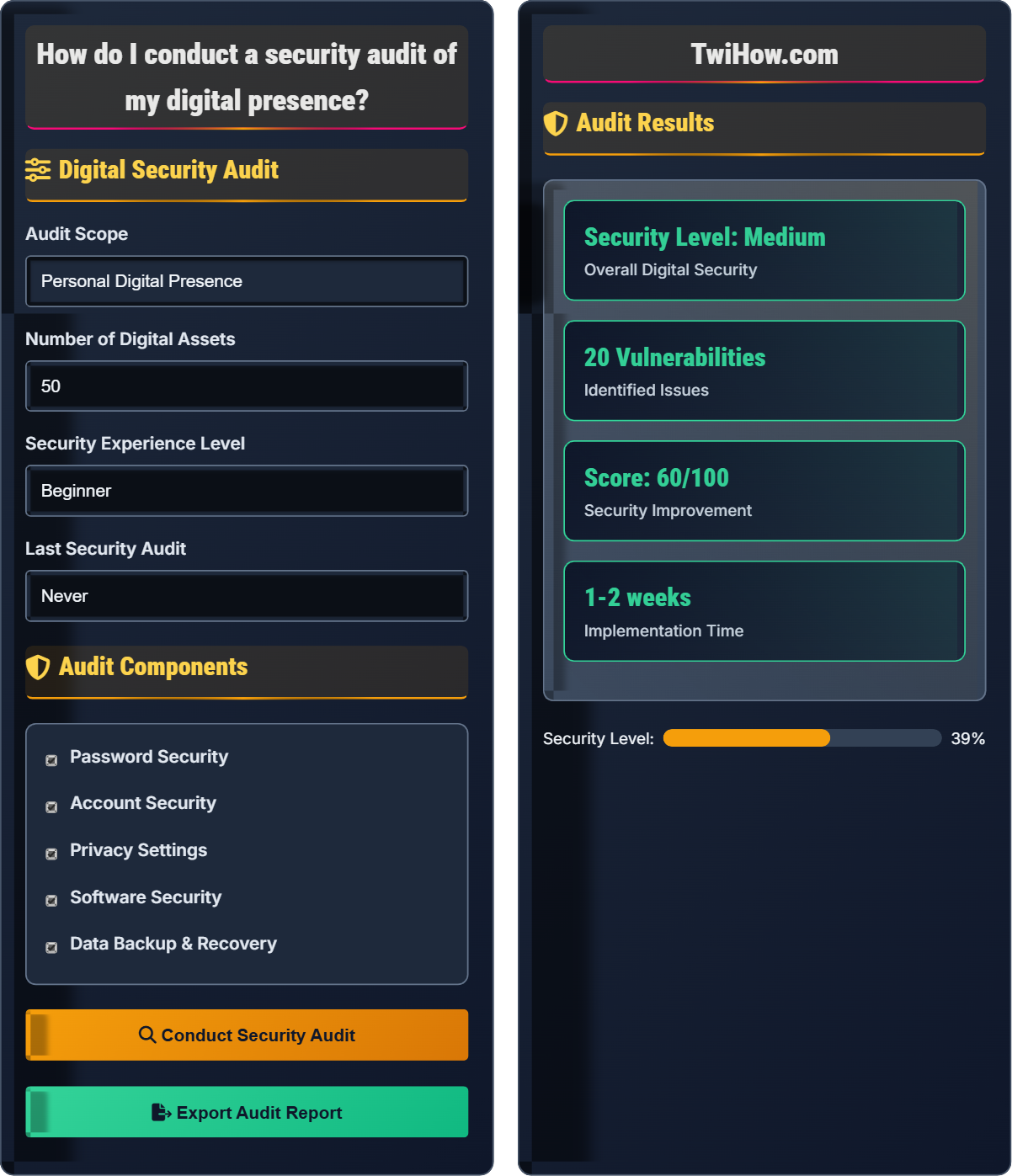
Digital Security Audit
Audit Components
Audit Results
• Enable two-factor authentication on all accounts
• Update all outdated software
• Change passwords for critical accounts
• Review privacy settings on social media
• Implement password manager
• Set up automatic updates
• Create data backup strategy
• Review account permissions
Digital Security Audit Explained
A digital security audit is a systematic evaluation of your entire digital presence to identify vulnerabilities, assess security controls, and determine potential risks. This comprehensive assessment examines all aspects of your online identity, including accounts, passwords, privacy settings, software configurations, and data management practices.
Effective digital security audits follow a structured approach:
Where:
- Security Controls: Implemented protective measures
- Compliance Rate: Adherence to security best practices
- Vulnerability Count: Number of identified security gaps
- Recovery Readiness: Preparedness for incident response
Key areas examined during a digital security audit:
- Password Security: Complexity, uniqueness, and management practices
- Account Security: Authentication methods and access controls
- Privacy Settings: Information visibility and sharing controls
- Software Security: Patch levels and security configurations
- Data Protection: Encryption and backup strategies
- Network Security: Connection security and monitoring
- Regular Scheduling: Conduct audits quarterly or after major changes
- Comprehensive Coverage: Include all digital assets and services
- Documentation: Maintain detailed records of findings and actions
- Prioritization: Address critical issues first
- Verification: Confirm remediation effectiveness
- Continuous Monitoring: Implement ongoing security oversight
Digital Security Audit Fundamentals
Vulnerability assessment, asset inventory, security controls, risk analysis, compliance, remediation planning.
Security Score = (Controls × Compliance) / (Vulnerabilities) × Recovery Readiness
Where Security Score = overall security rating, Controls = implemented measures, Compliance = best practice adherence, Vulnerabilities = security gaps, Recovery = incident response capability.
- Conduct audits regularly
- Document all findings
- Address critical issues first
- Verify remediation effectiveness
- Include all digital assets
Audit Components
Password security, account security, privacy settings, software security, data protection, network security.
- Asset inventory completeness
- Security control effectiveness
- Vulnerability severity ranking
- Risk impact assessment
- Remediation priority setting
- Implementation verification
- Comprehensive asset discovery
- Regular audit scheduling
- Proper documentation
- Effective remediation tracking
Digital Security Audit Quiz
What is the most effective method for identifying password reuse across multiple accounts during a security audit?
The most effective method is to use a password manager with duplicate detection capabilities. Password managers can automatically identify when the same password is used across multiple accounts and provide a comprehensive overview of password reuse. This approach is secure, efficient, and provides actionable insights for remediation.
The answer is B) Use a password manager with duplicate detection.
Password reuse is one of the most common security vulnerabilities, making accounts vulnerable to credential stuffing attacks. A password manager not only helps identify duplicates but also encourages the use of unique, complex passwords for each account. This approach provides both detection and prevention capabilities.
Password Reuse: Using identical credentials across multiple accounts
Credential Stuffing: Using leaked credentials on other sites
Password Manager: Tool for secure password storage and generation
• Unique passwords for each account
• Use password managers
• Regular password rotation
• Enable duplicate detection in password managers
• Use passphrase generation for memorable passwords
• Regular security reports
• Using the same password everywhere
Explain how to systematically audit privacy settings across social media platforms and other online accounts, and describe the key areas to focus on during this audit.
Systematic Privacy Settings Audit Process:
1. Inventory Creation: List all social media accounts, online services, and digital platforms you use.
2. Access Review: Log into each account and navigate to privacy settings.
3. Information Visibility: Check what personal information is visible to the public and other users.
4. Data Sharing: Review settings for data sharing with third parties and advertisers.
Key Areas to Focus On:
• Profile Visibility: Who can see your profile, posts, and personal information
• Contact Information: Email addresses, phone numbers, and location data
• Activity Tracking: Third-party app access and data sharing permissions
• Search Visibility: Whether your profile appears in search results
• Tagging and Mentions: Who can tag you or mention your account
• Location Services: Whether location is shared with posts or other users
Regular privacy audits should be conducted quarterly to ensure settings haven't changed due to platform updates.
Privacy settings audits are crucial because social media platforms frequently update their default settings, often making more information public. A systematic approach ensures that personal information remains protected across all platforms. The audit should cover not just what information is visible, but also how it's shared and with whom.
Privacy Settings: Controls over information visibility
Data Sharing: Distribution of personal information
Profile Visibility: Who can see your online presence
• Review settings regularly
• Minimize public information
• Control third-party access
• Use privacy checkup tools
• Set custom audiences for posts
• Regular privacy score monitoring
• Keeping default privacy settings
• Not reviewing after platform updates
• Sharing too much location data
You're auditing the software security of a small business with 25 employees. They use 15 different applications across Windows, macOS, and mobile platforms. Calculate the potential security risks and develop a comprehensive software security assessment plan for this environment.
Potential Security Risks:
• Outdated applications with known vulnerabilities (estimated 30-40% of apps)
• Missing security patches (critical for 15 apps)
• Unnecessary software with security risks
• Inconsistent security configurations across platforms
• Unmanaged mobile applications
Software Security Assessment Plan:
1. Asset Inventory: Catalog all installed software across all platforms
2. Vulnerability Scanning: Use automated tools to identify known vulnerabilities
3. Patch Management: Verify all critical updates are applied
4. Configuration Review: Check security settings for each application
5. Permission Audit: Review user access levels and administrative privileges
6. Mobile App Security: Assess mobile applications for security risks
7. Remediation Planning: Prioritize and address identified vulnerabilities
8. Policy Implementation: Establish ongoing software management procedures
This assessment should be completed within 2-3 weeks with regular monitoring thereafter.
Software security assessment is critical because unpatched applications are among the most common attack vectors. The complexity increases with multiple platforms and applications, requiring a systematic approach to ensure comprehensive coverage. Automated tools can help streamline the process for larger environments.
Vulnerability Scanning: Automated identification of security flaws
Patch Management: Process of updating software security
Asset Inventory: Complete catalog of software assets
• Maintain updated asset inventory
• Apply critical patches within 72 hours
• Regular vulnerability scanning
• Use automated patch management tools
• Implement software approval processes
• Regular security scanning schedules
• Not tracking all software assets
• Delaying critical security updates
• Ignoring mobile application security
You've identified that a client has no data backup strategy during their security audit. Design a comprehensive data backup and recovery plan that includes security considerations and regular testing procedures.
Comprehensive Data Backup Strategy:
• 3-2-1 Rule: 3 copies of data, 2 different media types, 1 offsite location
• Encryption: Encrypt all backup data both in transit and at rest
• Automation: Set up automated daily backups for critical data
• Verification: Verify backup integrity after each backup operation
Security Considerations:
• Access Controls: Limit access to backup systems and data
• Storage Security: Use secure, encrypted cloud storage or physical devices
• Network Security: Backup over secure, encrypted connections
• Authentication: Require strong authentication for backup access
Testing Procedures:
• Monthly Recovery Tests: Perform actual data recovery tests
• Quarterly Full Restores: Complete system restore testing
• Annual Disaster Recovery: Full disaster recovery scenario testing
• Documentation: Maintain detailed recovery procedures and contact information
This strategy ensures data protection while maintaining security and verifiable recovery capabilities.
Data backup security is often overlooked but critical for recovery from ransomware and other attacks. The security of backup systems is as important as the primary systems, as attackers increasingly target backup infrastructure. Regular testing ensures that backups are functional when needed.
3-2-1 Rule: Backup strategy for data redundancy
Recovery Testing: Verifying backup restoration capability
Backup Encryption: Securing backup data with encryption
• Encrypt all backup data
• Test recovery procedures regularly
• Secure backup storage systems
• Use immutable backup storage
• Implement backup monitoring alerts
• Regular backup verification checks
• Not encrypting backup data
• Not testing recovery procedures
• Storing backups on same network
According to cybersecurity best practices, how often should a comprehensive digital security audit be conducted?
According to cybersecurity best practices, comprehensive digital security audits should be conducted quarterly. This frequency allows organizations to stay current with evolving threats, security updates, and platform changes while maintaining manageable resource allocation. Monthly checks for critical systems and weekly monitoring of key indicators are appropriate for ongoing security oversight.
The answer is B) Quarterly.
The quarterly frequency strikes a balance between staying current with security threats and managing resource constraints. Annual audits may miss rapidly evolving threats, while monthly comprehensive audits may be resource-intensive. The frequency should be adjusted based on the organization's risk profile and regulatory requirements.
Security Audit: Systematic evaluation of security measures
Best Practices: Proven security methodologies
Risk Profile: Assessment of security threats and vulnerabilities
• Regular audit scheduling
• Adjust frequency based on risk
• Document all audit findings
• Schedule audits before major updates
• Perform focused audits after incidents
• Automate routine security checks
• Infrequent audit scheduling
• Not adjusting for risk changes
• Incomplete documentation
FAQ
Q: How long does a comprehensive digital security audit typically take?
A: The duration of a comprehensive digital security audit varies based on scope and complexity:
Personal Audit:
• Beginner: 8-12 hours spread over 2-3 weeks
• Intermediate: 4-6 hours over 1 week
• Advanced: 2-3 hours with ongoing monitoring
Business Audit:
• Small business (1-50 employees): 20-40 hours over 2-4 weeks
• Medium business (51-500 employees): 50-100 hours over 4-8 weeks
• Large enterprise (500+ employees): 100-200+ hours over 8-16 weeks
Factors affecting duration include number of assets, complexity of systems, and depth of analysis required. For ongoing security, partial audits should be conducted monthly with comprehensive reviews quarterly.
Q: What tools can help automate parts of the security audit process?
A: Several tools can automate various aspects of security audits:
Password Security:
• Password managers (Bitwarden, 1Password) with breach monitoring
• Have I Been Pwned API for checking compromised accounts
• Password strength analyzers
Vulnerability Scanning:
• Nessus, OpenVAS for network and system scanning
• Qualys, Rapid7 for cloud security assessment
• OWASP ZAP for web application testing
Asset Discovery:
• Lansweeper, ManageEngine for network asset tracking
• Shodan for internet-facing device discovery
• PassiveTotal for domain and IP research
Continuous Monitoring:
• SIEM solutions (Splunk, QRadar, ELK Stack)
• Endpoint Detection and Response (EDR) tools
• Cloud Security Posture Management (CSPM) tools
These tools can significantly reduce manual effort while providing more comprehensive coverage than manual auditing alone.
Q: Should small businesses hire professionals for security audits or can they handle it internally?
A: The decision depends on several factors:
Consider Hiring Professionals When:
• Handling sensitive customer data (financial, health, personal)
• Subject to regulatory compliance (PCI DSS, HIPAA, SOX)
• Limited internal security expertise
• High-value targets or significant risk exposure
• Complex IT infrastructure with multiple systems
Internal Audits May Suffice When:
• Simple IT environment with basic security needs
• Staff has adequate security training and experience
• Limited sensitive data or customer information
• Budget constraints for professional services
Hybrid Approach:
Many small businesses benefit from an annual professional audit with quarterly internal assessments. This provides expert perspective while building internal security capabilities. For businesses handling sensitive data, professional audits are generally recommended at least annually.