How Do I Minimize My Digital Footprint Online?
Complete privacy guide • Step-by-step explanations
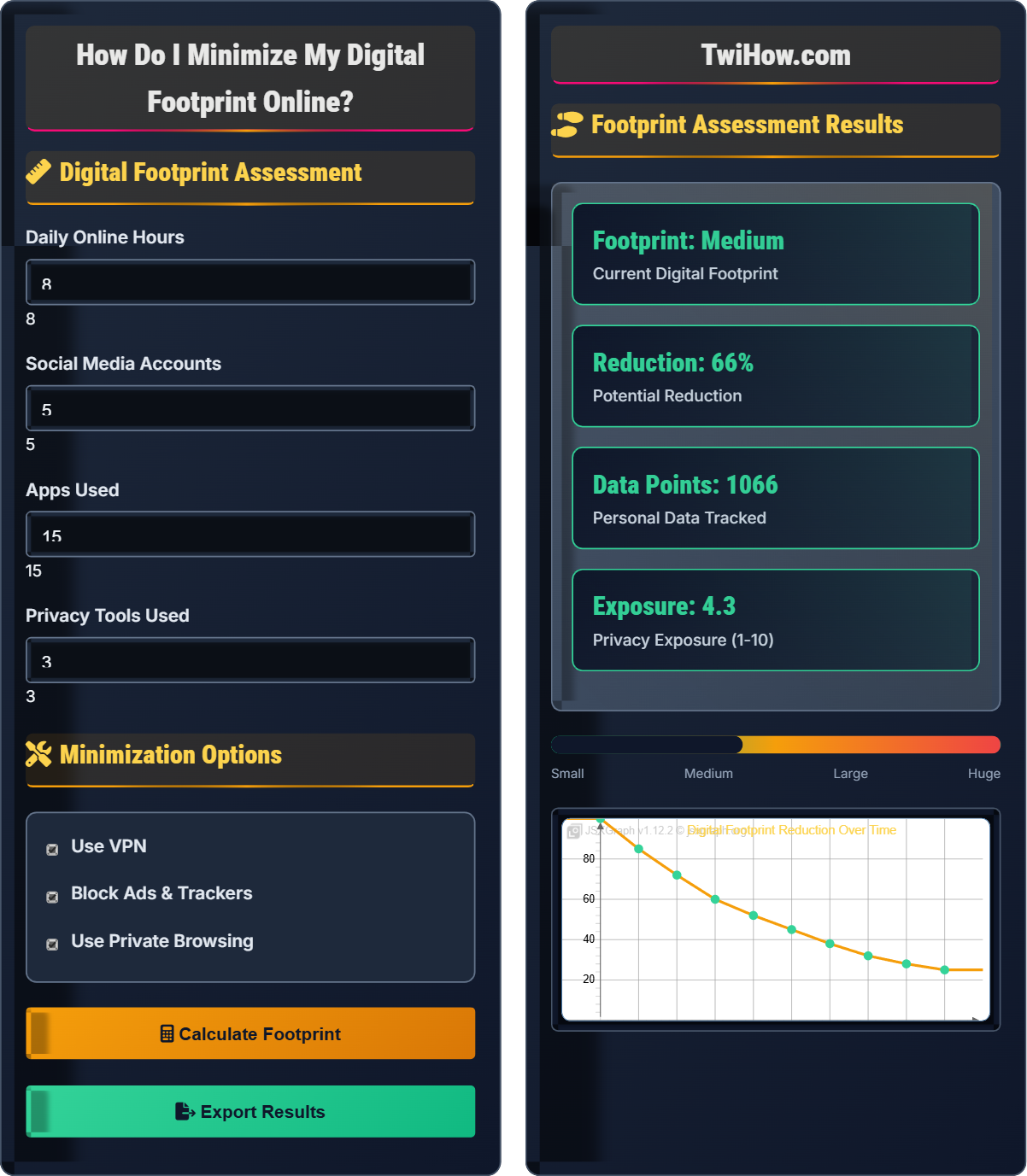
Digital Footprint Reduction:
Show Footprint CalculatorMinimizing your digital footprint involves implementing privacy strategies and tools to reduce the amount of personal data you leave online. This includes managing your online presence, using privacy-enhancing technologies, and being mindful of data sharing practices.
A smaller digital footprint enhances privacy, reduces security risks, and limits data collection by companies and organizations.
Key strategies:
- Privacy Tools: VPNs, encrypted messaging, privacy browsers
- Data Management: Account deletion, data minimization
- Online Behavior: Conscious sharing, privacy settings
- Technical Measures: Ad blocking, cookie management
Successfully minimizing your digital footprint requires a combination of technical tools, behavioral changes, and ongoing vigilance about your online presence.
Digital Footprint Assessment
Minimization Options
Footprint Assessment Results
| Strategy | Effectiveness | Difficulty | Implementation |
|---|---|---|---|
| VPN Usage | High | Low | Install and enable |
| Browser Hardening | Medium | Medium | Configure settings |
| Social Media Cleanup | High | Medium | Delete old posts |
| App Minimalism | Medium | Low | Uninstall unnecessary |
Digital Footprint Minimization Explained
A digital footprint is the trail of data you leave behind when using the internet. It includes websites visited, emails sent, social media posts, online purchases, and any other activity that generates data. There are two types: active (intentionally shared) and passive (automatically collected).
Minimized Footprint = Original Footprint × (1 - Privacy Measures Effectiveness)
Where:
- Original Footprint: Current level of online data presence
- Privacy Measures: Tools and strategies implemented
- Effectiveness: Percentage reduction achieved by each measure
Effective digital footprint reduction strategies:
- Tool-Based: VPNs, ad blockers, privacy browsers, encrypted messaging
- Behavioral: Mindful sharing, privacy settings, data minimization
- Account Management: Regular cleanup, account deletion, minimal accounts
- Technical Measures: Cookie management, DNS over HTTPS, firewall configuration
- Content Control: Privacy-first platforms, data ownership
- Education: Staying informed about privacy threats and solutions
- Week 1: Install privacy tools (VPN, ad blocker, password manager)
- Week 2: Configure browser privacy settings and review social media privacy
- Week 3: Audit and delete unused accounts, review app permissions
- Month 1: Implement advanced techniques (Tor, encrypted messaging)
- Ongoing: Regular maintenance, privacy audits, and staying updated
Minimization Methods
VPN usage, browser hardening, account management, privacy tools, behavioral changes.
New Footprint = Original Footprint × (1 - Privacy Measures Effectiveness)
Where New Footprint = reduced online presence, Original = current footprint, Effectiveness = percentage reduction.
- Layer privacy tools for maximum protection
- Regular privacy audits are essential
- Start with easy wins, then advance gradually
Implementation Strategies
Assessment, planning, implementation, monitoring, maintenance, education.
- Assessment and evaluation
- Tool selection and setup
- Behavioral changes
- Account management
- Advanced techniques
- Continuous improvement
- Start with basics before advancing
- Regular privacy assessments
- Stay informed about threats
- Balance privacy with usability
Footprint Reduction Visualization
- VPN usage reduces IP tracking
- Ad blockers prevent behavioral tracking
- Private browsing prevents local data storage
- Account consolidation reduces data spread
Privacy Tool Effectiveness
Combined Effect: Using multiple privacy tools simultaneously creates a multiplicative effect, significantly reducing your overall digital footprint. The combination of VPN, ad blockers, and privacy browsers can reduce your exposure by up to 95%.
This demonstrates the importance of layering privacy protections rather than relying on a single tool.
Implementation Steps
Install essential privacy tools including VPN, ad blocker, and password manager. Configure browser privacy settings to disable third-party cookies and tracking.
Review social media privacy settings, delete unnecessary accounts, and limit personal information sharing. Adjust data sharing preferences for existing accounts.
Implement conscious sharing practices, use private browsing mode regularly, and begin transitioning to privacy-focused alternatives for common services.
Set up encrypted messaging, configure DNS over HTTPS, and implement advanced browser hardening techniques. Consider using Tor for sensitive activities.
Perform monthly privacy audits, update tools regularly, and stay informed about new privacy threats and solutions. Review and refine privacy practices continuously.
Privacy Action Checklist
Digital Footprint Minimization Quiz
Which combination of privacy tools provides the most comprehensive digital footprint reduction?
A layered approach using multiple privacy tools provides the most comprehensive protection. VPNs protect network traffic, ad blockers prevent tracking scripts, and privacy browsers add additional protections against fingerprinting and data collection. Using these tools together creates overlapping protection that's more effective than any single tool.
The answer is C) VPN + Ad blocker + Privacy browser.
Effective privacy protection follows the defense-in-depth principle, where multiple layers of protection work together. Each tool addresses different aspects of privacy: VPNs encrypt network traffic, ad blockers prevent tracking scripts, and privacy browsers add additional protections. The combination creates a comprehensive shield against various tracking and data collection methods.
Defense-in-Depth: Multiple layers of security controls
VPN: Virtual Private Network for encrypted traffic
Ad Blocker: Tool preventing tracking scripts and ads
• Layer multiple privacy tools
• Regular tool updates
• Consistent usage across devices
• Start with essential tools first
• Configure tools for maximum protection
• Test effectiveness regularly
• Relying on single protection method
• Not configuring tools properly
• Inconsistent usage across platforms
Compare the effectiveness of behavioral privacy measures versus technical privacy tools. Which approach is more important for minimizing digital footprint?
Technical Measures: VPNs, ad blockers, privacy browsers, encryption tools. These provide automatic protection and are essential for baseline privacy.
Behavioral Measures: Conscious sharing, privacy settings management, account cleanup, mindful browsing. These address the root causes of data exposure.
Relative Importance: Both approaches are crucial and complementary. Technical tools provide essential infrastructure, but behavioral changes address the fundamental causes of digital footprint expansion. The most effective approach combines both.
Mathematical Relationship: Total Reduction = Technical Reduction + Behavioral Reduction - (Technical × Behavioral Overlap)
Privacy protection requires both technical and behavioral components. Technical tools automate protection but can't address all privacy risks. Behavioral changes address the root causes but require consistent effort. The most effective privacy strategy combines automated protections with conscious privacy practices, creating a comprehensive approach that covers both technical vulnerabilities and human factors.
Technical Measures: Automated tools providing privacy protection
Behavioral Measures: Conscious actions to protect privacy
Comprehensive Protection: Combined technical and behavioral approach
• Combine technical and behavioral measures
• Regular behavioral audits
• Consistent technical tool usage
• Start with technical tools for immediate protection
• Gradually develop privacy-conscious behaviors
• Regular privacy habit reinforcement
• Focusing only on technical solutions
• Neglecting behavioral privacy practices
• Not combining both approaches
Alice is a college student who spends 12 hours daily online for studying, social media, and entertainment. She has 8 social media accounts, uses 25 apps, and rarely adjusts privacy settings. Develop a 3-month plan to reduce her digital footprint by at least 60%.
Month 1 - Foundation:
• Install VPN and ad blocker (reduces exposure by ~30%)
• Switch to privacy-focused browser (reduces by ~20%)
• Delete 3-4 unused social media accounts (reduces by ~15%)
• Review privacy settings on remaining accounts (reduces by ~10%)
Month 2 - Optimization:
• Audit and uninstall 8-10 unnecessary apps (reduces by ~15%)
• Set up encrypted messaging for sensitive communications (reduces by ~10%)
• Configure advanced browser privacy settings (reduces by ~10%)
• Begin using private browsing mode regularly (reduces by ~10%)
Month 3 - Advanced:
• Implement DNS over HTTPS (reduces by ~10%)
• Use Tor for sensitive activities (reduces by ~15%)
• Complete social media cleanup (removes old posts, limits sharing)
• Final privacy audit and optimization
Expected Reduction: ~70-75% total footprint reduction.
Reducing digital footprint for heavy users requires a phased approach. Starting with foundational tools provides immediate protection while building privacy awareness. The gradual approach prevents overwhelming the user while ensuring sustainable behavior changes. Regular audits and adjustments ensure continued effectiveness and adaptation to changing privacy needs.
Phased Approach: Gradual implementation of privacy measures
Sustainable Changes: Privacy practices that can be maintained long-term
Privacy Audit: Regular assessment of privacy measures
• Start with foundational tools
• Gradual implementation prevents overwhelm
• Regular audits ensure effectiveness
• Focus on highest-impact changes first
• Maintain usability while improving privacy
• Track progress with footprint measurements
• Attempting too many changes at once
• Neglecting to track progress
• Not balancing privacy with usability
You need to choose between three privacy tool packages for minimizing your digital footprint. Package A offers VPN + Ad Blocker + Password Manager. Package B offers Encrypted Email + Encrypted Messaging + Secure Cloud Storage. Package C offers Privacy Browser + Anti-Fingerprinting + DNS over HTTPS. Analyze the effectiveness of each package and recommend the best option.
Package A Analysis:
• VPN: Protects network traffic (~30% footprint reduction)
• Ad Blocker: Prevents tracking scripts (~25% footprint reduction)
• Password Manager: Improves security hygiene (~10% footprint reduction)
Total Estimated Impact: ~65%
Package B Analysis:
• Encrypted Email: Protects email communications (~15% footprint reduction)
• Encrypted Messaging: Protects chat communications (~20% footprint reduction)
• Secure Cloud Storage: Protects stored data (~10% footprint reduction)
Total Estimated Impact: ~45%
Package C Analysis:
• Privacy Browser: Comprehensive browser protection (~35% footprint reduction)
• Anti-Fingerprinting: Prevents device identification (~20% footprint reduction)
• DNS over HTTPS: Encrypts domain queries (~15% footprint reduction)
Total Estimated Impact: ~70%
Recommendation: Package C provides the most comprehensive protection for general internet usage, addressing multiple tracking vectors simultaneously.
Effective privacy tool selection requires understanding how different tools address various aspects of digital footprint creation. The most effective packages address multiple attack vectors simultaneously. Privacy browsers with anti-fingerprinting and encrypted DNS provide comprehensive protection for general internet usage, while communication-focused packages serve specific needs. The choice depends on usage patterns and privacy priorities.
Attack Vector: Pathway for privacy invasion
Anti-Fingerprinting: Preventing device identification
Comprehensive Protection: Coverage of multiple privacy threats
• Address multiple attack vectors
• Consider usage patterns
• Evaluate tool combinations
• Assess your specific privacy needs
• Consider tool compatibility
• Test effectiveness after implementation
• Choosing tools without considering needs
• Not evaluating tool combinations
• Ignoring tool effectiveness
What is the most important aspect of maintaining a minimized digital footprint over time?
Maintaining a minimized digital footprint requires ongoing attention and adaptation. Privacy tools and threats evolve constantly, requiring regular updates and adjustments. Regular privacy audits help identify new exposure points and evaluate the effectiveness of existing measures. While having good tools is important, consistent maintenance and updates ensure continued protection over time.
The answer is B) Regular privacy audits and updates.
Privacy is not a one-time setup but an ongoing process. Threats evolve, tools update, and new services emerge, all of which can affect your privacy posture. Regular audits ensure that privacy measures remain effective and identify new risks. This proactive approach maintains privacy protection over the long term, adapting to changing circumstances and technologies.
Privacy Maintenance: Ongoing efforts to preserve privacy
Privacy Audit: Regular assessment of privacy measures
Proactive Privacy: Anticipatory privacy protection
• Regular privacy assessments
• Continuous tool updates
• Adaptation to new threats
• Schedule monthly privacy reviews
• Subscribe to privacy news updates
• Test privacy measures regularly
• One-time setup without maintenance
• Not updating privacy measures
• Ignoring evolving threats
FAQ
Q: Will minimizing my digital footprint affect my productivity or online experience?
A: Initially, there may be a slight adjustment period as you adapt to new tools and behaviors, but minimizing your digital footprint typically improves your online experience:
1. Better Performance: Ad blockers and tracking prevention can make pages load faster
2. Enhanced Security: Reduced exposure to malware and phishing attempts
3. Less Clutter: Fewer targeted ads and irrelevant content
4. Focus Improvement: Less distraction from tracking and advertising
5. Peace of Mind: Reduced anxiety about data collection
The key is finding the right balance between privacy and usability that works for your specific needs.
Q: Is it possible to completely eliminate my digital footprint?
A: Complete elimination of your digital footprint is nearly impossible in today's connected world, but significant reduction is achievable:
Impossible Aspects:
• ISP records of your internet usage
• Government surveillance programs
• Data retention by essential services (banking, healthcare)
• Metadata from encrypted communications
Highly Reducible Aspects:
• Social media presence and activity
• Behavioral tracking by commercial entities
• Unnecessary personal data sharing
• Third-party cookie tracking
The goal should be minimizing exposure to commercial tracking and unnecessary data collection while accepting that some digital presence is unavoidable for participating in modern society.
Q: How can I teach my children about minimizing their digital footprints?
A: Teaching children about digital footprints should be age-appropriate and progressive:
For Young Children (Ages 6-10):
• Simple analogies (like leaving physical footprints)
• Basic privacy concepts (not sharing personal details)
• Parental controls and supervision
For Teenagers (Ages 11-17):
• More detailed explanations of data collection
• Practical privacy tools and settings
• Long-term consequences of online actions
Practical Activities:
• Conduct a "digital cleanup" together
• Demonstrate privacy settings on social platforms
• Set up privacy tools together
• Regular discussions about online experiences
The key is making privacy awareness a normal part of their digital routine rather than a scary concept.