How Do I Monitor for Suspicious Activity on My Accounts?
Complete security guide • Step-by-step explanations
Account Monitoring:
Show Monitoring PlannerMonitoring for suspicious account activity involves implementing security measures to detect unauthorized access, unusual transactions, and potential fraud. This includes setting up alerts, regularly reviewing account statements, and using security tools to identify potential threats before they cause significant damage.
Effective monitoring requires a combination of automated alerts and manual oversight to catch potential security issues.
Key methods:
- Alert Systems: Notifications for unusual activity
- Regular Reviews: Periodic statement and transaction checks
- Security Tools: Identity monitoring and fraud detection
- Behavioral Analysis: Pattern recognition for anomalous activity
Successfully monitoring accounts requires establishing baseline behavior patterns and setting up appropriate alert thresholds to catch deviations without overwhelming users with false positives.
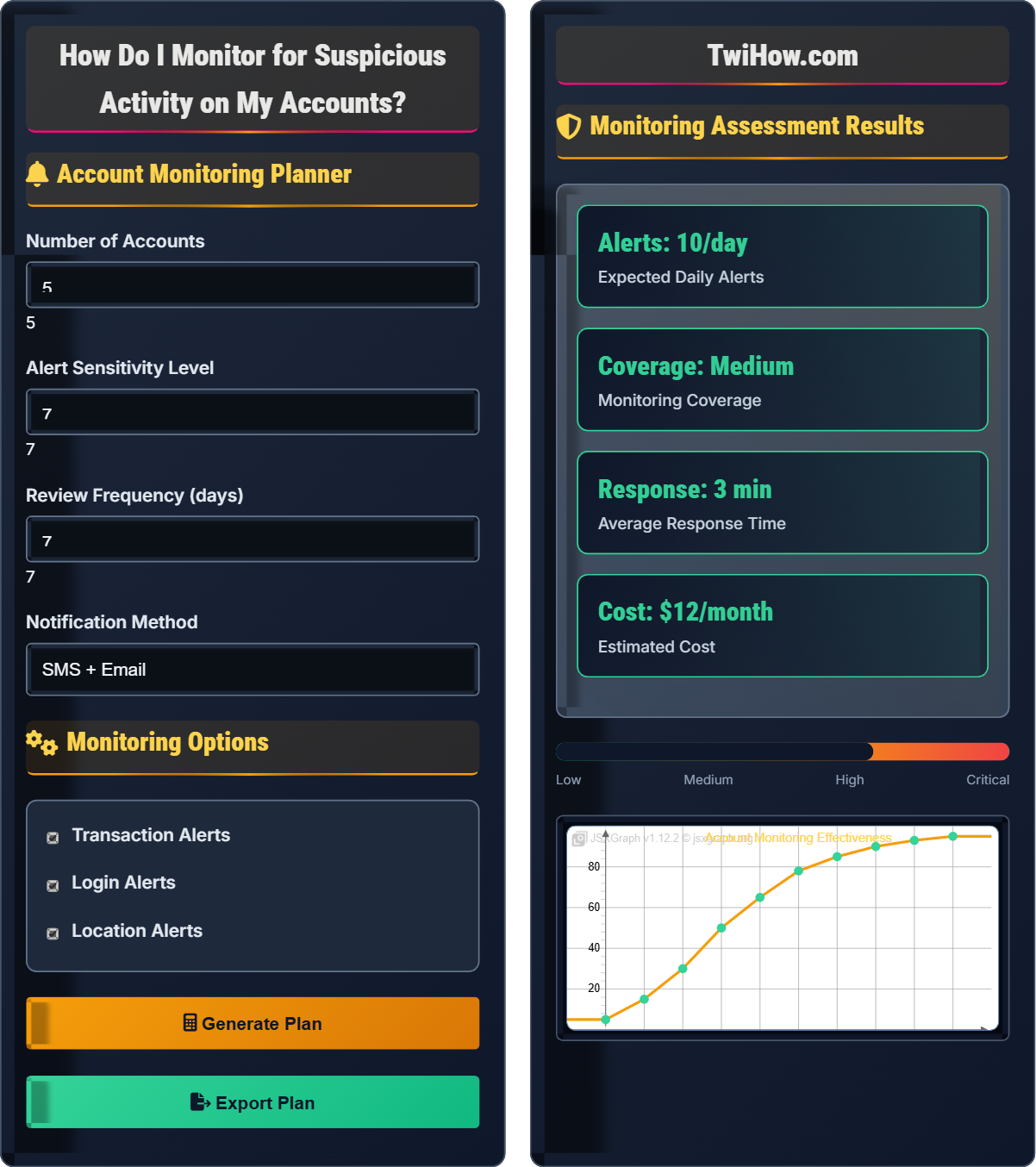
Account Monitoring Planner
Monitoring Options
Monitoring Assessment Results
| Type | Frequency | Threshold | Method |
|---|---|---|---|
| Login | Real-time | Any | Email/SMS |
| Transaction | Real-time | $100+ | Email/SMS |
| Location | Real-time | New country | Email/SMS |
| Device | Real-time | Any | Email/SMS |
Account Monitoring Explained
Account monitoring is the practice of actively watching your financial, online, and personal accounts for unauthorized access, unusual transactions, and potential security threats. It involves setting up automated alerts, regularly reviewing account statements, and using security tools to detect suspicious activity before it causes significant harm.
Threat Detection Rate = (True Positives) / (True Positives + False Negatives)
Where:
- True Positives: Actual threats correctly identified
- False Negatives: Threats that were missed
- False Positives: Normal activity incorrectly flagged as suspicious
- True Negatives: Normal activity correctly identified as safe
Various methods for account monitoring:
- Transaction Monitoring: Real-time alerts for purchases and transfers
- Login Monitoring: Notifications for account access attempts
- Location Monitoring: Alerts for access from unusual locations
- Behavioral Analysis: Pattern recognition for anomalous activity
- Statement Review: Regular manual examination of account history
- Identity Monitoring: Credit and personal information monitoring
- Week 1: Account inventory and security assessment
- Week 2: Alert configuration and system setup
- Week 3: Baseline establishment and testing
- Week 4: Full implementation and monitoring
- Ongoing: Regular review and optimization
Monitoring Methods
Transaction alerts, login monitoring, location tracking, behavioral analysis, statement review.
Threat Detection Rate = (True Positives) / (True Positives + False Negatives)
Where Detection Rate = successful threat identification, True Positives = actual threats caught, False Negatives = missed threats.
- Configure alerts appropriately
- Review accounts regularly
- Respond quickly to alerts
Alert Configuration
Banking, credit cards, investment, email, social media, cloud services.
- Identify critical accounts
- Set appropriate thresholds
- Choose notification methods
- Establish response procedures
- Test alert systems
- Optimize based on experience
- Start with conservative thresholds
- Use multiple notification methods
- Regular system updates
- Monitor for false positives
Monitoring Setup Process
| Alert Type | Frequency | Threshold | Response Time | Priority |
|---|---|---|---|---|
| Login Attempts | Real-time | Any | Immediate | High |
| Transactions | Real-time | $100+ | Immediate | High |
| Location Changes | Real-time | New country | Immediate | Medium |
| Device Changes | Real-time | Any | Within 1hr | Medium |
Account Type Selection
1. Transaction Alerts: Set up notifications for all transactions, especially large ones
2. ATM Usage: Alerts for ATM withdrawals and locations
3. ACH Transfers: Notifications for electronic transfers
4. Account Access: Login alerts from new devices or locations
5. Balance Changes: Significant balance fluctuations
Alert Configuration Panel
• Set transaction thresholds at 20-30% below your typical spending
• Enable alerts for any international activity
• Configure notifications for account setting changes
• Use multiple delivery methods (SMS, email, push)
• Review and adjust settings quarterly
Detection Process Steps
Establish your normal account activity patterns including typical transaction amounts, locations, times, and merchants. This baseline will help identify deviations that might indicate suspicious activity.
Set up appropriate alert thresholds and notification methods for each account. Balance sensitivity to catch threats while minimizing false positives that could lead to alert fatigue.
Implement the configured monitoring systems and begin receiving alerts. Ensure notification methods are working correctly and you can respond promptly to alerts.
Develop and implement procedures for responding to different types of alerts. Know how to quickly verify legitimate activity and take action against suspicious activity.
Periodically review account statements, transaction histories, and alert patterns. Adjust monitoring settings based on experience and changing activity patterns.
Refine alert thresholds and monitoring methods based on performance. Reduce false positives while maintaining threat detection capability.
Monitoring Best Practices Timeline
Account Monitoring Knowledge Quiz
What is the recommended threshold for transaction alerts to balance security and usability?
The optimal threshold for transaction alerts is 20-30% below your typical spending. This approach provides security by alerting you to transactions that deviate from your normal patterns while avoiding excessive alerts for routine purchases. Setting the threshold too low (like $0) creates alert fatigue, while setting it too high might miss fraudulent activity.
The answer is B) 20-30% below typical spending.
Setting appropriate alert thresholds is a balance between security and usability. The goal is to catch suspicious activity while avoiding alert fatigue that could cause you to ignore important notifications. The 20-30% rule provides a good balance by alerting to unusual activity without overwhelming you with notifications for normal spending.
Alert Fatigue: Desensitization to alerts due to excessive notifications
Threshold: Minimum value triggering an alert
False Positive: Legitimate activity flagged as suspicious
• Balance security with usability
• Avoid alert fatigue
• Regular threshold adjustments
• Start with conservative thresholds
• Adjust based on experience
• Consider seasonal spending patterns
• Setting thresholds too low
• Not adjusting for lifestyle changes
• Ignoring frequent alerts
Explain why using multiple notification channels (SMS, email, push) is important for account monitoring and how to optimize this approach.
Importance of Multiple Channels:
• Redundancy: If one channel fails, others will deliver the alert
• Accessibility: Different channels suit different situations
• Immediacy: SMS reaches you even when email is not checked
• Context: Push notifications provide rich details
Optimization Strategies:
• Critical Alerts: Use all channels for high-risk events
• Informational Alerts: Use single channel for routine notifications
• Timing: Consider when each channel is most likely to be seen
• Preferences: Customize based on personal usage patterns
Implementation Example:
• Immediate: SMS for large transactions
• Detailed: Email with transaction details
• Interactive: Push notification with quick action buttons
This multi-channel approach ensures you receive critical security alerts regardless of your current situation or device availability.
Account monitoring requires reliable communication channels to ensure you receive critical security alerts. The multi-channel approach applies the principle of defense in depth to communication. By diversifying notification methods, you reduce the risk of missing important security alerts due to technical issues, device unavailability, or communication failures.
Multi-Channel: Using multiple communication methods
Redundancy: Backup systems to ensure reliability
Defense in Depth: Multiple layers of protection
• Use multiple channels for critical alerts
• Test all notification methods
• Keep contact information current
• Verify all contact methods
• Test alert systems regularly
• Update contact info after changes
• Relying on single notification method
• Not testing alert systems
• Outdated contact information
You receive a transaction alert showing a $500 purchase at a store in a city you've never visited. The transaction occurred 2 hours ago. What is your immediate response plan and follow-up actions?
Immediate Response (0-10 minutes):
1. Verify Transaction: Do not attempt to call the merchant directly using contact info from the alert
2. Contact Institution: Call your bank/card issuer immediately using official contact number from your statement or website
3. Report Fraud: Report the transaction as unauthorized
4. Request Freeze: Ask to freeze or cancel the card
Follow-up Actions (10 minutes - 24 hours):
1. Document Everything: Record conversation details, case numbers, and next steps
2. Change Passwords: Update online banking passwords and any related accounts
3. Enable Additional Security: Set up additional alerts and security measures
4. Monitor Other Accounts: Check other financial accounts for similar activity
Long-term Actions (24 hours - 1 week):
1. Receive Replacement Card: Follow up on replacement card issuance
2. Update Automatic Payments: Change card info for recurring payments
3. Consider Credit Freeze: If multiple accounts compromised
4. Review Account Statements: Thoroughly check recent transactions
Timeline Importance: Acting quickly (within 24-48 hours) typically provides maximum fraud protection and liability coverage.
Having a predetermined response plan is crucial for effective fraud mitigation. The immediate response focuses on stopping further unauthorized activity and preserving fraud protection rights. The follow-up actions ensure comprehensive security and documentation. This scenario demonstrates the importance of preparedness and quick action in fraud response.
Fraud Liability: Legal responsibility for fraudulent charges
Liability Window: Time period for maximum protection
Account Freeze: Temporary blocking of account access
• Act immediately on suspicious alerts
• Use official contact methods
• Document all interactions
• Keep bank contact numbers handy
• Know your fraud protection rights
• Prepare response checklist
• Delaying response to investigate first
• Calling contact info from alert message
• Not documenting the incident
Your bank offers behavioral analysis monitoring that learns your spending patterns. Explain how this technology works, its benefits and limitations, and what factors might cause false positives.
How Behavioral Analysis Works:
• Data Collection: Gathers transaction history, location data, merchant categories, time patterns
• Pattern Recognition: Uses machine learning algorithms to establish normal behavior patterns
• Anomaly Detection: Identifies deviations from established patterns
• Risk Scoring: Assigns risk scores to transactions based on deviation magnitude
Benefits:
• Automatic Detection: Identifies threats without explicit rules
• Adaptive Learning: Adjusts to changing spending patterns
• Subtle Threats: Catches sophisticated fraud patterns
• Reduced False Positives: More accurate than rule-based systems
Limitations:
• Learning Period: Requires time to establish baseline
• Data Dependency: Needs sufficient transaction history
• Complexity: Difficult to understand why transactions are flagged
• Seasonal Changes: May struggle with periodic pattern shifts
Common False Positive Causes:
• Travel: Different locations and spending patterns
• Seasonal Shopping: Holiday spending, back-to-school
• Lifestyle Changes: New job, moving, marriage
• Special Occasions: Weddings, vacations, gifts
• Merchant Categories: New types of purchases
Optimization: Inform your bank of planned travel and significant life changes to reduce false positives.
Behavioral analysis represents advanced fraud detection technology that goes beyond simple rule-based systems. Understanding how these systems work helps users appreciate their capabilities and limitations. The technology is powerful but requires user cooperation to minimize false positives, demonstrating the collaborative nature of modern security systems.
Behavioral Analysis: Pattern recognition for anomaly detection
Machine Learning: AI for pattern recognition
False Positive: Legitimate activity flagged as suspicious
• Understand how systems work
• Communicate changes to banks
• Balance security with convenience
• Notify banks of travel plans
• Update contact information
• Review alerts regularly
• Ignoring behavioral alerts
• Not informing banks of changes
• Disabling advanced monitoring
What is the recommended frequency for manually reviewing account statements to complement automated monitoring?
The recommended frequency for manually reviewing account statements is at least monthly. While automated monitoring provides real-time alerts, manual review catches issues that automated systems might miss, such as small fraudulent charges, billing errors, or subtle pattern changes. Monthly review strikes the right balance between thoroughness and practicality for most users.
The answer is C) At least monthly.
Manual review complements automated monitoring by catching issues that might not trigger alerts. Automated systems are excellent for detecting obvious fraud but may miss subtle issues like merchant billing errors, small fraudulent charges designed to avoid thresholds, or gradual pattern changes. The monthly frequency ensures timely detection while remaining manageable for most users.
Manual Review: Human examination of account statements
Automated Monitoring: System-based threat detection
Complementary Security: Multiple approaches working together
• Combine automated and manual monitoring
• Review statements monthly
• Look for subtle irregularities
• Set calendar reminders
• Use mobile banking apps for quick reviews
• Focus on unusual patterns
• Relying only on automated alerts
• Infrequent statement review
• Not examining transaction details
FAQ
Q: How can I monitor accounts that don't offer real-time alerts?
A: For accounts without real-time alerts, implement these monitoring strategies:
1. Frequent Manual Checks:
• Check accounts weekly or bi-weekly
• Set up account access on mobile devices for convenience
• Use browser bookmarks for quick access
2. Third-Party Monitoring Services:
• Identity monitoring services that aggregate account information
• Financial aggregation tools (like Mint, Personal Capital)
• Credit monitoring services that may detect account changes
3. Statement Monitoring:
• Enable electronic statements for faster delivery
• Set up email notifications for statement availability
• Review statements within 24-48 hours of receipt
4. Proactive Measures:
• Enable all available security features
• Set up account access restrictions
• Use strong, unique passwords and 2FA
While real-time alerts are ideal, consistent manual monitoring can be very effective when done regularly.
Q: How do I monitor my teenager's accounts for suspicious activity?
A: Monitoring teen accounts requires a balanced approach combining security with trust-building:
1. Joint Account Setup:
• Add yourself as an authorized user or joint account holder
• Set up alerts to notify both parties of activity
• Establish clear rules about spending and usage
2. Educational Approach:
• Review account activity together regularly
• Teach them to recognize suspicious activity
• Explain the importance of account security
3. Technology Tools:
• Use parental control apps that monitor spending
• Bank apps that provide real-time notifications
• Set up low balance alerts to prevent overdrafts
4. Communication:
• Discuss any suspicious activity openly
• Explain potential consequences of security lapses
• Gradually increase independence as trust builds
Remember to respect privacy boundaries while maintaining appropriate oversight for their safety.
Q: Are there free services to monitor my accounts for suspicious activity?
A: Yes, there are several free services and features available:
1. Bank/Credit Card Provided Services:
• Transaction alerts (SMS/email/phone)
• Login notifications
• Fraud protection services
• Account lock capabilities
2. Credit Monitoring (Free Tiers):
• Credit Karma (credit monitoring)
• AnnualCreditReport.com (annual free credit reports)
• Some banks offer free credit monitoring
3. Identity Monitoring (Free Options):
• Experian's free identity monitoring
• Privacy.com for virtual card numbers
• Browser extensions for security alerts
4. Self-Monitoring Tools:
• Spreadsheet tracking of account activity
• Calendar reminders for account checks
• Bank apps with push notifications
5. Government Resources:
• FTC identity theft reporting
• IdentityTheft.gov resources
• State consumer protection agencies
While premium services offer additional features, many effective monitoring tools are available at no cost.