How do I secure my mobile device from malware?
Complete mobile malware security guide • Step-by-step explanations
Mobile Malware Security Fundamentals:
Show Security AssessmentMobile malware refers to malicious software designed to target smartphones and tablets. These threats can include viruses, trojans, spyware, ransomware, and adware that compromise device security, steal personal data, or cause performance issues. With over 7 billion mobile devices worldwide, mobile malware has become a significant cybersecurity threat vector.
Key concepts:
- App-Based Threats: Malicious applications disguised as legitimate software
- Network-Based Threats: Attacks through unsecured Wi-Fi or cellular networks
- System Vulnerabilities: Exploitation of OS or firmware weaknesses
- Data Exfiltration: Unauthorized collection and transmission of personal data
Securing your mobile device requires a multi-layered approach including app security, network security, system updates, and behavioral precautions to prevent infection and data theft.
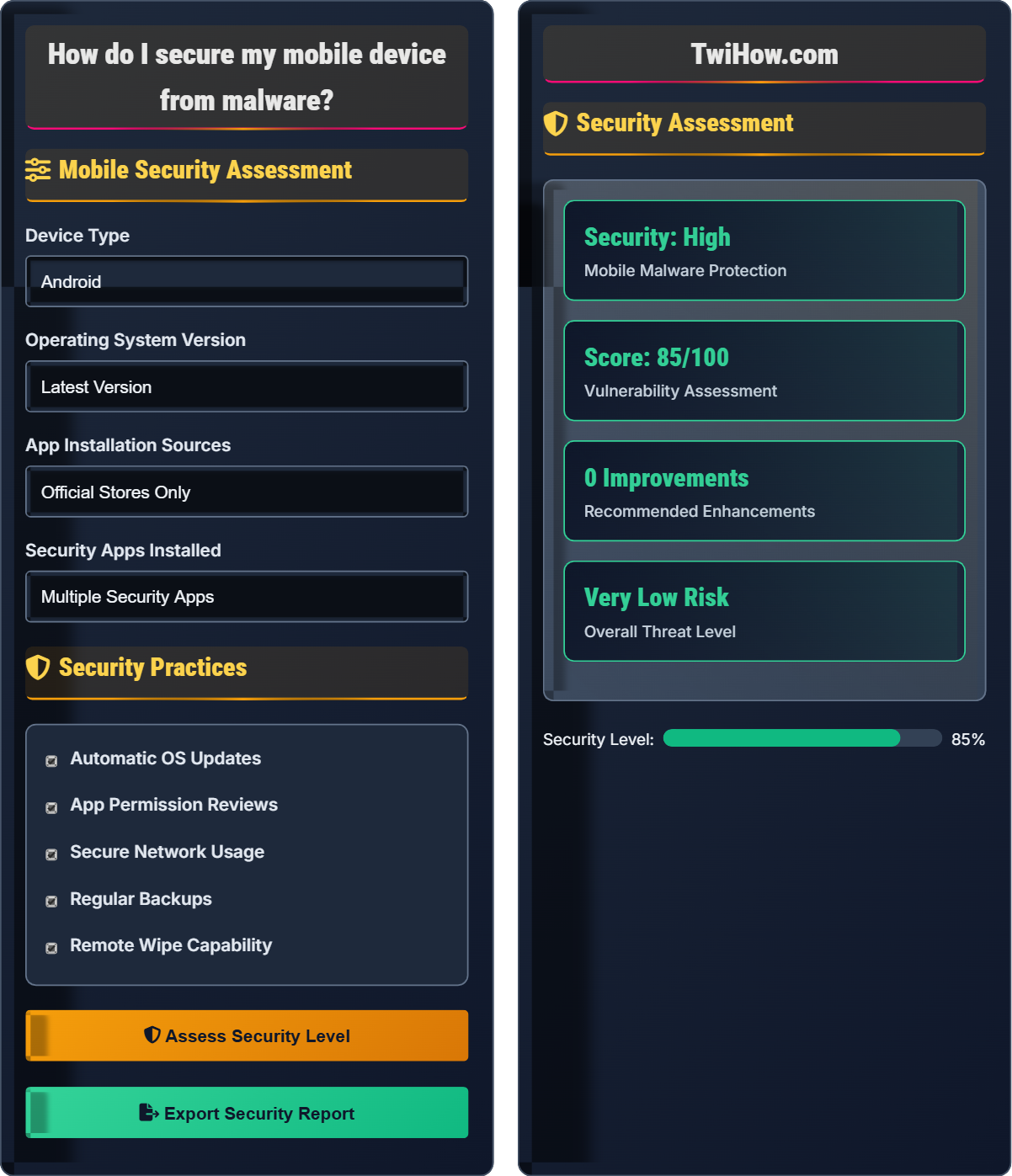
Mobile Security Assessment
Security Practices
Security Assessment
• Check for system updates
• Review app notifications
• Monitor unusual battery drain
• Verify app authenticity
• Scan for malware
• Review app permissions
• Check installed apps
• Update security software
Mobile Malware Security Explained
Mobile malware refers to malicious software specifically designed to target smartphones and tablets. These threats can include viruses, trojans, spyware, ransomware, and adware that compromise device security, steal personal data, or cause performance issues. With over 7 billion mobile devices worldwide, mobile malware has become a significant cybersecurity threat vector.
Effective mobile malware protection follows a multi-layered security approach:
Where:
- OS Updates: Timeliness of operating system updates
- App Security: Quality of app vetting and permissions
- Vulnerability Factors: Potential attack vectors and exposures
- Behavioral Controls: User security practices and awareness
Key categories of mobile malware that require different protection approaches:
- Trojans: Disguised as legitimate apps to steal data or credentials
- Banking Malware: Specifically targets financial applications
- Ransomware: Encrypts data and demands payment for decryption
- Spyware: Monitors user activity and collects personal information
- Adware: Displays unwanted advertisements and tracks behavior
- Rootkits: Gain elevated privileges to hide malicious activities
- Source Verification: Only download apps from official app stores
- Permission Awareness: Question apps that request excessive permissions
- Regular Updates: Keep OS and apps updated with latest security patches
- Security Software: Install reputable mobile antivirus and security apps
- Network Caution: Avoid public Wi-Fi for sensitive transactions
- Backup Practices: Regularly backup data to mitigate ransomware impact
Mobile Security Fundamentals
Mobile malware, app security, OS updates, permission management, network security, device encryption.
Security = (OS Updates × App Security) / (Vulnerabilities) × Behavioral Controls
Where Security = protection level, OS Updates = system patching, App Security = vetting quality, Vulnerabilities = potential exposures.
- Only install apps from official stores
- Keep OS updated regularly
- Review app permissions carefully
- Use security software
- Avoid public Wi-Fi for sensitive tasks
Platform-Specific Security
Android and iOS have different security models and threat landscapes requiring tailored protection approaches.
- Android: Enable Google Play Protect, use verified apps
- iOS: Keep iOS updated, use official apps only
- Both: Enable encryption, use strong authentication
- Android: Avoid rooting, iOS: Avoid jailbreaking
- Both: Regular security software updates
- Android has more customization but more vulnerabilities
- iOS has stricter app controls but less flexibility
- Both platforms require active security management
- Third-party security apps vary in effectiveness
Mobile Malware Security Quiz
What is the safest practice for installing mobile applications?
The safest practice is to only install from official app stores (Google Play, Apple App Store). These stores have security measures in place to screen apps for malware, though some malicious apps may still slip through. Third-party app stores and direct downloads from the internet are much more likely to contain malware.
The answer is B) Only install from official app stores (Google Play, Apple App Store).
Official app stores provide a layer of security by reviewing and vetting applications before making them available. While not foolproof, they significantly reduce the risk of downloading malware compared to third-party sources. The vetting process includes scanning for known malware signatures and reviewing app behavior for suspicious activities.
Official App Stores: Google Play Store, Apple App Store
APK Files: Android application packages
Third-Party Stores: Alternative app marketplaces
• Use official app stores only
• Review app permissions before installation
• Check app ratings and reviews
• Check developer reputation
• Look for recent updates
• Verify app authenticity
• Installing from unknown sources
Explain why app permissions are important for mobile security and describe how to properly manage them on your device.
Why App Permissions Matter:
App permissions determine what data and functions an app can access on your device. Malicious apps often request excessive permissions to steal personal information, access sensitive data, or perform unauthorized actions.
Proper Permission Management:
1. Review Before Installation: Carefully examine requested permissions before installing an app. Question why a simple game needs access to contacts, location, or camera.
2. Regular Audits: Periodically review app permissions in your device settings and revoke unnecessary access.
3. Principle of Least Privilege: Grant apps only the minimum permissions necessary for their intended function.
4. Monitor Changes: Pay attention when app updates request new permissions and evaluate if they're justified.
5. Use Permission Manager: Utilize built-in permission management tools to control access by category.
Regular permission management helps prevent data theft and limits the potential damage if an app becomes compromised.
App permissions serve as the gatekeepers to your personal data and device functions. By understanding and managing these permissions, you create a security boundary that limits what apps can access. This is particularly important because many users grant permissions without fully understanding the implications, allowing potentially malicious apps to access sensitive information.
App Permissions: Access rights granted to applications
Least Privilege: Granting minimum necessary access
Permission Audit: Reviewing and revoking unnecessary access
• Question excessive permissions
• Audit permissions regularly
• Revoke unnecessary access
• Use "Ask every time" for sensitive permissions
• Check permissions after app updates
• Research why apps need certain permissions
• Granting all requested permissions
• Never reviewing permissions again
• Ignoring permission changes
You notice your mobile device is running slowly, showing unexpected ads, and battery draining rapidly. You recently installed a free productivity app from an unofficial source. Calculate the likelihood this app contains malware and describe immediate steps to take to address the situation.
Malware Likelihood: 85-95%
The combination of symptoms (slow performance, unexpected ads, rapid battery drain) along with installing from an unofficial source indicates a very high probability of malware infection. These are classic signs of adware or other malicious software.
Immediate Steps:
1. Disconnect from Network: Turn off Wi-Fi and mobile data to prevent data exfiltration
2. Safe Mode: Restart device in safe mode to disable third-party apps
3. Uninstall Suspicious App: Remove the productivity app installed from unofficial source
4. Run Security Scan: Use mobile security software to scan for remaining threats
5. Factory Reset: If malware persists, consider backing up important data and performing factory reset
6. Change Credentials: Update passwords for accounts accessed on the device
7. Monitor Accounts: Watch for unauthorized activity on financial and personal accounts
Mobile malware often exhibits specific behavioral patterns that users can recognize. The combination of performance degradation, unexpected advertisements, and rapid battery drain is a strong indicator of adware or other malicious software. Early recognition and response can prevent further damage and data theft.
Safe Mode: Limited functionality mode disabling third-party apps
Data Exfiltration: Unauthorized data transmission
Factory Reset: Complete device restoration to original state
• Disconnect from network immediately
• Act quickly to prevent data theft
• Change passwords after removal
• Monitor device behavior regularly
• Use security software with real-time protection
• Keep backups of important data
• Continuing to use device normally
• Not changing passwords after infection
• Ignoring early warning signs
You're choosing between an iPhone and Android device for business use. Compare the security models of iOS and Android and explain which is more suitable for protecting sensitive business data, considering factors like app security, system updates, and enterprise features.
iOS Security Advantages:
• Strict App Vetting: Apple reviews all apps before App Store availability
• Unified Updates: Direct OS updates to all compatible devices
• Sandboxed Environment: Apps are isolated from each other
• Secure Boot Chain: Ensures system integrity from startup
Android Security Advantages:
• Customization: More control over security settings
• Google Play Protect: Automated malware scanning
• Enterprise Features: Better device management for businesses
• Open Source Security: Community scrutiny of code
For Business Use: iOS is generally preferred for sensitive business data due to its stricter security model, consistent update delivery, and better app isolation. However, Android offers superior enterprise management features and customization options.
Recommendation: iOS for maximum security, Android for enterprise management flexibility.
The security models of iOS and Android reflect different philosophies: iOS prioritizes security and control through a closed ecosystem, while Android balances security with openness and customization. For business use, the choice depends on whether security or management flexibility is more important.
Sandboxing: Isolating apps from each other
Secure Boot: Verifying system integrity during startup
Enterprise Management: Business device control features
• iOS provides stricter security controls
• Android offers more management options
• Both require active security management
• Use MDM solutions for business devices
• Enable encryption on both platforms
• Implement strong authentication policies
• Assuming either platform is invulnerable
• Not implementing security policies
• Neglecting regular updates
Which mobile security software feature is most effective at preventing malware infections?
Real-time scanning and threat prevention is the most effective feature for preventing malware infections. This capability continuously monitors incoming files, app installations, and network traffic to detect and block malicious activity before it can execute on the device.
The answer is B) Real-Time Scanning and Threat Prevention.
Prevention is more effective than remediation in cybersecurity. Real-time scanning operates as a proactive defense mechanism that identifies and blocks threats before they can execute, as opposed to post-infection cleanup features. This approach minimizes the risk of data loss and system compromise.
Real-Time Scanning: Continuous monitoring for threats
Threat Prevention: Blocking malicious activity
Post-Infection Remediation: Cleaning after infection
• Prevention is better than cleanup
• Real-time protection is essential
• Multiple security layers provide best protection
• Enable real-time scanning
• Keep virus definitions updated
• Use reputable security software
• Only using built-in security
• Not updating security software
• Choosing untrusted security apps
FAQ
Q: Do I really need mobile security software if I only download apps from official stores?
A: Yes, mobile security software is still recommended even if you only download from official stores. Here's why:
Risks Even from Official Stores:
• Malicious apps sometimes slip through app store screening processes
• Zero-day vulnerabilities in legitimate apps can be exploited
• Phishing attacks can occur through web browsers
• Network-based attacks (malicious Wi-Fi, SMS phishing)
Benefits of Security Software:
• Real-time threat detection and prevention
• Web protection against malicious sites
• Anti-phishing capabilities
• Performance monitoring for suspicious behavior
• Backup and recovery features
Think of security software as a seatbelt - you hope you won't need it, but it's essential for protection against unexpected threats. The best security approach combines safe browsing habits with reliable security software.
Q: How can I protect my teenager's phone from malware while respecting their privacy?
A: Protecting teenage phones requires a balance of security and privacy:
Security Measures That Respect Privacy:
• Install security software that doesn't monitor content, just detects threats
• Enable parental controls that focus on app installation restrictions rather than content monitoring
• Set up device encryption and strong authentication
• Configure app stores to require password for downloads
Education-Based Protection:
• Teach safe app installation practices
• Explain risks of public Wi-Fi and suspicious links
• Encourage regular updates and security checks
• Discuss social engineering and phishing tactics
Open Communication:
• Establish trust-based discussions about online experiences
• Create a safe environment for reporting security concerns
• Collaborate on security settings rather than imposing them
Remember, the goal is to empower teens with security knowledge rather than create a surveillance environment.
Q: What mobile security policies should businesses implement for employee devices?
A: Effective mobile security policies for businesses should include:
Technical Requirements:
• Mandatory security software installation
• Device encryption requirements
• Strong authentication (biometric + PIN/password)
• Automatic security updates
• Restrictions on app installation sources
Administrative Controls:
• Mobile Device Management (MDM) solutions
• Remote wipe capabilities
• Network access controls (VPN requirements)
• Regular security audits and compliance checks
• Data loss prevention policies
Employee Training:
• Security awareness education
• Incident reporting procedures
• Acceptable use policies
• Regular security updates and refresher training
Consider implementing a BYOD (Bring Your Own Device) policy that clearly defines security expectations while respecting employee privacy.