How Do I Securely Delete Sensitive Data?
Data destruction guide • Privacy protection
Secure Deletion:
Deletion Method FinderSecurely deleting sensitive data involves permanently destroying digital information so it cannot be recovered. Simply moving files to the trash or using standard delete functions does not actually remove the data from storage devices. Specialized methods overwrite data multiple times or physically destroy storage media to ensure complete erasure.
Key deletion concepts:
- Standard Deletion: Removes file references but leaves data recoverable
- Secure Erasure: Overwrites data multiple times to prevent recovery
- Physical Destruction: Permanently damages storage media
- Crypto-shredding: Destroys encryption keys instead of data
- Data Remanence: Residual data remaining after deletion
Choosing the right method depends on sensitivity level, storage type, and regulatory requirements.
Data Sensitivity
Deletion Options
Recommended Method
Recommended Method
Implementation Steps
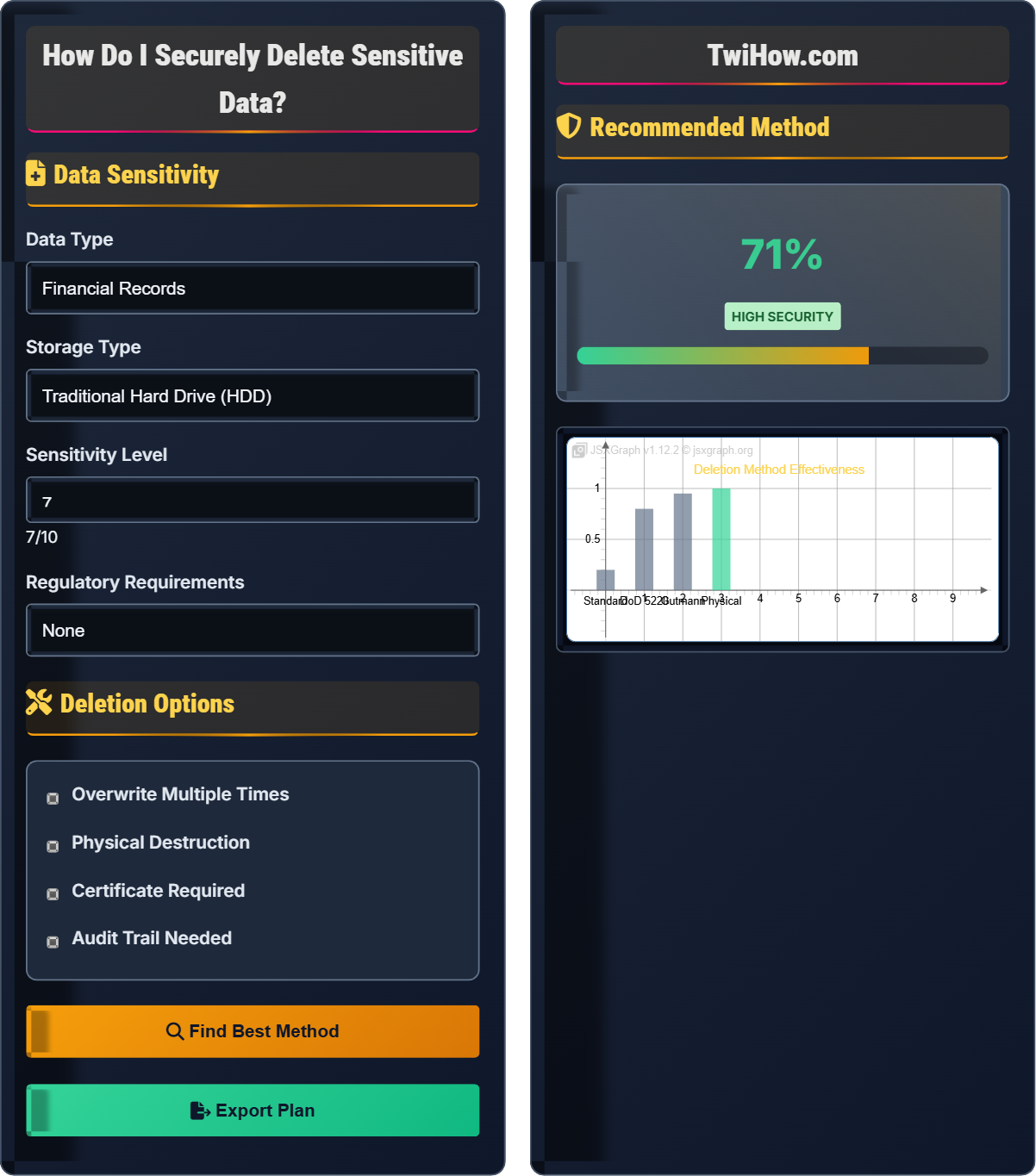
| Method | Security Level | Time Required |
|---|---|---|
| DoD 5220.22-M | High | 2-4 hours |
| Gutmann Method | Very High | 35 hours |
| Single Overwrite | Moderate | 30 minutes |
| Physical Destruction | Maximum | Instant |
Secure Data Deletion Fundamentals
Standard file deletion merely removes directory entries and marks space as available, leaving actual data intact until overwritten. Secure deletion involves overwriting data multiple times with specific patterns to make recovery impossible. Different storage technologies require different approaches due to their physical characteristics.
Probability of successful secure deletion:
Where:
- Overwrite Passes: Number of times data is overwritten
- Pattern Complexity: Sophistication of overwrite patterns
- Recovery Difficulty: Resistance to data recovery attempts
US Department of Defense standard, suitable for most sensitive data.
Highly secure method for maximum security requirements.
Complete destruction of storage media for ultimate security.
- Storage Technology: HDDs, SSDs, and flash drives require different approaches
- Regulatory Compliance: Industry standards may mandate specific methods
- Time vs. Security: Balance security requirements with time constraints
- Certification Needs: Some situations require deletion certificates
- Verification Requirements: Confirmation that deletion was successful
Deletion Methods by Storage Type
- DoD 5220.22-M: 3-pass method with 0s, 1s, and random data
- Gutmann Method: 35-pass method for maximum security
- Simple Overwrite: Single pass with random data for basic needs
- ATA Secure Erase: Built-in command for hardware-level deletion
- ATA Secure Erase: Hardware-level command that bypasses file system
- Block Erase: SSD-specific command for faster deletion
- Full Disk Encryption: Crypto-shredding for instant deletion
- Overwrite Caution: May be ineffective due to wear leveling
- Quick Format: Only metadata, not actual data
- Full Format: May not overwrite all sectors
- Specialized Tools: Use software designed for USB sanitization
- Physical Destruction: Often most reliable for high-security needs
- Factory Reset: May not securely delete all data
- Encryption: Enable before deletion for crypto-shredding
- Secure Wipe: Use device-specific secure deletion features
- Physical Destruction: Most reliable for sensitive data
Regulatory Compliance
- GDPR: Right to erasure requires secure deletion of personal data
- HIPAA: Medical data must be destroyed to prevent recovery
- SOX: Financial records require certified deletion procedures
- PCI-DSS: Payment card data must be securely deleted
- FERPA: Educational records require secure disposal
- Deletion Certificates: Required for many compliance standards
- Audit Trails: Document all deletion activities
- Chain of Custody: Track data from creation to destruction
- Verification Reports: Confirm deletion effectiveness
- Retention Policies: Define when data must be destroyed
Secure Deletion Knowledge Quiz
Why is the DoD 5220.22-M method less effective on Solid State Drives compared to traditional hard drives?
Wear leveling is a feature in SSDs that distributes write operations across different physical locations to extend drive life. This means that even if you overwrite a logical block multiple times, the data may still exist in other physical locations on the drive. Traditional overwrite methods like DoD 5220.22-M don't account for this, making them less effective on SSDs compared to traditional magnetic hard drives.
The answer is B) Wear leveling moves data to different physical locations.
Understanding the physical differences between storage technologies is crucial for effective secure deletion. SSDs use flash memory with wear leveling algorithms that complicate traditional overwrite methods. This demonstrates why security procedures must be tailored to the underlying technology rather than applying generic approaches.
Wear Leveling: Algorithm that distributes writes to extend SSD life
DoD 5220.22-M: US military standard for data sanitization
Physical vs Logical: Difference between actual storage and file system view
• Match method to storage technology
• Consider physical storage characteristics
• Don't assume one method fits all
• Research storage-specific methods
• Use built-in secure erase commands when available
• Verify effectiveness of deletion
• Using HDD methods on SSDs
• Not considering wear leveling
• Assuming all drives are the same
Explain the difference between crypto-shredding and traditional data deletion. When is crypto-shredding most effective, and what are its advantages and limitations?
Crypto-shredding: The process of destroying encryption keys instead of the actual data. Since encrypted data is useless without the key, deleting the key effectively destroys the data instantly.
Traditional Deletion: Actually overwriting or destroying the physical data.
Effectiveness: Crypto-shredding is most effective when data was encrypted with strong encryption before deletion.
Advantages: Instant deletion, works on any storage type, minimal wear on devices.
Limitations: Requires pre-encryption, key management complexity, potential for key backup recovery.
Crypto-shredding represents a paradigm shift in data deletion - instead of destroying data, we destroy the ability to read it. This approach is particularly elegant because it works regardless of storage technology and takes only seconds. However, it requires forward planning and proper encryption implementation, demonstrating how security measures must be considered from the beginning of data lifecycle management.
Crypto-shredding: Destroying encryption keys to render data inaccessible
Encryption: Converting data to unreadable format
Key Management: Proper handling of encryption keys
• Must encrypt data first for crypto-shredding
• Secure key destruction is critical
• Consider key backup implications
• Enable encryption before storing sensitive data
• Use hardware encryption when available
• Plan key destruction procedures
• Attempting crypto-shredding without encryption
• Not securing key deletion process
• Assuming data is encrypted by default
Your organization needs to dispose of 50 old laptops containing confidential customer data. The laptops have both traditional hard drives and some SSDs. You must comply with GDPR regulations and provide deletion certificates. The equipment will be handled by a third-party vendor. Develop a comprehensive data destruction plan that addresses storage types, regulatory requirements, verification, and documentation needs.
Comprehensive Plan:
1. Inventory: Identify storage type (HDD vs SSD) in each laptop
2. Classification: Categorize data sensitivity levels
3. Method Selection: Use DoD 5220.22-M for HDDs, ATA Secure Erase for SSDs
4. Verification: Run verification tools to confirm deletion
5. Documentation: Generate deletion certificates for each device
6. Chain of Custody: Document handling from start to finish
7. Vendor Requirements: Ensure vendor provides certificates and compliance documentation
This approach ensures GDPR compliance while maintaining proper documentation.
Enterprise data destruction requires systematic planning that addresses multiple concerns simultaneously. The challenge lies in balancing security, compliance, and operational efficiency. Different storage types require different approaches, while regulatory requirements demand specific documentation. This demonstrates how real-world security challenges require integrated solutions addressing multiple constraints.
Chain of Custody: Documentation of item handling from creation to destruction
GDPR: EU regulation on data protection and privacy
Verification: Confirmation that deletion was effective
• Match method to storage type
• Document everything
• Verify completion
• Create standardized procedures
• Use automated tools for consistency
• Train staff on requirements
• Using same method for all storage types
• Not documenting the process
• Failing to verify deletion
You need to securely delete sensitive tax documents from your personal computer. The files are stored on an SSD, and you plan to sell the computer next month. You want to ensure the data cannot be recovered, but you also want to preserve the drive for the new owner. The documents include Social Security numbers and bank account information. Evaluate different deletion methods and recommend the most appropriate approach, considering security, time, and drive longevity.
Recommendation: Use the built-in ATA Secure Erase command or encrypt the drive before deletion and use crypto-shredding.
Reasoning: Traditional overwrite methods are less effective on SSDs due to wear leveling. ATA Secure Erase is designed specifically for SSDs and is both secure and efficient. Alternatively, if the drive was encrypted, destroying the encryption key would instantly render all data unrecoverable while preserving drive health.
Steps: 1) Use manufacturer's secure erase utility, 2) Verify completion, 3) Optionally run a quick format for peace of mind.
This approach provides maximum security while preserving drive life.
Effective data deletion requires matching the method to the situation's specific requirements. In this case, the SSD technology, security needs, and preservation of drive health all influence the optimal approach. This demonstrates how security decisions must balance multiple competing factors rather than focusing on a single concern.
ATA Secure Erase: Hardware-level command for SSDs
Wear Leveling: SSD feature that distributes writes
Drive Longevity: Preserving SSD life and performance
• Use SSD-specific methods
• Preserve drive health when possible
• Verify effectiveness
• Research manufacturer tools
• Consider encryption beforehand
• Test on non-critical data first
• Using HDD methods on SSDs
• Not considering wear leveling
• Overwriting unnecessarily
Which of the following is the most reliable way to verify that sensitive data has been successfully deleted?
Specialized verification software can scan physical disk sectors to confirm that data has been overwritten and cannot be recovered. This is the most reliable method because it examines the actual physical storage rather than relying on the file system. File recovery tools may not detect all recoverable data, and visual confirmation through file explorer only confirms the file system has been updated, not that the actual data is gone.
The answer is C) Using specialized verification software that scans physical disk sectors.
Verification of secure deletion requires examining the physical storage medium rather than relying on logical file system indicators. This demonstrates the fundamental principle that true security verification must look beneath the surface level of how systems normally operate. The most reliable verification methods bypass normal file system abstractions to examine actual data storage.
Physical Verification: Examining actual storage medium
Logical Verification: Checking file system indicators
Specialized Software: Tools designed for data recovery verification
• Verify at physical level
• Use specialized tools
• Don't rely on file system indicators
• Use certified verification tools
• Test verification methods first
• Document verification results
• Relying on visual confirmation
• Not verifying at physical level
• Using inadequate verification tools
FAQ
Q: Can data really be recovered after deletion, and how is this possible?
A: Yes, data can often be recovered after standard deletion because the operating system only removes the file's reference in the directory, not the actual data. The data remains on the storage medium until it's overwritten. Specialized tools can scan the disk for recoverable data patterns. Even after multiple overwrites, advanced techniques like magnetic force microscopy can sometimes recover traces of data from traditional hard drives. This is why secure deletion methods use multiple passes with specific patterns to make recovery increasingly difficult.
Q: What's the difference between formatting a drive and securely deleting data?
A: Quick formatting only removes the file system structure and directory entries, leaving all data intact and easily recoverable. Full formatting may write new file system structures but often doesn't touch the actual data areas. Secure deletion, on the other hand, overwrites the actual data with specific patterns to make recovery impossible. Formatting is like removing the table of contents from a book, while secure deletion is like replacing every page with random text multiple times. For sensitive data, secure deletion is essential.
Q: Do I need to worry about securely deleting files from my smartphone?
A: Yes, smartphones store highly sensitive personal information including photos, messages, financial data, and location history. Before selling, donating, or disposing of a smartphone, you should perform a factory reset after enabling encryption. However, the most secure approach is physical destruction of the storage chip if the data is extremely sensitive. Modern smartphones use flash storage similar to SSDs, so traditional overwrite methods may be less effective than physical destruction or crypto-shredding (destroying encryption keys).