How to Securely Share Files with Colleagues or Clients?
Complete cybersecurity guide • Step-by-step explanations
Secure File Sharing:
Show Security CalculatorSecure file sharing involves protecting digital files during transmission and storage using encryption, authentication, and access controls. Modern methods include end-to-end encryption, secure cloud platforms, and encrypted file transfer protocols.
Key security concepts:
- Encryption: Converting files to unreadable format during transit
- Authentication: Verifying identities of senders/receivers
- Access Controls: Limiting who can view/download files
- Zero-Knowledge: Service providers can't access your data
Best practices include using established secure platforms, encrypting sensitive data before sharing, implementing strong passwords, and regularly reviewing access permissions.
Security Parameters
Security Options
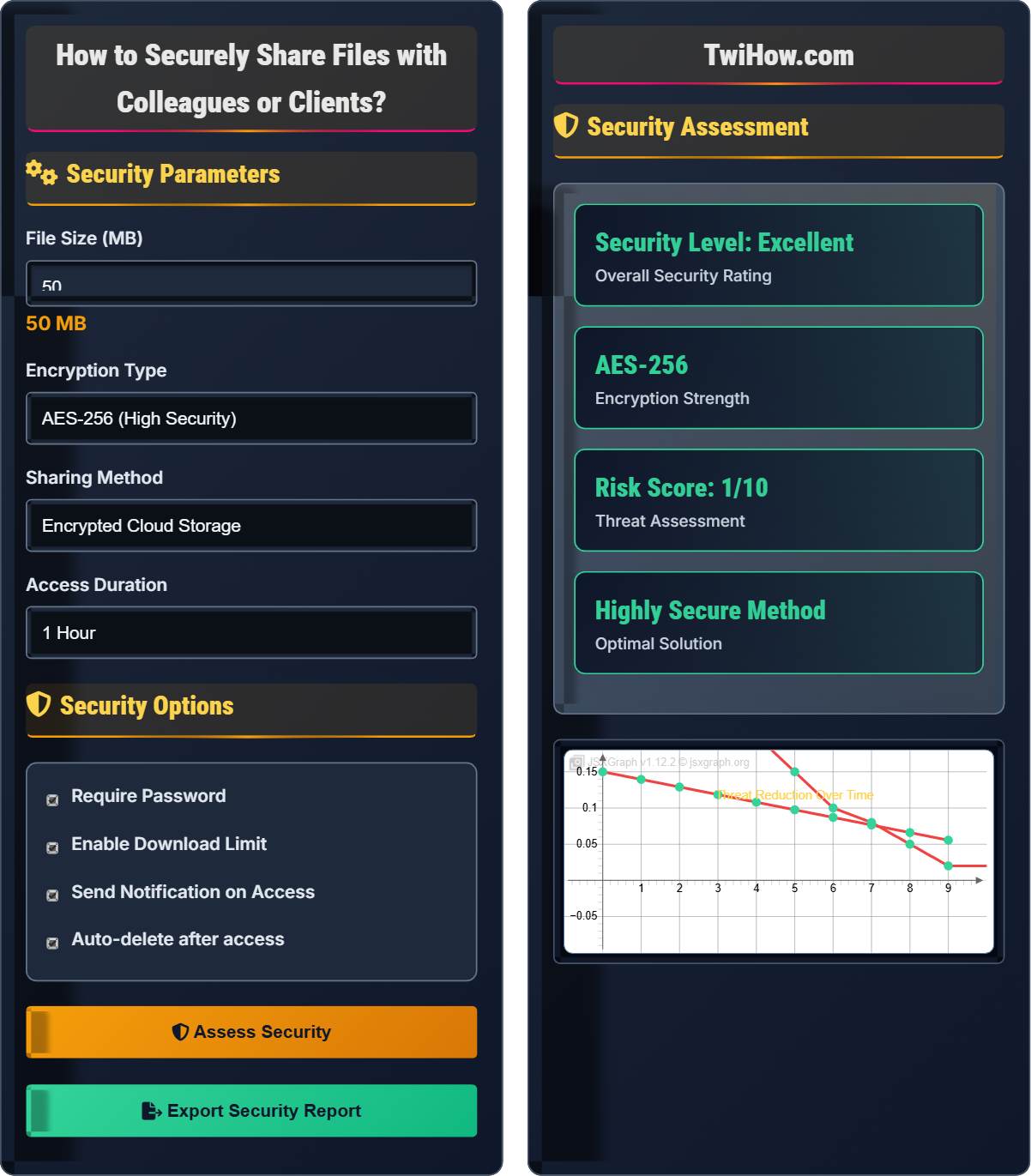
Security Assessment
| Aspect | Rating | Details |
|---|---|---|
| Encryption | Excellent | AES-256 bit encryption |
| Authentication | Good | Password protected |
| Access Control | Good | Download limits enabled |
| Monitoring | Good | Access notifications |
Based on your file size and sharing method, the risk level is: LOW
For sensitive files, consider additional measures like watermarking or file expiration.
Secure File Sharing Explained
Secure file sharing is the practice of transmitting files between individuals while maintaining confidentiality, integrity, and availability. It involves using cryptographic techniques, authentication mechanisms, and access controls to protect data during transit and storage.
Modern secure file sharing relies on strong encryption algorithms:
Where:
- Plain Text: Original file content
- Encryption Algorithm: AES-256, Twofish, or RSA
- Encryption Key: Secret key for encoding/decoding
- Encrypted Data: Protected file content
Secure protocols for file transmission:
- SFTP: SSH File Transfer Protocol (encrypted)
- FTPS: FTP over SSL/TLS (secure FTP)
- HTTPS: HTTP Secure (web-based transfers)
- AS2: Applicability Statement 2 (business-to-business)
- WebDAV: Web Distributed Authoring and Versioning
- End-to-End Encryption: Data encrypted on device, decrypted only by recipient
- Zero-Knowledge Architecture: Service provider cannot access file contents
- Multi-Factor Authentication: Additional verification layers
- Access Expiration: Automatic deletion after set time
- Download Limits: Restrict number of downloads
- Audit Trails: Log all access attempts and downloads
Security Fundamentals
Encryption, authentication, access control, zero-knowledge, end-to-end security.
Encrypted_File = AES_256(Original_File, Secret_Key)
Where Encrypted_File = protected data, Secret_Key = decryption key.
- Always encrypt sensitive data before sharing
- Use established, tested platforms
- Implement strong access controls
- Monitor and audit file access
Secure Protocols
Secure protocol that provides file access, transfer, and management over any reliable data stream. It encrypts both commands and data, preventing passwords and sensitive information from being transmitted openly over the network.
Communication protocol for secure communication over a computer network. Widely used for protecting sensitive transactions like online banking and shopping.
Extension to the commonly used File Transfer Protocol (FTP) that adds support for Transport Layer Security (TLS) and Secure Sockets Layer (SSL) cryptographic protocols.
Recommended Tools
End-to-end encrypted cloud storage with zero-access encryption. Files are encrypted on your device before being uploaded, ensuring that not even Proton can access your data.
Enterprise-grade zero-knowledge file sync and sharing solution with military-grade encryption. Offers client-side encryption and secure file sharing with external partners.
Secure file sharing platform that combines end-to-end encryption with email integration. Files are encrypted locally before being uploaded to the server.
Secure File Sharing Quiz
Which encryption standard provides the highest level of security for file sharing?
AES-256 provides 256-bit encryption, which is currently considered the gold standard for symmetric encryption. With 2^256 possible keys, it's computationally infeasible to crack with current technology. While AES-128 is also secure, AES-256 offers higher security margins.
The answer is B) AES-256.
Encryption strength is measured by key length. Longer keys mean exponentially more possible combinations, making brute-force attacks impractical. AES-256 has 2^128 times more possible keys than AES-128, providing significantly stronger security. DES (Data Encryption Standard) is now considered obsolete due to its short 56-bit key length.
AES: Advanced Encryption Standard, symmetric encryption algorithm
Key Length: Number of bits in an encryption key
Brute Force: Trial-and-error method to guess passwords/keys
• Longer keys provide stronger security
• AES-256 is recommended for sensitive data
• Key length determines encryption strength
• Use AES-256 for maximum security
• Combine encryption with other security measures
• Stay updated on cryptographic standards
• Using outdated encryption standards
• Underestimating key length importance
• Assuming all encryption is equally strong
Explain the concept of end-to-end encryption in file sharing and why it's important for security. Include the difference between end-to-end encryption and transport encryption.
End-to-End Encryption (E2EE): Data is encrypted on the sender's device and only decrypted on the recipient's device. Even service providers cannot access the plaintext content.
Transport Encryption: Data is encrypted only during transmission between devices and servers, but stored unencrypted on the service provider's servers.
Importance: E2EE ensures that only intended recipients can access shared files, protecting against server breaches, insider threats, and government surveillance. The service provider becomes a mere conduit, unable to read or manipulate the data.
Think of end-to-end encryption like sending a sealed envelope that only the recipient has the key to open. The postal service (service provider) can deliver the envelope but cannot see its contents. This contrasts with transport encryption, which is like having the envelope opened during delivery and stored in an unlocked mailbox at the destination.
End-to-End Encryption: Encryption from sender to recipient device
Transport Encryption: Encryption during data transmission
Zero-Knowledge: Provider cannot access user data
• E2EE protects against server breaches
• Service providers should not have decryption keys
• Both endpoints must support E2EE
• Look for "zero-knowledge" claims in marketing
• Verify E2EE implementation details
• Use E2EE for sensitive information
• Confusing transport encryption with E2EE
• Assuming all "secure" services use E2EE
• Not verifying encryption implementation
Your company needs to share a 500MB financial report containing proprietary information with an external auditor. The report contains sensitive financial projections and strategic plans. Evaluate the risks of using email attachments versus secure file sharing platforms and recommend the safest approach.
Email Risks: Messages are often stored unencrypted on multiple servers, subject to interception, and difficult to recall once sent. Email systems typically lack granular access controls.
Secure Platform Benefits: End-to-end encryption, access controls, audit trails, automatic expiration, and download limits. Platforms like ProtonDrive or Tresorit provide zero-knowledge architecture.
Recommendation: Use an encrypted file sharing platform with password protection, download limits, and automatic expiration after 7 days. Implement multi-factor authentication for both parties.
When handling sensitive data, the principle of least privilege applies - limit access to only those who need it. Email is inherently insecure for sensitive data because it lacks the controls necessary for managing access to confidential information. Secure platforms provide the necessary tools to maintain security throughout the sharing lifecycle.
Least Privilege: Grant minimum necessary access rights
Zero-Knowledge: Service provider cannot access data
Audit Trail: Record of all access events
• Never send sensitive data via regular email
• Use purpose-built secure sharing tools
• Implement access controls and monitoring
• Set automatic expiration for shared files
• Use watermarks on sensitive documents
• Verify recipient identity before sharing
• Underestimating email security risks
• Not setting expiration dates
• Sharing passwords via the same channel
A team member accidentally shares login credentials for a secure file sharing platform via unencrypted email. The platform uses only username/password authentication. Explain the security implications and propose immediate remediation steps.
Security Implications: Unencrypted credentials in email can be intercepted by attackers, leading to unauthorized access to shared files. Without MFA, anyone with the credentials can access the platform.
Immediate Steps: 1) Change the compromised password immediately, 2) Enable multi-factor authentication on the account, 3) Review all shared files and revoke access if necessary, 4) Notify affected parties of potential exposure.
Prevention: Implement mandatory MFA, establish secure communication channels for credential sharing, and conduct regular security training.
Single-factor authentication (password only) is vulnerable because passwords can be compromised through various means. Multi-factor authentication adds additional layers of security, requiring something you know (password), something you have (phone/token), or something you are (biometric). This dramatically reduces the risk of unauthorized access even if passwords are compromised.
MFA: Multi-Factor Authentication
2FA: Two-Factor Authentication
Security Token: Device generating authentication codes
• Never share credentials via unencrypted channels
• Always use MFA for sensitive accounts
• Respond quickly to credential exposure
• Use password managers for secure storage
• Implement MFA wherever possible
• Conduct regular security audits
• Using single-factor authentication
• Sharing credentials via email
• Delaying password changes after exposure
Which of the following best describes zero-knowledge architecture in file sharing?
Zero-knowledge architecture ensures that the service provider cannot access user data because encryption and decryption occur only on the client side. The service provider stores only encrypted data and has no way to decrypt it. This model provides maximum privacy protection against server breaches and insider threats.
The answer is B) Service provider cannot access file contents.
In zero-knowledge systems, the service provider acts purely as a storage and transmission intermediary. The user's device handles all encryption operations using keys that never leave the device. This creates a trust boundary where the service provider cannot violate user privacy even if compelled to do so by authorities.
Zero-Knowledge: Provider cannot access user data
Trust Boundary: Limit of trust in a system
Client-Side Encryption: Encryption on user device
• Keys must stay on client device
• Provider should not have decryption capability
• Verification of zero-knowledge claims is important
• Look for open-source implementations
• Verify zero-knowledge architecture details
• Understand where keys are generated/stored
• Assuming all "encrypted" services are zero-knowledge
• Not verifying actual implementation
• Trusting marketing claims without verification
FAQ
Q: What's the difference between file encryption and secure file sharing?
A: File encryption is the process of converting file contents into an unreadable format using cryptographic algorithms. Secure file sharing is a broader concept that encompasses encryption along with authentication, access controls, secure transmission protocols, and management features. Encryption is a component of secure file sharing, but secure sharing also includes identity verification, permission management, and secure communication channels.
Q: How do I verify that my file sharing platform is truly secure?
A: To verify security of a file sharing platform, look for:
1. End-to-End Encryption: Files encrypted on your device, not just in transit
2. Open Source Client: Code can be independently verified
3. Zero-Knowledge Architecture: Provider cannot access your data
4. Security Certifications: SOC 2, ISO 27001, or equivalent
5. Independent Audits: Third-party security assessments
6. Transparency Reports: Regular disclosure of government requests
Always research the provider's security practices and read independent reviews before trusting with sensitive data.