What Are Common Security Misconfigurations to Avoid?
Complete security guide • Step-by-step explanations
Security Misconfigurations:
Show Configuration ScannerSecurity misconfigurations are improper settings or defaults that create vulnerabilities in systems, applications, and networks. These misconfigurations can provide attackers with unauthorized access, expose sensitive data, or allow privilege escalation. Common examples include default passwords, unnecessary services, and overly permissive access controls.
Identifying and fixing misconfigurations is crucial for maintaining a secure environment.
Common areas:
- Default Credentials: Using factory-set usernames and passwords
- Open Ports: Unnecessary network services exposed to the internet
- Permissions: Overly permissive access rights
- Debug Features: Enabled debugging or development features
- Logging: Insufficient or overly verbose logging
- Encryption: Weak or disabled encryption settings
Successfully preventing security misconfigurations requires implementing secure-by-default principles, regular configuration reviews, and automated scanning tools.
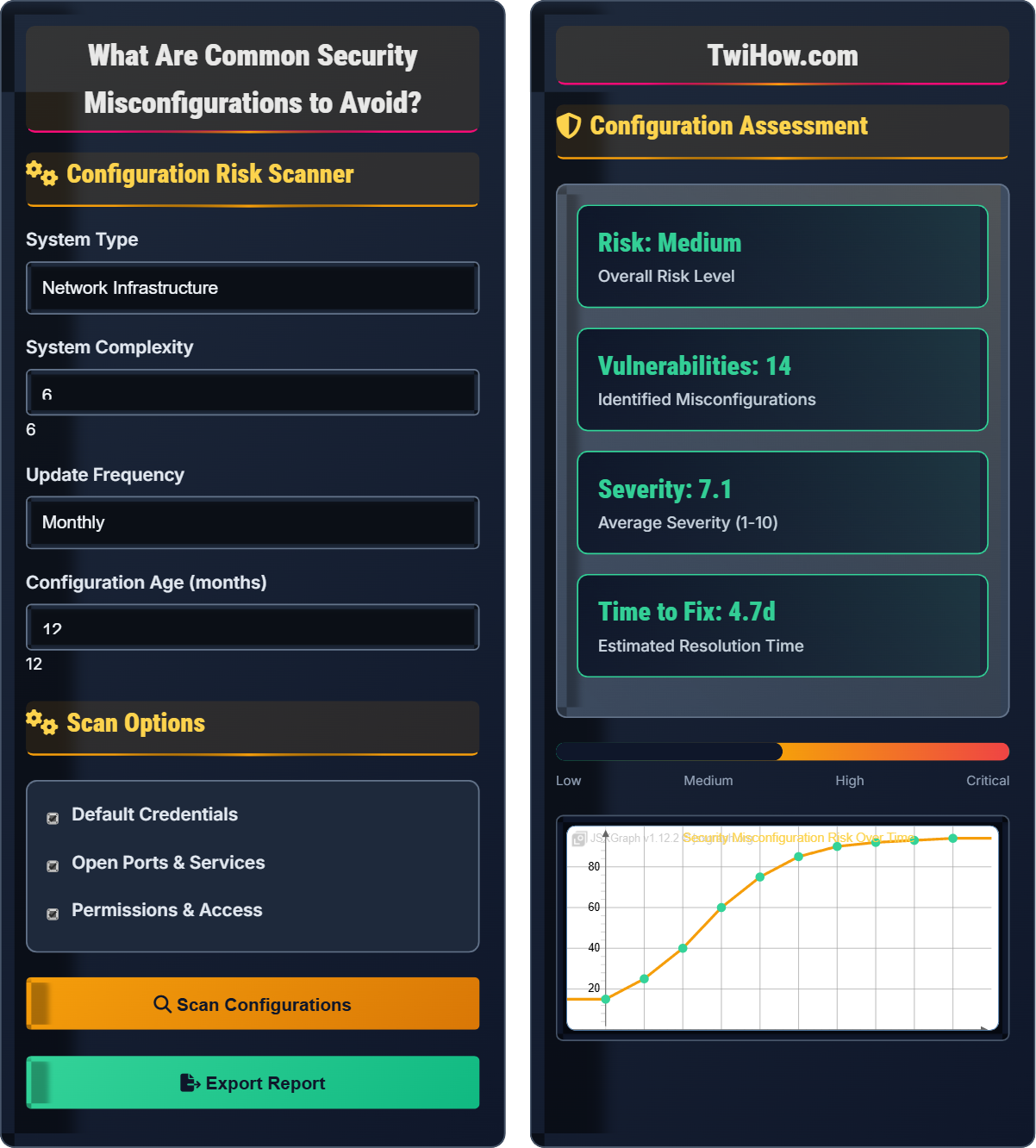
Configuration Risk Scanner
Scan Options
Configuration Assessment
| Issue | Severity | Location | Status |
|---|---|---|---|
| Default Admin Password | High | Router Config | Open |
| Open Port 22 | Medium | Firewall | Open |
| Permissive CORS | High | API Gateway | Open |
| Debug Mode On | Medium | Web Server | Open |
Security Misconfigurations Explained
Security misconfigurations are improper settings or defaults in systems, applications, or networks that create vulnerabilities. These can occur at any level of the technology stack and often result from using default settings, incomplete configurations, or overly permissive access controls. They are frequently exploited by attackers to gain unauthorized access or escalate privileges.
Where:
- Exposure Factor: Degree to which system is exposed to threats
- Vulnerability Score: Severity of the misconfiguration
- Threat Likelihood: Probability of exploitation by attackers
Key categories of security misconfigurations:
- Default Credentials: Using factory-set usernames and passwords
- Unrestricted Access: Overly permissive network or file permissions
- Exposed Services: Unnecessary services accessible externally
- Debug Features: Development tools enabled in production
- Weak Encryption: Disabled or weak cryptographic settings
- Improper Logging: Insufficient or overly verbose logging
- Missing Updates: Outdated software with known vulnerabilities
- Hardcoded Secrets: Credentials embedded in code
- Phase 1: Establish secure baselines and standards (Week 1-2)
- Phase 2: Deploy scanning tools and automation (Week 3-4)
- Phase 3: Implement change management processes (Week 5-6)
- Phase 4: Continuous monitoring and response (Ongoing)
- Phase 5: Regular review and optimization (Quarterly)
Common Misconfiguration Categories
Default credentials, exposed services, permissions, debug features, encryption, logging.
Misconfiguration Risk = Exposure Factor × Vulnerability Score × Threat Likelihood
Where Misconfiguration Risk = overall risk level, Exposure Factor = degree of exposure, Threat Likelihood = probability of exploitation.
- Never use default credentials
- Follow least privilege principle
- Regular configuration audits
Prevention Strategies
Web applications, databases, cloud, network, mobile, IoT, containers.
- Establish secure baselines
- Implement automated scanning
- Control configuration changes
- Monitor continuously
- Remediate quickly
- Verify and optimize
- Secure by default
- Automate where possible
- Regular audits and updates
- Change management
Security Misconfiguration Process
| Misconfiguration | Severity | Exploitability | Impact | Fix Difficulty |
|---|---|---|---|---|
| Default Admin Password | High | Easy | Critical | Easy |
| Open Database Port | High | Medium | Critical | Medium |
| Permissive CORS | Medium | Hard | High | Medium |
| Debug Mode Enabled | Medium | Easy | Medium | Easy |
| Weak SSL/TLS | Medium | Hard | High | Hard |
| Unrestricted Access | High | Easy | Critical | Medium |
Misconfiguration by Category
1. Factory Defaults: Never change default usernames and passwords
2. Weak Passwords: Using easily guessable passwords
3. Shared Accounts: Multiple users sharing admin credentials
4. Hardcoded Credentials: Embedding passwords in code/config files
5. Unused Accounts: Not disabling default accounts when not needed
6. Password Reuse: Using same passwords across multiple systems
Configuration Security Structure
• Firewall Rules: Restrict unnecessary ports and services
• Access Controls: Implement network segmentation
• Service Discovery: Hide services from unauthorized users
• Port Security: Disable unused ports and protocols
• VPN Access: Secure remote access points
• Authentication: Strong password policies and MFA
• Authorization: Principle of least privilege
• Input Validation: Sanitize all user inputs
• Debug Settings: Disable in production
• Error Handling: Avoid information disclosure
• Connection Strings: Encrypt and secure credentials
• Access Controls: Limit database access by role
• Network Access: Restrict database network exposure
• Encryption: Encrypt data at rest and in transit
• Auditing: Monitor database access and changes
• Bucket Permissions: Restrict public access to storage
• API Keys: Rotate and secure API credentials
• Instance Configs: Secure default instance settings
• Network Security: Configure security groups properly
• Monitoring: Enable cloud security logging
• Physical Layer: Secure hardware and infrastructure
• Network Layer: Control traffic and access
• Application Layer: Secure code and configurations
• Data Layer: Protect information at rest and in transit
• Monitoring Layer: Continuous security assessment
Misconfiguration Prevention Process
Define secure configuration standards for all systems, applications, and services. Document approved configurations and create secure templates that follow security best practices.
Deploy automated tools to regularly scan systems for misconfigurations. Configure continuous monitoring to detect configuration drift from approved baselines.
Implement processes to control and review all configuration changes. Require approval and testing before implementing configuration changes in production.
Establish real-time monitoring for configuration changes and security events. Set up alerts for unauthorized configuration modifications.
Develop procedures to quickly fix identified misconfigurations. Prioritize fixes based on risk and impact assessment.
Verify that fixes are effective and don't introduce new issues. Regularly optimize security controls based on threat intelligence and lessons learned.
Security Misconfiguration Prevention Timeline
Detailed Misconfiguration Examples
Using default usernames and passwords is one of the most common and dangerous misconfigurations. Attackers can easily find default credentials for popular systems and gain full administrative access. This includes default passwords on routers, cameras, databases, and application servers.
Prevention: Change all default passwords immediately during installation, use strong unique passwords, and implement password rotation policies.
Allowing unrestricted access to sensitive systems, databases, or network services can lead to complete system compromise. This includes open ports, permissive firewall rules, and overly broad permissions.
Prevention: Implement the principle of least privilege, restrict access to only necessary services, and regularly review access controls.
Leaving development or debugging features enabled in production environments can expose sensitive information, provide unauthorized access, or reveal system internals to attackers. This includes debug consoles, error pages, and development tools.
Prevention: Disable all debug features in production, implement proper error handling, and use environment-specific configurations.
Using weak or outdated encryption algorithms, or disabling encryption altogether, exposes data to interception and manipulation. This includes weak SSL/TLS configurations, unencrypted data storage, and weak hashing algorithms.
Prevention: Use strong encryption standards, keep certificates up to date, and regularly review encryption configurations.
Overly verbose logging can expose sensitive information in log files, while insufficient logging can prevent proper security monitoring. Both represent misconfigurations that can impact security.
Prevention: Implement appropriate logging levels, protect log files with proper access controls, and regularly review log configurations.
Security Misconfiguration Quiz
Which of the following is the most common and dangerous security misconfiguration?
Using default credentials is the most common and dangerous security misconfiguration. Default usernames and passwords are publicly known and easily accessible to attackers. Systems with default credentials are among the first targets for automated attacks. This misconfiguration provides immediate administrative access to attackers and is completely preventable by following basic security practices.
The answer is B) Using default credentials.
Default credentials represent a fundamental security oversight that attackers can exploit with minimal effort. Unlike other vulnerabilities that may require sophisticated techniques, default credentials provide immediate access to systems. This misconfiguration is particularly dangerous because it often grants full administrative privileges, allowing attackers complete control over affected systems. The prevention is simple but requires discipline and process adherence.
Default Credentials: Factory-set usernames and passwords
Security Misconfiguration: Improper system settings creating vulnerabilities
Administrative Access: Highest level of system privileges
• Change defaults immediately
• Use strong unique passwords
• Document changes
• Create installation checklists
• Automate credential changes
• Regular audits
• Forgetting to change defaults
• Using predictable passwords
• Not documenting changes
Explain the most common network security misconfigurations and their prevention methods.
Common Network Security Misconfigurations:
1. Open Ports and Services:
• Problem: Unnecessary services exposed to the internet
• Impact: Expanded attack surface and potential entry points
• Example: Database ports, SSH, FTP, Telnet accessible externally
• Prevention: Close unnecessary ports, use firewalls, implement network segmentation
2. Permissive Firewall Rules:
• Problem: Overly broad access controls
• Impact: Unauthorized access to internal resources
• Example: Allowing all traffic from certain IP ranges
• Prevention: Principle of least privilege, regular rule reviews
3. Default Network Settings:
• Problem: Using factory default configurations
• Impact: Known vulnerabilities and access methods
• Example: Default SNMP community strings, routing protocols
• Prevention: Change all defaults, secure configurations
4. Unsecured Wireless Networks:
• Problem: Weak or no encryption on wireless networks
• Impact: Unauthorized network access and data interception
• Example: Open Wi-Fi, WEP encryption
• Prevention: Strong encryption (WPA3), secure authentication
5. Improper Network Segmentation:
• Problem: Inadequate isolation of network zones
• Impact: Lateral movement after initial compromise
• Example: Same network for guests and critical systems
• Prevention: Proper VLANs, firewalls, access controls
Prevention Strategies:
• Network Mapping: Document all network components and services
• Regular Scanning: Use tools to identify open ports and services
• Change Management: Control network configuration changes
• Monitoring: Continuous network security monitoring
• Security Training: Educate network administrators
Network security misconfigurations are particularly dangerous because they provide direct pathways for attackers to access internal systems.
Network misconfigurations are critical because they create the initial attack vectors that allow unauthorized access. The network perimeter is the first line of defense, and misconfigurations here can bypass all other security measures. Understanding network misconfigurations helps administrators implement proper network security architecture and maintain secure network operations.
Network Segmentation: Dividing network into isolated zones
Attack Surface: Total sum of vulnerabilitiesNetwork Perimeter: Boundary between internal and external networks
• Minimize open ports
• Implement least privilege
• Regular network audits
• Use port scanning tools
• Implement network segmentation
• Regular firewall reviews
• Opening ports without justification
• Not monitoring network changes
• Poor network documentation
A company's database server is accessible from the internet with default credentials. The database contains customer information and payment records. Identify the security misconfigurations and provide a remediation plan.
Identified Security Misconfigurations:
1. Internet Accessibility:
• Issue: Database server accessible from the internet
• Risk: Direct attack vector for database compromise
• Impact: Complete database access if compromised
2. Default Credentials:
• Issue: Using default database administrator credentials
• Risk: Immediate administrative access for attackers
• Impact: Full database control and data theft
3. Sensitive Data Exposure:
• Issue: Customer and payment data without additional protection
• Risk: Massive data breach with severe consequences
• Impact: Legal, financial, and reputational damage
Immediate Remediation Plan:
• Step 1: Disconnect database from internet immediately
• Step 2: Change all default credentials to strong, unique passwords
• Step 3: Restrict database access to internal network only
• Step 4: Implement proper authentication and authorization
• Step 5: Enable database logging and monitoring
Long-term Security Measures:
• Network Security: Place database behind firewall with strict access controls
• Authentication: Implement multi-factor authentication for database access
• Encryption: Enable encryption for data at rest and in transit
• Monitoring: Implement database activity monitoring
• Backup: Ensure secure, encrypted backups
Verification Steps:
• Port Scan: Verify database ports are no longer accessible externally
• Access Test: Confirm only authorized systems can connect
• Credential Test: Verify default credentials no longer work
• Log Review: Check for any previous unauthorized access
Additional Considerations:
• Incident Response: Investigate if the database was previously compromised
• Compliance: Review requirements for handling customer/payment data
• Documentation: Update security policies and procedures
• Training: Educate staff on proper database security practices
This scenario represents a critical security failure that requires immediate attention and comprehensive remediation.
This scenario demonstrates how multiple misconfigurations compound to create a critical security vulnerability. The combination of internet accessibility and default credentials creates an extremely high-risk situation. The remediation process shows the importance of immediate action followed by comprehensive security improvements. This example illustrates why database security is critical and how misconfigurations can lead to catastrophic breaches.
Database Security: Protection of database systems and data
Default Credentials: Factory-set authentication
Data Breach: Unauthorized access to sensitive information
• Never expose databases to internet
• Change default credentials
• Implement access controls
• Use private networks for databases
• Implement strong authentication
• Regular security audits
• Exposing databases to internet
• Using default credentials
• Not monitoring access
Compare the security implications of different web application misconfigurations. Which ones pose the greatest risk and why?
Web Application Security Misconfigurations Ranked by Risk:
1. Debug Mode Enabled (Highest Risk):
• Impact: Reveals sensitive system information, source code, and internal details
• Exploitability: Very easy to exploit with automated tools
• Example: Django debug mode, PHP error reporting in production
• Consequence: Complete system compromise through information disclosure
2. Default Admin Interfaces (High Risk):
• Impact: Direct access to administrative functions
• Exploitability: Easy with default credentials or known paths
• Example: WordPress wp-admin, phpMyAdmin, admin panels
• Consequence: Full application control and data access
3. Misconfigured CORS (High Risk):
• Impact: Cross-site request forgery and data theft
• Exploitability: Moderate, requires crafted requests
• Example: Allowing all origins (*) in CORS headers
• Consequence: Session hijacking and unauthorized data access
4. Information Disclosure (Medium Risk):
• Impact: Reveals system details that aid further attacks
• Exploitability: Provides intelligence for targeted attacks
• Example: Version banners, detailed error messages
• Consequence: Facilitates more sophisticated attacks
5. Weak Session Management (Medium Risk):
• Impact: Session hijacking and account takeover
• Exploitability: Requires intercepting session tokens
• Example: Unencrypted session cookies, predictable session IDs
• Consequence: Unauthorized account access
6. Insecure Direct Object References (Medium Risk):
• Impact: Access to unauthorized data
• Exploitability: Easy by manipulating object identifiers
• Example: Direct URL access to user files or records
• Consequence: Unauthorized data access
Prevention Strategies:
• Environment Separation: Different configurations for dev/prod
• Automated Scanning: Regular checks for common misconfigurations
• Security Headers: Implement proper HTTP security headers
• Input Validation: Validate all user inputs and parameters
• Access Controls: Implement proper authentication and authorization
Most Critical: Debug mode enabled poses the greatest risk because it provides immediate, detailed information that can lead to complete system compromise with minimal effort.
Web application misconfigurations demonstrate how seemingly minor oversights can create major security vulnerabilities. Debug mode exemplifies this - a feature helpful during development becomes a serious security risk in production. The ranking shows how different misconfigurations provide varying levels of attack opportunities, with information disclosure often serving as the foundation for more sophisticated attacks.
Debug Mode: Development feature showing detailed system information
CORS: Cross-Origin Resource Sharing security mechanism
Information Disclosure: Unintentional revealing of sensitive information
• Never enable debug in production
• Secure admin interfaces
• Implement proper access controls
• Use environment-specific configs
• Regular security scanning
• Security headers implementation
• Deploying dev configs to prod
• Not validating inputs
• Weak session management
What is the most common cloud security misconfiguration that leads to data breaches?
Publicly accessible storage buckets are the most common cloud security misconfiguration leading to data breaches. Cloud storage services like AWS S3, Azure Blob Storage, and Google Cloud Storage have default configurations that can be accidentally set to public access. When sensitive data is stored in these publicly accessible buckets, it becomes immediately available to anyone on the internet. This misconfiguration has led to numerous high-profile data breaches affecting millions of records.
The answer is B) Publicly accessible storage buckets.
Cloud storage misconfigurations highlight the importance of understanding default security settings in cloud environments. Unlike traditional on-premises systems, cloud services often have different default permissions and sharing models. The public access feature, designed for legitimate use cases like hosting websites, becomes a major security risk when applied to sensitive data storage. This demonstrates the need for cloud security training and automated configuration checking.
Storage Bucket: Cloud storage container for data objects
Public Access: Available to anyone on the internet
Cloud Misconfiguration: Improper cloud service settings
• Review bucket permissions
• Use encryption
• Implement access controls
• Use bucket policies
• Enable access logging
• Regular configuration audits
• Setting public access by default
• Not monitoring bucket changes
• Inadequate access reviews
FAQ
Q: How often should I audit my system configurations for security misconfigurations?
A: Configuration audits should be performed on multiple schedules:
Continuous Monitoring:
• Real-time: Automated tools monitoring for configuration drift
• Alerting: Immediate notifications for critical misconfigurations
• Dashboarding: Continuous visibility into configuration status
Regular Audits:
• Weekly: Automated scanning of all systems
• Monthly: Detailed configuration reviews
• Quarterly: Comprehensive security assessments
Event-Driven Audits:
• After Changes: Verify configurations after system updates
• Incident Response: Post-incident configuration review
• New Deployments: Configuration validation for new systems
Best Practices:
• Automate Where Possible: Use tools for continuous monitoring
• Baseline Configurations: Maintain approved configuration standards
• Change Management: Control and review all configuration changes
• Documentation: Keep configuration documentation up to date
Key Tools:
• SCAP Scanners: Automated configuration compliance checking
• Cloud Security Tools: AWS Config, Azure Security Center
• Network Scanners: Nessus, OpenVAS for network misconfigurations
• Custom Scripts: Tailored checks for specific requirements
The key is implementing a defense-in-depth approach with both automated monitoring and scheduled comprehensive reviews.
Q: What are the most common application-level security misconfigurations?
A: Common application-level security misconfigurations include:
1. Error Handling Misconfigurations:
• Information Disclosure: Detailed error messages revealing system information
• Stack Traces: Full stack traces showing internal code structure
• Debug Information: Development details in production errors
2. HTTP Security Header Misconfigurations:
• Missing Headers: No Content Security Policy (CSP)
• Weak Headers: Permissive security headers
• Incorrect Implementation: Headers that don't provide intended protection
3. Authentication and Session Management:
• Default Credentials: Using default usernames/passwords
• Weak Password Policies: Insufficient complexity requirements
• Session Issues: Predictable session IDs, no timeout
4. File Upload and Access Controls:
• Unrestricted Uploads: No file type or size validation
• Path Traversal: Directory traversal vulnerabilities
• Direct Object References: Accessing files through direct URLs
5. Debug and Development Features:
• Debug Modes: Development features enabled in production
• API Endpoints: Internal APIs exposed to users
• Configuration Files: Sensitive config files accessible
6. Input Validation and Output Encoding:
• Insufficient Validation: Not validating all inputs
• Encoding Issues: Not encoding output properly
• Sanitization: Inadequate input sanitization
7. Cryptographic Misconfigurations:
• Weak Algorithms: Using deprecated encryption methods
• Key Management: Poor handling of cryptographic keys
• Hardcoded Secrets: Credentials in source code
Prevention Strategies:
• Security Training: Educate developers on secure coding
• Code Reviews: Include security in code review processes
• Automated Testing: Integrate security scanning in CI/CD
• Framework Security: Use secure-by-default frameworks
These misconfigurations often result from development practices carried into production without proper security consideration.
Q: What tools can help identify and prevent security misconfigurations?
A: Various tools can help identify and prevent security misconfigurations:
Configuration Scanning Tools:
• Nessus: Comprehensive vulnerability and configuration scanning
• OpenVAS: Open-source vulnerability assessment tool
• Nexpose: Real-time vulnerability management
• Qualys: Cloud-based vulnerability management platform
Cloud Security Tools:
• AWS Config: Evaluates AWS resource configurations
• Azure Security Center: Unified security management
• Google Cloud Security Command Center: Cloud security posture management
• Prisma Cloud: Multi-cloud security and compliance
Container Security Tools:
• Aqua Security: Container security platform
• Twistlock: Container and cloud-native security
• Docker Bench: Docker security configuration checker
• Kubernetes Security: Kube-bench, kube-hunter
SCAP Compliance Tools:
• OpenSCAP: Open-source SCAP implementation
• SCAP Workbench: GUI tool for SCAP content
• XCCDF Scanners: Automated compliance checking
• CIS-CAT: CIS benchmark assessment tool
Network Security Tools:
• Nmap: Network discovery and security auditing
• Nikto: Web server vulnerability scanner
• OWASP ZAP: Web application security scanner
• Masscan: Fast port scanner for network discovery
Custom Automation:
• Ansible: Configuration management with security modules
• Puppet: Infrastructure automation with security checks
• Chef: Configuration management platform
• Terraform: Infrastructure as code with security policies
DevSecOps Tools:
• Checkmarx: Static application security testing
• Veracode: Software security platform
• SonarQube: Code quality and security analysis
• Bandit: Python security linter
Best Practices for Tool Selection:
• Integration: Tools that integrate with existing workflows
• Automation: Automated scanning in CI/CD pipelines
• Reporting: Clear, actionable reports with prioritization
• Scalability: Tools that grow with your infrastructure
The key is implementing a multi-layered approach using complementary tools for comprehensive coverage.