What is a VPN and Do I Really Need One?
VPN guide • Online privacy & security
VPN Fundamentals:
VPN Needs CalculatorA Virtual Private Network (VPN) creates a secure, encrypted tunnel between your device and a remote server. It masks your IP address, encrypts your internet traffic, and routes it through a different location. VPNs enhance privacy, bypass geo-restrictions, and protect data on public networks.
Key VPN functions:
- IP Masking: Hides your real IP address from websites and services
- Traffic Encryption: Encrypts data between your device and VPN server
- Location Spoofing: Allows access to region-restricted content
- Public WiFi Protection: Secures connections on untrusted networks
- ISP Privacy: Prevents ISPs from monitoring your online activities
VPNs are most beneficial for travelers, remote workers, and those concerned about online privacy.
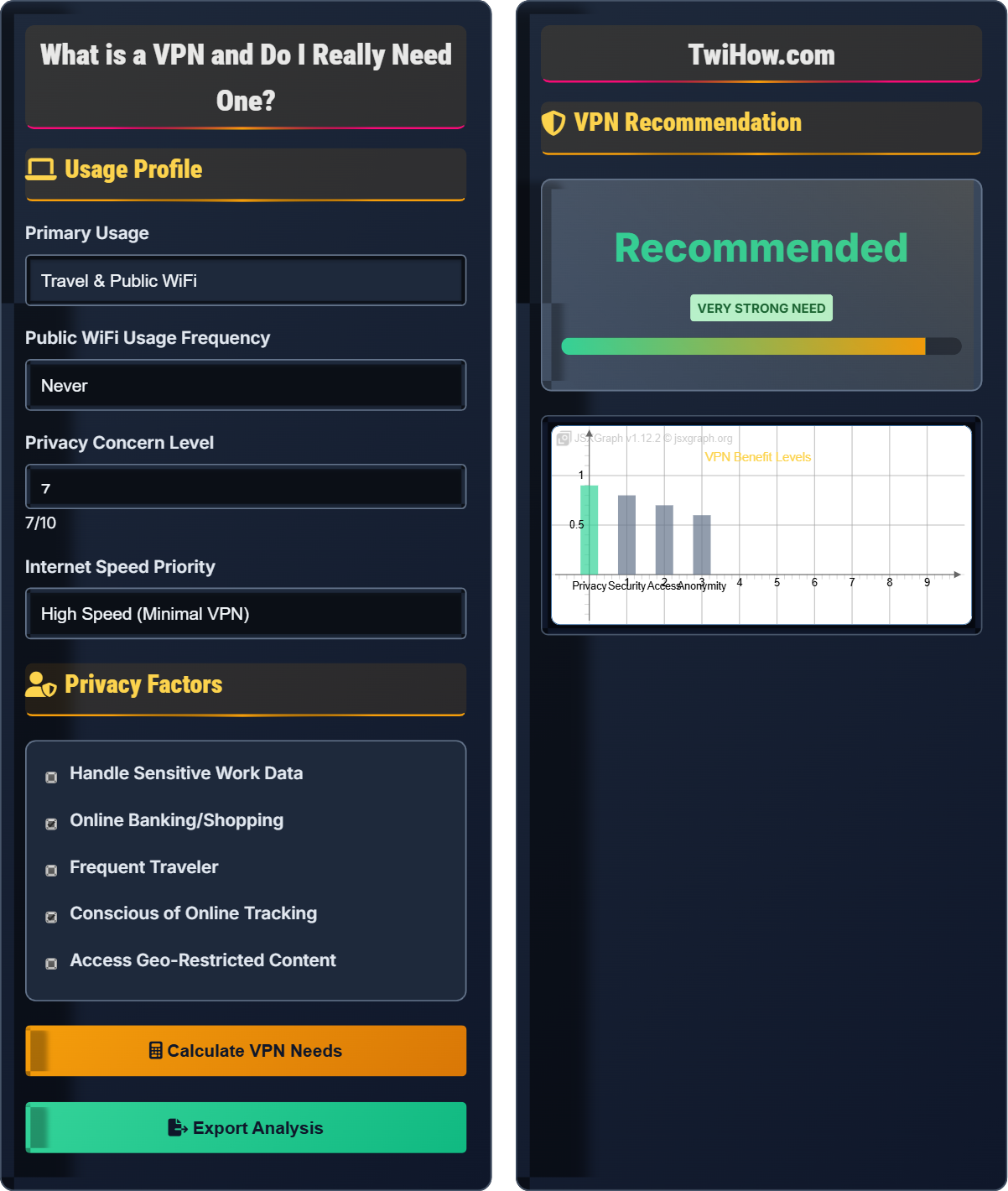
Usage Profile
Privacy Factors
VPN Recommendation
Risk Factors
Security Benefits
| Benefit | Priority |
|---|---|
| Privacy Protection | High |
| Public WiFi Security | High |
| Geo-unblocking | Medium |
| ISP Privacy | Medium |
VPN Technology Explained
A Virtual Private Network (VPN) creates a secure, encrypted connection between your device and the internet through an intermediary server. This connection acts like a "tunnel" that protects your data and hides your real IP address. When you connect to a VPN, your internet traffic is routed through the VPN server before reaching its destination.
VPN connection flow:
Where:
- Your Device: Computer, phone, or tablet with VPN client
- VPN Client: Software that establishes encrypted connection
- VPN Server: Remote server that handles your internet traffic
- Internet: Final destination for your requests
Most popular, secure, and configurable protocol.
Newer protocol with excellent performance and security.
Great for mobile devices and reconnecting after sleep.
- Public WiFi Security: Protect data on coffee shop, airport networks
- Corporate Access: Secure access to company resources
- Geo-unblocking: Access region-restricted content
- Privacy Protection: Hide browsing activity from ISP
- Censorship Bypass: Access blocked websites in restrictive countries
VPN Benefits & Drawbacks
- Enhanced Privacy: Hides your real IP address from websites and services
- Public WiFi Protection: Encrypts data on unsecured networks
- Geo-spoofing: Access content from different regions
- ISP Privacy: Prevents internet provider from monitoring activities
- Security: Protects against man-in-the-middle attacks
- Reduced Speed: Extra routing can slow down connections
- Trust Issues: VPN provider sees your traffic instead of ISP
- Cost: Quality VPNs typically require paid subscriptions
- Legal Restrictions: Some countries restrict VPN use
- Complexity: May require technical knowledge to configure
- Using public WiFi networks (cafes, airports, hotels)
- Handling sensitive work or financial data
- Living in countries with internet censorship
- Wanting to maintain privacy from ISPs and trackers
- Accessing region-restricted streaming services
Choosing a VPN Provider
- No-Log Policy: Provider doesn't store your browsing activity
- Strong Encryption: Uses AES-256 or equivalent security
- Server Locations: Wide global coverage for flexibility
- Connection Speed: Minimal impact on internet performance
- Reputation: Independent security audits and reviews
- Price: Good value without compromising security
- Kill Switch: Blocks internet if VPN connection drops
- DNS Leak Protection: Prevents DNS queries from bypassing VPN
- Split Tunneling: Choose which apps use VPN
- Multi-hop: Route through multiple servers for extra security
- RAM-only Servers: Data wiped on reboot for privacy
- Free VPNs: Often monetize user data or sell bandwidth
- Unrealistic Claims: "Military-grade" or "unbreakable" marketing
- Unknown Origins: Companies from privacy-hostile jurisdictions
- Too Much Data: Unlimited plans from unknown providers
- No Transparency: Unclear logging policies or ownership
VPN Knowledge Quiz
Which of the following can a VPN NOT protect against?
A VPN encrypts your internet traffic and masks your IP address, protecting against ISP tracking, location detection, and WiFi interception. However, it cannot protect against malware contained in downloaded files. The VPN only secures the transmission channel, not the content of files themselves. You still need antivirus software and safe downloading practices to protect against malware.
The answer is B) Malware infections from downloaded files.
VPNs provide network-level protection but don't offer endpoint security. It's important to understand that VPNs are part of a layered security approach, not a complete security solution. They protect the communication channel but don't inspect or filter the content passing through it. This is why comprehensive security requires multiple tools working together.
VPN: Virtual Private Network, encrypts internet traffic
Endpoint Security: Protection at the device level
Network Security: Protection of communication channels
• VPNs protect data in transit, not at rest
• Still need antivirus for malware protection
• VPNs complement, don't replace, other security tools
• Use VPN + Antivirus combination
• Be cautious with file downloads even on VPN
• Verify file integrity when possible
• Thinking VPN = Complete security
• Downloading from untrusted sources on VPN
• Not keeping antivirus updated
Explain how a VPN handles DNS requests and why DNS leak protection is important. What happens when DNS leaks occur?
Normal DNS Resolution: Your device contacts your ISP's DNS server to translate domain names to IP addresses.
With VPN: DNS requests should route through the VPN server, hiding your location and preventing ISP tracking.
Without DNS Protection: Some applications might bypass the VPN tunnel and use your ISP's DNS, revealing which sites you visit.
Consequences of Leaks: Your ISP or government can see which websites you're trying to access, defeating the privacy purpose of the VPN. DNS leak protection ensures all DNS queries route through the encrypted VPN tunnel.
DNS is a critical component of internet connectivity that many people overlook. When you visit a website, your device first needs to resolve the domain name to an IP address through DNS. If this request goes through your ISP instead of the VPN, it reveals your browsing activity regardless of VPN encryption. This demonstrates how security tools must work together and how partial implementation can create false confidence.
DNS: Domain Name System, translates names to IP addresses
DNS Leak: DNS requests bypassing VPN tunnel
DNS Protection: Routing all DNS through VPN
• All DNS requests must go through VPN
• Check for DNS leaks regularly
• Use VPN with built-in DNS protection
• Use DNS leak test websites to verify protection
• Enable DNS protection in VPN settings
• Consider using encrypted DNS (DNS-over-HTTPS)
• Not verifying DNS leak protection
• Using VPN without DNS security features
• Assuming VPN handles all DNS automatically
You're traveling internationally and need to access your banking services, company resources, and streaming services while abroad. You'll be using hotel WiFi and airport connections. Design a VPN strategy that addresses security, privacy, and access requirements. Consider different server locations and connection protocols.
Security Strategy:
1. Banking Access: Use VPN server in your home country for familiar security protocols
2. Company Resources: Connect to corporate VPN or home-country server for consistent access
3. Streaming Services: Use servers in content-available countries
4. Protocol Choice: WireGuard for speed on hotel WiFi, OpenVPN for maximum security
5. Features: Enable kill switch and DNS protection
This approach balances security, access, and performance while maintaining privacy on public networks.
Real-world VPN usage requires strategic thinking about different objectives. Different activities may require different server locations or protocols. Banking might need your home country's server for security checks, while streaming might need servers in content-rich regions. This demonstrates how VPNs are tools that must be configured appropriately for specific use cases rather than universal solutions.
Server Location: Geographic location of VPN server
Protocol: Method for establishing VPN connectionKill Switch: Feature that blocks internet if VPN fails
• Match server location to service requirements
• Use appropriate protocols for different activities
• Always enable security features
• Test connections before critical use
• Have backup server locations ready
• Monitor connection stability
• Using same server for all activities
• Not considering regional restrictions
• Disabling security features for speed
You're evaluating two VPN providers: Provider A offers unlimited data, 500+ servers, and is free, but has no transparency report. Provider B costs $10/month, has 200 servers, claims "no-logs" policy, and has published independent security audits. Evaluate the security and privacy implications of each choice and recommend which to select.
Provider A Analysis: Free VPNs typically monetize user data, bandwidth, or sell advertising space. The unlimited data and large server count suggest they're collecting and reselling user information. Lack of transparency is a major red flag.
Provider B Analysis: Paid service aligns incentives with user privacy. Independent audits provide verification of security claims. The no-logs policy with transparency builds trust.
Recommendation: Choose Provider B despite higher cost. The security and privacy benefits outweigh the price difference. Paid VPNs have stronger incentives to protect user data since their revenue depends on trust.
This scenario highlights the "free" VPN paradox. If you're not paying for a service, you are the product. Free VPNs often collect and monetize user data to sustain their operations. Paid VPNs have direct financial incentives to protect user privacy since losing customers means losing revenue. This demonstrates how economic models impact security and privacy outcomes.
No-Logs Policy: Provider doesn't store user activity data
Transparency Report: Public disclosure of data requests/compliance
Independent Audit: Third-party security verification
• "Free" VPNs monetize user data
• Independent audits verify security claims
• Paid services align incentives with privacy
• Research company background and jurisdiction
• Look for security audits and transparency reports
• Be wary of unrealistic promises
• Choosing free VPNs for privacy
• Not researching provider reputation
• Believing marketing without verification
Which of the following is a legitimate concern about VPN usage that users should consider?
VPNs do typically slow down internet speeds due to the extra routing and encryption processes. This is a legitimate trade-off for privacy and security. Options B, C, and D make unrealistic claims about VPN capabilities. VPNs don't make websites load faster, don't guarantee complete anonymity (there are still tracking methods), and don't eliminate all security risks (they only address network-level threats).
The answer is A) VPNs can slow down internet connection speeds.
Understanding trade-offs is crucial for effective security decision-making. VPNs provide privacy and security benefits but come with performance costs. Good security tools are honest about their limitations and capabilities. Unrealistic expectations can lead to poor security practices. This demonstrates the importance of having accurate mental models about how security tools work.
Trade-off: Balancing benefits against costs
Performance Impact: Effect on system efficiency
Security Limitations: Boundaries of protection offered
• All security tools have trade-offs
• Honest providers acknowledge limitations
• Balance security with usability
• Test VPN performance before committing
• Choose servers geographically closer when possible
• Select appropriate protocols for activities
• Expecting zero performance impact
• Believing absolute security claims
• Not testing before heavy use
FAQ
Q: Can my ISP still see what I'm doing if I use a VPN?
A: No, your ISP cannot see the specific websites you visit or the content of your encrypted traffic when you use a VPN. They can only see that you're connected to a VPN server and the amount of data being transferred. However, the VPN provider itself can see your traffic (this is why choosing a trustworthy VPN is crucial). Your ISP loses visibility into your online activities, but they know you're using a VPN service.
Q: Do I need a VPN for my business, and what should I look for in a business VPN?
A: Business VPNs are essential for remote work and securing corporate data. Look for enterprise-grade features like: 1) Strong encryption (AES-256), 2) Multi-factor authentication, 3) Centralized management console, 4) Compliance with industry standards (SOX, HIPAA, etc.), 5) Dedicated customer support, 6) Scalability for growing teams, 7) Integration with existing security tools. Consider whether you need site-to-site VPN for connecting offices or remote access VPN for individual employees. Enterprise VPNs should also include features like split tunneling, granular access controls, and detailed logging for compliance.
Q: Is it safe to use a VPN for online banking and shopping?
A: Generally yes, VPNs are safe and even beneficial for financial transactions, especially on public WiFi. However, be aware that some banks have fraud detection systems that may flag login attempts from new locations or VPN servers. You might receive additional security prompts or have your account temporarily locked. It's advisable to inform your bank about international travel or VPN usage. The encryption provided by VPNs adds an extra layer of security, but ensure you're using a reputable VPN provider and always verify you're on legitimate banking websites (check URLs and SSL certificates).