What is Multi-Factor Authentication and How is it Different from 2FA?
Complete cybersecurity guide • Step-by-step explanations
MFA vs 2FA:
Show Security CalculatorMulti-Factor Authentication (MFA) and Two-Factor Authentication (2FA) are security mechanisms that require multiple forms of verification before granting access. While often used interchangeably, MFA is a broader concept that can include any number of factors, while 2FA specifically requires exactly two factors.
Authentication factors include:
- Something you know: Passwords, PINs, security questions
- Something you have: Tokens, smartphones, hardware keys
- Something you are: Fingerprints, facial recognition, voice patterns
MFA significantly reduces account compromise risk by requiring multiple verification methods, making it much harder for attackers to gain unauthorized access.
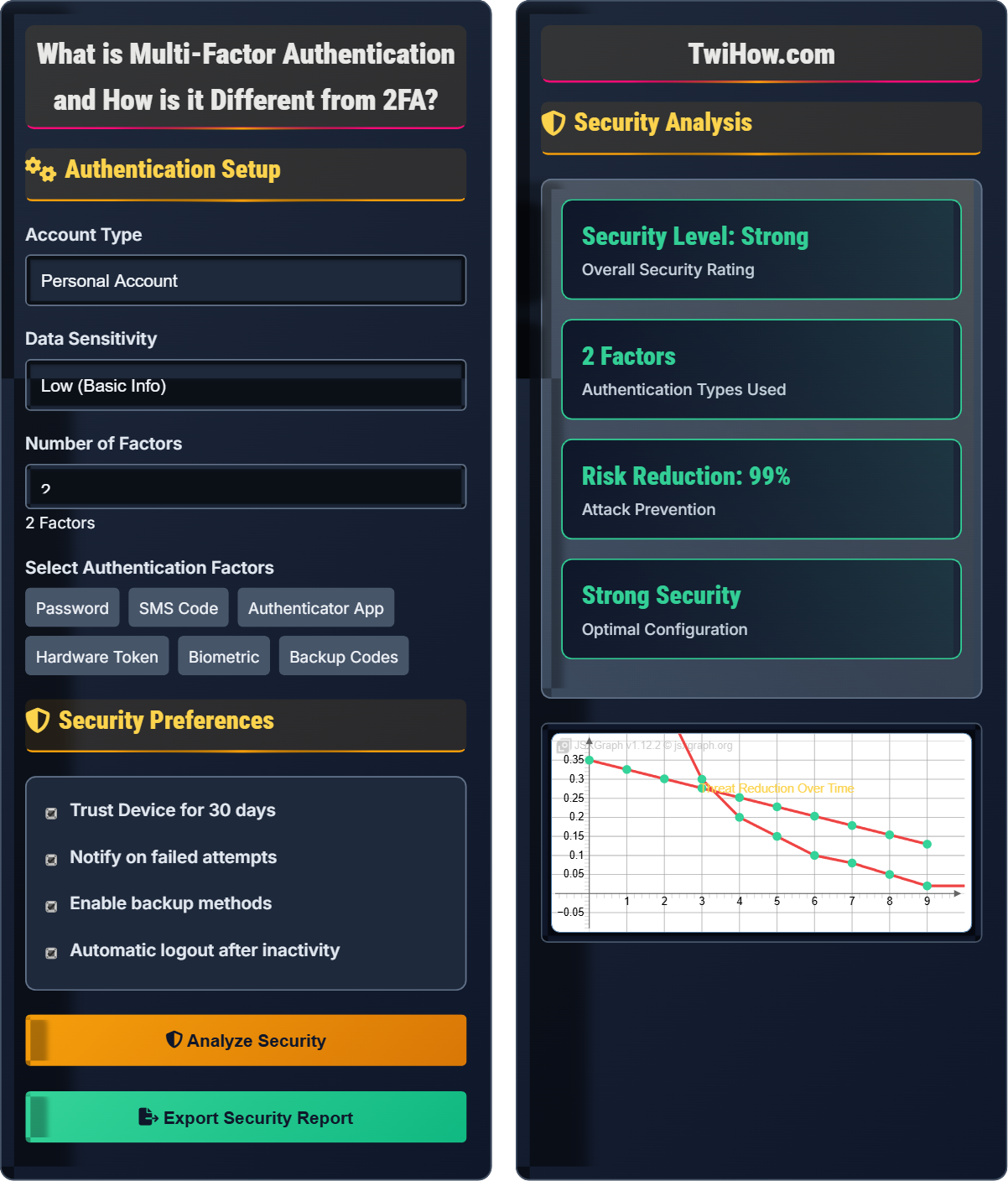
Authentication Setup
Security Preferences
Security Analysis
| Factor | Type | Security Level |
|---|---|---|
| Password | Know | Medium |
| Authenticator App | Have | High |
Step-by-step process for implementing your chosen authentication setup:
- Configure primary authentication method (password)
- Set up secondary factor (authenticator app)
- Test authentication flow
- Configure backup methods
- Enable security notifications
Multi-Factor Authentication Explained
Multi-Factor Authentication (MFA) is a security system that requires multiple forms of verification before granting access to an account or system. It combines different types of authentication factors to create layered security that's significantly more robust than single-factor authentication.
The security strength of MFA can be represented mathematically:
Where each factor represents a different authentication method, and the overall security increases exponentially with each additional factor.
Authentication factors are categorized into three main types:
- Something You Know: Passwords, PINs, security questions, passphrases
- Something You Have: Smartphones, hardware tokens, smart cards, SMS codes
- Something You Are: Fingerprints, facial recognition, voice patterns, retinal scans
Broader term encompassing any authentication system using multiple factors
- Can use 2, 3, or more factors
- Flexible number of factors
- Any combination of factor types
- More comprehensive security approach
Specific implementation requiring exactly two factors
- Exactly two factors required
- Often refers to password + code
- Subset of MFA
- More standardized implementation
Authentication Factors
Passwords, PINs, security questions, or other information only the user should know.
Physical devices like smartphones, hardware tokens, smart cards, or SMS-enabled phones.
Bio-metric characteristics like fingerprints, facial recognition, or voice patterns.
Implementation Methods
Generate time-based one-time passwords (TOTP) that change every 30 seconds. Examples include Google Authenticator, Microsoft Authenticator, and Authy.
Receive one-time codes via text message. Less secure due to SIM swapping vulnerabilities.
Physical devices that generate authentication codes or require physical interaction. Examples include YubiKey and RSA tokens.
Use physical characteristics like fingerprints, facial recognition, or voice patterns for authentication.
Security Benefits
MFA prevents 99.9% of bulk phishing attempts and significantly reduces account takeover risks. Even if passwords are compromised, additional factors provide protection.
Requiring multiple factors makes it exponentially more difficult for attackers to gain unauthorized access, as they must compromise multiple independent authentication methods.
MFA systems often include monitoring for unusual login patterns, geographic anomalies, and suspicious activities that trigger additional verification.
MFA vs 2FA Learning Quiz
Which of the following authentication methods represents "something you are"?
"Something you are" refers to biometric characteristics that are inherent to the individual. Fingerprint recognition is a biometric method that verifies the user based on their unique physical characteristics.
The answer is C) Fingerprint.
Authentication factors are categorized into three distinct types: something you know (knowledge-based), something you have (possession-based), and something you are (inherence-based). Biometric authentication falls under the "something you are" category because it uses unique physical or behavioral characteristics that are inherent to the individual and cannot be easily replicated or transferred.
Something You Know: Knowledge-based authentication (passwords, PINs)
Something You Have: Possession-based authentication (devices, tokens)
Something You Are: Inherence-based authentication (biometrics)
• Use at least two different factor categories
• Biometric data cannot be changed if compromised
• Different factor types provide layered security
• Combine knowledge and possession factors for basic security
• Add biometric factors for enhanced security
• Avoid using multiple factors from the same category
• Using multiple passwords as different factors
• Confusing SMS codes with hardware tokens
• Assuming all MFA implementations are equal
Explain the key differences between Multi-Factor Authentication (MFA) and Two-Factor Authentication (2FA). Provide examples of when each would be appropriate.
Multi-Factor Authentication (MFA): A security system that uses multiple authentication factors from different categories. MFA is a broader concept that can include any number of factors.
Two-Factor Authentication (2FA): A specific implementation of MFA that requires exactly two different authentication factors.
Examples: 2FA is appropriate for standard online accounts (password + SMS code). MFA with 3+ factors is appropriate for high-security environments like banking or administrative access.
Think of MFA as an umbrella term like "vehicles," which includes cars, trucks, motorcycles, etc. 2FA is like specifying "two-wheeled vehicle" - it's a specific type of MFA. This relationship is important because it clarifies that 2FA is actually a subset of MFA, not a separate concept. Understanding this hierarchy helps in selecting appropriate security measures based on risk tolerance and usability requirements.
MFA: Multi-Factor Authentication (any number of factors)
2FA: Two-Factor Authentication (exactly two factors)
Subset Relationship: 2FA is a specific type of MFA
• 2FA is a specific implementation of MFA
• MFA can include 2, 3, or more factors
• Both require different factor categories
• Use 2FA for standard accounts
• Use MFA with 3+ factors for high-risk accounts
• Always combine different factor types
• Treating MFA and 2FA as completely separate concepts
• Assuming MFA always means 3+ factors
• Using factors from the same category
A financial institution is implementing authentication for customer accounts. They're considering three options: (A) Password only, (B) Password + SMS code, (C) Password + Authenticator app + Biometric. Evaluate the security level of each option and recommend the best approach for different account types (standard, premium, admin).
Option A (Password only): Basic security, vulnerable to credential theft and phishing. Suitable only for low-value information.
Option B (Password + SMS): Moderate security, but vulnerable to SIM swapping attacks. Good for standard accounts.
Option C (Password + App + Biometric): High security with three different factor types. Best for premium and admin accounts.
Recommendations: Standard accounts: Option B; Premium accounts: Option C; Admin accounts: Option C with additional security measures.
When evaluating authentication methods, consider the value of the assets being protected and the sophistication of potential attackers. The principle of defense in depth suggests that more valuable assets require more layers of protection. Additionally, consider the specific vulnerabilities of each authentication method - SMS codes are particularly vulnerable to SIM swapping, while biometric data cannot be changed if compromised.
Defense in Depth: Multiple layers of security controls
SIM Swapping: Attack targeting SMS-based authentication
Risk-Based Authentication: Security measures based on asset value
• Match security level to asset value
• Consider specific vulnerabilities of each method
• Implement defense in depth principles
• Use authenticator apps instead of SMS when possible
• Implement risk-based authentication policies
• Regularly review and update security measures
• Using SMS for high-value accounts
• Not considering specific attack vectors
• Applying uniform security to all account types
A company is rolling out MFA for all employees but faces resistance due to perceived complexity and inconvenience. Develop a strategy to address user concerns while maintaining security effectiveness. Include specific implementation steps and user education components.
User Education Strategy: Explain the security benefits with real-world examples, demonstrate the setup process, and emphasize that MFA prevents 99.9% of bulk phishing attempts.
Implementation Steps: 1) Start with voluntary adoption, 2) Provide multiple factor options, 3) Offer IT support, 4) Gradually mandate for all users.
Addressing Concerns: Emphasize convenience of authenticator apps, provide backup methods, and explain that the extra step takes only seconds.
Successful security implementation requires addressing both technical and human factors. User adoption is crucial for security measures to be effective. By providing education, offering choices, and addressing specific concerns, organizations can achieve high adoption rates while maintaining security. The key is to balance security effectiveness with usability to ensure long-term success.
User Adoption: Rate at which users accept security measures
Security Usability: Balance between security and user experience
Change Management: Process of implementing new security measures
• User education is crucial for adoption
• Balance security with usability
• Provide ongoing support and resources
• Start with champions and early adopters
• Provide clear documentation and tutorials
• Offer multiple factor options to accommodate preferences
• Mandating MFA without proper preparation
• Not providing adequate user support
• Ignoring user feedback and concerns
According to Microsoft research, what percentage of account compromises does MFA prevent?
Microsoft's research shows that MFA prevents 99.9% of account compromises. This dramatic reduction in risk occurs because even if an attacker obtains a user's password, they still cannot access the account without the additional authentication factors. This statistic demonstrates the immense security benefit of implementing MFA.
The answer is C) 99.9%.
This statistic highlights the exponential security improvement that comes from adding authentication factors. The 99.9% figure specifically refers to protection against bulk phishing attacks, which are the most common form of account compromise. This demonstrates that even a single additional factor can provide enormous security benefits, far exceeding what many people expect from authentication systems.
Account Compromise: Unauthorized access to user accounts
Bulk Phishing: Large-scale credential harvesting attacks
Security Statistics: Research-backed security effectiveness measures
• MFA dramatically reduces compromise risk
• Bulk phishing is the most common attack vector
• Even basic MFA provides significant protection
• Use statistics to demonstrate MFA value
• Focus on most common attack vectors
• Emphasize that MFA prevents the majority of attacks
• Underestimating MFA effectiveness
• Not sharing security statistics with users
• Assuming users understand MFA benefits
FAQ
Q: Is SMS-based 2FA still secure, or should I avoid it?
A: SMS-based 2FA is better than no 2FA, but it has significant vulnerabilities. The main concern is SIM swapping attacks, where attackers convince carriers to transfer your phone number to their device. For high-value accounts, use authenticator apps or hardware tokens instead of SMS. For lower-risk accounts, SMS 2FA still provides substantial protection against automated attacks.
Q: How do I choose between different MFA methods for my business?
A: Consider these factors when choosing MFA methods:
1. Security Requirements: Higher-value accounts need stronger authentication
2. User Experience: Balance security with usability to ensure adoption
3. Cost: Hardware tokens cost more than software solutions
4. Infrastructure: Some methods require specific technical capabilities
5. Compliance: Certain regulations may require specific MFA types
Start with authenticator apps for most users, then add hardware tokens for administrative accounts.