What is Ransomware and How Can I Protect Against It?
Complete ransomware protection guide • Step-by-step prevention
Ransomware Protection:
Show Security AnalyzerRansomware is a type of malicious software that encrypts victims' data and demands payment for decryption. It's one of the most significant cybersecurity threats, affecting individuals, businesses, and governments. Protection requires a multi-layered approach combining preventive measures, security tools, and recovery strategies.
Ransomware attacks have evolved to include double and triple extortion tactics, where attackers steal data before encrypting it and threaten to publish or sell it if the ransom isn't paid. Modern variants target cloud environments, mobile devices, and IoT systems.
Key protection strategies:
- Regular Backups: Isolated, tested, and recoverable copies
- Security Updates: Timely patching of systems and software
- Email Security: Filtering and awareness of phishing attempts
- Access Control: Principle of least privilege enforcement
- Endpoint Protection: Advanced threat detection and response
Recovery from ransomware requires having clean backups, incident response plans, and sometimes law enforcement involvement. Prevention is far more cost-effective than recovery.
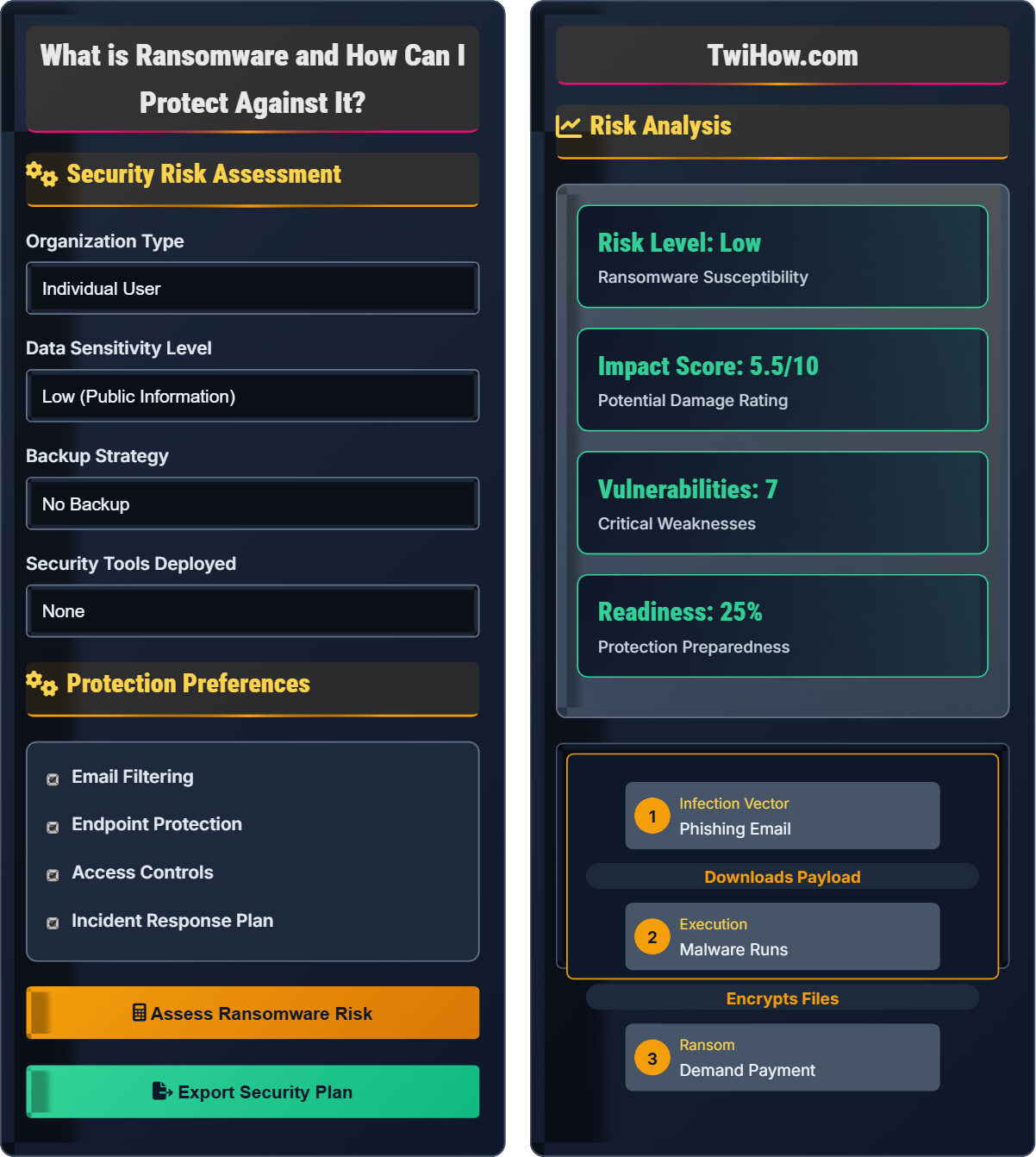
Security Risk Assessment
Protection Preferences
Risk Analysis
Identified Vulnerabilities
- Outdated software without recent patches
- Insufficient email security filters
- Limited network segmentation
- Inadequate backup testing procedures
Address these vulnerabilities to reduce ransomware risk.
| Recovery Element | Status | Priority |
|---|---|---|
| Off-site backups | Implemented | High |
| Recovery procedures | Partial | High |
| System restoration | Planned | Medium |
| Communication plan | Missing | Medium |
Ransomware Fundamentals
Ransomware is a type of malicious software (malware) that encrypts victims' data and demands payment (ransom) for the decryption key. The equation representing ransomware impact:
Where:
- Infection Rate: How quickly malware spreads through systems
- Encryption Speed: How fast data becomes inaccessible
- Recovery Difficulty: How challenging it is to restore data
Ransomware typically enters systems through:
- Phishing Emails: Malicious attachments or links
- Exploit Kits: Drive-by downloads from compromised sites
- Vulnerable Services: Unpatched remote desktop, SMB, etc.
- Supply Chain: Compromised software updates
- Removable Media: Infected USB drives or external devices
If infected with ransomware:
- Isolate: Disconnect affected systems from network
- Identify: Determine ransomware variant and entry point
- Assess: Evaluate scope of encryption and damage
- Restore: Recover from clean backups
- Secure: Patch vulnerabilities to prevent reinfection
- Report: Notify authorities and stakeholders
- Never Pay Ransom: Encourages further attacks and doesn't guarantee recovery
- Test Backups: Verify they can be restored successfully
- Implement Air Gaps: Isolate critical backups from network
- Use Application Control: Prevent unauthorized executables
- Enable Logging: Maintain detailed audit trails
- Practice Incident Response: Regular tabletop exercises
Security Fundamentals
Ransomware, encryption, decryption, malware, phishing, patch management, endpoint protection, incident response.
Protection = (Prevention × Detection × Recovery) / (Vulnerabilities × Complexity)
Where Prevention = Security Controls, Detection = Threat Monitoring, Recovery = Backup Systems.
- Always maintain offline backups
- Keep systems patched and updated
- Never pay ransoms
Implementation Strategies
Backup systems, security tools, patch management, network segmentation, monitoring solutions.
- Assess current security posture
- Implement backup strategy
- Deploy security tools
- Train staff on security awareness
- Establish incident response procedures
- Regularly test and update defenses
- Cost of security tools and implementation
- Staff training and awareness requirements
- Backup storage and management complexity
- Incident response time requirements
Ransomware Quiz
Which of the following is the most common initial attack vector for ransomware infections?
Phishing emails with malicious attachments or links remain the most common initial attack vector for ransomware. Attackers craft convincing emails that trick users into opening attachments or clicking links that download and execute ransomware. This method is effective because it bypasses technical security controls by leveraging human trust and curiosity.
According to cybersecurity reports, phishing emails are responsible for approximately 90% of ransomware infections, making user awareness and email filtering critical defenses.
The answer is B) Phishing emails with malicious attachments.
Human factors are often the weakest link in cybersecurity. Ransomware attackers exploit human psychology rather than just technical vulnerabilities. Phishing emails work because they appear to come from trusted sources and often create urgency or curiosity. Effective defense requires both technical controls (email filtering, macro blocking) and human controls (awareness training, verification procedures).
Phishing: Fraudulent attempt to obtain sensitive information
Attack Vector: Pathway for delivering malware
Human Factor: People as security vulnerability
• Verify email senders before opening attachments
• Never enable macros from unknown sources
• Report suspicious emails immediately
• Hover over links to see actual destination
• Verify requests with direct contact
• Use email reputation services
• Opening emails from unknown senders
• Not questioning urgent requests
• Disabling security features for convenience
Explain the 3-2-1 backup rule and why it's critical for ransomware recovery. Include specific implementation recommendations.
The 3-2-1 Backup Rule:
3 Copies: One primary and two backup copies of important data
2 Different Media: Store backups on at least two different types of storage (e.g., local drive, cloud storage, tape)
1 Off-site: At least one copy stored off-site or disconnected from the network
Why It's Critical:
Ransomware often targets connected storage devices and cloud sync folders. If backups are connected to the network, they can be encrypted along with the primary data. The 3-2-1 rule ensures that at least one backup copy remains untouched and can be used for recovery.
Implementation Recommendations:
1. Automated Backups: Schedule regular automated backups to reduce human error
2. Air-Gapped Storage: Use physical disconnection or immutable storage
3. Test Restores: Regularly test backup restoration procedures
4. Versioning: Keep multiple versions to roll back before infection
5. Monitoring: Alert on backup failures or corruption
6. Isolation: Ensure backup systems are not accessible from production
This strategy provides multiple recovery options while protecting against ransomware's ability to encrypt all connected storage.
The 3-2-1 rule is based on redundancy and isolation principles. Ransomware often spreads laterally through networks, encrypting all accessible data. By having backups on different media and locations, you ensure that at least one copy remains accessible even if others are compromised. The "1 off-site" component is crucial because it ensures a backup exists that the ransomware cannot reach. This approach recognizes that ransomware is designed to encrypt all connected storage systems.
3-2-1 Rule: Backup strategy with three copies on two media types with one off-site
Air-Gapped: Physically disconnected from network
Immutable Storage: Cannot be modified or deleted
• Never store backups on network-attached drives
• Test backups regularly
• Keep at least one copy offline
• Use cloud backup with versioning
• Implement immutable snapshots
• Regular backup verification tests
• Backups on same network as primary systems
• Not testing backup restoration
• Only one backup location
Your company's network has been hit by ransomware. Files across multiple departments are encrypted, and a ransom note has appeared on all screens demanding payment within 72 hours. What immediate actions should your IT team take? Outline a step-by-step response plan.
Immediate Response Plan:
Phase 1 - Containment (First 15 minutes):
1. Isolate affected systems from network to prevent spread
2. Power down non-essential systems that may be compromised
3. Preserve evidence by not deleting files or logs
4. Identify the scope of the attack
Phase 2 - Assessment (Within 1 hour):
5. Determine ransomware variant and entry point
6. Identify which systems and data are affected
7. Assess available backups and their integrity
8. Activate incident response team
Phase 3 - Recovery Planning (Within 2 hours):
9. Do NOT pay the ransom
10. Begin recovery from clean backups
11. Patch vulnerabilities that allowed initial access
12. Notify law enforcement and insurance providers
Phase 4 - Restoration (As soon as possible):
13. Restore systems from clean backups
14. Verify system integrity before reconnecting to network
15. Implement additional security measures
16. Conduct post-incident review
This approach prioritizes containment and recovery over paying criminals.
During a ransomware attack, the immediate priority is containment to prevent further damage. Panic responses often make the situation worse. The key is following a predetermined incident response plan that focuses on containment, assessment, and recovery from backups. Paying ransoms encourages further attacks and doesn't guarantee data recovery. Successful recovery depends on having clean, tested backups and a well-practiced response plan.
Incident Response: Structured approach to handling security incidents
Containment: Limiting damage from security breachRecovery: Restoring systems to normal operation
• Never pay the ransom
• Preserve evidence
• Act quickly to contain spread
• Practice incident response regularly
• Maintain offline backups
• Document all actions taken
• Paying ransoms immediately
• Not isolating systems quickly
• Deleting files before assessment
You're implementing a ransomware protection strategy for a mid-sized company with 200 employees. Which combination of security tools would provide the most comprehensive protection against ransomware, and why?
Recommended Security Tool Stack:
1. Next-Gen Antivirus (NGAV): Behavioral analysis and machine learning to detect unknown ransomware variants
2. Email Security Gateway: Advanced phishing protection and attachment scanning
3. Endpoint Detection and Response (EDR): Real-time monitoring and automated response to suspicious activities
4. Network Segmentation: Limit lateral movement of ransomware across network segments
5. Application Control: Whitelist approved applications to prevent unauthorized executables
6. Backup Solution with Immutable Snapshots: Regular backups that cannot be altered by ransomware
7. Patch Management: Automated updates for operating systems and applications
Why This Combination:
This layered approach provides multiple defense points. NGAV and EDR detect and respond to ransomware execution. Email security prevents initial infection. Application control prevents unauthorized executables. Network segmentation limits spread. Patch management closes known vulnerabilities. Immutable backups ensure recovery capability. Each layer provides protection against different ransomware techniques.
Ransomware protection requires a defense-in-depth strategy. No single tool can protect against all ransomware variants and techniques. Modern ransomware evolves rapidly, often bypassing traditional signature-based antivirus. A comprehensive approach combines prevention (patching, access controls), detection (behavioral analysis, monitoring), and recovery (immutable backups). Each tool addresses different attack phases: initial access, execution, persistence, and impact.
Defense in Depth: Multiple layers of security controls
NGAV: Next-Generation Antivirus with behavioral analysis
EDR: Endpoint Detection and Response system
• Implement multiple security layers
• Regularly update security tools
• Monitor for unusual activity
• Use threat intelligence feeds
• Implement security information sharing
• Regular security assessments
• Relying on single security solution
• Not updating security tools regularly
• Insufficient employee training
After a ransomware attack, which of the following is the most important consideration when restoring from backups?
The most critical consideration when restoring from backups after a ransomware attack is the integrity of the backup data. If the backup itself has been compromised by ransomware (which often targets connected storage), restoring from it will reintroduce the malware into the system. Before restoring, verify that backups are clean and unaffected by the ransomware.
Steps to verify backup integrity:
- Scan backup files with updated antivirus
- Compare backup hashes with known good values
- Restore to isolated test environment first
- Verify file integrity and system behavior
While speed is important for business continuity, restoring from compromised backups defeats the entire purpose of having backups.
The answer is B) Integrity of the backup data.
During a ransomware attack, the malware often attempts to encrypt all accessible storage, including backup systems. This is why air-gapped or immutable backups are crucial. Before restoration, it's essential to verify that the backup data is clean and unaffected. The restoration process should begin with a clean, isolated environment to ensure that the ransomware is not reintroduced. Verification includes checking file integrity, scanning for malware, and ensuring the backup predates the infection.
Backup Integrity: Assurance that backup data is uncorrupted and unaltered
Immutable: Cannot be modified or deleted
Isolated Environment: Network segment separated from main systems
• Verify backup integrity before restoration
• Use isolated test environments
• Ensure backups predate infection
• Implement checksums for verification
• Use multiple backup versions
• Test restores regularly
• Restoring from potentially infected backups
• Not verifying backup integrity
• Restoring to compromised systems
FAQ
Q: Should I pay the ransom if my files are encrypted?
A: No, security experts and law enforcement agencies strongly advise against paying ransoms. Paying encourages more attacks and there's no guarantee that the attackers will provide the decryption key or that it will work. Instead, focus on recovering from clean backups. If you don't have backups, consult with cybersecurity professionals who specialize in ransomware recovery and may have access to decryption tools for specific ransomware variants.
Q: How much should I budget for ransomware protection?
A: Budget 5-10% of your IT budget for security tools and practices, with a focus on backup solutions and employee training. For a mid-sized company, this might be $10,000-$50,000 annually depending on your risk profile. Consider the potential cost of downtime and data loss - ransomware recovery costs can easily exceed $1 million for larger organizations. The investment in prevention is always less than the cost of recovery.
Q: What can developers do to prevent ransomware in applications?
A: Developers can implement: 1) Input validation to prevent injection attacks, 2) Secure coding practices to minimize vulnerabilities, 3) Principle of least privilege for application permissions, 4) Secure API endpoints with proper authentication, 5) File upload restrictions and virus scanning, 6) Regular dependency updates, 7) Security testing including penetration testing, 8) Proper error handling to avoid information disclosure. Additionally, ensure applications can't access unnecessary system resources and implement proper logging for security monitoring.