What is two-factor authentication and should I use it?
Complete 2FA guide • Step-by-step explanations
Two-Factor Authentication:
Show 2FA SimulatorTwo-factor authentication (2FA) is a security process that requires users to provide two different authentication factors to verify their identity. This adds an extra layer of security beyond just a password, making it significantly more difficult for attackers to gain access to accounts. The second factor typically comes from something you have (like a phone) or something you are (like a fingerprint).
2FA dramatically reduces the risk of account compromise even if passwords are stolen or guessed. It works by requiring proof of identity through two different methods, making unauthorized access exponentially more difficult. Modern 2FA systems use various technologies including SMS, authenticator apps, hardware keys, and biometrics.
Key concepts:
- Something You Know: Password, PIN, or security question
- Something You Have: Phone, hardware key, or token
- Something You Are: Fingerprint, face recognition, or voice
- Implementation Methods: SMS, authenticator apps, hardware keys
2FA is now considered a fundamental security practice for protecting personal and business accounts from unauthorized access.
2FA Parameters
2FA Options
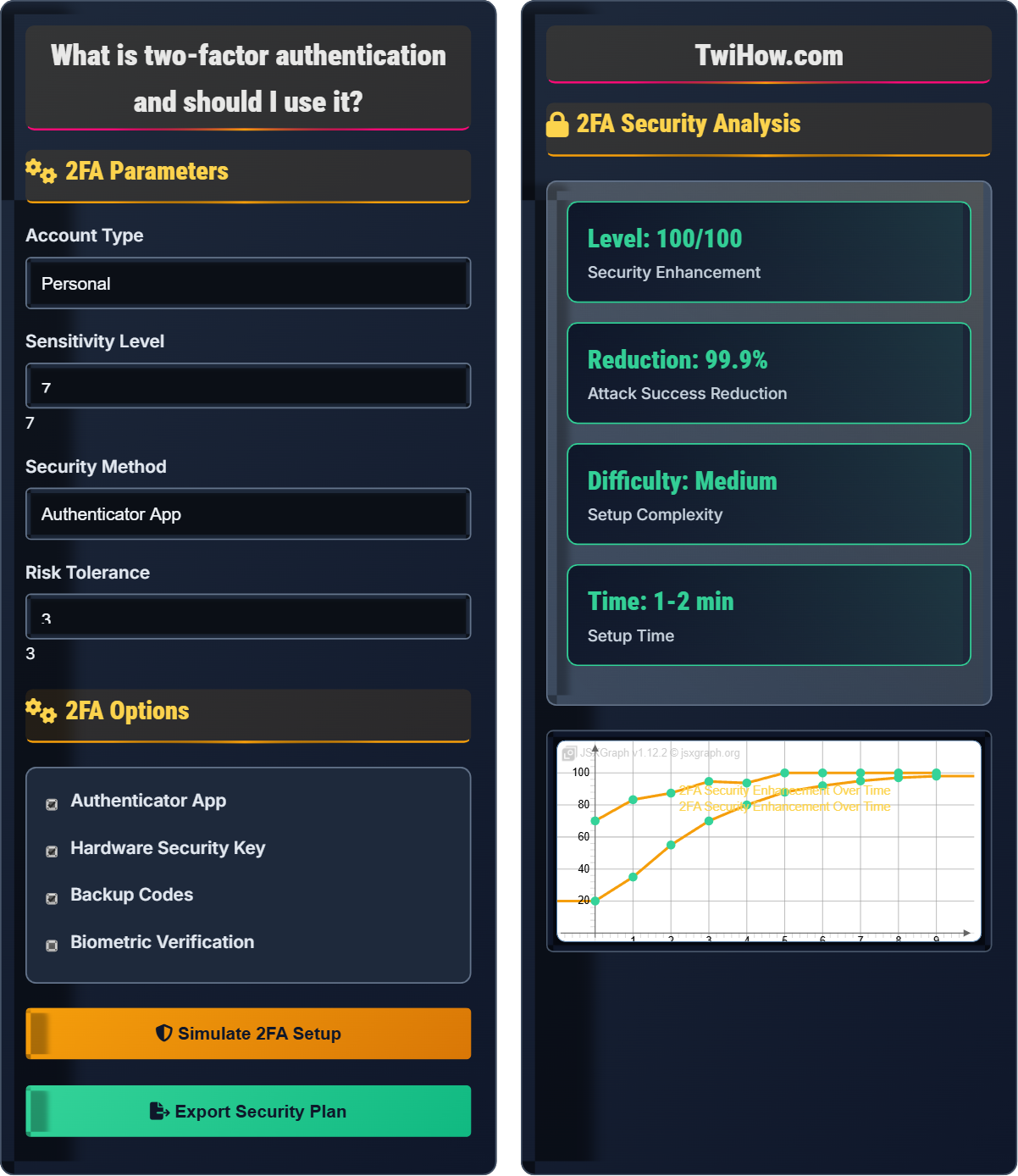
2FA Security Analysis
| Method | Security | Convenience | Reliability |
|---|---|---|---|
| Authenticator App | 95% | 85% | 90% |
| Hardware Key | 99% | 70% | 95% |
| SMS | 70% | 90% | 80% |
| Biometric | 90% | 95% | 85% |
Two-Factor Authentication Explained
Two-factor authentication (2FA) is a security process that requires users to provide two different authentication factors to verify their identity. This adds an extra layer of security beyond just a password, making it significantly more difficult for attackers to gain access to accounts. The second factor typically comes from something you have (like a phone) or something you are (like a fingerprint).
Key concepts in two-factor authentication:
Core concepts include:
- Something You Know: Password, PIN, or security question
- Something You Have: Phone, hardware key, or token
- Something You Are: Fingerprint, face recognition, or voice
- Implementation Methods: SMS, authenticator apps, hardware keys
- Security Enhancement: Exponential increase in security
Major two-factor authentication methods:
- Authenticator Apps: Google Authenticator, Authy, Microsoft Authenticator
- SMS Text: One-time codes sent to phone numbers
- Hardware Keys: YubiKey, Titan Security Key
- Email: Verification codes sent to email
- Biometric: Fingerprint, face recognition, voice
- Backup Codes: Pre-generated codes for emergencies
- Use Authenticator Apps: More secure than SMS
- Enable Hardware Keys: Highest security option
- Backup Codes: Store securely for account recovery
- Secure Devices: Protect phones and computers
- Regular Updates: Keep authenticator apps updated
- Multi-Account Protection: Enable 2FA for critical accounts
2FA Fundamentals
Two-factor authentication, multi-factor authentication, authentication factors, security enhancement.
Security_Enhancement = (Unauthorized_Access_without_2FA) ÷ (Unauthorized_Access_with_2FA)
Where Security_Enhancement = improvement factor, Unauthorized_Access = probability of breach.
- Use stronger methods than SMS
- Enable for critical accounts
- Secure backup methods
Implementation Methods
Authenticator apps, hardware keys, SMS, biometrics, backup codes.
- Authenticator app setup
- Hardware key configuration
- Biometric enrollment
- Backup code generation
- Device security
- Backup accessibility
- Convenience vs security
- Recovery options
2FA Learning Quiz
Which of the following represents the three main categories of authentication factors?
The three main categories of authentication factors are: something you know (like a password), something you have (like a phone or hardware key), and something you are (like a fingerprint or facial recognition). Two-factor authentication requires two different categories of these factors, making it much more secure than single-factor authentication.
The answer is B) Something you know, something you have, something you are.
Understanding authentication factor categories is fundamental to grasping how 2FA works. The three categories represent fundamentally different ways to prove identity. Using factors from different categories ensures that if one is compromised, the attacker still cannot authenticate without the second factor.
Authentication Factor: Method of proving identity
Something You Know: Knowledge-based verification (password, PIN)
Something You Have: Possession-based verification (phone, key)
• Use different factor categories
• Something you know + something you have
• Something you know + something you are
• Don't use SMS as primary factor
• Use authenticator apps
• Enable hardware keys for critical accounts
• Using same category twice
• Relying only on SMS
• Not setting up backup methods
Explain the security differences between SMS-based 2FA and authenticator app-based 2FA. Which is more secure and why?
SMS-Based 2FA Security Issues:
• Sim Swapping: Attackers can hijack phone numbers
• Interception: SMS can be intercepted by carriers or malware
• Carrier Vulnerabilities: Mobile carriers may have security gaps
• Portability: Phone numbers can be transferred
Authenticator App Advantages:
• Offline Generation: Codes generated locally without network
• No Carrier Dependency: Doesn't rely on mobile networks
• Time-Based Security: Codes expire quickly
• Device Binding: Tied to specific device
Security Comparison:
Authenticator apps are significantly more secure than SMS because they don't rely on the cellular network, which can be compromised through various methods. The codes are generated locally on the device using time-based algorithms that are much harder to intercept or manipulate.
The security difference lies in the attack surface. SMS relies on the cellular network infrastructure, which has multiple potential points of failure. Authenticator apps generate codes locally, eliminating the network as an attack vector. This demonstrates how the implementation method affects security.
Sim Swapping: Fraudulent transfer of phone number to attacker
TOTP: Time-based One-Time Password algorithm
Attack Vector: Method of gaining unauthorized access
• Prefer authenticator apps over SMS
• Use Google Authenticator or Authy
• Enable backup codes
• Secure your phone with biometrics
• Relying only on SMS
• Not securing the phone
• Not setting up backups
Your company's email account was recently compromised despite having a strong password. The attacker gained access to sensitive business communications and customer data. How would you implement 2FA to prevent future incidents, and what methods would you recommend for business accounts?
Business 2FA Implementation Strategy:
1. Critical Account Prioritization:
• Email accounts (highest priority)
• Financial accounts and banking
• Cloud storage and document sharing
• Administrative accounts
2. Recommended Methods:
• Primary: Authenticator apps (Google Authenticator, Microsoft Authenticator)
• High-Security: Hardware security keys (YubiKey, Titan)
• Backup: Recovery codes stored securely
3. Policy Implementation:
• Mandatory 2FA for all employees
• Regular security training
• Device security requirements
• Incident response procedures
4. Management Considerations:
• Centralized management tools
• Employee onboarding for 2FA
• Backup access procedures
• Regular security audits
This approach provides multiple layers of protection while maintaining usability for business operations.
Business security requires a systematic approach that considers both security and operational needs. The implementation must balance security requirements with user convenience while ensuring business continuity. The strategy should be scalable and manageable across the organization.
Business Continuity: Maintaining operations during security incidents
Security Policy: Formal guidelines for security practices
Centralized Management: Unified control of security features
• Prioritize critical accounts
• Use stronger methods for sensitive data
• Implement comprehensive policies
• Start with email accounts
• Use hardware keys for admin accounts
• Regular security training
• Inconsistent implementation
• Not training employees
• Not securing backup methods
You've enabled 2FA on all your important accounts using your smartphone as the second factor. What backup plans should you have in case you lose your phone or it becomes inaccessible? How would you ensure you can still access your accounts?
Comprehensive Recovery Planning:
1. Backup Codes:
• Generate and print backup codes for each account
• Store in secure physical locations (safe, safety deposit box)
• Keep copies with trusted family members
2. Multiple Device Setup:
• Register backup phone for SMS/authenticator
• Use authenticator apps that sync across devices
• Consider cloud-based authenticator services
3. Alternative Contact Methods:
• Update recovery email addresses
• Add backup phone numbers
• Connect with trusted contacts for assistance
4. Documentation:
• Create an emergency access document
• Include account recovery procedures
• Specify which accounts need immediate access
5. Trusted Contacts:
• Add recovery contacts to important accounts
• Ensure they understand the process
• Provide them with necessary information
This multi-layered approach ensures you can regain access to your accounts even if your primary 2FA device is lost.
Recovery planning is crucial because 2FA can become a barrier to your own accounts if not properly managed. The key is having multiple redundant methods while keeping the recovery methods themselves secure. This demonstrates the importance of balancing security with accessibility.
Recovery Codes: Pre-generated codes for account access
Emergency Access: Procedures for regaining account access
Recovery Contacts: Trusted individuals for account recovery
• Always generate backup codes
• Securely store recovery methods
• Test recovery procedures
• Use password manager for backup codes
• Keep one backup method off-site
• Regularly update backup information
• Not saving backup codes
• Storing backups insecurely
• Not testing recovery methods
Which of the following is the primary advantage of using hardware security keys for 2FA?
Hardware security keys provide the highest level of security against phishing attacks because they cryptographically verify the authenticity of the website before releasing authentication credentials. Unlike SMS or authenticator apps, hardware keys ensure you're logging into the genuine website, not a fake phishing site. This makes them virtually immune to phishing attacks.
The answer is B) They provide the highest level of security against phishing attacks.
Hardware keys use public-key cryptography to verify the authenticity of the website. When you insert the key, it checks that you're on the correct domain before authenticating. This prevents phishing attacks where attackers try to trick you into entering credentials on fake sites, which would work with other 2FA methods.
Hardware Security Key: Physical device for authentication
Phishing Attack: Attempt to steal credentials via fake websites
Public-Key Cryptography: Encryption using paired keys
• Hardware keys are most secure
• Not all sites support them
• Have backup methods
• Use YubiKey or Titan keys
• Enable for critical accounts
• Keep backup methods
• Not having backup methods
• Losing the hardware key
• Not using for critical accounts
FAQ
Q: Do I really need 2FA if I have a strong password?
A: Yes, you still need 2FA even with a strong password:
Reasons Why:
• Passwords can be stolen in data breaches
• Passwords can be guessed through social engineering
• Passwords can be compromised through keyloggers
• Password reuse means one breach affects multiple accounts
Statistics:
• 81% of hacking-related breaches involve stolen passwords
• 2FA blocks 99.9% of automated attacks
• Phishing attacks often steal passwords successfully
Security Principle:
Defense in depth - multiple layers of security are better than one strong layer. Even the strongest password is vulnerable to various attack vectors that 2FA helps prevent.
Q: What's the difference between 2FA and MFA?
A: The difference between 2FA and MFA:
Two-Factor Authentication (2FA):
• Requires exactly two different authentication factors
• Typically something you know + something you have
• Example: Password + SMS code
Multi-Factor Authentication (MFA):
• Requires two or more authentication factors
• Can include more than two factors
• Example: Password + app + fingerprint
Key Distinction:
• 2FA is a specific case of MFA
• MFA is the broader category
• Both provide layered security
In practice, the terms are often used interchangeably, but technically MFA can include more than two factors.
Q: How do I help my elderly parents set up 2FA?
A: Helping elderly parents with 2FA:
Simple Approach:
• Start with most user-friendly methods (authenticator apps)
• Use large-print guides and visual aids
• Practice the process multiple times
• Create simple step-by-step instructions
Recommended Methods:
• Authenticator apps with simple interfaces
• SMS as backup (if comfortable with texts)
• Avoid complex hardware keys initially
Support Strategy:
• Set up backup recovery methods together
• Create a simple reference card
• Offer ongoing support and reassurance
• Consider family sharing of security responsibilities
Patience: Allow extra time for learning and practice. Reassure them that 2FA keeps their accounts safer.