How Do I Build a Portfolio with No Professional Experience?
Complete portfolio guide • Step-by-step explanations
Portfolio Building:
Show Portfolio BuilderBuilding a portfolio with no professional experience requires strategic project selection, thoughtful presentation, and demonstrating your skills through personal projects. Your portfolio should showcase your technical abilities, problem-solving skills, and creativity. Focus on creating diverse projects that demonstrate different skills and technologies while solving real-world problems.
Key portfolio components:
- Personal Projects: Self-initiated projects that showcase your skills
- Open Source Contributions: Contributing to existing projects
- Recreated Apps: Building clones of popular applications
- Problem-Solving Projects: Addressing real-world challenges
Your portfolio is your opportunity to demonstrate what you can do rather than what you've done professionally. Quality projects with clear documentation and live demos can be more impressive than years of experience.
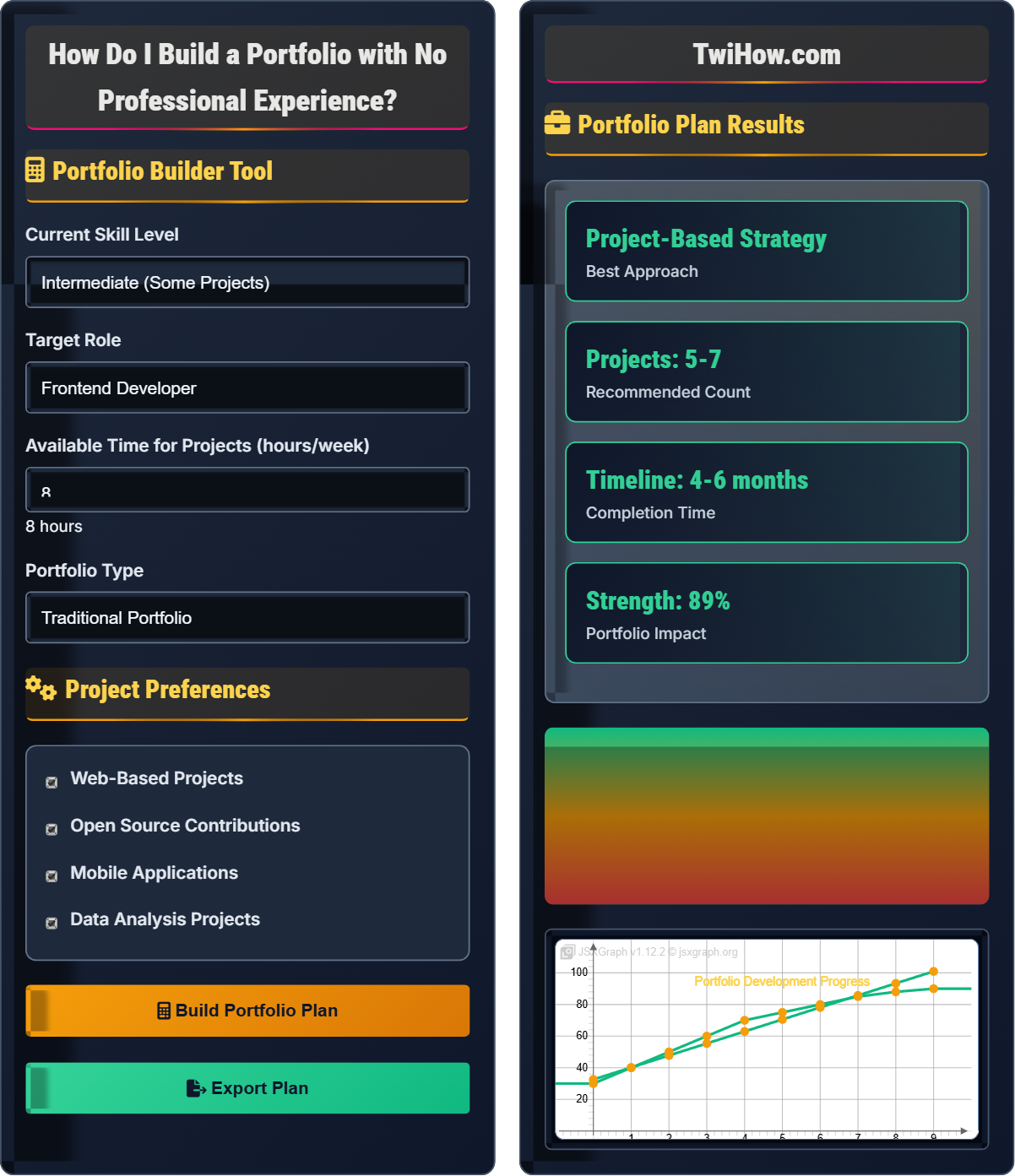
Portfolio Builder Tool
Project Preferences
Portfolio Plan Results
Portfolio Building Without Professional Experience
Building a portfolio with no professional experience requires strategic project selection and thoughtful presentation. Your portfolio should demonstrate your technical abilities, problem-solving skills, and creativity through personal projects that showcase your capabilities.
Portfolio_Impact = (Project_Quality × Documentation × Presentation) ÷ (Complexity × Time_Investment)
Where:
- Project_Quality: Technical excellence and functionality
- Documentation: Clear explanations and code comments
- Presentation: Professional appearance and user experience
- Complexity: Appropriate challenge level for your skill level
- Time_Investment: Efficient use of development time
Essential elements for a portfolio without professional experience:
- Personal Projects: Self-initiated projects that showcase your skills
- Open Source Contributions: Contributing to existing projects
- Recreated Apps: Building clones of popular applications
- Problem-Solving Projects: Addressing real-world challenges
- Documentation: Clear explanations and code comments
- Live Demos: Accessible project demonstrations
- Beginner Projects: Personal website, to-do app, calculator
- Intermediate Projects: Blog platform, e-commerce site, chat application
- Advanced Projects: AI integration, real-time systems, complex APIs
- Specialized Projects: Data visualization, mobile apps, game development
- Open Source: Contribute to popular repositories
- Challenge Projects: Solve problems from hackathons or competitions
Portfolio Fundamentals
Personal projects, portfolio presentation, documentation, GitHub profile, live demos, README files.
Portfolio_Impact = (Project_Quality × Documentation × Presentation) ÷ (Complexity × Time)
Where each component is normalized to 0-100 scale.
- Focus on quality over quantity of projects
- Document your projects thoroughly
- Choose projects that match your target role
Applications
Job applications, freelance work, networking, skill demonstration, career advancement.
- Software development
- Design and UX
- Data science
- Freelancing
- Target audience needs
- Industry standards
- Technology trends
- Professional presentation
Portfolio Building Quiz
What is the most important element for a portfolio without professional experience?
The correct answer is B) Quality of documentation and presentation. When you lack professional experience, your portfolio is your primary opportunity to demonstrate your capabilities. Quality documentation and professional presentation can make a significant difference in how employers perceive your skills.
Why Documentation Matters:
- Shows your ability to communicate technical concepts
- Demonstrates professionalism and attention to detail
- Helps employers understand the scope and complexity of your work
- Provides context for your problem-solving approach
Why Presentation Matters:
- Creates a positive first impression
- Shows your understanding of user experience
- Reflects your attention to detail and professionalism
- Can compensate for lack of formal experience
While having many projects (A) and using latest technologies (C) can be beneficial, they're not as crucial as presenting your work professionally. A degree (D) is not necessary if you can demonstrate your skills effectively.
The answer is B) Quality of documentation and presentation.
This question addresses a fundamental concept in portfolio building: the importance of professional presentation. When you lack traditional credentials, your portfolio becomes your primary credential. Employers rely on your portfolio to assess your skills, professionalism, and communication abilities. The quality of your documentation and presentation can often make the difference between getting an interview and being passed over.
README File: Documentation that explains how to use and understand a project
Professional Presentation: Clean, organized, and polished appearance of work
Technical Documentation: Written explanations of code and functionality
• Quality presentation compensates for lack of experience
• Clear documentation shows communication skills
• Professional appearance reflects attention to detail
• Write clear, concise README files for each project
• Include screenshots and demo videos
• Explain the problem you solved and your approach
• Focusing only on technical complexity without clear documentation
• Neglecting the visual presentation of projects
• Not explaining the context or problem solved
Develop a comprehensive strategy for selecting projects that will maximize your portfolio's impact, considering your target role, skill level, and career goals.
Comprehensive Project Selection Strategy
Step 1: Analyze Target Role Requirements
- Research Job Postings: Identify required skills and technologies
- Study Company Needs: Understand specific requirements for target companies
- Identify Skill Gaps: Determine which skills you need to demonstrate
- Match Technologies: Focus on technologies used by target employers
Step 2: Assess Current Skill Level
- Technical Skills Inventory: List your current technical abilities
- Experience Gaps: Identify areas needing improvement
- Learning Capacity: Assess how much time you can dedicate to projects
- Resource Availability: Consider tools, platforms, and learning resources
Step 3: Create Project Categories
- Foundational Projects: Demonstrate basic competency in required technologies
- Advanced Projects: Showcase complex problem-solving abilities
- Specialized Projects: Address specific requirements for target role
- Integration Projects: Combine multiple technologies and skills
Step 4: Project Selection Criteria
- Relevance: Directly related to target role requirements
- Scalability: Can be expanded to demonstrate advanced skills
- Differentiation: Shows unique approach or solution
- Completeness: Fully functional and well-documented
- Visibility: Easily demonstrable to employers
Step 5: Implementation Timeline
- Phase 1 (Weeks 1-4): Build 2 foundational projects
- Phase 2 (Weeks 5-8): Create 1-2 advanced projects
- Phase 3 (Weeks 9-10): Polish documentation and presentation
- Phase 4 (Weeks 11-12): Create portfolio website and promote
Role-Specific Project Examples:
For Frontend Developer:
- Interactive dashboard with data visualization
- Single-page application with complex state management
- Mobile-responsive e-commerce interface
- Progressive web app with offline capabilities
For Backend Developer:
- RESTful API with authentication and authorization
- Real-time messaging system
- Database-intensive application with optimization
- Microservices architecture demonstration
For Full-Stack Developer:
- Complete web application with frontend and backend
- Real-time collaborative application
- E-commerce platform with payment integration
- Social media application with advanced features
Step 6: Documentation and Presentation Strategy
- Project READMEs: Include problem statement, solution approach, technologies used
- Live Demos: Host projects online for easy access
- Code Quality: Write clean, well-commented code
- Version Control: Maintain clean commit history
- Portfolio Website: Professional presentation of all projects
Success Metrics:
- Number of interview invitations received
- Quality of feedback from potential employers
- Engagement with your GitHub profile
- Positive responses from networking contacts
This strategy demonstrates how to approach portfolio building systematically rather than randomly. The structured approach ensures that each project serves a specific purpose in advancing your career goals. The emphasis on role-specific projects helps tailor your portfolio to employer needs. The timeline component ensures steady progress while maintaining quality. This strategic approach maximizes the impact of your limited time and resources.
Project Selection Strategy: Deliberate approach to choosing portfolio projects
Role-Specific Projects: Projects designed to match target job requirements
Scalability: Ability to expand projects to demonstrate advanced skills
• Align projects with target role requirements
• Focus on quality over quantity
• Document projects thoroughly
• Start with smaller projects to build confidence
• Choose projects that genuinely interest you
• Create projects that can be expanded over time
• Building projects that don't match target roles
• Not documenting projects properly
• Focusing on complexity over clarity
You're a graphic designer transitioning to web development and want to create a portfolio to attract freelance clients. You have 6 months to build your portfolio and can dedicate 10 hours per week to project development. You want to showcase both design and development skills. Design a portfolio strategy that will attract freelance clients and demonstrate your dual expertise.
Freelance Portfolio Strategy for Designer-Developer
6-Month Project Development Plan:
Month 1: Foundation Building
- Project 1: Personal Portfolio Website
- Focus: Showcase design skills with clean, modern UI
- Technologies: HTML, CSS, JavaScript, responsive design
- Design Elements: Custom illustrations, unique typography, color scheme
- Development Skills: Responsive layouts, smooth animations, accessibility
Month 2: Design-Development Integration
- Project 2: Design System Documentation
- Focus: Demonstrate systematic approach to design and development
- Technologies: CSS frameworks, component libraries, style guides
- Design Elements: Color palettes, typography, component designs
- Development Skills: Component architecture, reusable code
Month 3: Client-Focused Applications
- Project 3: E-commerce Landing Page
- Focus: Complete solution for potential business clients
- Technologies: React, state management, form handling
- Design Elements: Conversion-focused UI, product showcases, call-to-actions
- Development Skills: User experience, performance optimization
Month 4: Advanced Integration
- Project 4: Interactive Dashboard
- Focus: Data visualization and complex UI interactions
- Technologies: Chart libraries, API integration, data manipulation
- Design Elements: Information architecture, data visualization
- Development Skills: API handling, data processing, performance
Month 5: Real-World Simulation
- Project 5: Small Business Website Package
- Focus: Complete solution simulating real client project
- Technologies: CMS integration, SEO optimization, performance
- Design Elements: Brand identity, user experience design
- Development Skills: Deployment, optimization, maintenance
Month 6: Portfolio Polish and Marketing
- Activities:
- Polish all projects with professional documentation
- Create case studies for each project
- Develop client proposal templates
- Build contact and inquiry system
- Begin networking and marketing efforts
Portfolio Presentation Strategy:
- Case Study Format: For each project, include:
- Client problem or challenge
- Design process and decisions
- Technical implementation details
- Results and performance metrics
- Before/After Comparisons: Show design iterations
- Code Samples: Highlight elegant solutions
- Process Documentation: Show design thinking and development approach
Freelance Positioning:
- Unique Value Proposition: "Design-to-development" service
- Target Clients: Small businesses, startups, entrepreneurs
- Service Packages: Design + development bundles
- Price Point: Premium for integrated service
Marketing and Outreach:
- LinkedIn: Share project progress and insights
- GitHub: Active contributions and project maintenance
- Local Networks: Small business groups, entrepreneur meetups
- Online Platforms: Upwork, Fiverr, Toptal applications
Success Metrics:
- Number of inquiries from potential clients
- Quality of client conversations
- Initial project proposals sent
- First freelance contract secured
This strategy demonstrates how to leverage existing skills while building new ones. The approach shows how to create a unique value proposition by combining design and development skills. The project sequence builds from simple to complex, allowing for skill development and portfolio growth. The marketing strategy connects the portfolio to business development goals. This integrated approach maximizes the impact of the portfolio investment.
Design System: Standardized set of design components and guidelines
Case Study: Detailed examination of project problem and solution
Value Proposition: Unique benefit offered to potential clients
• Leverage existing skills to build new ones
• Create a unique value proposition
• Connect portfolio to business goals
• Document your learning process as content
• Show design iterations and decisions
• Create projects that solve real client problems
• Not connecting portfolio to business objectives
• Failing to highlight unique combination of skills
• Not marketing portfolio to potential clients
You want to build your portfolio through open source contributions but don't know where to start. Design a strategy for finding appropriate open source projects, making meaningful contributions, and showcasing these contributions in your portfolio to demonstrate your skills to potential employers.
Open Source Contribution Strategy
Phase 1: Project Discovery and Assessment (Weeks 1-2)
- Platform Selection:
- GitHub Explore for trending projects
- First Timers Only for beginner-friendly projects
- Up For Grabs for good first issues
- Good First Issue for beginner-friendly opportunities
- Project Criteria:
- Active maintainers (recent commits)
- Welcoming community (positive issue responses)
- Technologies matching your goals
- Clear contribution guidelines
- Good documentation
- Assessment Process:
- Read project documentation
- Review issue tracker for patterns
- Look for "first-timers-only" or "good first issue" labels
- Check contributor guidelines
- Observe community interactions
Phase 2: Initial Contributions (Weeks 3-6)
- Start Small:
- Fix typos in documentation
- Improve README files
- Add missing tests
- Update dependency versions
- Fix minor bugs
- Contribution Process:
- Fork the repository
- Create feature branch
- Make changes following style guide
- Write clear commit messages
- Submit pull request with explanation
- Respond to feedback professionally
- Communication:
- Be respectful in all interactions
- Ask clarifying questions
- Accept feedback constructively
- Thank maintainers for their time
Phase 3: Meaningful Contributions (Weeks 7-12)
- Feature Development:
- Implement new features
- Add functionality
- Refactor existing code
- Improve performance
- Add new tests
- Documentation:
- Write comprehensive guides
- Create examples
- Update API documentation
- Add tutorials
- Community Engagement:
- Review other contributors' PRs
- Help answer questions
- Report bugs with reproduction steps
- Suggest improvements
Phase 4: Portfolio Integration (Weeks 13-16)
- Documentation Strategy:
- Create detailed case studies for major contributions
- Explain the problem and your solution
- Highlight technologies used
- Show code snippets
- Include links to PRs and discussions
- Portfolio Presentation:
- Dedicated "Open Source Contributions" section
- Metrics (number of contributions, projects)
- Impact (merged PRs, community recognition)
- Skills demonstrated through contributions
- Employer Communication:
- Explain collaborative development experience
- Highlight code review and feedback incorporation
- Show understanding of project management
- Demonstrate communication skills
Project Selection by Skill Level:
- Beginner-Friendly Projects:
- freeCodeCamp (education platform)
- first-contributions (contribution tutorial)
- public-apis (collection of APIs)
- python-docs-fr (documentation translation)
- Intermediate Projects:
- React, Vue, or Angular documentation
- Popular libraries in your technology stack
- Open source tools you use regularly
- Projects from your target companies
- Advanced Projects:
- Major frameworks in your domain
- Infrastructure tools
- Complex applications
- Performance-critical systems
Portfolio Case Study Template:
- Project: Name and description
- Challenge: Problem you addressed
- Approach: How you tackled the problem
- Technologies: Tools and languages used
- Impact: Result and community feedback
- Learning: Skills gained from contribution
- Links: PR URL, project repository
Success Metrics:
- Number of successful contributions
- Quality of feedback received
- Community recognition
- Skills demonstrated
- Employer interest generated
This strategy shows how to approach open source contribution systematically rather than randomly. The phased approach allows for skill development while building credibility in the community. The emphasis on documentation and portfolio integration ensures that contributions have lasting value. The strategy demonstrates how open source work can provide real-world experience and professional recognition without formal employment.
Pull Request (PR): Proposed changes to a repository
First Timers Only: Projects specifically welcoming newcomers
Code Review: Process of examining code changes
• Start with small contributions to learn the process
• Follow project guidelines and community norms
• Document contributions for portfolio use
• Choose projects in technologies you want to learn
• Engage respectfully with maintainers
• Keep a log of your contributions
• Starting with overly complex contributions
• Not following project contribution guidelines
• Failing to document contributions properly
Which approach will have the greatest impact on your portfolio when you have no professional experience?
The correct answer is D) A combination of well-documented projects and open source contributions. This approach provides the most comprehensive demonstration of your skills and capabilities.
Why a Combination Works Best:
- Diverse Skills Demonstration: Projects show your ability to initiate and complete work independently
- Collaboration Skills: Open source contributions demonstrate teamwork and communication
- Real-World Experience: Both approaches provide practical experience
- Community Recognition: Open source work builds credibility
- Comprehensive Portfolio: Addresses different aspects of software development
Analysis of Other Options:
Option A (Many Small Projects): While quantity can show versatility, employers often value depth over breadth. Many small projects may appear superficial.
Option B (One Comprehensive Project): Shows depth but may not demonstrate versatility or collaboration skills.
Option C (Open Source Only): Great for collaboration skills but doesn't show your ability to initiate projects independently.
Benefits of the Combined Approach:
- Shows initiative (personal projects) and collaboration (open source)
- Demonstrates both technical skills and communication abilities
- Provides multiple examples of problem-solving approaches
- Shows engagement with the developer community
- Creates opportunities for networking and recommendations
Implementation Strategy:
- 2-3 well-documented personal projects showcasing different skills
- 3-5 meaningful open source contributions
- Clear documentation for both project types
- Professional presentation of all work
The answer is D) A combination of well-documented projects and open source contributions.
This question addresses the importance of a balanced approach to portfolio building. Rather than focusing on a single strategy, the most effective portfolios combine multiple approaches to demonstrate different aspects of capability. The combination approach shows both independent work and collaborative skills, which are both important in professional environments. This demonstrates strategic thinking about portfolio development.
Portfolio Diversity: Range of projects demonstrating different skills
Collaboration Skills: Ability to work effectively with others
Community Engagement: Participation in developer communities
• Combine multiple approaches for comprehensive demonstration
• Focus on quality documentation for all work
• Show both independent and collaborative work
• Balance personal projects with community contributions
• Document both the process and the results
• Show growth and learning over time
• Focusing on only one type of project
• Not documenting work properly
• Neglecting to show collaboration skills
FAQ
Q: How many projects should I include in my portfolio?
A: Quality trumps quantity in portfolio projects. Here's the optimal approach:
For Beginners: 3-5 well-developed projects that showcase different skills and technologies.
For Intermediate Developers: 5-7 projects including some complex applications.
For Advanced Developers: 6-10 projects showing depth and specialization.
Key Principles:
- Relevance: Every project should align with your target role
- Completeness: Each project should be fully functional
- Diversity: Show different technologies and problem-solving approaches
- Documentation: Each project needs clear README and code comments
- Demo: Provide live demos or detailed walkthroughs
Project Categories to Include:
- One showcase project that represents your best work
- Technology-specific projects demonstrating key skills
- A problem-solving project that shows your approach
- A collaborative project (if possible)
Remember, it's better to have 4 excellent projects than 10 mediocre ones. Each project should tell a story about your capabilities.
Q: How should I present my projects to potential employers?
A: Effective project presentation is crucial for portfolio success:
Portfolio Website Structure:
- Homepage: Brief introduction and summary of skills
- Projects Section: Featured projects with screenshots and descriptions
- About Page: Your background and career goals
- Contact Page: Professional contact information
Individual Project Pages:
- Problem Statement: What challenge did you solve?
- Solution Approach: How did you approach the problem?
- Technologies Used: List programming languages and tools
- Live Demo: Working link to the application
- Code Repository: GitHub link with well-commented code
- Lessons Learned: What you gained from the project
Documentation Standards:
- Clear README files with setup instructions
- Commented code that others can understand
- Before/after screenshots where applicable
- Performance metrics or success indicators
- Future improvements or planned features
Presentation Tips:
- Use clean, professional design
- Ensure mobile responsiveness
- Include loading states and error handling examples
- Provide clear navigation between projects
- Include testimonials or feedback if available
The goal is to make it easy for employers to quickly understand your skills and capabilities.