How do I handle errors and logging in production applications?
Complete error handling guide • Step-by-step explanations
Error Handling & Logging:
Show Error SimulatorError handling and logging are critical components of production applications that ensure reliability, maintainability, and observability. Proper error handling prevents application crashes, provides graceful degradation, and helps developers diagnose issues. Effective logging captures important events, errors, and system behavior for monitoring and debugging purposes.
Production error handling involves multiple layers: application-level exceptions, infrastructure monitoring, alerting systems, and centralized logging. Modern approaches include structured logging, distributed tracing, and automated error reporting services.
Key concepts:
- Exception Handling: Graceful management of runtime errors
- Structured Logging: Machine-readable log formats
- Centralized Logging: Aggregated logs for analysis
- Alerting Systems: Automated notifications for critical issues
Best practices include error categorization, comprehensive logging strategies, and monitoring systems that provide actionable insights for maintaining application health.
Error Handling Parameters
Implementation Options
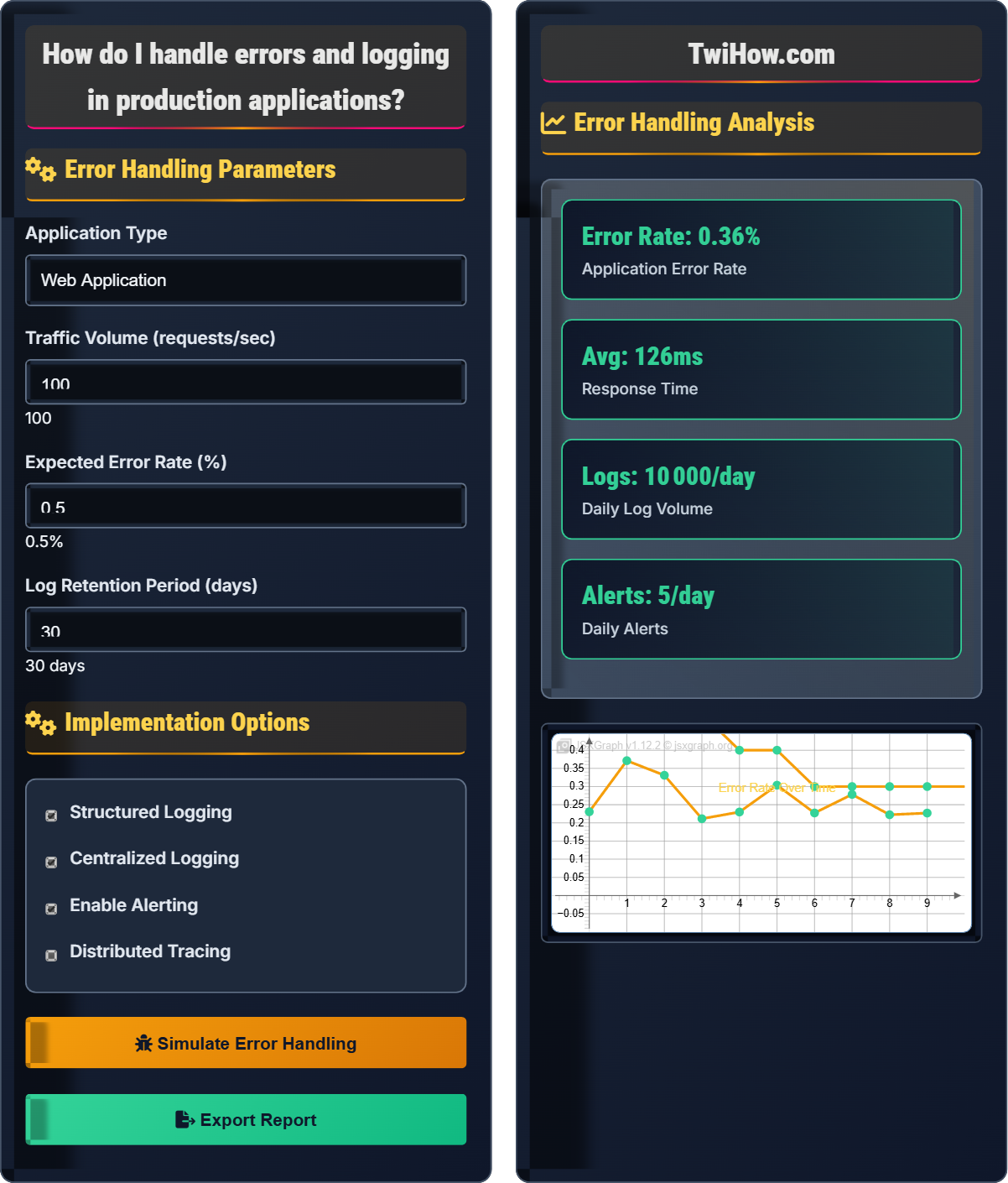
Error Handling Analysis
| Error Type | Count | Severity | Resolution |
|---|---|---|---|
| Validation Error | 25 | Low | Handled |
| Database Error | 8 | High | Alerted |
| Network Error | 12 | Medium | Retried |
| Authentication Error | 15 | Medium | Logged |
Error Handling and Logging Explained
Error handling is the process of managing runtime errors and exceptions in applications to ensure they continue operating correctly or fail gracefully. It involves detecting, logging, and responding to various types of errors that can occur during application execution, from syntax errors to runtime exceptions and system failures.
Key concepts in error handling and logging:
Core concepts include:
- Exception Handling: Catching and managing runtime errors
- Graceful Degradation: Maintaining functionality when parts fail
- Structured Logging: Machine-readable log formats with metadata
- Error Categorization: Classifying errors by severity and type
- Centralized Monitoring: Aggregating logs and metrics
Major error handling and monitoring platforms:
- Sentry: Real-time error tracking and monitoring
- New Relic: Application performance monitoring
- DataDog: Infrastructure and application monitoring
- ELK Stack: Elasticsearch, Logstash, Kibana for log management
- Jaeger: Distributed tracing for microservices
- Zipkin: Distributed tracing system
- Log Levels: Use appropriate log levels (DEBUG, INFO, WARN, ERROR)
- Contextual Information: Include relevant metadata with logs
- Structured Format: Use JSON or other structured formats
- Error Boundaries: Isolate failures to prevent cascading effects
- Retry Logic: Implement exponential backoff for transient errors
- Security Considerations: Don't log sensitive information
Error Handling Fundamentals
Exception handling, structured logging, error categorization, monitoring, alerting.
Reliability = (Successful_Operations ÷ Total_Operations) × 100%
Where Reliability = application reliability percentage, Successful_Operations = completed operations.
- Always log errors with context
- Handle errors gracefully
- Implement proper monitoring
Logging Strategies
Structured logging, centralized aggregation, correlation IDs, sampling.
- Console logging
- File-based logging
- Centralized logging
- Cloud-based logging
- Log retention policies
- Performance impact
- Security requirements
- Compliance needs
Error Handling Learning Quiz
Which of the following is the BEST practice for handling exceptions in production code?
The best practice is to catch specific exceptions and handle them appropriately. This allows for targeted responses to different types of errors, proper logging with context, and prevents hiding critical issues. Generic catch-all blocks can mask serious problems, while ignoring exceptions can lead to unpredictable behavior.
The answer is B) Catch specific exceptions and handle them appropriately.
Exception handling is about being specific and intentional. Different exceptions require different responses - a network timeout might warrant a retry, while a validation error might require returning a user-friendly message. Generic handling loses this important context and can make debugging extremely difficult.
Exception: Runtime error that disrupts normal program flow
Try-Catch: Programming construct for exception handling
Exception Propagation: Passing exceptions up the call stack
• Handle exceptions at appropriate level
• Log exceptions with context
• Don't ignore critical exceptions
• Use specific exception types
• Log before re-throwing if needed
• Consider exception hierarchies
• Using generic catch blocks
• Not logging sufficient context
• Swallowing exceptions silently
Explain the benefits of centralized logging in production applications and describe how to implement it effectively. What are the key considerations for log format and structure?
Benefits of Centralized Logging:
• Unified View: Aggregate logs from multiple services and servers
• Search and Analysis: Powerful querying across all application logs
• Correlation: Trace requests across service boundaries
• Monitoring: Real-time alerting and dashboard creation
• Compliance: Meet audit and regulatory requirements
Implementation:
1. Structured Format: Use JSON or other structured formats
2. Log Aggregation: Use tools like ELK Stack, Splunk, or DataDog
3. Standard Fields: Include timestamp, level, service, trace ID
4. Sampling: Consider sampling for high-volume logs
Key Considerations:
• Include correlation IDs for request tracing
• Sanitize sensitive data before logging
• Use appropriate log levels consistently
• Implement log rotation and retention policies
Centralized logging transforms debugging from a distributed nightmare into a manageable task. Instead of SSH-ing into multiple servers to find logs, you can search across all services simultaneously. This becomes crucial in microservices architectures where a single user request might touch dozens of services.
Structured Logging: Machine-readable log format with key-value pairs
Correlation ID: Unique identifier for tracking requests across services
Log Aggregation: Collecting logs from multiple sources
• Use structured formats consistently
• Use log levels appropriately
• Include contextual metadata
• Consider log sampling for volume
• Logging in plain text only
• Including sensitive data
• Not implementing retention policies
You're designing an e-commerce application where users can place orders. The order processing involves multiple services: inventory check, payment processing, and shipping coordination. Design an error recovery strategy that ensures transactional integrity while providing graceful degradation when individual services fail.
Error Recovery Strategy:
1. Circuit Breaker Pattern: Prevent cascading failures when services are unavailable
2. Retry Logic: Implement exponential backoff for transient failures
3. Compensation Actions: Rollback completed steps when subsequent steps fail
4. Graceful Degradation: Allow order placement with inventory confirmation delays
Service-Specific Strategies:
• Inventory Service: Cache recent inventory data, accept orders with pending validation
• Payment Service: Retry with exponential backoff, hold funds temporarily
• Shipping Service: Default to standard shipping if premium fails
Implementation:
Use a saga pattern to manage the distributed transaction, with each step having compensation logic. Implement proper error boundaries and circuit breakers between services to isolate failures and prevent system-wide outages.
Transaction management in distributed systems is complex because traditional ACID transactions don't span services. The saga pattern provides a way to maintain consistency across services while allowing for graceful failure handling. Each step must be reversible, and the system must be able to compensate for partial completions.
Saga Pattern: Sequence of transactions that update each service
Circuit Breaker: Pattern to prevent repeated failures
Compensation Action: Reversing completed steps when failure occurs
• Design for partial failures
• Implement compensation logic
• Use circuit breakers
• Implement idempotency where possible
• Use state machines for complex workflows
• Monitor service health actively
• Not planning for distributed transactions
• Missing compensation logic
• Not implementing circuit breakers
Your application is experiencing intermittent performance issues that are difficult to reproduce. Set up a comprehensive monitoring and alerting system that can help identify the root cause. What metrics would you track, and what alerting thresholds would you establish?
Key Metrics to Track:
• Application Performance: Response times, throughput, error rates
• Infrastructure: CPU, memory, disk I/O, network usage
• Business Metrics: User actions, conversion rates, transaction success
• Custom Business Logic: Specific application workflows
Alerting Strategy:
• Critical Alerts: Error rates > 5%, Response times > 2s (immediate)
• Warning Alerts: Error rates > 1%, Response times > 1s (within 5 min)
• Trend Alerts: Gradual increases in response time or errors
Additional Tools:
• Distributed tracing to identify bottlenecks
• Profiling tools for performance analysis
• Log correlation to identify patterns
Implementation: Use tools like New Relic, DataDog, or custom Prometheus setup with Grafana dashboards.
Effective monitoring requires thinking like a detective - you need to capture the right evidence before the crime (performance issue) occurs. The key is balancing between collecting enough data to debug issues and not overwhelming the system with monitoring overhead.
SLI (Service Level Indicator): Measurable aspect of service performance
SLO (Service Level Objective): Target value for SLI
Error Budget: Allowable amount of errors before SLO breach
• Track business-critical metrics
• Set appropriate thresholds
• Use alert aggregation
• Use percentiles for response times
• Implement alert deduplication
• Create meaningful dashboards
• Too many noisy alerts
• Not tracking business metrics
• Missing correlation between metrics
Which of the following should ALWAYS be excluded from application logs for security reasons?
Authentication credentials should ALWAYS be excluded from application logs for security reasons. Logging passwords, tokens, API keys, or other authentication credentials creates significant security vulnerabilities. Even if encrypted, these logs can be compromised and expose sensitive access information. Other information like IP addresses, timestamps, and user agents are generally safe to log for monitoring and debugging purposes.
The answer is B) Authentication credentials.
Security in logging is about understanding what constitutes sensitive information. Authentication credentials are the crown jewels of any application - if compromised, they can provide unauthorized access to user accounts and systems. A single log entry containing a password could compromise an entire system.
PII (Personally Identifiable Information): Data that identifies individuals
Authentication Credentials: Passwords, tokens, API keys
Data Sanitization: Removing sensitive data before logging
• Never log authentication credentials
• Sanitize PII from logs
• Follow security best practices
• Use log sanitization middleware
• Implement credential masking
• Regular security audits
• Logging passwords in error messages
• Not sanitizing request bodies
• Exposing API keys in logs
FAQ
Q: How do I decide what to log in my application?
A: Log decision criteria:
DO log:
• Errors and exceptions with context
• Business-critical events (purchases, registrations)
• Security-related events (failed login attempts)
• Performance metrics and slow operations
• Configuration changes
Don't log:
• Authentication credentials
• Personal identifiable information (PII)
• Health check endpoints (unless failing)
• Normal flow operations (too verbose)
Guidelines: Use log levels appropriately (DEBUG, INFO, WARN, ERROR) and always include contextual information like request IDs, user IDs, and timestamps.
Q: What are the costs associated with comprehensive error handling and monitoring?
A: Costs include:
Direct Costs:
• Monitoring service subscriptions (Sentry, DataDog, etc.)
• Log storage and retention
• Additional infrastructure for monitoring tools
Development Costs:
• Time to implement proper error handling
• Setting up monitoring and alerting systems
• Creating dashboards and reports
Operational Costs:
• Personnel to monitor alerts
• Time spent investigating issues
Benefits:
• Reduced downtime and faster incident response
• Improved user experience
• Proactive issue detection
The investment typically pays for itself through reduced downtime and improved reliability.
Q: How do I handle errors in a microservices architecture?
A: Microservices error handling requires special considerations:
Patterns to Use:
• Circuit Breaker: Prevent cascading failures when downstream services fail
• Retry with Backoff: Handle transient failures gracefully
• Timeouts: Prevent hanging requests on slow services
• Fallbacks: Provide degraded functionality when services are unavailable
Monitoring:
• Distributed tracing to follow requests across services
• Service mesh for observability and traffic management
• Centralized logging with correlation IDs
Best Practices: Design for failure, implement proper service boundaries, and ensure each service can degrade gracefully without bringing down the entire system.