How do I manage dependencies and avoid security vulnerabilities?
Complete security guide • Step-by-step explanations
Dependency Security:
Show Security SimulatorManaging dependencies and avoiding security vulnerabilities is crucial for maintaining secure software systems. Dependencies are external packages, libraries, or modules that your project relies on. These third-party components can introduce security risks if not properly managed, monitored, and updated.
Key security concerns include vulnerable packages, supply chain attacks, outdated dependencies, and misconfigured access controls. Effective dependency management involves regular audits, version control, vulnerability scanning, and following security best practices.
Key concepts:
- Package Managers: Tools like npm, pip, Maven for dependency management
- Vulnerability Scanning: Automated tools to detect security issues
- Supply Chain Security: Protecting the software delivery pipeline
- Version Control: Managing dependency versions and updates
Modern security practices involve continuous monitoring, automated updates, and comprehensive security policies to protect against evolving threats in the software supply chain.
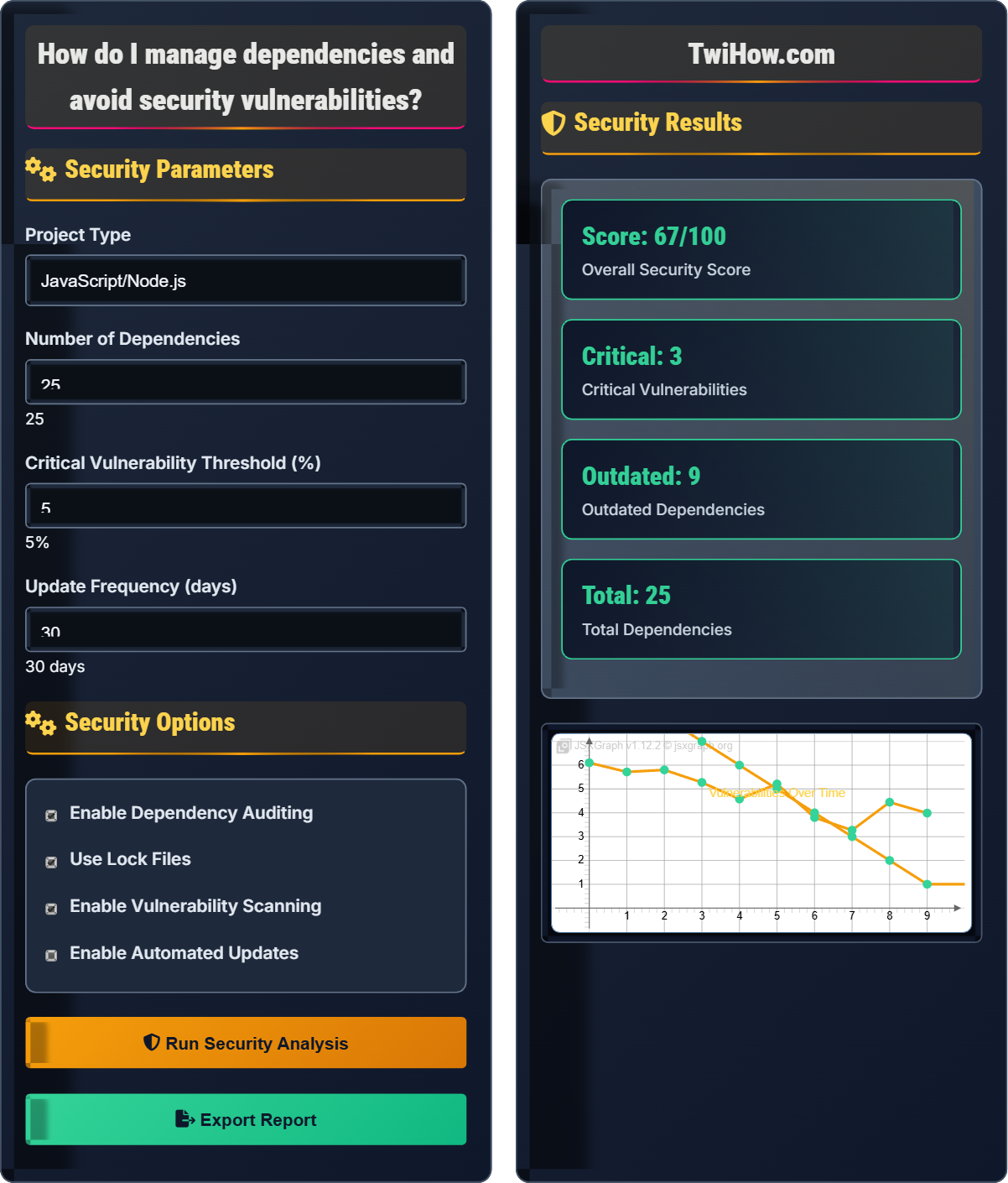
Security Parameters
Security Options
Security Results
| Type | Count | Severity | Status |
|---|---|---|---|
| Critical | 2 | High | ✗ Fix Required |
| High | 5 | Medium | ! Attention Needed |
| Medium | 8 | Low | ! Review Recommended |
| Low | 10 | Minimal | ✓ OK |
Dependency Management and Security Explained
Dependencies are external packages, libraries, or modules that your software project relies on to function. Modern applications often depend on dozens or hundreds of third-party packages, creating a complex web of interdependencies. Each dependency introduces potential security risks that must be carefully managed.
Dependencies can introduce various security vulnerabilities:
Common vulnerability types include:
- Code Injection: Malicious code execution through vulnerable packages
- Supply Chain Attacks: Compromised packages in the dependency tree
- Outdated Packages: Older versions with known security flaws
- License Violations: Legal issues from incompatible licenses
- Malicious Packages: Deliberately harmful dependencies
Platform-specific tools for dependency security:
- npm: npm audit, npm-check-updates, Snyk, Dependabot
- Python: pip-audit, safety, bandit, pyup
- Java: OWASP Dependency Check, Sonatype Nexus IQ, Snyk
- .NET: NuGet Security Analysis, WhiteSource, Black Duck
- Go: govulncheck, golangci-lint, SonarQube
- Pin Specific Versions: Use lock files to ensure reproducible builds
- Minimize Dependencies: Only include necessary packages
- Regular Audits: Schedule periodic security reviews
- Automated Scanning: Integrate security checks into CI/CD pipelines
- Trusted Sources: Only use reputable package registries
- Least Privilege: Limit permissions for package installation
Security Fundamentals
Dependency management, vulnerability scanning, supply chain security, package auditing.
Risk = Vulnerability_Count × Severity_Factor × Exposure_Factor
Where Risk = security risk level, Vulnerability_Count = number of vulnerabilities, Severity_Factor = impact multiplier.
- Always audit dependencies before use
- Keep dependencies updated regularly
- Use lock files for consistent builds
Best Practices
Automated scanning, version pinning, access controls, supply chain verification.
- Set up dependency auditing
- Configure automated updates
- Implement vulnerability scanning
- Establish response procedures
- Balance security with stability
- Consider update frequency
- Plan for emergency fixes
- Maintain security documentation
Security Learning Quiz
Which of the following is the most effective method for identifying security vulnerabilities in dependencies?
Automated vulnerability scanning tools like npm audit, OWASP Dependency Check, or Snyk are the most effective method for identifying security vulnerabilities. These tools maintain databases of known vulnerabilities and can quickly scan your dependency tree to identify affected packages. Manual review is impractical for large projects with many dependencies, while community reports and download counts don't provide reliable security information.
The answer is B) Using automated vulnerability scanning tools.
Understanding the scale of modern software development is crucial. Large applications can have hundreds or thousands of dependencies. Manually reviewing each one is impossible, so automated tools become essential. These tools leverage centralized vulnerability databases maintained by security researchers and organizations to quickly identify known security issues in your dependency tree.
Vulnerability Database: Repository of known security issues in software packages
Dependency Tree: Hierarchical view of all dependencies and sub-dependencies
Automated Scanning: Tool-assisted process for identifying security vulnerabilities
• Automated tools are essential for large projects
• Vulnerability databases are continuously updated
• Regular scanning is necessary for ongoing security
• Integrate scanning into CI/CD pipelines
• Set up alerts for critical vulnerabilities
• Prioritize critical and high severity issues
• Relying solely on popularity metrics
• Not scanning regularly enough
• Ignoring medium and low severity issues
Explain the importance of lock files in dependency management and how they contribute to security. Why is it recommended to commit lock files to version control?
Lock files are generated by package managers (package-lock.json for npm, Pipfile.lock for Python, pom.xml for Maven) that contain exact versions of all dependencies and sub-dependencies. They ensure reproducible builds by specifying precise versions rather than version ranges.
Security Benefits:
• Reproducibility: Ensures all developers and deployment environments use identical dependency versions
• Prevents Drift: Prevents accidental updates that could introduce vulnerabilities
• Supply Chain Protection: Protects against compromised packages published with newer versions
• Rollback Capability: Enables quick rollback to known good dependency states
Committing lock files to version control ensures team consistency and prevents supply chain attacks where malicious packages are published with the same name but newer versions.
Lock files serve as a security checkpoint in the software development lifecycle. Without them, running 'npm install' on different days could result in different dependency versions being installed, potentially introducing security vulnerabilities that were introduced in newer versions of packages. Lock files provide deterministic builds that are essential for both stability and security.
Lock File: File containing exact versions of all dependencies for reproducible builds
Deterministic Build: Build process that produces identical output given identical input
Supply Chain Attack: Attack targeting less secure elements in a supply chain
• Always commit lock files to version control
• Use pre-commit hooks to validate lock files
• Monitor lock file changes in pull requests
• Set up automated alerts for lock file changes
• Adding lock files to .gitignore
• Not reviewing lock file changes
• Using different lock files per environment
A development team discovered that one of their indirect dependencies (a dependency of a dependency) contains a critical security vulnerability. The direct dependency that pulls in the vulnerable package has not released a patch yet. Describe the steps the team should take to address this security issue while minimizing disruption to development and production systems.
Immediate Actions:
1. Assess Impact: Determine if the vulnerable functionality is actually used in the application
2. Identify Affected Systems: Locate all environments and applications using the vulnerable dependency
3. Apply Temporary Mitigation: Implement network-level controls or input validation to reduce exposure
Short-term Solutions:
4. Pin to Known Good Version: If possible, force a specific sub-dependency version using resolution overrides
5. Monitor Upstream: Subscribe to notifications for patches from the dependency maintainer
6. Develop Contingency Plan: Research alternative packages or temporary workarounds
Long-term Strategy:
7. Engage Maintainers: Contribute to the fix or offer support to the package maintainers
8. Improve Monitoring: Implement more frequent dependency scanning to catch issues earlier
Supply chain vulnerabilities are particularly challenging because they're outside your direct control. The key is to have a systematic approach that balances immediate risk reduction with long-term sustainability. This scenario illustrates why having a security incident response plan is crucial for dealing with dependencies you don't directly maintain.
Indirect Dependency: A dependency that is pulled in by another dependency
Resolution Override: Mechanism to force specific versions of transitive dependencies
Supply Chain Risk: Security risk introduced through third-party components
• Assess actual impact before taking action
• Have contingency plans ready
• Engage with the open source community
• Use dependency trees to visualize relationships
• Maintain relationships with package maintainers
• Consider contributing fixes upstream
• Applying blanket patches without assessment
• Not having a contingency plan
• Failing to monitor for upstream fixes
Your organization wants to implement automated dependency security in their CI/CD pipeline. Design a security workflow that includes vulnerability scanning, automatic updates for low-risk items, and manual approval for critical updates. What tools and processes would you recommend?
CI/CD Security Workflow:
1. Pre-build Scanning: Use tools like npm audit, pip-audit, or OWASP Dependency Check to scan dependencies
2. Risk Categorization: Classify vulnerabilities by severity (Critical, High, Medium, Low)
3. Automated Actions:
• Critical/HIGH: Block build, require manual review
• MEDIUM: Flag for review, allow override
• LOW: Log for tracking, no build interruption
4. Automated Updates: Use tools like Dependabot, Renovate Bot, or Snyk to automatically create PRs for low-risk updates
5. Reporting: Generate security reports and track metrics over time
Recommended Tools: GitHub Actions with CodeQL, GitLab Security Scanner, Jenkins with OWASP plugins, or cloud-based solutions like Snyk or WhiteSource.
Automating security in CI/CD pipelines is essential for maintaining security at scale. The key is finding the right balance between automation and human oversight. Critical vulnerabilities require immediate attention and shouldn't be automatically merged, while minor updates can be safely automated to keep dependencies fresh and secure.
CI/CD Pipeline: Continuous integration and deployment workflow
Automated Security: Security checks integrated into development workflows
Vulnerability Classification: System for categorizing security issues by severity
• Scan early in the development cycle
• Balance automation with oversight
• Track security metrics over time
• Set up security scorecards
• Use policy-as-code for consistent enforcement
• Monitor for false positives
• Blocking builds for all vulnerabilities
• Not configuring appropriate thresholds
• Failing to maintain security tools
Which of the following metrics is the most important indicator of healthy dependency security posture?
While all metrics provide valuable information, the time to remediate critical vulnerabilities is the most important indicator of security posture. This metric measures how quickly an organization responds to high-risk security issues, which directly impacts the window of exposure to potential attacks. A low time-to-remediation indicates an effective security response process and helps minimize the risk of exploitation.
The answer is C) Time to remediate critical vulnerabilities.
Security metrics should focus on actionable indicators that reflect the organization's ability to respond to threats. While having fewer dependencies or keeping them updated is beneficial, the most critical measure is how quickly security teams can respond when critical vulnerabilities are discovered. This metric encompasses people, process, and technology elements of security operations.
Time to Remediate: Duration between vulnerability discovery and fix implementation
Security Posture: Overall state of an organization's security defenses
Mean Time to Repair: Average time to resolve security issues
• Focus on response time for critical issues
• Track metrics consistently
• Set improvement targets
• Set up automated alerts for critical issues
• Establish SLAs for vulnerability remediation
• Practice incident response regularly
• Focusing only on quantity metrics
• Not measuring response effectiveness
• Ignoring time-based metrics
FAQ
Q: How often should I run dependency security scans in my project?
A: For optimal security, you should implement a multi-layered scanning approach:
1. Pre-commit: Basic dependency checks before code is committed
2. CI/CD Pipeline: Full vulnerability scans on every build
3. Daily/Nightly: Comprehensive scans to catch newly disclosed vulnerabilities
4. Weekly: Deep analysis including license compliance and outdated packages
Additionally, set up automated monitoring that alerts you to new vulnerabilities in your dependencies as soon as they are disclosed. The key is to catch issues early in the development cycle when they're easier and less costly to fix.
Q: What's the difference between npm audit and other security tools like Snyk or WhiteSource?
A: These tools operate at different levels and offer varying capabilities:
npm audit: Built-in tool that checks dependencies against public vulnerability database (serves as a basic scanner)
Snyk: Commercial tool with proprietary vulnerability database, offering deeper analysis, fix suggestions, and CI/CD integration
WhiteSource: Enterprise-grade solution with comprehensive open source management, license compliance, and supply chain security
While npm audit is free and integrates well with npm workflows, commercial tools typically offer more comprehensive coverage, faster vulnerability disclosure, and advanced features like automated pull requests for fixes. For production applications, consider supplementing basic tools with more sophisticated solutions.
Q: How can we balance security requirements with development velocity?
A: Balancing security and velocity requires a risk-based approach:
1. Automate where possible: Integrate security checks into CI/CD to catch issues without manual intervention
2. Classify vulnerabilities: Focus immediate attention on critical/high severity issues, allow lower-risk items to be addressed in normal cycles
3. Set appropriate thresholds: Configure security tools to alert only on issues that exceed your risk tolerance
4. Build security into culture: Train developers to write secure code from the beginning, reducing remediation needs
5. Use policy as code: Define security policies that can be enforced automatically without blocking development flow
The goal is to shift security left in the development process, catching and fixing issues earlier when they're less expensive to address.