How to Optimize Your Website for Better Performance
Complete performance guide • Step-by-step explanations
Website Performance Fundamentals:
Show Performance AnalyzerWebsite performance optimization is the process of improving the speed, responsiveness, and overall user experience of a website. It involves reducing load times, minimizing resource consumption, and enhancing the efficiency of web pages to deliver content faster to users.
Optimized websites load quickly, provide better user experiences, and rank higher in search engines. Performance optimization can significantly impact conversion rates, user engagement, and business success.
Key performance concepts:
- Page Speed: Time taken for a webpage to fully load
- Core Web Vitals: Google's metrics for user experience (LCP, FID, CLS)
- Resource Optimization: Minimizing file sizes and reducing HTTP requests
- CDN Integration: Distributing content globally for faster delivery
- Browser Caching: Storing resources locally to reduce load times
Modern performance optimization combines front-end and back-end techniques, including image compression, code minification, lazy loading, and efficient hosting solutions to achieve optimal results.
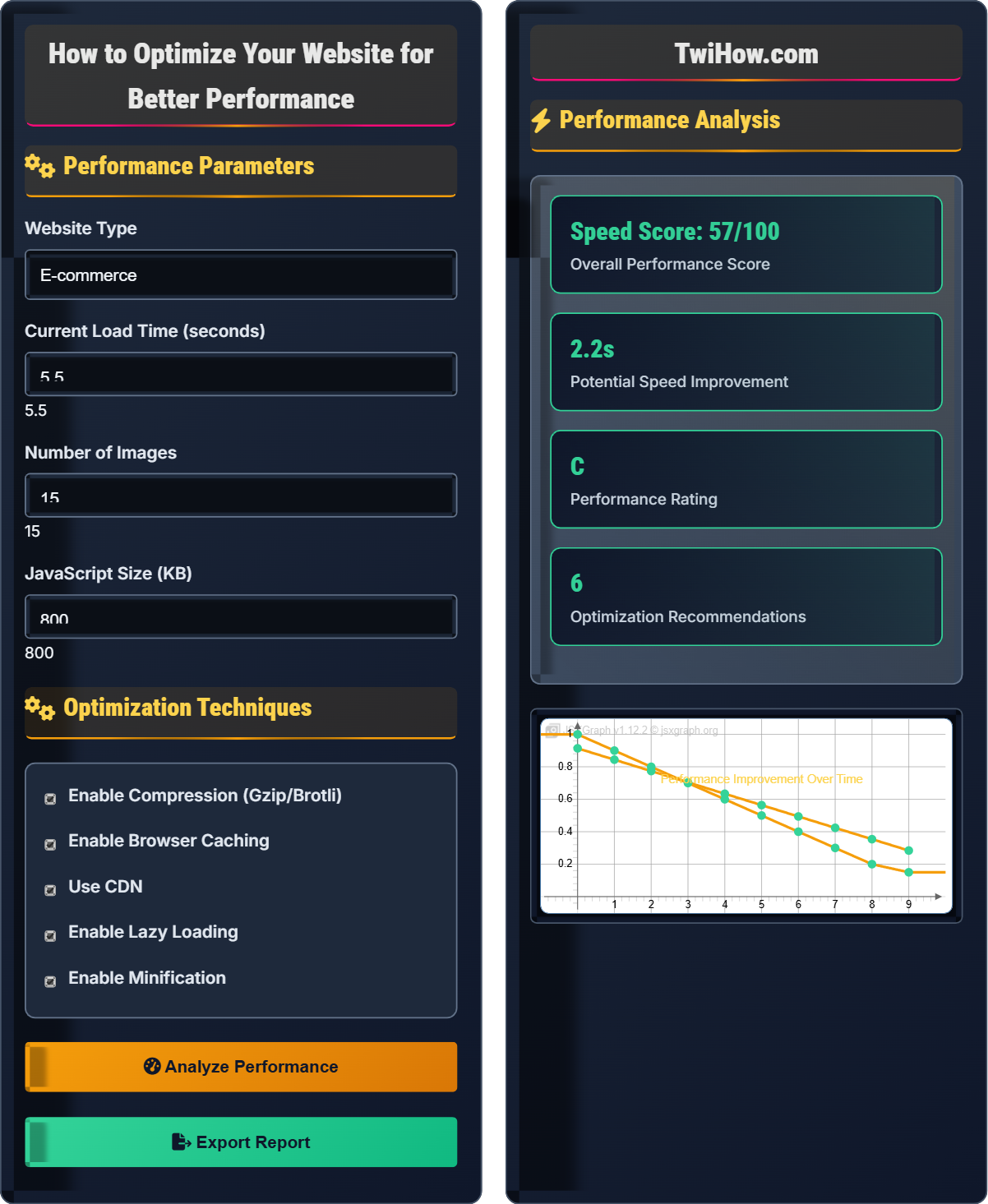
Performance Parameters
Optimization Techniques
Performance Analysis
| Metric | Current | Target | Improvement |
|---|---|---|---|
| Largest Contentful Paint | 3.2s | 2.5s | 22% |
| First Input Delay | 120ms | 100ms | 17% |
| Cumulative Layout Shift | 0.15 | 0.1 | 33% |
Website Performance Optimization Explained
Website performance optimization is the process of improving the speed, responsiveness, and overall user experience of a website. It involves reducing load times, minimizing resource consumption, and enhancing the efficiency of web pages to deliver content faster to users.
Google's Core Web Vitals are the key metrics for measuring user experience:
Where:
- Largest Contentful Paint (LCP): Time to load main content (target < 2.5s)
- First Input Delay (FID): Responsiveness to user interaction (target < 100ms)
- Cumulative Layout Shift (CLS): Visual stability (target < 0.1)
Essential performance optimization techniques:
- Image Optimization: Compress images, use modern formats (WebP), implement lazy loading
- Code Minification: Remove unnecessary characters from CSS, JavaScript, and HTML
- CDN Usage: Distribute content globally for faster delivery
- Browser Caching: Store resources locally to reduce load times
- Resource Prioritization: Load critical resources first (critical rendering path)
- Asynchronous Loading: Load non-critical resources without blocking
- Better User Experience: Faster loading times improve user satisfaction
- Higher Conversion Rates: Studies show performance directly impacts conversions
- Improved SEO: Search engines favor faster websites
- Reduced Bounce Rates: Users are more likely to stay on fast sites
- Lower Bandwidth Costs: Optimized resources consume less bandwidth
- Better Mobile Performance: Critical for mobile-first indexing
Performance Fundamentals
Page Speed, Core Web Vitals, LCP, FID, CLS, CDN, Caching, Compression, Minification.
Load Time = Server Response + Resource Download + Processing Time
Where Load Time = total page load time, Server Response = backend processing time.
- Target < 3 seconds load time
- Optimize above-the-fold content first
- Minimize HTTP requests
Optimization Techniques
Image Optimization, Code Minification, Caching, CDN, Lazy Loading, Resource Prioritization.
- Measure baseline performance
- Identify largest assets
- Implement optimizations
- Test improvements
- Monitor continuously
- Compress images without quality loss
- Minimize JavaScript and CSS files
- Use efficient hosting solutions
- Implement proper caching strategies
Performance Optimization Quiz
Which of the following is NOT one of Google's Core Web Vitals?
Google's Core Web Vitals consists of three specific metrics: Largest Contentful Paint (LCP), First Input Delay (FID), and Cumulative Layout Shift (CLS). Time to First Byte (TTFB) is an important performance metric but is not included in the Core Web Vitals set. TTFB is a server-side metric that measures how quickly the server responds to requests. The answer is D) Time to First Byte (TTFB).
While TTFB is important for performance, Core Web Vitals specifically focus on user-centric metrics that measure loading, interactivity, and visual stability.
Core Web Vitals were introduced by Google to provide a unified set of metrics focused on user experience. These metrics are specifically chosen because they represent key aspects of the user's experience: how quickly the page loads (LCP), how responsive it is to user interaction (FID), and how stable the layout is (CLS). Understanding these specific metrics helps prioritize optimization efforts.
LCP: Largest Contentful Paint - loading performance
FID: First Input Delay - interactivity
CLS: Cumulative Layout Shift - visual stability
• Focus on Core Web Vitals for SEO impact
• LCP should be < 2.5s
• FID should be < 100ms
• Use Lighthouse for comprehensive analysis
• Implement Core Web Vitals in Google Analytics
• Focus on mobile performance first
• Confusing TTFB with Core Web Vitals
Explain the different techniques for optimizing images on websites and their impact on performance.
Compression: Reducing file size by removing unnecessary data. Lossy compression (JPEG) removes some image data for smaller files, while lossless compression (PNG) maintains quality but may result in larger files.
Modern Formats: Using WebP or AVIF formats which provide better compression than traditional JPEG/PNG formats, often achieving 25-35% smaller file sizes.
Responsive Images: Using different image sizes for different screen resolutions with srcset attribute to serve appropriately sized images.
Lazy Loading: Deferring off-screen images until they're about to enter the viewport, reducing initial page load time.
Image Dimensions: Setting explicit width and height attributes to prevent layout shifts and reserve space for images.
These techniques can reduce image file sizes by 50-80%, significantly improving page load times and reducing bandwidth usage.
Images often account for the largest portion of a webpage's total bytes. Optimizing images has the most dramatic impact on performance. The key is balancing image quality with file size, using appropriate formats for different types of images, and implementing smart loading strategies to minimize the initial payload.
WebP: Modern image format providing superior compression
Lazy Loading: Deferring resource loading until needed
Srcset: HTML attribute for responsive images
• Always compress images before uploading
• Use appropriate format for content type
• Set explicit dimensions
• Use tools like TinyPNG or ImageOptim
• Implement progressive JPEGs for large images
• Consider SVG for simple graphics
• Uploading full-resolution images
• Not specifying image dimensions
• Using wrong format for content type
An e-commerce company is experiencing slow page load times (average 7 seconds) leading to high bounce rates and low conversion. Their website has 45 images, heavy JavaScript, and no caching. Propose a comprehensive performance improvement strategy.
Immediate Actions: Implement image optimization by compressing all 45 images, converting to WebP format, and implementing lazy loading. This could reduce image payload by 60-70%.
Code Optimization: Minify and bundle JavaScript and CSS files, remove unused code, and defer non-critical JavaScript. Implement code splitting for better initial load times.
Caching Strategy: Set up browser caching with appropriate cache headers, implement server-side caching, and consider a Content Delivery Network (CDN) for global distribution.
Server Optimization: Upgrade hosting plan if necessary, implement Gzip/Brotli compression, and optimize database queries.
Monitoring: Set up continuous performance monitoring using Core Web Vitals and establish performance budgets to prevent regression.
These improvements could reduce load time from 7 seconds to under 3 seconds, potentially increasing conversions by 20-40%.
Performance optimization for e-commerce sites is critical because page load time directly correlates with revenue. Every second of delay can result in significant conversion loss. The strategy should prioritize the biggest impact improvements first (like image optimization) while establishing a framework for ongoing optimization and monitoring.
CDN: Content Delivery Network for global content distribution
Code Splitting: Breaking code into smaller chunks
Performance Budget: Limits on page weight and load time
• Prioritize above-the-fold content
• Monitor performance continuously
• Test on real devices and networks
• Use Lighthouse CI for automated testing
• Implement preloading for critical resources
• Consider Progressive Web App features
• Ignoring mobile performance
• Not measuring baseline performance
• Focusing on minor optimizations first
A developer needs to optimize the critical rendering path for a landing page. Explain what the critical rendering path is and provide three techniques to optimize it.
Critical Rendering Path: The sequence of steps the browser goes through to convert HTML, CSS, and JavaScript into pixels on the screen. It includes DOM construction, CSSOM construction, render tree creation, layout, and paint.
Technique 1 - Inline Critical CSS: Extract and inline the CSS needed for above-the-fold content directly in the HTML head to eliminate render-blocking CSS requests.
Technique 2 - Defer Non-Critical CSS: Load non-critical CSS asynchronously using media queries or JavaScript to prevent blocking the render.
Technique 3 - Optimize JavaScript Loading: Mark non-critical JavaScript as async or defer, or move scripts to the end of the body to prevent blocking HTML parsing.
These techniques can reduce the time to first meaningful paint by 30-50% by eliminating render-blocking resources.
The critical rendering path determines how quickly users see content on your page. Understanding this process helps identify bottlenecks. The goal is to minimize the number of render-blocking resources and optimize their loading order so that users see content as quickly as possible.
DOM: Document Object Model - HTML structure
CSSOM: CSS Object Model - parsed CSS rules
Render Tree: Combination of DOM and CSSOM
• Eliminate render-blocking resources
• Optimize resource loading order
• Prioritize above-the-fold content
• Use preload hints for critical resources
• Implement resource hints (dns-prefetch, preconnect)
• Analyze with Chrome DevTools Coverage
• Including all CSS in the head
• Blocking JavaScript in the head
• Not analyzing critical path
Which caching strategy is most effective for static assets like CSS, JavaScript, and images?
Max-age with versioning is the most effective caching strategy for static assets. This approach allows browsers to cache assets for a long time (e.g., 1 year) while enabling instant updates when the file changes by including a version in the filename or URL (e.g., style.v123.css). This provides the best balance of performance and freshness. The answer is B) Max-age with versioning.
This strategy ensures that users get the fastest possible load times while guaranteeing they receive updated content when changes are made.
Caching strategies must balance performance (longer cache times) with correctness (ensuring users get updated content). Versioned filenames or query parameters allow for long-term caching while enabling immediate updates when content changes. This is why popular frameworks append hash values to filenames during builds.
Max-age: Cache duration in seconds
Versioning: Including version in filename for cache busting
Cache Busting: Forcing browsers to fetch new content
• Long cache for static assets
• Short cache for dynamic content
• Use versioning for cache busting
• Use build tools for automatic versioning
• Implement service workers for advanced caching
• Consider HTTP/2 for better caching
• Not implementing any caching
• Caching dynamic content too long
• Forgetting to update cache when content changes
FAQ
Q: What's the difference between minification and compression, and should I use both?
A: Minification and compression are different but complementary optimization techniques:
Minification: Removes unnecessary characters (whitespace, comments, unused code) from source files during the build process. It reduces file size by eliminating human-readable formatting without changing functionality.
Compression: Applies algorithms (like Gzip or Brotli) to reduce file size during transmission. It's typically handled by the web server and is applied to both minified and non-minified files.
You should absolutely use both! Minification reduces the original file size, and compression further reduces the transmitted size. Together, they can reduce file sizes by 70-80% or more. The combination provides maximum performance benefits.
Q: How much impact does website performance really have on business metrics?
A: Website performance has a profound impact on business metrics, backed by extensive research:
Conversion Rates: Amazon found that every 100ms of latency cost them 1% in sales. Google observed that a 500ms increase in load time decreased ad clicks by 20%.
User Engagement: Slow sites see increased bounce rates - a 1-second delay can increase bounce rate by 7%. Users expect pages to load in 2 seconds or less.
SEO Impact: Google uses page speed as a ranking factor, especially for mobile searches. Faster sites rank higher and attract more organic traffic.
Mobile Performance: With mobile-first indexing, performance on mobile devices is critical. Mobile users are particularly sensitive to slow loading times.
Investment in performance optimization typically yields ROI of 10:1 or higher through increased conversions and user engagement.