How to Implement Best Practices in Mobile App Development
Complete mobile development guide • Step-by-step explanations
Mobile Development Fundamentals:
Show Mobile Dev AnalyzerMobile app development best practices encompass design principles, performance optimization, security measures, and user experience considerations that ensure apps are successful in competitive markets. These practices help developers create high-quality, maintainable, and user-friendly applications.
Effective mobile development requires balancing multiple competing priorities: performance, security, user experience, and maintainability. Best practices provide proven approaches to address these challenges while meeting business objectives.
Key mobile development concepts:
- Responsive Design: Adapting to different screen sizes and orientations
- Performance Optimization: Efficient resource usage and fast loading
- Security Implementation: Protecting user data and privacy
- Platform Guidelines: Following iOS Human Interface Guidelines and Material Design
- Testing Strategy: Comprehensive testing across devices and scenarios
Modern mobile development combines native capabilities with cross-platform solutions, cloud integration, and continuous delivery practices to create robust, scalable applications that meet user expectations.
Mobile Development Parameters
Development Features
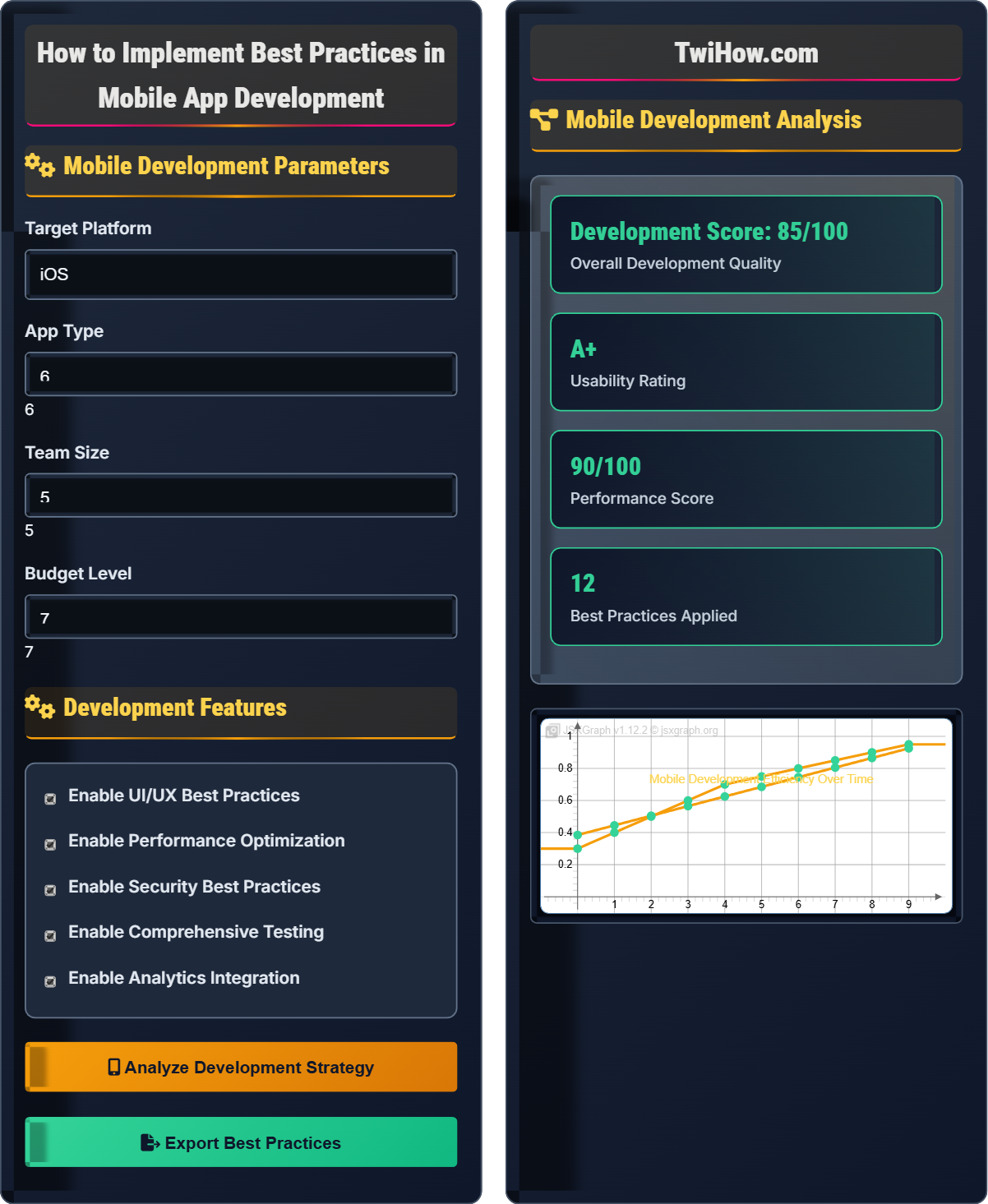
Mobile Development Analysis
| Aspect | Current | Recommended | Gap |
|---|---|---|---|
| UI/UX Design | Good | Excellent | Minor |
| Performance | Good | Excellent | Minor |
| Security | Fair | Excellent | Major |
| Testing | Basic | Comprehensive | Major |
| Accessibility | Poor | Excellent | Critical |
Mobile App Development Best Practices Explained
Mobile app development best practices are proven approaches and methodologies that ensure the creation of high-quality, user-friendly, and maintainable mobile applications. These practices cover design, development, testing, and deployment aspects to maximize success in competitive mobile markets.
Core areas for mobile development excellence:
Where:
- UI/UX: User interface and experience design
- Performance: Speed, responsiveness, and resource usage
- Security: Data protection and privacy measures
- Maintainability: Code quality and architecture
Following platform-specific guidelines ensures optimal user experience:
- iOS: Human Interface Guidelines, UIKit, Swift/Objective-C
- Android: Material Design, Jetpack Compose, Kotlin/Java
- Cross-Platform: Flutter, React Native, Xamarin considerations
- Web Apps: Progressive Web App standards, responsive design
- Memory Management: Efficient resource usage and garbage collection
- Network Optimization: Caching, compression, and offline capabilities
- Rendering: Smooth animations and frame rates
- Battery Life: Minimize background processing and location updates
- Storage: Efficient data storage and retrieval
- Startup Time: Fast app launch and initialization
Mobile Development Fundamentals
Mobile Development, Native Apps, Cross-Platform, UI/UX Design, Performance Optimization, Security, Testing.
Success = (User Experience × Performance × Security) / (Development Time + Cost)
Where Success = app quality metric, User Experience = usability score.
- Follow platform guidelines
- Optimize for performance
- Prioritize security
Implementation Patterns
MVC, MVP, MVVM, Clean Architecture, Dependency Injection, Repository Pattern.
- Design user interface
- Implement business logic
- Create data models
- Add networking layer
- Implement persistence
- Test functionality
- Keep UI threads responsive
- Handle configuration changes
- Implement proper error handling
- Use asynchronous operations
Mobile Development Quiz
Which of the following is the most important consideration for mobile UI design?
Following platform guidelines (iOS Human Interface Guidelines or Android Material Design) is the most important consideration for mobile UI design. This ensures consistency with user expectations and provides familiar interaction patterns. The answer is B) Following platform guidelines.
Users expect mobile apps to behave consistently with other apps on their platform. Deviating from platform conventions can create confusion and reduce usability, regardless of how visually appealing the design might be.
Platform guidelines exist because they've been tested extensively with users and refined over time. They account for touch interaction patterns, accessibility requirements, and cognitive load. While creativity is important, it should enhance rather than replace established patterns.
Human Interface Guidelines: Apple's design principles
Material Design: Google's design system
Touch Targets: Minimum size for interactive elements
• Maintain consistency with platform
• Ensure accessibility compliance
• Follow touch target guidelines
• Use platform-native components
• Test with real users
• Consider different hand positions
• Ignoring platform conventions
Explain the key strategies for optimizing mobile app performance and why they're important.
Memory Management: Optimize memory usage by releasing unused objects, using weak references appropriately, and avoiding memory leaks. This prevents app crashes and ensures smooth operation.
Network Optimization: Implement efficient data fetching with proper caching, compression, and offline capabilities. Use appropriate data formats (JSON over XML) and implement retry mechanisms.
Rendering Optimization: Optimize drawing operations, use hardware acceleration, and implement efficient view hierarchies. Minimize overdraw and use appropriate image formats.
Startup Time: Optimize app launch by deferring non-critical initialization, using efficient data loading strategies, and implementing splash screens appropriately.
Battery Optimization: Minimize background processing, optimize location services usage, and implement efficient scheduling for background tasks.
Storage Optimization: Use appropriate storage solutions (SQLite for structured data, SharedPreferences for settings), implement efficient data serialization, and optimize file operations.
Performance optimization is crucial because mobile devices have limited resources compared to desktop computers, and users expect fast, responsive applications. Poor performance leads to app abandonment and negative reviews.
Mobile performance optimization differs from desktop because of resource constraints and different usage patterns. Mobile users often have limited bandwidth, battery life, and processing power, making optimization more critical for user satisfaction and retention.
Memory Leak: Object that remains in memory unintentionally
Frame Rate: Frames per second for smooth animations
Overdraw: Drawing pixels multiple times unnecessarily
• Target 60 FPS for smooth animations
• Keep main thread responsive
• Profile before optimizing
• Use performance profiling tools
• Implement lazy loading
• Optimize image sizes and formats
• Blocking main thread with heavy operations
• Not testing on low-end devices
• Over-optimizing prematurely
A startup wants to develop a fitness tracking app that works across iOS and Android. They have a small team with limited budget but need to ensure high performance and good user experience. Design a development strategy considering cross-platform constraints.
Technology Choice: Use React Native or Flutter for cross-platform development to maximize code reuse while maintaining native performance. This reduces development time and cost compared to building separate native apps.
Architecture: Implement a clean architecture with separation of concerns. Use state management solutions like Redux (React Native) or BLoC (Flutter) for predictable state handling.
Performance Strategy: Optimize for the lowest common denominator - ensure the app performs well on entry-level devices. Implement efficient data synchronization and offline capabilities.
UI/UX Approach: Create platform-adaptive UI that follows each platform's design guidelines while maintaining brand consistency. Use platform-specific components where necessary.
Security Implementation: Encrypt sensitive health data, implement secure authentication, and follow platform-specific security recommendations for health data handling.
Testing Strategy: Implement comprehensive testing including unit tests, integration tests, and end-to-end tests. Use emulators and real devices for testing across different platforms and versions.
Deployment: Plan for app store submissions, implement analytics for performance monitoring, and prepare for regular updates based on user feedback.
This approach balances the need for cross-platform development with performance and user experience requirements while working within resource constraints.
Cross-platform development requires careful consideration of performance trade-offs. While it reduces development costs, it may introduce performance overhead. The key is to choose the right technology stack and architecture that maximizes code sharing while maintaining acceptable performance.
Cross-Platform: Single codebase for multiple platforms
Native Performance: Performance matching platform-specific apps
Code Sharing: Reusing code across platforms
• Target minimum device specifications
• Maintain platform-specific feel
• Test on actual devices
• Use platform-specific UI components
• Implement efficient state management
• Plan for app store review processes
• Assuming perfect code sharing
• Not accounting for platform differences
• Neglecting native platform features
Explain how to implement proper security measures in a mobile app that handles sensitive user data like passwords, personal information, and payment details.
Data Encryption: Encrypt sensitive data at rest using platform-specific encryption APIs. On iOS, use Keychain for storing sensitive information. On Android, use EncryptedSharedPreferences or Tink library.
Network Security: Use HTTPS with certificate pinning to prevent man-in-the-middle attacks. Implement proper SSL/TLS configurations and validate certificates properly.
Authentication: Implement secure authentication with multi-factor authentication where appropriate. Use secure token storage and proper session management.
Biometric Security: Leverage platform biometric APIs (Face ID, Touch ID, Fingerprint) for additional security layers while maintaining user convenience.
Secure Storage: Never store sensitive data in plain text. Use platform-specific secure storage mechanisms and implement proper key management.
Input Validation: Validate all user inputs to prevent injection attacks. Implement proper sanitization and validation on both client and server sides.
Security Updates: Regularly update dependencies and security libraries. Implement mechanisms to force app updates when critical security patches are released.
Privacy Compliance: Implement privacy controls and comply with regulations like GDPR, CCPA, and platform-specific privacy requirements.
Security should be implemented at multiple layers - network, storage, authentication, and application logic - to provide comprehensive protection.
Mobile app security differs from web security due to the client-side nature of mobile apps. The device itself is untrusted, so sensitive operations should happen on the server side whenever possible. Defense in depth is crucial for mobile applications.
Root/Jailbreak Detection: Detecting compromised devices
Certificate Pinning: Binding certificates to prevent spoofing
Keychain: iOS secure storage system
• Encrypt sensitive data at rest
• Use HTTPS with pinning
• Never hardcode secrets
• Use platform security APIs
• Implement threat modeling
• Regular security audits
• Storing passwords in plain text
• Not validating certificates
• Hardcoding API keys
Which type of testing is most critical for mobile applications?
Device testing is most critical for mobile applications because mobile apps run on diverse devices with different screen sizes, operating system versions, hardware capabilities, and usage contexts. The answer is B) Device Testing.
While all types of testing are important, mobile-specific testing on actual devices (or high-fidelity emulators) is essential because mobile users interact with apps differently than desktop users, and device-specific issues can significantly impact user experience.
Mobile testing requires considering factors that don't exist in desktop applications: battery usage, network connectivity variations, physical device interactions, and diverse hardware configurations. This makes device testing a critical component of mobile quality assurance.
Device Farm: Cloud-based device testing infrastructure
Emulator: Software simulation of device hardware
Real Device Testing: Testing on actual hardware
• Test on multiple device types
• Test different OS versions
• Test various network conditions
• Use cloud device farms
• Implement automated UI tests
• Test with different user contexts
• Only testing on developer devices
• Not testing on low-end devices
• Ignoring orientation changes
FAQ
Q: Should I use native development or cross-platform for my mobile app?
A: The choice depends on your specific requirements:
Choose Native When:
• Maximum performance is critical (games, AR/VR)
• Heavy use of platform-specific features
• Long-term app with dedicated team
• Access to skilled native developers
Choose Cross-Platform When:
• Budget and timeline constraints
• MVP or proof-of-concept
• Limited development resources
• Feature parity across platforms is important
Modern cross-platform solutions like Flutter and React Native have matured significantly and can deliver near-native performance for most applications. The key is to understand the trade-offs and choose based on your specific needs.
Q: How much time should be allocated to testing in mobile development?
A: Testing should comprise 30-40% of your total development effort:
Unit Testing: 15-20% - Test individual components and functions
Integration Testing: 10-15% - Test component interactions
UI Testing: 10-15% - Test user interface and user flows
Device Testing: 5-10% - Test on various devices and OS versions
Remember that testing is not just a phase but an ongoing process. Implement testing throughout the development cycle rather than as a final step. Automated testing can significantly improve efficiency and coverage.