What are the Most Common Mistakes Beginner Developers Make?
Complete beginner guide • Step-by-step solutions
Common Mistakes:
Show Mistake AnalysisBeginner developers often make predictable mistakes that can slow their progress and cause frustration. Understanding these common pitfalls early can help accelerate learning and avoid costly errors in professional settings.
These mistakes span from technical errors like poor code organization to behavioral issues like not asking for help when needed. The key is recognizing these patterns and developing strategies to overcome them.
Most Common Mistakes:
- Not Reading Error Messages: Skipping over important debugging information
- Copy-Paste Coding: Using code without understanding it
- No Testing: Writing code without verification
- Poor Naming: Using unclear variable/function names
- No Planning: Jumping into coding without design
Recognizing these patterns early helps beginners develop better habits and avoid common traps that can derail their development journey.
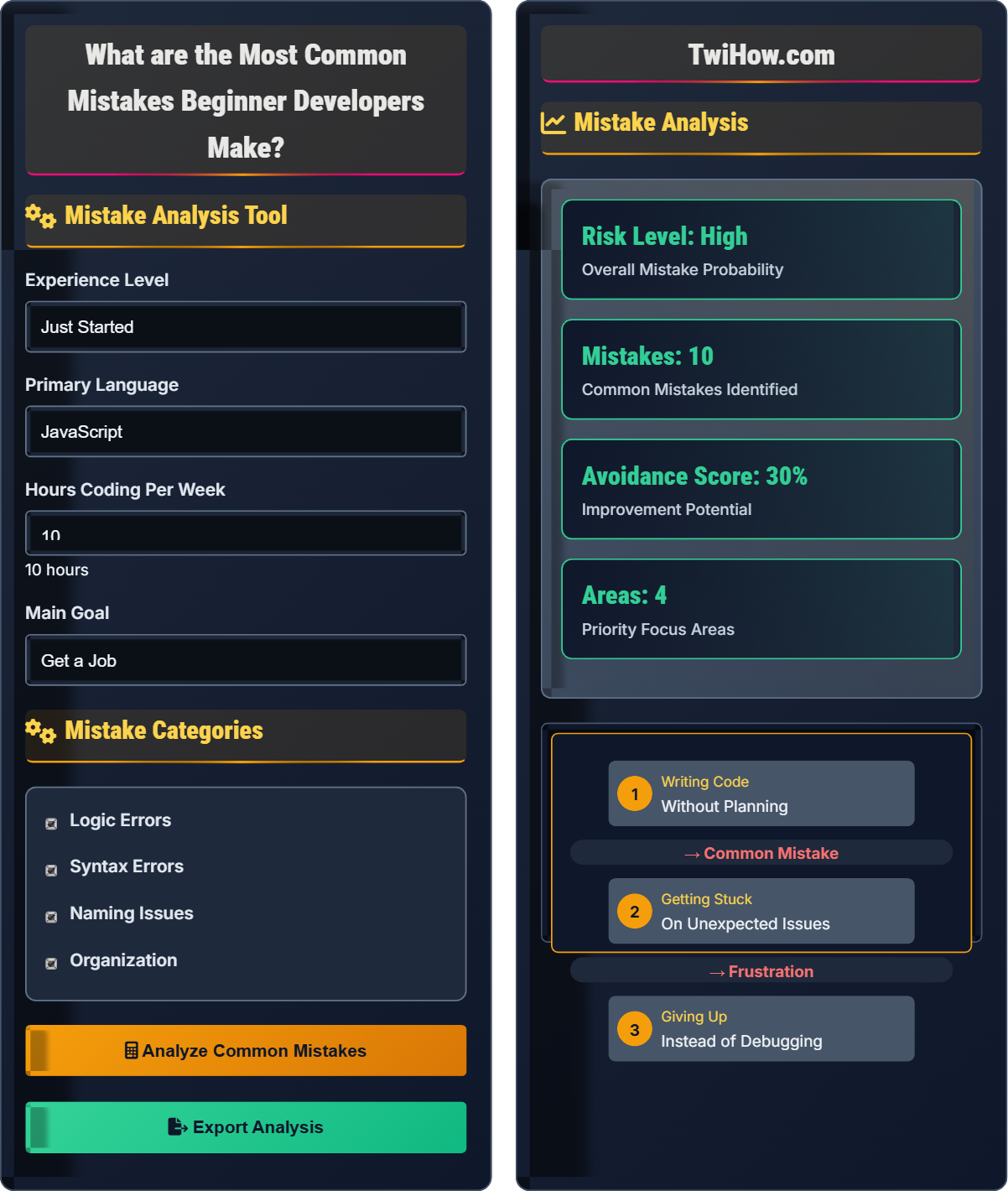
Mistake Analysis Tool
Mistake Categories
Mistake Analysis
Mistake Analysis
Based on your experience level and coding habits, you're likely to encounter these common beginner mistakes:
- Skipping error message reading
- Not using version control
- Copying code without understanding
- Ignoring code formatting
- Not testing incrementally
Focus on developing good habits early to avoid these patterns.
| Mistake | Prevention | Priority |
|---|---|---|
| Not reading errors | Read messages carefully | High |
| Bad naming | Use descriptive names | High |
| No testing | Test incrementally | High |
| Copy-paste | Understand before using | Medium |
Most Common Beginner Developer Mistakes
The most common mistakes that slow down beginner developers:
Where Common Errors include syntax mistakes, logic errors, and bad practices that could be prevented with proper planning.
- Not Reading Error Messages: Skimming or ignoring important debugging information
- Copy-Paste Programming: Using code snippets without understanding them
- No Version Control: Not using Git or similar tools
- Poor Variable Names: Using vague or meaningless names
- No Testing: Writing code without verification
- Skipping Documentation: Not reading official docs
- Overcomplicating Solutions: Creating unnecessarily complex code
- No Planning: Jumping into coding without design
- Not Asking for Help: Struggling alone instead of seeking guidance
- Ignoring Best Practices: Not following coding standards
Beginner mistakes often follow predictable patterns:
- Technical Mistakes: Syntax errors, logic flaws, inefficient algorithms
- Process Mistakes: No testing, poor organization, inadequate planning
- Behavioral Mistakes: Not asking for help, giving up too easily, overconfidence
- Habit Mistakes: Inconsistent coding style, no documentation, poor time management
How these mistakes affect development:
- Time Wasted: Hours spent debugging avoidable errors
- Confidence Lost: Frustration leading to decreased motivation
- Learning Delayed: Focus on fixing mistakes instead of learning
- Bad Habits Formed: Reinforcing poor practices
- Professional Image: Poor code quality in professional settings
- Slow Down: Take time to think before coding
- Break Problems Down: Divide complex problems into smaller parts
- Write Comments: Document your thought process
- Use Debugging Tools: Learn to use debugger effectively
- Follow Conventions: Adhere to language and team standards
- Code Review: Have others review your code
Mistake Fundamentals
Error messages, debugging, version control, testing, documentation, planning, best practices.
Success = (Good Habits × Consistent Practice) / (Carelessness × Rushed Decisions)
Where Good Habits = Planning + Testing + Documentation, Consistent Practice = Regular Coding.
- Always read error messages completely
- Use version control from the beginning
- Test your code incrementally
Implementation Strategies
Development environment, version control, debugging tools, testing frameworks, documentation.
- Set up proper development environment
- Initialize version control system
- Learn debugging tools and techniques
- Establish testing practices
- Follow coding standards
- Document your code
- Time investment in learning best practices
- Initial slowdown for long-term benefit
- Team collaboration requirements
- Professional development standards
Beginner Developer Mistakes Quiz
What is the most common mistake beginners make when encountering error messages?
The most common mistake is skipping over error messages and guessing the fix. Beginners often panic when seeing error messages and try to fix the problem by making random changes instead of reading the message carefully. Error messages are specifically designed to help identify the problem, including the file, line number, and nature of the issue.
The answer is B) Skip over them and guess the fix.
Error messages are your friend, not your enemy. They contain valuable information that can save you hours of debugging. Learning to read and interpret error messages is a fundamental skill that separates successful developers from frustrated beginners. Each error message has a structure: type of error, location, and description. Taking time to understand this structure prevents the common mistake of guessing fixes.
Error Message: Information about what went wrong in your code
Debugging: Process of finding and fixing errors
Syntax Error: Mistake in code structure
• Always read error messages completely
• Pay attention to line numbers
• Look up unfamiliar error types
• Take time to understand the error before coding
• Use the error message to search for solutions
• Keep a list of common errors and solutions
• Panicking when seeing errors
• Not reading the entire message
• Assuming the error is too complex
Explain why copy-pasting code without understanding it is dangerous for beginner developers and describe the proper approach to using external code.
Why Copy-Paste is Dangerous:
1. No Understanding: You don't learn the underlying concepts, making it impossible to modify or debug the code when issues arise.
2. Context Ignorance: Code copied from elsewhere may not fit your specific requirements or context.
3. Dependency Issues: External code may have dependencies or assumptions that don't match your project.
4. Maintenance Problems: When updates are needed, you won't know how to modify the code safely.
5. Security Risks: Malicious code could be introduced without your knowledge.
Proper Approach:
1. Read and Understand: Study the code to understand how it works before using it.
2. Modify Appropriately: Adapt the code to fit your specific needs and coding standards.
3. Test Thoroughly: Verify the code works in your context with proper testing.
4. Document Changes: Note where external code came from and what modifications were made.
5. Learn the Pattern: Extract the concept to apply in future situations.
This approach turns copy-paste into a learning opportunity rather than a shortcut that hinders growth.
Learning to code requires understanding the "why" behind the "what." When beginners copy-paste without comprehension, they miss the learning opportunity. The goal isn't just to make code work, but to understand how and why it works. This understanding becomes crucial when troubleshooting, extending functionality, or explaining code to others.
Copy-Paste Programming: Using code without understanding it
Code Comprehension: Understanding how code works
Contextual Fit: Code that matches your specific needs
• Understand before implementing
• Adapt to your context
• Test thoroughly after changes
• Comment external code to show understanding
• Simplify complex code to core concepts
• Practice the concept separately
• Using code without understanding
• Not adapting to context
• Assuming all online code is correct
You're a beginner developer who hasn't been using version control. You've been saving multiple copies of files with names like "project_final_v1.js", "project_final_v2.js", etc. Today you accidentally deleted important functionality and realized you need it back from last week's version. Describe the problems with your current approach and how version control would have prevented this situation.
Problems with Current Approach:
• Storage Waste: Multiple full copies of files consume excessive disk space
• Organization Nightmare: Impossible to remember which version contains what
• No Change Tracking: Cannot see what changed between versions
• Backup Issues: Must backup entire files instead of just changes
• Collaboration Impossible: Cannot work with others effectively
How Version Control Helps:
• Single Repository: One location with complete history
• Easy Reverts: Return to any previous state instantly
• Change Tracking: See exactly what changed and when
• Branching: Work on features without affecting main code
• Collaboration: Merge changes from multiple developers
Implementation:
1. Initialize Git repository in your project
2. Commit regularly with descriptive messages
3. Create branches for new features
4. Push to remote repository for backup
This approach would have allowed you to instantly retrieve the deleted functionality from last week's commit with a simple command.
Version control is not just about backing up code; it's about managing changes over time. The file-naming approach is fundamentally flawed because it treats each version as a separate entity. Version control systems like Git track changes as a series of modifications to a single codebase, making it efficient to move between states and understand the evolution of your project.
Version Control: System tracking changes to files over time
Commit: Saving changes with a descriptive message
Repository: Storage location for version-controlled files
• Initialize version control early
• Commit regularly with good messages
• Use branching for new features
• Commit small, logical changes
• Write meaningful commit messages
• Push changes regularly to remote
• Starting version control late in project
• Not committing regularly
• Poor commit message descriptions
You're building a function that calculates discounts for an e-commerce site. The function takes a price and discount percentage and returns the discounted price. What are the common testing mistakes beginners make, and what test cases should you write to properly validate your function?
Common Testing Mistakes:
• Only Positive Cases: Testing only normal, expected inputs
• No Edge Cases: Not testing boundary values or unusual inputs
• No Negative Testing: Not testing invalid inputs
• Manual Testing: Running the function manually instead of writing tests
• No Regression Testing: Not verifying old functionality still works
Proper Test Cases:
• Normal Case: Price $100, discount 10% → Expected $90
• Zero Discount: Price $50, discount 0% → Expected $50
• Full Discount: Price $30, discount 100% → Expected $0
• Negative Price: Price -$20, discount 10% → Expected error or handled case
• Negative Discount: Price $100, discount -5% → Expected error or handled case
• Discount Over 100%: Price $100, discount 150% → Expected error or handled case
• Decimal Values: Price $19.99, discount 12.5% → Expected calculated value
• Very Large Numbers: Price $999999, discount 50% → Expected $499999.50
• String Inputs: Price "fifty", discount "ten" → Expected error handling
Testing Approach:
Write automated tests using a testing framework (like Jest for JavaScript) that run all test cases automatically. This ensures your function works correctly and continues to work as you make changes.
This comprehensive testing approach catches both expected and unexpected issues, making your code more robust.
Testing is not just about proving code works, but proving it handles all possible scenarios. Beginners often focus only on the "happy path" where everything goes as expected. Professional developers think about all the ways their code could fail and write tests to verify it handles those cases appropriately. This mindset shift from "does it work?" to "how can it break?" is crucial for writing robust code.
Unit Testing: Testing individual functions/components
Edge Cases: Boundary values and unusual inputs
Regression Testing: Ensuring old code still works
• Test both valid and invalid inputs
• Include edge cases in tests
• Automate tests when possible
• Use testing frameworks for automation
• Test incrementally as you develop
• Focus on boundary conditions
• Only testing happy path scenarios
• Not testing error conditions
• Manual testing instead of automation
Which of the following variable names is the worst example of poor naming that beginners often make?
The worst example of poor naming is "x" because it provides absolutely no information about what the variable represents. Meaningful variable names are crucial for code readability and maintainability. While "x" might seem quick to type, it creates confusion for anyone reading the code (including your future self).
The other options, while longer, clearly describe what the variable represents. Good naming is a fundamental practice that pays dividends in code comprehension and maintenance.
The answer is B) x.
Variable names are a form of documentation. They should communicate the purpose and meaning of the data they hold. Beginners often think shorter names are better, but clarity is more important than brevity. The computer doesn't care about variable name length, but humans reading the code do. Well-named variables make code self-documenting and reduce the need for additional comments.
Descriptive Naming: Names that clearly indicate purpose
Self-Documenting Code: Code that explains itself
Code Readability: How easily code can be understood
• Use descriptive variable names
• Follow language conventions
• Be consistent in naming
• Use camelCase or snake_case consistently
• Make names searchable
• Avoid abbreviations unless standard
• Using single letters as names
• Using generic names like "data"
• Inconsistent naming conventions
FAQ
Q: How do I know if I'm making too many mistakes?
A: Everyone makes mistakes, especially when learning. The key is learning from them. If you're spending more time fixing errors than writing new code, or if you're repeating the same mistakes, it's time to reassess your approach. Focus on understanding why mistakes happen rather than just fixing them. Keep a log of common mistakes and their solutions. The goal isn't zero mistakes, but learning how to avoid repeating them.
Q: What's the best way to learn from mistakes?
A: The best approach is active reflection. When you encounter a mistake, don't just fix it and move on. Take time to understand why it happened, what you could have done differently, and how to prevent it in the future. Write down the mistake and solution in a personal knowledge base. Teach the concept to someone else to solidify your understanding. Most importantly, practice the correct approach multiple times until it becomes second nature.
Q: My child is getting frustrated with coding mistakes. How can I help?
A: Frame mistakes as learning opportunities rather than failures. Emphasize that professional developers spend significant time debugging and problem-solving. Celebrate small wins and progress. Help them break problems into smaller, manageable parts. Encourage them to read error messages and use debugging tools. Most importantly, remind them that every expert developer started by making the same mistakes. Persistence and patience are key skills in programming.