What is open-source contribution and how do I get started?
Complete open-source contribution guide • Step-by-step explanations
Open Source Contribution:
Show Contribution SimulatorOpen-source contribution involves participating in the development of software projects that are freely available to use, modify, and distribute. Contributors can help with code, documentation, testing, design, and community management. The open-source movement promotes collaboration, transparency, and innovation by allowing anyone to contribute to and benefit from shared software projects.
Getting started with open-source contribution requires understanding version control (Git), finding welcoming projects, and following community guidelines. Contributions can range from fixing typos in documentation to implementing major features. The process helps developers build portfolios, gain experience, and connect with the global developer community.
Key concepts:
- Version Control: Using Git and GitHub for code management
- Community Guidelines: Following project codes of conduct
- Issue Tracking: Finding and addressing project issues
- Code Review: Collaborating on code quality and functionality
Successful open-source contribution requires patience, communication skills, and a willingness to learn from experienced community members.
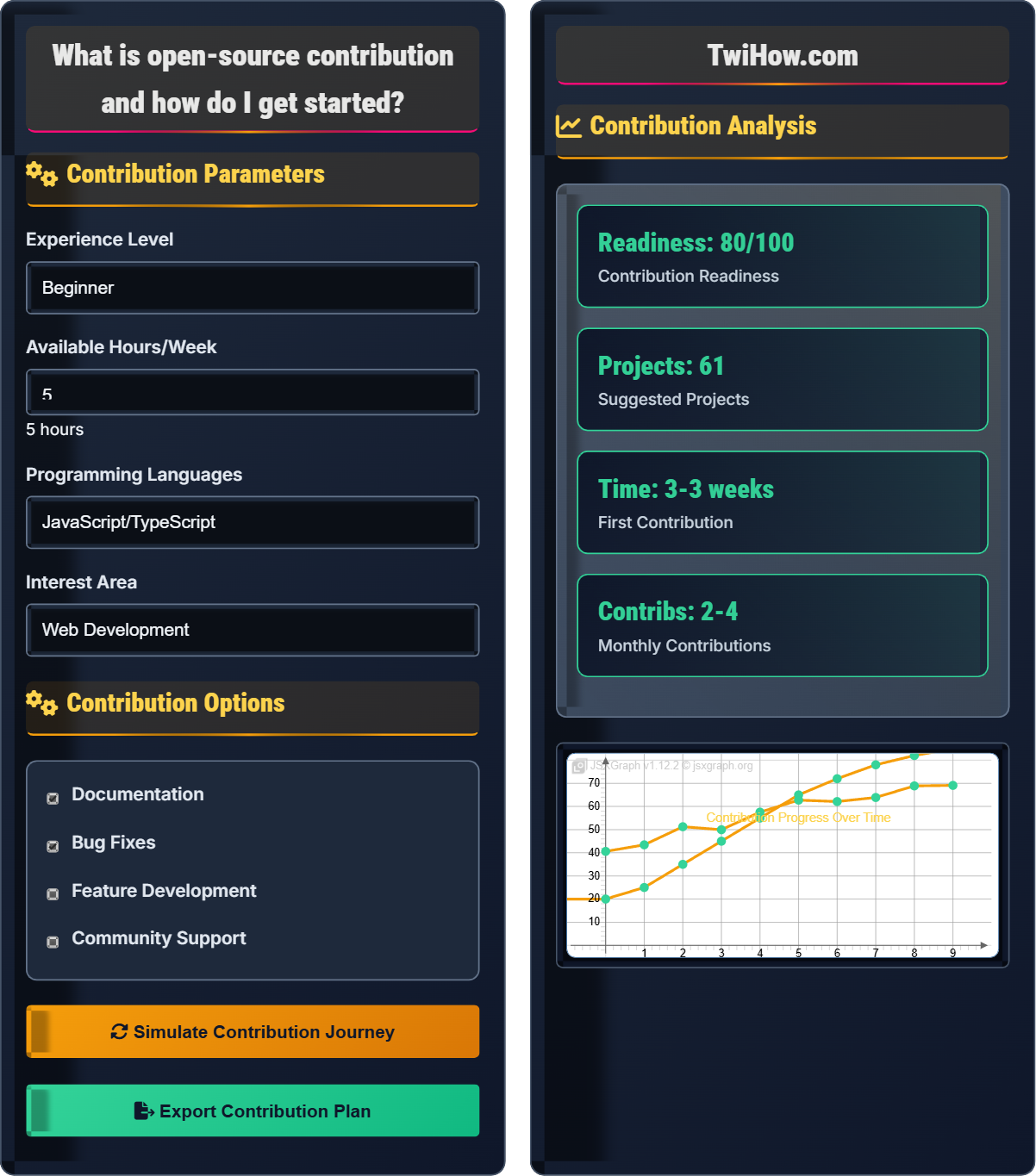
Contribution Parameters
Contribution Options
Contribution Analysis
| Project | Stars | Language | Difficulty |
|---|---|---|---|
| First Timers Only | 1.2k | All | Beginner |
| freeCodeCamp | 350k | JavaScript | Beginner |
| Meta Open Source | 200k | Multiple | Intermediate |
| first-contributions | 15k | All | Beginner |
Open Source Contribution Explained
Open-source contribution involves participating in the development of software projects that are freely available to use, modify, and distribute. Contributors can help with code, documentation, testing, design, and community management. The open-source movement promotes collaboration, transparency, and innovation by allowing anyone to contribute to and benefit from shared software projects.
Key concepts in open source contribution:
Core concepts include:
- Version Control: Using Git and GitHub for code management
- Community Guidelines: Following project codes of conduct
- Issue Tracking: Finding and addressing project issues
- Code Review: Collaborating on code quality and functionality
- Licensing: Understanding open source licenses
Major tools and platforms for open source contribution:
- GitHub: Platform for hosting and collaborating on projects
- Git: Version control system for tracking changes
- VS Code: Popular code editor with Git integration
- Markdown: Markup language for documentation
- Issue Trackers: Systems for managing project tasks
- Code Review Tools: Platforms for collaborative code review
- Start Small: Begin with documentation fixes or small bug fixes
- Follow Guidelines: Adhere to project contribution guidelines
- Communicate Clearly: Write clear commit messages and PR descriptions
- Be Respectful: Follow community codes of conduct
- Learn Continuously: Review feedback and improve
- Give Back: Help other newcomers once you gain experience
Open Source Fundamentals
Open source, version control, pull requests, community, collaboration.
Contribution_Impact = (Quality × Relevance) ÷ Community_Adoption
Where Contribution_Impact = value of contribution, Quality = code quality and documentation.
- Follow project guidelines
- Start with small contributions
- Respect community norms
Getting Started
Coding, documentation, testing, design, community support, translation.
- Set up Git and GitHub
- Find beginner-friendly projects
- Read contribution guidelines
- Make your first contribution
- Time commitment
- Learning curve
- Community engagement
- Code quality standards
Open Source Learning Quiz
What is a pull request in the context of open source contribution?
A pull request is a proposal to merge changes from your fork into the original repository. It allows maintainers to review your changes, discuss modifications, and approve the inclusion of your contribution. Pull requests are the primary mechanism for contributing code to open source projects on platforms like GitHub.
The answer is B) A proposal to merge changes from your fork into the original repository.
Understanding pull requests is fundamental to open source contribution. A pull request is not literally "pulling" code, but rather requesting that the maintainers pull your changes into their repository. It's a collaborative process that allows for code review, discussion, and iteration before merging.
Pull Request: Proposal to merge changes between repositories
Fork: Copy of a repository in your account
Merge: Combining changes from different sources
• Describe changes clearly
• Follow project conventions
• Be responsive to feedback
• Write descriptive titles
• Explain your changes
• Link to related issues
• Unclear PR descriptions
• Not following guidelines
• Ignoring feedback
Explain how to find beginner-friendly open source projects and what characteristics make a project welcoming to newcomers.
Ways to Find Beginner-Friendly Projects:
• GitHub Labels: Search for issues tagged with "good first issue", "beginner-friendly", or "first-timers-only"
• Specialized Websites: Visit sites like Up For Grabs, First Timers Only, or CodeTriage
• Popular Projects: Look for well-maintained projects with active communities
Characteristics of Welcoming Projects:
• Clear Documentation: README with setup instructions and contribution guidelines
• Active Maintainers: Responsive to issues and pull requests
• Good First Issues: Tagged issues specifically for beginners
• Code of Conduct: Clear community guidelines
• Beginner Resources: Tutorials or guides for new contributors
• Welcoming Tone: Friendly and encouraging community atmosphere
These characteristics indicate that the project values newcomers and has processes in place to help them contribute successfully.
Starting with the right project is crucial for a positive open source experience. Welcoming projects not only help you learn the technical aspects but also introduce you to community norms and collaborative development practices. The first contribution experience can set the tone for continued participation.
Good First Issue: Issues marked as suitable for newcomers
Contribution Guidelines: Instructions for contributing to a project
Code of Conduct: Standards for community behavior
• Read documentation first
• Look for projects you use
• Check recent activity
• Join community chat
• Starting with complex projects
• Not reading guidelines
• Rushing without understanding
You've found a popular open source project with unclear documentation. The README lacks setup instructions and the API documentation has typos. How would you approach contributing to improve the documentation?
Approach:
1. Research Thoroughly:
• Read the existing documentation carefully
• Try to set up the project to understand missing steps
• Check if similar issues already exist
2. Plan Your Contribution:
• Identify specific areas needing improvement
• Consider the target audience (beginners vs. experts)
• Decide whether to create separate PRs for different issues
3. Make the Changes:
• Fork the repository and create a new branch
• Fix typos and add missing information
• Ensure consistency in style and formatting
4. Submit Your Contribution:
• Create a clear, descriptive pull request
• Explain what changes you made and why
• Be prepared to iterate based on feedback
Best Practices:
• Test any setup instructions you add
• Follow the project's documentation style
• Provide examples where helpful
• Link to related sections or external resources
Documentation contributions are excellent starting points for open source newcomers. They're typically lower risk than code changes, help you understand the project better, and provide immediate value to users. Good documentation bridges the gap between code and usability.
README: Main documentation file in a repository
API Documentation: Specifications for using software interfaces
Markdown: Lightweight markup language for documentation
• Test what you document
• Follow project style
• Be clear and concise
• Use bullet points for lists
• Include code examples
• Add screenshots if helpful
• Not testing instructions
• Using inconsistent formatting
• Writing overly complex explanations
You want to fix a bug in an open source project. Describe the complete workflow from identifying the issue to getting your fix merged, including all the steps and best practices.
Complete Contribution Workflow:
1. Issue Identification:
• Find the reported issue or reproduce the bug
• Comment on the issue to express interest in fixing it
• Confirm the issue hasn't been assigned to someone else
2. Environment Setup:
• Fork the repository to your account
• Clone your fork locally
• Set up the development environment following project docs
3. Code Changes:
• Create a new branch for your fix
• Make minimal, focused changes
• Add tests if the project has a test suite
• Follow the project's coding standards
4. Testing and Verification:
• Test your changes thoroughly
• Ensure existing tests still pass
• Verify the fix resolves the original issue
5. Submission:
• Commit your changes with clear, descriptive messages
• Push your branch to your fork
• Create a pull request with detailed explanation
6. Collaboration:
• Respond promptly to reviewer feedback
• Make requested changes
• Participate in discussions about your changes
7. Post-Merge:
• Delete your feature branch
• Update your local repository
• Celebrate your contribution!
The contribution workflow is systematic and collaborative. Each step serves a purpose: forking creates your workspace, branching isolates changes, testing ensures quality, and the PR process enables review. Understanding this workflow helps ensure smooth, professional contributions.
Workflow: Series of steps to accomplish a task
Branch: Parallel version of repository for isolated changes
Code Review: Process of examining code changes
• Always create a new branch
• Keep changes focused
• Respond to feedback
• Write good commit messages
• Test thoroughly before PR
• Be patient with review process
• Making changes to master branch
• Not testing changes
• Ignoring feedback
Which of the following is the most important consideration when contributing to an open source project?
The project's open source license and your rights/responsibilities is the most important consideration. The license determines how you can use, modify, and distribute the code, and defines your obligations as a contributor. Understanding the license protects both you and the project from legal issues and ensures compatibility with your intended use of the software.
The answer is B) The project's open source license and your rights/responsibilities.
Open source licenses are legal agreements that define how software can be used, modified, and distributed. Common licenses include MIT, Apache 2.0, GPL, and BSD. Each has different requirements regarding attribution, derivative works, and distribution. Understanding licenses is crucial for both contributors and users.
Open Source License: Legal agreement governing software use
MIT License: Permissive license with minimal restrictions
GPL: Copyleft license requiring derivative works to be open source
• Always read the license
• Understand your obligations
• Ensure compatibility with your use
• Check license before contributing
• Understand attribution requirements
• Consider project dependencies
• Not reading license terms
• Ignoring attribution requirements
• Contributing without understanding obligations
FAQ
Q: I'm new to programming. Is open source contribution suitable for beginners?
A: Absolutely! Many open source projects welcome beginners:
Good Starting Points:
• Documentation fixes and improvements
• Translations and localization
• Bug reports and testing
• Small bug fixes in well-documented code
Beginner-Friendly Projects:
• Look for projects with "good first issue" tags
• Check out First Timers Only or Up For Grabs
• Many large projects have beginner-friendly issues
Benefits for Beginners:
• Learn from experienced developers
• Gain real-world experience
• Build portfolio and network
• Understand collaborative development
Start small, be patient, and don't be afraid to ask questions!
Q: How can companies encourage employees to contribute to open source?
A: Companies can encourage open source contribution through:
Policy Support:
• Establish clear open source contribution policies
• Provide time allocation (e.g., 20% time for OS work)
• Create legal review processes for contributions
Infrastructure:
• Set up corporate CLA (Contributor License Agreement) processes
• Provide training on open source best practices
• Create internal tools to streamline contribution
Cultural Support:
• Recognize and reward contributions
• Share success stories internally
• Encourage knowledge sharing from OS participation
Benefits:
• Attracts top talent
• Builds technical reputation
• Improves employee skills and satisfaction
• Contributes to ecosystem health
Q: How do I find my first open source project to contribute to?
A: Finding your first project involves several strategies:
Search Methods:
• Browse GitHub's "good first issue" label search
• Visit websites like Up For Grabs or First Timers Only
• Look for projects you already use and love
• Check your favorite programming language's ecosystem
Project Evaluation:
• Check for recent activity (commits, issues, PRs)
• Look for welcoming community and clear guidelines
• Ensure documentation is up-to-date
• Verify there are maintainers actively responding
Personal Fit:
• Consider your current skill level honestly
• Choose projects in technologies you want to learn
• Pick projects with problems you care about solving
• Start with smaller, well-defined issues
Remember: the perfect project doesn't exist, so pick one and start!