What is serverless architecture and when should I use it?
Complete serverless guide • Step-by-step explanations
Serverless Computing:
Show Serverless SimulatorServerless architecture is a cloud computing model where the cloud provider dynamically manages the allocation and provisioning of servers. Developers can focus on writing code without worrying about server management, scaling, or infrastructure maintenance. The term "serverless" doesn't mean there are no servers, but rather that the infrastructure is abstracted away from the developer.
Serverless computing allows applications to scale automatically based on demand, with costs tied directly to actual usage rather than reserved capacity. This model is ideal for event-driven applications, APIs, and microservices that don't require constant server availability.
Key concepts:
- Function as a Service (FaaS): Execute code in response to events
- Automatic Scaling: Resources allocated based on demand
- Pay-per-execution: Costs based on actual compute time used
- Event-driven: Functions triggered by specific events
Popular serverless platforms include AWS Lambda, Azure Functions, Google Cloud Functions, and Vercel. These platforms handle infrastructure management, security patching, and scaling automatically.
Serverless Parameters
Serverless Options
Cost Analysis
| Component | Usage | Rate | Cost |
|---|---|---|---|
| Requests | 100,000 | $0.20/million | $0.02 |
| Compute | 10,000 GB-s | $1.67/G | $16.70 |
| Free Tier | - | - | -$4.00 |
| Total | - | - | $12.72 |
Serverless Architecture Explained
Serverless architecture is a cloud computing model where the cloud provider dynamically manages the allocation and provisioning of servers. The term "serverless" doesn't mean there are no servers, but rather that the infrastructure is abstracted away from the developer. Applications are broken down into small, independent functions that execute in response to specific events.
Key concepts in serverless architecture:
Core concepts include:
- Function as a Service (FaaS): Execute code in response to events without managing servers
- Event-driven: Functions triggered by specific events like HTTP requests, file uploads, or database changes
- Stateless: Functions don't maintain state between executions
- Automatic Scaling: Resources allocated based on demand
- Pay-per-execution: Costs based on actual compute time used
Major serverless platforms available:
- AWS Lambda: Amazon's Function as a Service offering
- Azure Functions: Microsoft's serverless computing platform
- Google Cloud Functions: Google's event-driven serverless platform
- Vercel: Serverless platform focused on frontend deployments
- Netlify Functions: Serverless functions for frontend applications
- Cloudflare Workers: Edge computing serverless platform
- Event-driven applications: Processing files, data streams, or webhook events
- Microservices: Breaking down monolithic applications into smaller functions
- API backends: RESTful APIs and GraphQL endpoints
- Periodic tasks: Scheduled jobs and cron-like functionality
- Mobile backends: APIs for mobile applications
- IoT applications: Processing sensor data and device events
Serverless Fundamentals
Function as a Service (FaaS), event-driven architecture, automatic scaling, pay-per-use model.
Cost = (Requests × Request_Price) + (GB-seconds × Compute_Price)
Where Cost = total monthly cost, Requests = number of function invocations, GB-seconds = compute time.
- Functions are stateless by default
- Scaling happens automatically
- Pay only for execution time
Benefits & Use Cases
Reduced operational overhead, automatic scaling, cost efficiency, faster deployment.
- Webhook processing
- File/image processing
- API backends
- Scheduled tasks
- Vendor lock-in concerns
- Cold start latency
- Debugging complexity
- Resource limitations
Serverless Learning Quiz
What does "serverless" mean in the context of cloud computing?
"Serverless" means that the cloud provider manages the servers and infrastructure. The term doesn't mean there are no servers, but rather that the infrastructure is abstracted away from the developer. The cloud provider handles server provisioning, patching, scaling, and maintenance, allowing developers to focus on writing code.
The answer is B) Servers are managed by the cloud provider.
The term "serverless" is often misunderstood. It doesn't mean servers don't exist - they absolutely do. Instead, the "serverless" designation refers to the fact that developers don't have to worry about server management. This abstraction allows teams to focus on business logic rather than infrastructure concerns.
Serverless: Cloud computing model where infrastructure management is abstracted
Abstraction: Hiding complex underlying processes from users
Infrastructure: Physical and virtual resources that support applications
• Serverless still uses servers
• Infrastructure management is handled by providers
• Focus shifts to application code
• Remember: "serverless" means "someone else's servers"
• Focus on business logic over infrastructure
• Leverage auto-scaling capabilities
• Believing no servers are involved
• Underestimating vendor lock-in risks
• Ignoring cold start implications
Explain what cold starts are in serverless computing, why they occur, and how they can be mitigated. What are the implications for application performance?
Cold starts occur when a serverless function needs to be executed but there are no pre-existing instances ready to handle the request. The cloud provider must initialize a new instance, which includes downloading the code, initializing the runtime environment, and starting the function.
Why they occur:
• First invocation after deployment
• Scaling events when new instances are needed
• After periods of inactivity when instances are recycled
Mitigation strategies:
• Provisioned concurrency to keep instances warm
• Optimize function initialization code
• Use efficient runtime environments
• Implement application-level caching
Performance implications: Cold starts can add significant latency (100ms to several seconds) to initial requests, potentially impacting user experience for latency-sensitive applications.
Cold starts represent one of the main trade-offs in serverless architecture. While the model offers excellent scalability and cost efficiency, it sacrifices some predictability in startup times. Understanding when and why cold starts occur is crucial for designing applications that work well with serverless constraints.
Cold Start: Initial execution of a serverless function requiring full initialization
Warm Instance: Pre-initialized function instance ready to handle requests
Provisioned Concurrency: Feature to keep functions initialized
• Cold starts affect initial request performance
• Mitigation options have associated costs
• Design applications accordingly
• Use warming techniques for critical paths
• Optimize initialization code
• Consider provisioned concurrency for important functions
• Not accounting for cold start latency
• Over-provisioning for all functions
• Neglecting initialization optimization
A company currently runs a traditional web application on EC2 instances that handles 1 million requests per month with an average response time of 200ms. They want to migrate to serverless architecture using AWS Lambda. Calculate the expected monthly cost and identify potential challenges in the migration process.
Cost Calculation:
• Requests: 1,000,000 × $0.0000002 = $0.20
• Compute: 1,000,000 × 200ms × 512MB ÷ 1024 ÷ 1000 = 100,000 GB-seconds
• Compute cost: 100,000 × $0.0000166667 = $1.67
• Total monthly cost: $1.87 (within free tier limits)
Potential Challenges:
1. Application Refactoring: Monolithic application needs to be broken into functions
2. State Management: Serverless functions are stateless by nature
3. Cold Starts: May impact user experience initially
4. Vendor Lock-in: Tight coupling with AWS services
5. Debugging: Distributed nature makes troubleshooting complex
6. Timeout Limits: Lambda functions have maximum execution time limits
Serverless migration isn't just about cost savings - it requires fundamental architectural changes. The cost calculation shows the potential savings, but the challenges highlight the complexity involved. Success depends on properly refactoring the application to fit the serverless model rather than simply porting existing code.
Monolithic Architecture: Application built as a single unit
Refactoring: Restructuring existing code without changing functionality
Vendor Lock-in: Dependency on specific cloud provider services
• Assess architectural fit before migrating
• Migrate incrementally using hybrid approach
• Use managed databases for state persistence
• Implement proper monitoring and logging
• Direct port of monolithic code
• Not planning for state management
• Underestimating debugging complexity
You're developing a serverless application that processes image uploads. Each image takes approximately 1.5 seconds to resize and optimize. With an expected load of 10,000 images per hour during peak times, design an optimized serverless architecture that minimizes costs and maximizes performance.
Optimized Architecture:
1. Event Flow: S3 → SQS → Lambda
• Upload images to S3 bucket
• S3 triggers SQS queue (not direct Lambda) to smooth out bursts
• Lambda polls SQS for batch processing
2. Optimization Strategies:
• Configure Lambda with 1024MB memory (faster execution than 128MB)
• Enable provisioned concurrency for predictable performance
• Use S3 Transfer Acceleration for faster uploads
• Implement dead letter queues for error handling
3. Cost Optimization:
• Batch process multiple images per invocation
• Use appropriate memory allocation for performance/cost balance
• Implement retry logic with exponential backoff
Expected Performance: With 1024MB allocation, execution time reduces to ~0.75 seconds, improving cost efficiency.
Serverless optimization requires understanding the relationship between memory, performance, and cost. Higher memory allocation often results in faster execution and better cost efficiency due to reduced time charges. The architecture choice (S3→SQS→Lambda vs direct S3→Lambda) significantly impacts performance under load.
Batch Processing: Processing multiple items in a single function invocation
Provisioned Concurrency: Keeping function instances initialized
Dead Letter Queue: Storage for failed message processing
• Balance memory allocation for optimal cost/performance
• Use queuing for bursty workloads
• Implement proper error handling
• Monitor cost per execution closely
• Use AWS Lambda Power Tuning tools
• Consider S3 event notifications to SQS
• Direct S3 to Lambda for bursty loads
• Using minimal memory allocation
• Not implementing proper error handling
Which of the following scenarios would be LEAST suitable for serverless architecture?
Long-running batch processing jobs are least suitable for serverless architecture because of execution time limits. Most serverless platforms have maximum execution times (e.g., AWS Lambda: 15 minutes, Google Cloud Functions: 9 minutes). For jobs that need to run for 24+ hours, traditional compute resources like EC2, containers, or managed services are more appropriate.
The answer is B) Long-running batch processing jobs (24+ hours).
Understanding serverless limitations is as important as knowing its benefits. Execution time limits, memory constraints, and cold start latencies define the boundaries of what serverless is suitable for. Recognizing these constraints helps in making informed architectural decisions.
Execution Time Limit: Maximum duration a serverless function can run
Resource Constraints: Limits on memory, disk, and execution time
Architectural Suitability: Fit between workload and platform capabilities
• Serverless has execution time limits
• Consider resource constraints
• Match workload to platform capabilities
• Break long tasks into smaller chunks
• Use orchestration services for complex workflows
• Consider hybrid approaches when needed
• Attempting to run long jobs in serverless
• Ignoring platform limitations
• Not planning for resource constraints
FAQ
Q: How does serverless pricing compare to traditional EC2 instances for a typical web application?
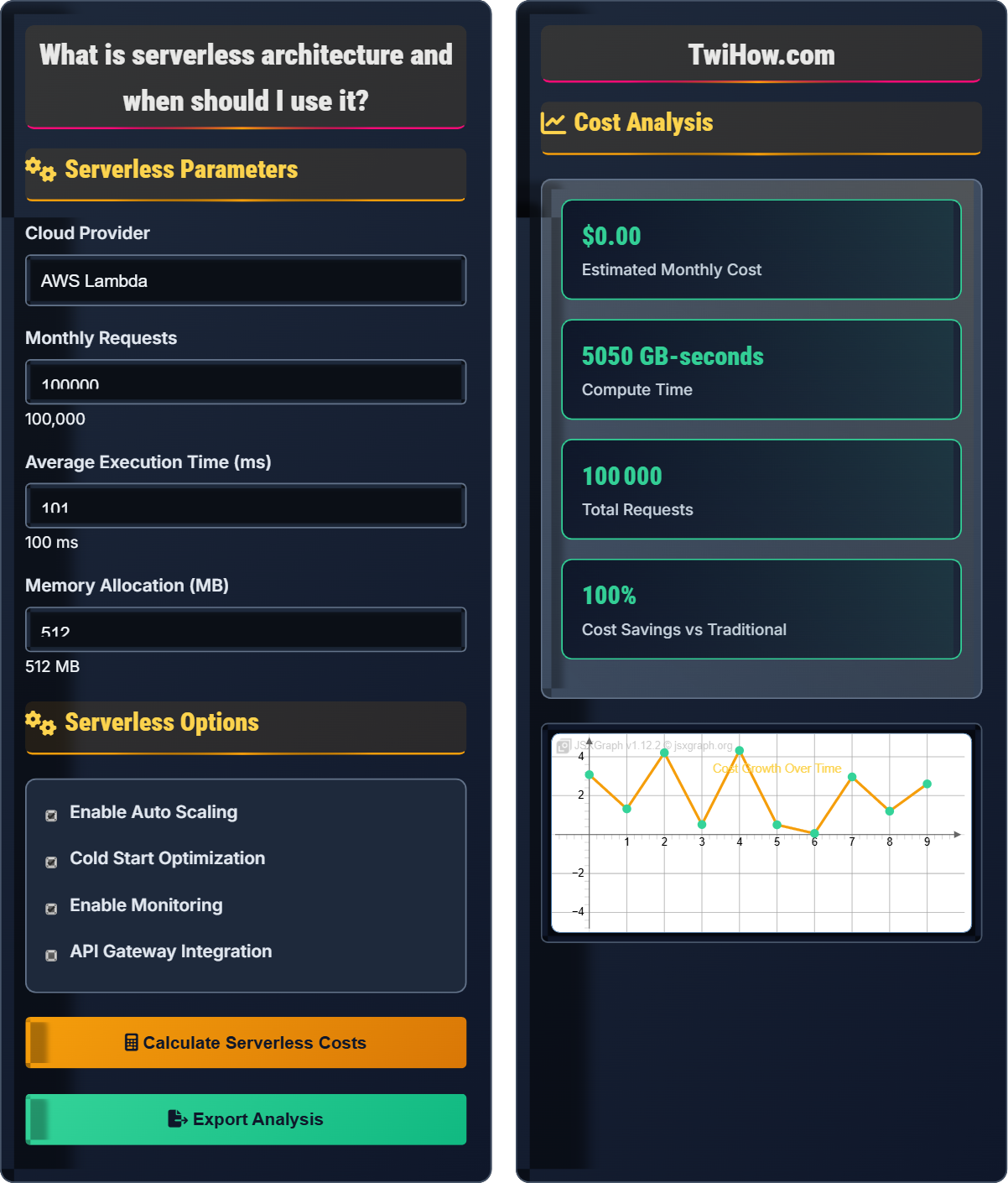
A: Serverless pricing can be significantly more cost-effective for applications with variable or unpredictable traffic. For example, with 100,000 requests per month and 100ms average execution time:
Serverless (AWS Lambda):
• Requests: 100,000 × $0.0000002 = $0.02
• Compute: 100,000 × 0.1s × 512MB/1024 = 5,000 GB-seconds × $0.0000166667 = $0.08
• Total: $0.10 (well within free tier)
EC2 (t3.micro): $12.48/month (fixed cost regardless of usage)
For low to moderate traffic, serverless is much cheaper. However, for consistently high traffic (millions of requests daily), EC2 might become more cost-effective due to the per-request pricing model.
Q: What are the main security considerations when adopting serverless architecture?
A: While cloud providers handle infrastructure security, there are several security considerations for serverless applications:
1. Function-level security: Each function should have minimal required permissions (least privilege principle)
2. Input validation: All inputs must be validated since functions can be triggered by various sources
3. Secrets management: Securely store and access sensitive information like API keys
4. Event source configuration: Carefully configure which events can trigger functions
5. Network security: Configure VPC settings appropriately if needed
6. Monitoring and logging: Implement comprehensive monitoring to detect anomalies
The shared responsibility model still applies: the cloud provider secures the infrastructure, but you're responsible for securing your code and configurations.
Q: How do I handle stateful operations in a stateless serverless environment?
A: Serverless functions are inherently stateless, but you can achieve stateful behavior using external services:
1. Managed databases: Use DynamoDB, RDS, or other managed databases for persistent storage
2. Object storage: Store state in S3, GCS, or Azure Blob Storage
3. Cache services: Use ElastiCache, Redis, or Memcached for temporary state
4. State management services: AWS Step Functions, Azure Logic Apps, or similar orchestration services
5. Session management: Store session data in databases or token-based authentication
The key is to decouple state management from the compute layer. This actually provides benefits like improved scalability and resilience compared to traditional in-memory state storage.